The best StatusCake alternatives are Hyperping (monitoring + on-call + status pages at a flat rate), UptimeRobot (the largest free plan), Better Stack (monitoring + logs + incidents), Uptime.com (30+ check types and SLA reporting), and Pingdom (real user monitoring and transaction checks). I looked at 30 tools and narrowed it to these five based on G2 and Capterra reviews, product research, and conversations with teams that moved off StatusCake this year.
A lot of those teams have a specific story. Freshping shut down on March 6, 2026, StatusCake ran a "Freshping replacement" campaign with concierge migration, and thousands of people moved their monitors over in February and March. Six months later, some of them are looking again: the free plan stops at 10 monitors where Freshping allowed 50, the public status page sits on the $66.66/month Business tier, and there is still no on-call scheduling, no escalation, and no browser checks at any price.
In this guide, you'll learn:
- Why teams leave StatusCake, including the ones who arrived from Freshping
- Five alternatives that fix specific gaps, and what each one costs at real numbers
- StatusCake vs UptimeRobot, Pingdom and Uptime.com head to head
- How to migrate once and not have to do it again next year
If you want 30-second checks verified from 18 regions, a status page on your own domain from the first paid plan, on-call scheduling with escalation policies, and a price you can predict, Hyperping does exactly that. See the Hyperping vs StatusCake comparison or schedule a demo.
Key takeaways
- Hyperping is the most complete option for the price, starting at $24/mo billed annually with monitoring, on-call, escalation policies, and a status page included, plus 3 seats and $7/mo per additional seat.
- UptimeRobot has the largest free plan in the category (50 monitors on 5-minute checks) and a basic status page at no cost, which makes it the natural landing spot for former Freshping free users.
- Better Stack combines uptime monitoring, log management, and incident response, but its modular pricing (per monitor pack, per responder, per status page) climbs fast from the free tier.
- Uptime.com offers 30+ check types, private location probes, and no-code transaction checks from $7/mo for 10 checks, with every feature on every tier.
- Pingdom is the only tool on this list with real user monitoring, from $18/mo for 10 checks, at a price that nearly quadruples once you need 50.
Why you should trust this guide
I'm Léo, founder of Hyperping. That means I have a stake in one of these tools, and I'd rather say it than have you guess. I've watched teams pick competitors over Hyperping when the competitor was the better fit, and I've tried to reflect that here.
For this guide I read StatusCake's pricing page and Freshping replacement page as of September 16, 2026, went through G2, Capterra and TrustRadius reviews for all six tools, tested the ones I could sign up for, and talked to teams that migrated from Freshping to StatusCake this spring. Where I couldn't test something directly, I say so and cite the source.
Top picks at a glance
| Best for | Product |
|---|---|
| Monitoring + on-call + status page in one plan | Hyperping |
| Largest free plan | UptimeRobot |
| Monitoring + logs + incident management | Better Stack |
| Widest range of check types and SLA reporting | Uptime.com |
| Real user monitoring and transaction checks | Pingdom |
Why teams consider StatusCake alternatives
StatusCake has been around since 2012 and covers a lot of ground for the money: uptime, page speed, SSL, domain expiry, and basic server monitoring in one account. Its G2 rating sits at 4.8 out of 5 on 14 reviews, and the recurring praise is that it's affordable and easy to set up. The reasons people leave are just as consistent.
The Freshping move didn't land where people expected
StatusCake's own replacement page says it plainly: "If you liked Freshping's simplicity but want a reliable long-term monitoring platform, StatusCake is a natural alternative." The migration offer was real. You exported your Freshping checks and their team recreated tests and alert contacts for you.
What the campaign didn't stress is the size of the free plan. Freshping gave away 50 monitors; StatusCake gives away 10, with one page speed, one SSL and one domain test, for a single login. A team that had 30 Freshping monitors for free is now paying $20.41/month on Superior, or trimming what it monitors. The notifier.so migration guide summed up the reaction I heard most often: "the jump from free to paid ($20/month) is steep compared to Freshping alternatives."
The public status page is a Business plan feature
StatusCake's public reporting page is only on Business, which is $66.66/month billed annually or $79.99 monthly. Several G2 reviewers flag it: public reporting pages "are only available in paid versions of the software, while other providers allow users to generate a public status page at no additional cost." For a team whose previous tool gave them a status page for free, that's the first line item that pushes them to compare.
No on-call scheduling or escalation policies
StatusCake sends the alert and stops there. There is no rotation, no escalation to a backup if the first responder doesn't acknowledge, and no timezone-aware schedule. Its integrations page lists PagerDuty and OpsGenie for exactly that reason, which means paying a second vendor per responder to get a paging workflow.
No browser checks, no API monitoring, no real user monitoring
StatusCake's check types are DNS, HTTP/S, HEAD, ping, push, SMTP, SSH and TCP. It cannot run a login or a checkout in a real browser, and it has no RUM. A Capterra reviewer in IT services put it in three words: "Lacks real user monitoring." Reviewers on G2 mention "the lack of transaction, API, and real user monitoring" as the reason they added a second tool.
Support and documentation
The pricing page advertises "industry-leading technical support," and some reviews back that up. Others don't. A DevOps engineer on Capterra: "Documentation can be a bit sparse if you are looking for specifics." G2 reviewers describe support as "underwhelming." I couldn't test support response times myself, so treat this as a pattern in reviews rather than a verdict.
Confirmation stays in one country
StatusCake's SureAlert feature re-checks a failure from other servers in the same country before alerting. That catches a flaky probe, but it doesn't tell you whether your site is down for Frankfurt and fine for Virginia. Tools that re-verify from other regions give you that answer in the alert itself.
Quick comparison: StatusCake alternatives
| Tool | Starting price (annual) | Check interval at entry | Best for | Main limitation |
|---|---|---|---|---|
| StatusCake | Free; $20.41/mo (100 monitors) | 5 min free, 1 min paid | Uptime + page speed + SSL in one account | Status page on Business only, no on-call, no browser checks |
| Hyperping | Free; $24/mo (50 monitors) | 5 min free, 30 s paid | Monitoring + on-call + status page in one plan | Not a full observability platform |
| UptimeRobot | Free; $9/mo (10 monitors) | 5 min free, 60 s Solo, 30 s Team | Biggest free plan, basic status pages | No on-call, no browser checks, 4 regions |
| Better Stack | Free; ~$29/mo | 30 s | Monitoring + logs + incidents unified | Modular pricing adds up quickly |
| Uptime.com | $7/mo (10 checks) | 1 min | 30+ check types, SLA reports, private probes | No on-call scheduling |
| Pingdom | $16.50/mo (10 checks) | 1 min | RUM and transaction monitoring | Price jumps sharply past 10 checks |
StatusCake vs UptimeRobot, Pingdom and Uptime.com head to head
These three comparisons are the ones people search for most, so here they are in one place before the deep dives.
StatusCake vs UptimeRobot: which is better?
| StatusCake | UptimeRobot | |
|---|---|---|
| Free plan | 10 monitors, 5 min, no public status page | 50 monitors, 5 min, 1 basic status page |
| Entry paid plan | Superior $20.41/mo annual, 100 monitors, 1 min | Solo $9/mo annual, 10 monitors, 60 s |
| 30-second checks | Business, $66.66/mo annual | Team, $35/mo annual |
| Team members | 9 on Superior | 3 on Solo, 5 on Team, then $15 to $19 per seat |
| Page speed reports | 15 on Superior | No |
| Browser checks / on-call | No / No | No / No |
Choose UptimeRobot if you want the largest free plan or a status page without paying. Choose StatusCake if you want page speed, SSL and domain checks bundled with more seats at the first paid tier. If your team is on rotation, neither is enough on its own. Full tier-by-tier numbers are in the UptimeRobot pricing breakdown.
StatusCake vs Pingdom: which is better?
| StatusCake | Pingdom | |
|---|---|---|
| Free plan | 10 monitors | 30-day trial, no free plan |
| 10 checks | Free (5 min) | $18/mo, $16.50 annual (1 min) |
| 50 to 100 checks | $20.41/mo annual for 100 at 1 min | $78/mo for 50, $149/mo for 100 |
| Real user monitoring | No | Yes, from $18/mo per 100k pageviews |
| Transaction checks | No | Yes, 1 advanced check at the 10-check tier |
| Probe locations | 43 in 30 countries | 100+ |
| On-call scheduling | No | No |
Choose Pingdom if RUM or transaction checks are the reason you're moving. Choose StatusCake if you want ten times the monitors for a fraction of the price and page speed scores are enough. Both leave on-call to another tool.
StatusCake vs Uptime.com: which is better?
| StatusCake | Uptime.com | |
|---|---|---|
| Entry price | $20.41/mo annual, 100 monitors | $7/mo, 10 basic checks and 1 advanced check |
| 100 checks | Superior, $20.41/mo annual | $60/mo, 100 basic and 10 advanced checks |
| Check types | 8 (DNS, HTTP/S, HEAD, ping, push, SMTP, SSH, TCP) | 30+, including transaction, API and page speed |
| Private location probes | No | Yes |
| Synthetic checks | No | No-code visual editor |
| SLA reporting | Basic uptime reports | Dedicated SLA reports and status pages |
| On-call scheduling | No | No |
Choose Uptime.com if you need to monitor internal services behind a firewall, want transaction checks without code, or report SLA compliance to customers. Choose StatusCake if you mostly need a high count of simple HTTP checks and page speed reports at a lower price per monitor.
Hyperping: Best for monitoring, on-call, and status pages in one plan
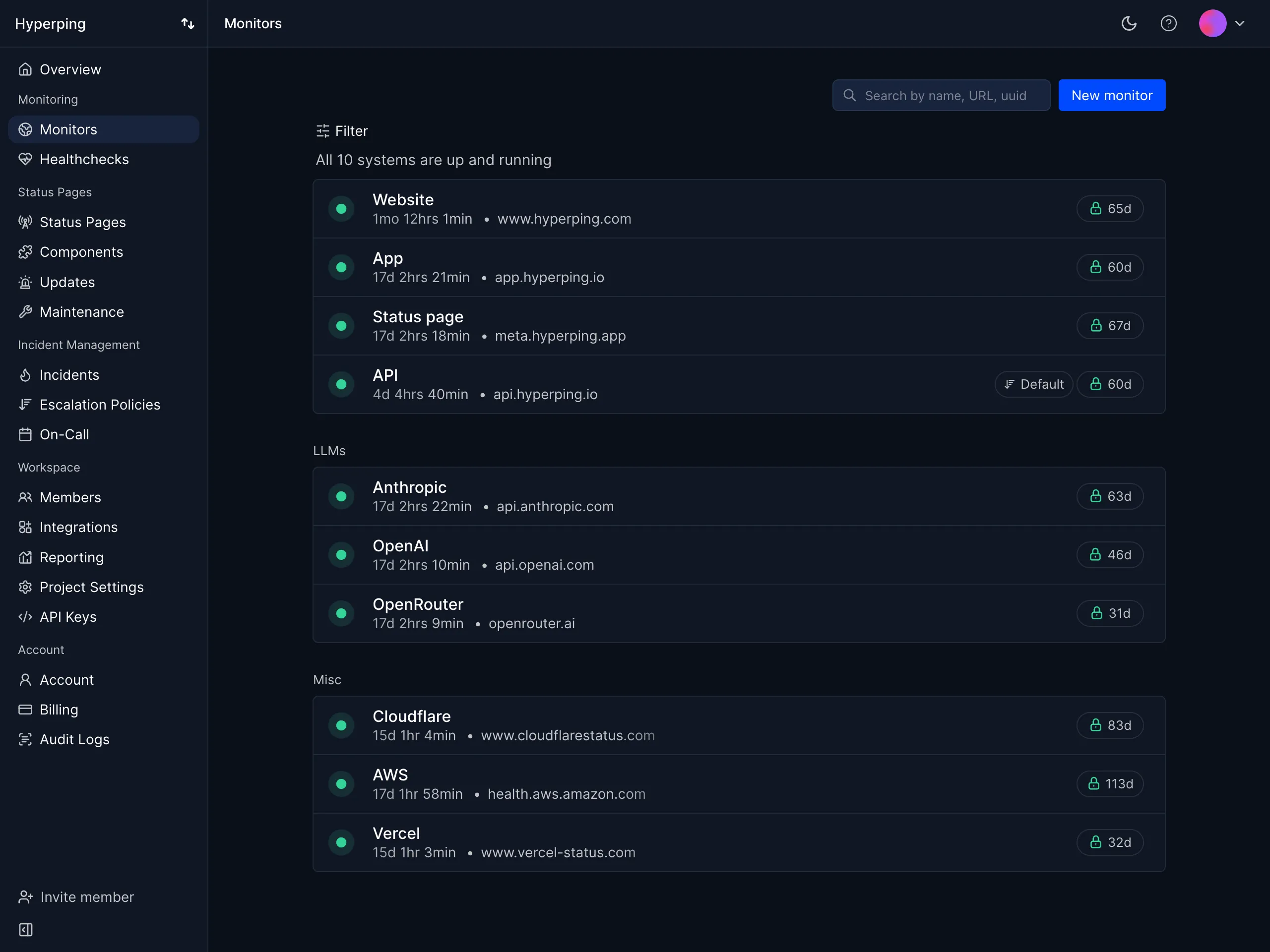
Who Hyperping is built for
Teams that want reliable uptime monitoring, a status page they'd show customers, and on-call scheduling in one tool, at a price that doesn't change when someone joins the rotation. Hyperping focuses on doing those three things well rather than adding every possible check type.
From the conversations I've had this year, the StatusCake users who fit best are small SaaS and agency teams that migrated from Freshping in March, hit the 10-monitor free limit or the Business-only status page, and don't want to move a third time. It's also popular with European companies because Hyperping is a French company with EU hosting.
Notable features
- 30-second check intervals on Essentials and Pro, 20 seconds on Business. StatusCake needs its Business plan for 30 seconds.
- Re-verification from 18 regions: a failed check is re-run from the other regions you selected before an alert fires, so a network blip between one datacenter and your host never pages anyone.
- On-call scheduling and escalation policies: timezone-aware rotations, acknowledgements, and multi-step escalation by voice call, SMS, Slack or Teams, included from Essentials. StatusCake has none of it.
- Status page on your own domain from the first paid plan, with email subscribers, incident updates, and on Pro, private pages with password or email access codes, multi-language support and component-level status.
- Browser checks with Playwright: script a login or checkout, run it on a schedule, and get video replay and traces on failure. Three are included on Essentials.
- Server monitoring: a one-line OpenTelemetry agent collects CPU, memory, filesystem, disk I/O and network metrics, with alerts routed through the same escalation policies as your uptime checks.
- Multi-channel alerting: email, SMS, voice calls, Slack, Discord, Telegram, Microsoft Teams, PagerDuty, OpsGenie, and webhooks.
- European hosting: GDPR-compliant infrastructure with customer data stored in EU data centers.
Why choose Hyperping over StatusCake?
The paging workflow is in the plan, not in a second vendor
StatusCake alerts a contact group. Hyperping alerts whoever is on call, waits for an acknowledgement, and escalates if nobody answers. On StatusCake you'd add PagerDuty or OpsGenie per responder to get the same thing.
A status page without going to the top tier
StatusCake's public reporting page starts at $66.66/month on Business. Hyperping Essentials at $24/month includes one on your own domain with 100 subscribers. The free plan includes a hosted one.
Outages confirmed across regions, not within one country
SureAlert re-checks from the same country. Hyperping re-checks from the other regions you chose among 18, and the alert tells you which ones failed.
Browser checks for the flows page speed can't see
A page speed test tells you the homepage loaded in 1.8 seconds. It doesn't tell you the checkout returned an error after the third step. Playwright checks do.
What Hyperping users say
"We made our Hyperping status page publicly available and it became a crucial part of our sales pitches. We are proud of our uptime and we love that we can share it with prospects and customers in such an easy way."
"You can keep searching the internet for uptime monitoring services, but you won't find one that is more delightfully simple. Hyperping nails all aspects: from smooth setup to peace of mind and attentive customer service."
Jakob Bo Storjohann, CEO at Ideanote
How much does Hyperping cost?
- Free: 20 monitors on 5-minute checks, 18 regions, SSL and healthcheck monitoring, 1 hosted status page, alerts to email, Slack and Teams.
- Essentials: $24/month billed annually ($29 monthly) for 50 monitors at 30 seconds, 1 status page on your domain with 100 subscribers, 3 browser checks, 1 on-call schedule with escalation policies, 20 SMS, 3 seats, then $7/month per seat.
- Pro: $74/month billed annually ($89 monthly) for 250 monitors, 3 public or private status pages, 10 browser checks, 3 on-call schedules, 75 SMS, 10 seats, then $9/month per seat.
- Business: $249/month billed annually ($299 monthly) for 1,000 monitors, 20-second checks, 10 status pages with white label, 25 browser checks, 200 SMS, 20 seats, then $12/month per seat, priority support.
All paid plans include voice call alerts, escalation policies and on-call scheduling, and come with a free trial. Prices are from the Hyperping pricing page.
Where Hyperping falls short
Hyperping doesn't produce Lighthouse-style page speed scores on a schedule. A browser check can fail when a journey takes too long, which covers most regression alerts, but if you report page speed grades to a client every month, keep a dedicated tool for that.
It's also not an observability platform. There's no log management like Better Stack and no RUM like Pingdom. If you need logs, metrics and traces correlated in one place, you'll pair Hyperping with something else.
Is Hyperping right for you?
Choose Hyperping if you're a startup, SMB or agency that wants monitoring, on-call and a customer-facing status page in one plan, and you'd rather not migrate again in a year. It's a particularly good fit for teams that moved from Freshping to StatusCake and found the status page and the paging workflow missing. The Hyperping vs StatusCake comparison has the full plan-by-plan table.
UptimeRobot: Best for the largest free plan
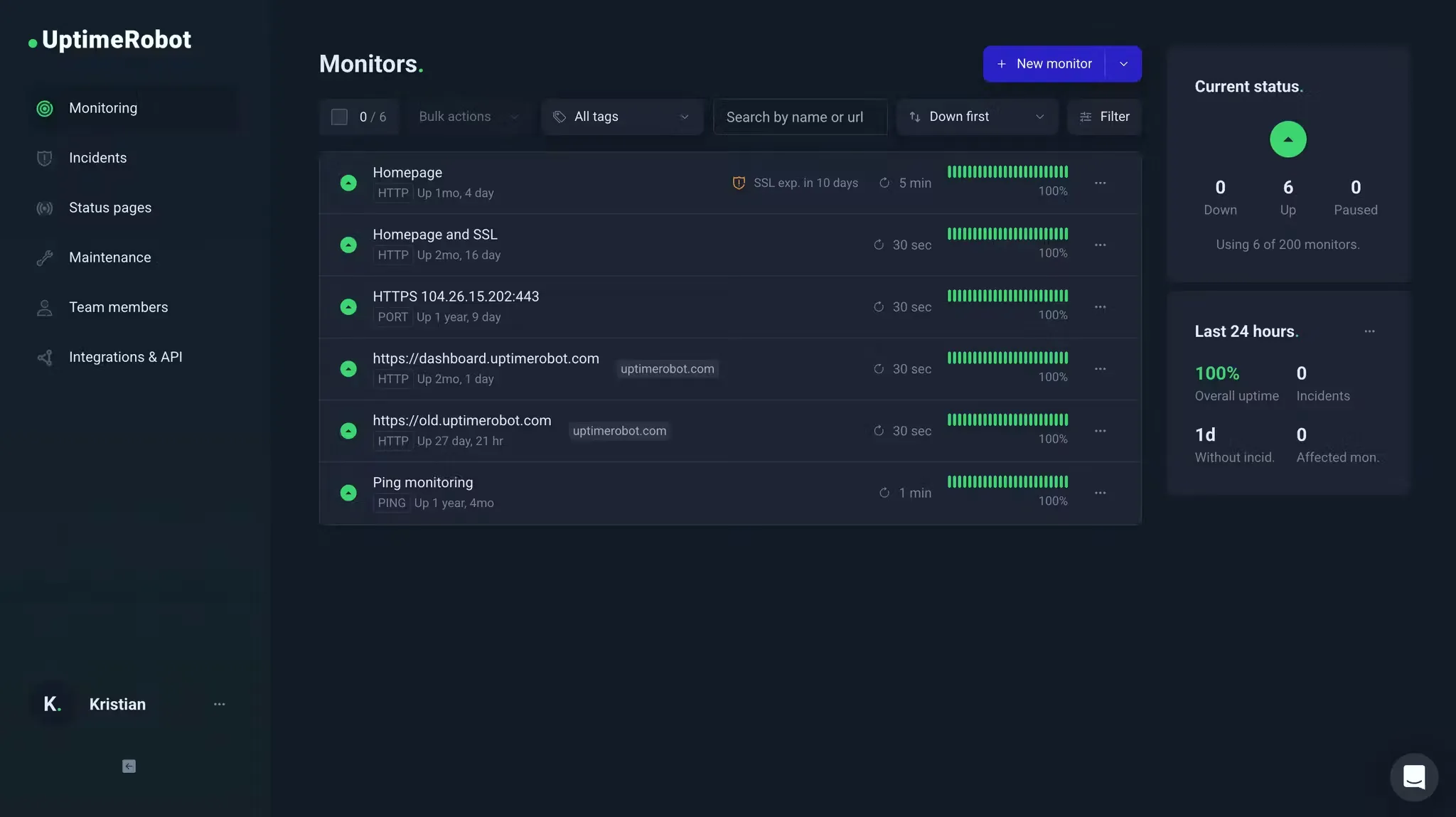
Who UptimeRobot is built for
Solo developers, agencies with many small sites, and anyone whose main requirement is monitor count at zero cost. UptimeRobot has been around since 2010, reports more than 3.4 million users, and its free plan is still the most generous in the category.
For former Freshping free users, this is the closest like-for-like replacement: 50 monitors on 5-minute checks and a basic public status page, none of it behind a paywall.
Notable features
- 50 free monitors with HTTP, port, ping, keyword, API, UDP, DNS and SSL checks, 3 months of logs, and up to 5 integrations.
- Status pages included from the free plan (1 basic page), 3 on Solo and 100 white-labeled on Team.
- Check intervals of 5 minutes free, 60 seconds on Solo, 30 seconds on Team and 15 seconds on Scale.
- Heartbeat monitoring for cron jobs on every plan.
- Mobile apps for iOS and Android with push notifications.
- Multi-channel alerting: email, SMS and voice credits, Slack, Teams, Discord, Telegram, PagerDuty, webhooks.
Why choose UptimeRobot over StatusCake?
Five times the free monitors, plus a status page
StatusCake's free plan stops at 10 monitors and no public page. UptimeRobot gives you 50 and a basic status page. If you left Freshping because you didn't want to pay, this is the plan that keeps you there.
Cheaper 30-second checks
30-second intervals cost $35/month billed annually on UptimeRobot Team against $66.66/month on StatusCake Business. Team also includes 100 status pages.
A free plan built for more than one login
StatusCake's free plan is a single team member. UptimeRobot's free tier includes 5 integrations and 3 months of logs, which is enough for Slack plus email for most small teams.
What G2 users say about UptimeRobot
"Uptime Robot is a reliable service that I used for about 8 years to monitor the uptime of my application and its services. It has quite a rich feature set where it comes to setting up the monitor requests, is easy to use and allows the creation of very attractive status pages."
"Uptime does not seem to have progressed as much in its feature set as other services like BetterStack, which allows functionality such as using Playwright test scripts."
How much does UptimeRobot cost?
As of August 2026, from the UptimeRobot pricing breakdown:
- Free: 50 monitors, 5-minute checks, 1 basic status page, no login seats for teammates
- Solo: $9/month billed annually ($10 monthly) for 10 monitors, 60-second checks, 3 status pages
- Team: $35/month billed annually ($41 monthly) for 100 monitors, 30-second checks, 100 status pages, 3 seats, 30 SMS or voice credits
- Scale: $65/month billed annually ($77 monthly) for 200 monitors, 15-second checks
Extra login seats are $15 to $19 per seat per month, and SMS or voice credits are bought in packs from $3 for 10.
Where UptimeRobot falls short
No on-call, no escalation, no browser checks, the same three gaps as StatusCake. Teams on rotation still need a second tool.
Verification from 4 regions. Fewer confirmation locations than Hyperping's 18 or Uptime.com's 80+, which matters for regional outages.
Paid Solo has fewer monitors than Free. Solo cuts you from 50 monitors to 10 in exchange for faster checks and seats, which surprises people at upgrade time.
Keyword checks don't see JavaScript-rendered content, so a content check on a React or Vue app won't catch a broken render.
Is UptimeRobot right for you?
Choose UptimeRobot if you're a solo developer or a small agency that wants the most monitors for free and a status page without paying. If you later need on-call or browser checks, the UptimeRobot alternatives guide covers the next step.
Better Stack: Best for unified monitoring, logs, and incidents
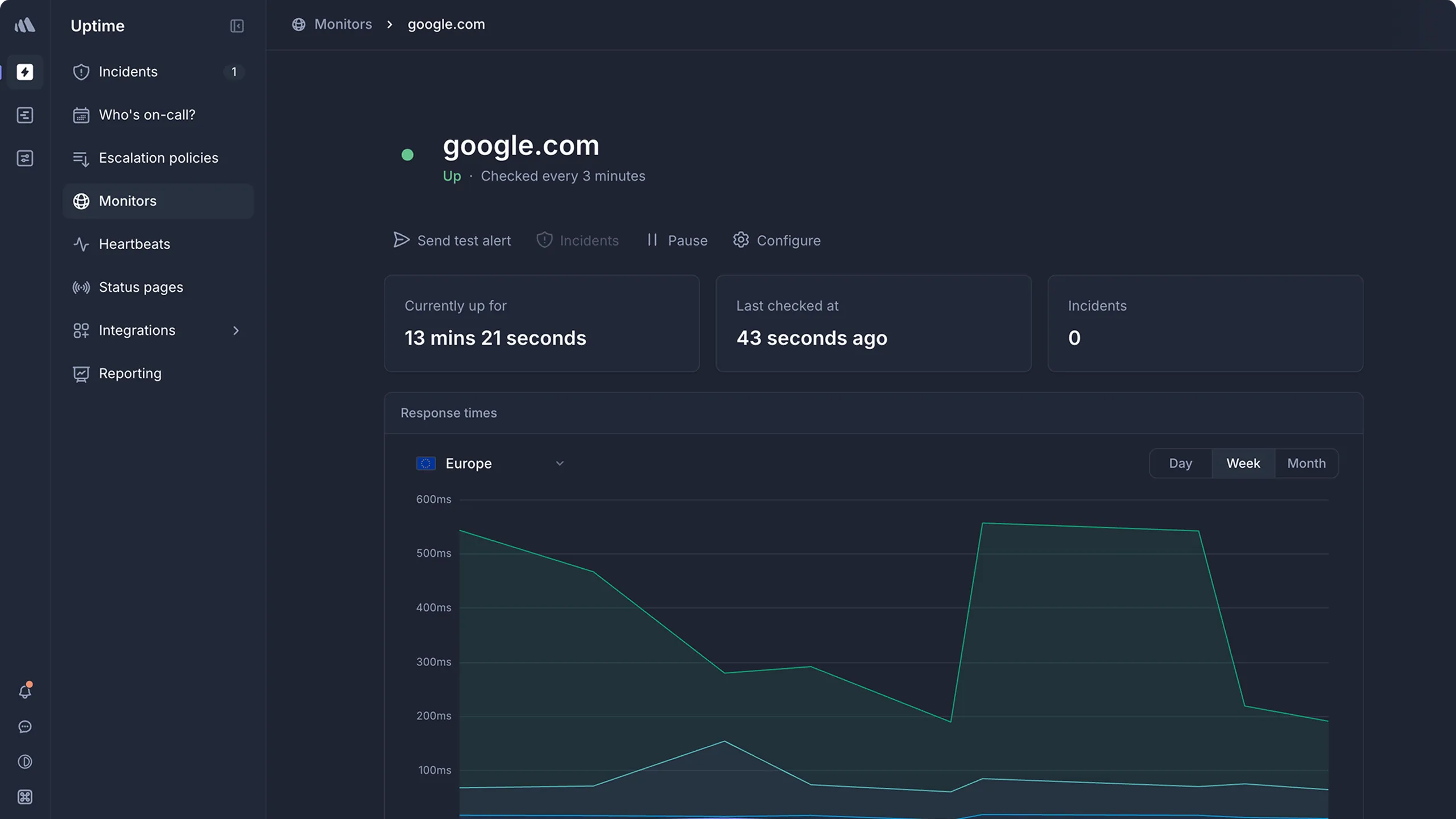
Who Better Stack is built for
Engineering teams that want uptime monitoring, log management, and incident response in one platform. Better Stack fits when you want to go from "site is down" to "here's the stack trace" without switching tools.
From what I gathered in G2 reviews, its strength is the developer experience. Users consistently praise the interface and the speed of setup. One reviewer called it "probably the best looking interface you'll ever get to work with."
Notable features
- 30-second uptime checks verified from at least three regions to reduce false positives.
- Integrated log management with SQL-like querying on ClickHouse storage.
- Incident management with on-call scheduling, escalation policies, and AI-generated post-mortems.
- Playwright-based synthetic monitoring for browser transaction checks.
- Status pages, public and private, with branding.
- Multi-channel alerting: voice, SMS, Slack, Teams, email, push, with noise suppression.
Why choose Better Stack over StatusCake?
One platform for monitoring, logs and incidents
StatusCake tells you a check failed. Better Stack lets you open the logs from the same alert, declare an incident in Slack, and page whoever is on call, without leaving the tool.
On-call and escalation built in
StatusCake has no paging workflow. Better Stack includes rotations, escalation, and acknowledgements, billed per responder.
Free tier with features StatusCake charges for
Better Stack's free plan has 10 monitors, 1 status page, and basic incident management. StatusCake's free plan has 10 monitors and no public status page.
What G2 users say about Better Stack
"BetterStack Uptime is an excellent tool for monitoring the availability of sites and services in real-time. Its interface is modern, easy to use, and pleasant on a daily basis. I appreciate the ability to quickly set up monitors, receive multi-channel alerts, and share professional status pages with clients."
"The initial paid tier starts at $29 which is very steep for the small open source services I run. I would love to see some grace for public repos, or a lower tier around $14."
How much does Better Stack cost?
Better Stack uses modular pricing that adds up across products:
- Free tier: 10 monitors, 1 status page, limited log retention
- Monitors: $21/month per 50 additional monitors
- On-call responders: $29/month per user
- Status pages: $12/month per page plus add-ons
- Heartbeat monitors: $17/month per 10
Where Better Stack falls short
Pricing that's hard to predict. Per-monitor packs, per-responder seats and per-page fees make the total hard to estimate. A small team with 100 monitors, 3 responders and 2 status pages is already past $150/month.
No native metrics or distributed tracing. Logs and uptime are strong; infrastructure metrics and APM are not what it does.
Dashboard limits at scale. Users with many monitors report limited visibility across teams.
Is Better Stack right for you?
Choose Better Stack if you want logs and incident management next to your monitoring and you're comfortable with modular pricing. It's a good fit for teams replacing StatusCake plus a separate log tool plus a paging tool in one move. For a full breakdown, see the Better Stack alternatives guide.
Uptime.com: Best for check types and SLA reporting
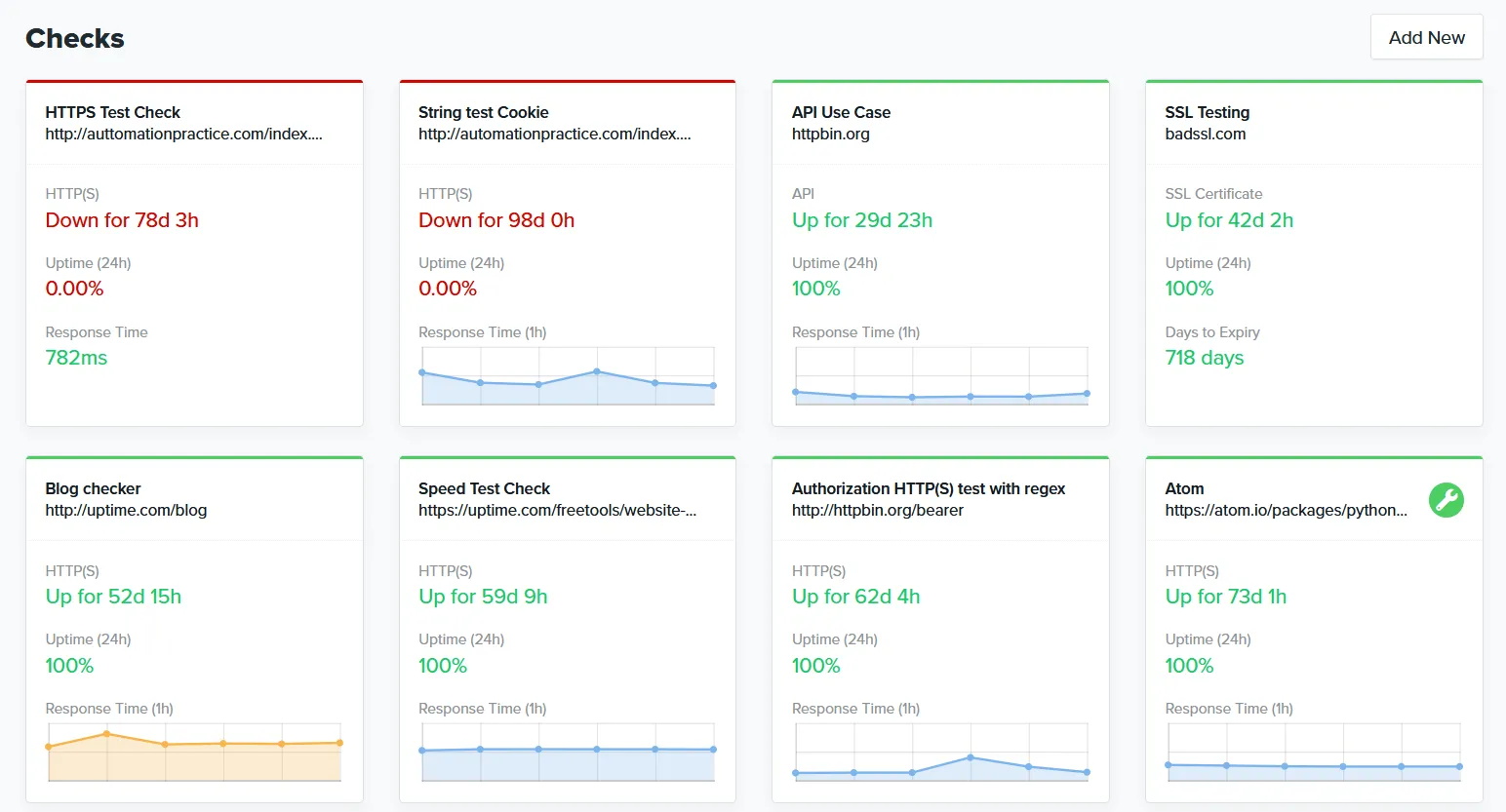
Who Uptime.com is built for
Operations and SRE teams that need to prove uptime to customers with independent data, monitor internal services behind a firewall, and build transaction checks without writing code.
From what I gathered in reviews, users value the breadth of check types and the private location probes. Reviewers describe support as responsive and the interface as easy to integrate.
Notable features
- 30+ check types: HTTPS, ping, DNS, SSL, TCP/UDP, Whois, API, transaction, page speed, heartbeat, and more.
- No-code synthetic monitoring with a visual editor for multi-step flows.
- 80+ global locations plus private probes for internal infrastructure.
- SLA reports and status pages for customer-facing uptime verification.
- Alerting logic designed to cut false positives with configurable verification.
- Mobile apps for iOS and Android.
Why choose Uptime.com over StatusCake?
Four times the check types
StatusCake covers 8 protocols. Uptime.com covers 30+, including API monitoring and transaction checks, which are two of the most cited gaps in StatusCake reviews.
Private location probes
Monitoring internal apps behind a firewall is not possible with StatusCake. Uptime.com runs private probes alongside public ones.
Every feature on every tier
StatusCake gates status pages, 30-second checks and audit logs on Business. Uptime.com includes everything from the $7/month tier and scales on check count only.
What G2 users say about Uptime.com
"The flexibility of being able to create and monitor virtually anything and display the status on a self-created Status screen is what I value most. Being able to create 1-minute monitors from many different locations within the US to help identify network issues vs a real problem is an outstanding feature."
"Easy to use UI, easy to integrate, automated phone calls very effective. Customer support was very responsive, passed my feedback onto their developers, and followed up regularly with updates."
How much does Uptime.com cost?
You pick the number of checks and SMS alerts rather than a named plan:
- $7/mo: 10 basic checks, 1 advanced check, 25 SMS alerts
- $30/mo: 50 basic checks, 5 advanced checks, 75 SMS alerts
- $60/mo: 100 basic checks, 10 advanced checks, 100 SMS alerts
- $600/mo: 1,000 basic checks, 100 advanced checks, 1,500 SMS alerts
Where Uptime.com falls short
No on-call scheduling or escalation policies. Like StatusCake, alerts go to channels, not to a rotation.
Some reviewers report alert delays and low API rate limits, particularly in Terraform-heavy setups.
Location attribution gaps. Some users want a clearer view of which probe triggered a down report.
Is Uptime.com right for you?
Choose Uptime.com if you need the widest set of check types, private probes, or SLA reports for customers. If you later want the paging workflow, the Uptime.com alternatives guide compares the options.
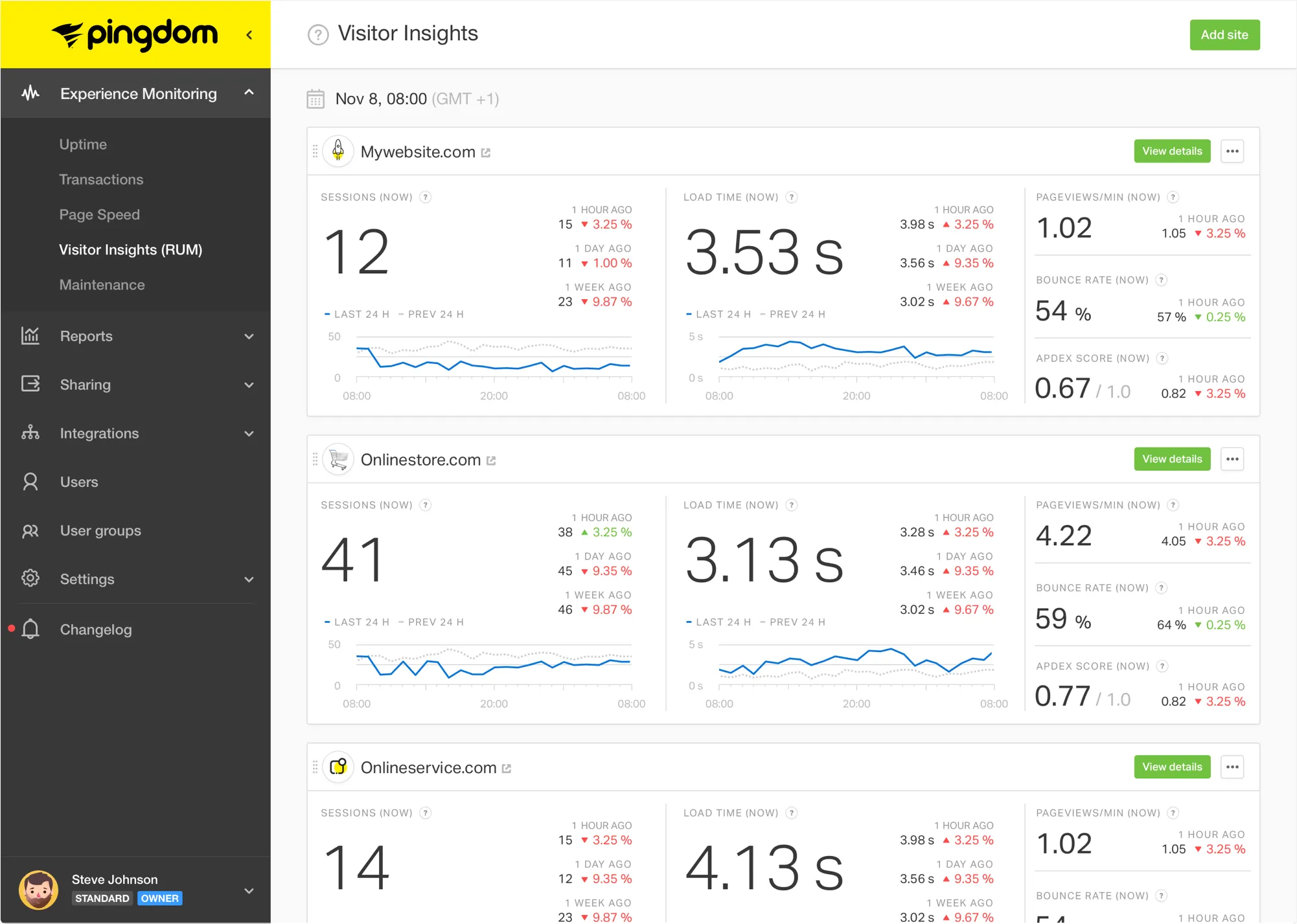
Pingdom: Best for real user monitoring and transaction checks
Who Pingdom is built for
E-commerce sites, web agencies, and SMBs that want to know how real visitors experience the site, not only whether a probe got a 200. Pingdom has run since 2007 and counts Microsoft, eBay and GitHub among its customers.
Notable features
- Real user monitoring (RUM) segmented by browser, device and geography.
- Transaction monitoring for logins, carts and checkouts.
- 100+ probe locations, more than any other tool on this list.
- Page speed analysis that breaks down which elements slow a page.
- Public status pages and multi-channel alerting with Slack and PagerDuty integrations.
Why choose Pingdom over StatusCake?
Real user data, not synthetic scores
StatusCake's page speed test runs from its own servers. Pingdom's RUM shows what real visitors got, per country and per device.
Transaction checks
StatusCake can't test a checkout. Pingdom's transaction monitoring can, though the number of advanced checks is small at the entry tier.
More probe locations
100+ against StatusCake's 43.
What users say about Pingdom
"Simple to use and very feature rich. Has a great dashboard for checking performance across multiple sites. The uptime monitoring is reliable and alerts are fast."
"The price point just isn't competitive anymore, relative to the features they provide. You can't pay per-check so the moment you cross 10 your plan price nearly triples."
Pingdom G2 reviews and GetApp reviews
How much does Pingdom cost?
Pingdom uses a quantity slider. USD figures from the official calculator as of August 17, 2026:
- 10 checks: $18/month ($16.50 billed annually), 1 advanced check, 50 SMS
- 50 checks: $78/month ($71.50 billed annually), 10 advanced checks, 200 SMS
- 100 checks: $149/month ($136.42 billed annually), 20 advanced checks, 350 SMS
- 1,000 checks: $1,295/month ($1,186.92 billed annually)
RUM is priced separately from $18/month per 100,000 pageviews. Full tier-by-tier numbers are in the Pingdom pricing breakdown.
Where Pingdom falls short
Price jumps at 10 checks. 10 checks cost $18, 50 cost $78. StatusCake gives you 100 for $20.41.
No on-call scheduling, same as StatusCake.
No mobile apps since 2021. Alerts go by email, SMS or integrations.
Page speed grades are YSlow-based rather than Web Vitals or Lighthouse, which is one area where StatusCake's page speed test is more current.
Is Pingdom right for you?
Choose Pingdom if RUM or transaction checks are the reason you're leaving StatusCake, and your check count stays small. If pricing at scale is the concern, the Pingdom alternatives guide has cheaper options.
Open-source alternative: Uptime Kuma
If you'd rather self-host, Uptime Kuma is the most polished open-source option: a clean UI, HTTP, TCP, DNS and keyword checks, many notification channels, and a status page.
The tradeoff is that you become the single point of failure. If your monitoring host goes down, nothing tells you your services did too, and there's no global probe network to confirm an outage from other regions. The Uptime Kuma alternatives guide covers when to keep it and when to move to a managed service.
All StatusCake alternatives analyzed
For completeness, here's the wider set of tools I looked at beyond the top five:
| Name | Pricing (2026) | Main strength | Main weakness |
|---|---|---|---|
| Hyperping | Free; from $24/mo | One plan for monitoring, on-call and status pages. 30-second checks, 18 regions, Playwright checks. | Not full observability. No log management or RUM. |
| UptimeRobot | Free; from $9/mo | Largest free plan. 50 monitors and a status page at no cost. | Same gaps as StatusCake. No on-call, no browser checks. |
| Better Stack | Free; from ~$29/mo | Unified platform. Monitoring, logs and incidents together. | Modular pricing. Adds up per monitor, responder and page. |
| Uptime.com | From $7/mo | Breadth. 30+ check types, private probes, SLA reports. | No incident management. |
| Pingdom | From $16.50/mo | RUM and transactions. 100+ probe locations. | Pricing at scale. Nearly quadruples from 10 to 50 checks. |
| Checkly | Free; $24/mo | Programmable synthetics. Playwright in CI/CD. | Requires code. See the Checkly alternatives guide. |
| Cronitor | Free; from $7/mo | Cron job monitoring with uptime and status pages bundled. | Per-monitor pricing. See the Cronitor alternatives guide. |
| Site24x7 | From ~$9/mo | Value for money. RUM, APM, server and network monitoring. | Dated, cluttered interface. See the Site24x7 alternatives guide. |
| Oh Dear | From €49/mo (10 sites) | Laravel-friendly. Uptime, SSL, broken links, mixed content. | No on-call. See the Oh Dear comparison. |
| Pulsetic | Free; $19/mo | Polished status pages and badges. | Limited incident management. |
| Instatus | Free; $20/mo | Status page focus. | No monitoring. Needs external checks. |
| Datadog | $15/host/mo + usage | Deep observability. Metrics, logs, traces correlated. | Unpredictable bills. See the Datadog comparison. |
| New Relic | Free tier; $49/user/mo Core | Transparent user pricing. | Costs scale with ingest. See the New Relic comparison. |
| Grafana Cloud | Free; usage-based | Dashboards and correlation. | PromQL and LogQL learning curve. |
| Uptime Kuma | Free (self-hosted) | No subscription. Polished UI. | You maintain it and you're the single point of failure. |
| HetrixTools | Free; paid plans | Cheap uptime plus blacklist monitoring. | Basic status pages, no on-call. |
| Freshping | Discontinued | Was the most generous free plan. | Shut down March 6, 2026, data deleted June 2026. See the Freshping comparison. |
How to use Hyperping for a StatusCake migration
If you're moving off StatusCake, and especially if this is your second move since Freshping, here's the workflow that gets you to a setup you can stay on.
1. Recreate your StatusCake tests as monitors
Export your uptime, SSL and domain tests from StatusCake (account settings or the API). In Hyperping, add them in bulk from the dashboard, or with the API and the Terraform provider if you keep monitoring as code. Set the interval to 30 seconds on Essentials and pick the regions you want among 18. Failed checks are re-verified from the other regions before anyone is alerted.
2. Add browser checks for the flows page speed can't cover
Write a short Playwright script for the journeys that matter, such as login or checkout, and run it as a browser check. Failures come with video replay and traces, and a check can fail when a step takes longer than a threshold, which covers most of what a page speed alert did for you.
3. Set up on-call schedules and escalation policies
Create an on-call rotation with your timezone, then an escalation policy with steps by voice call, SMS, Slack or Teams. Attach your monitors and browser checks. An unacknowledged alert moves to the next step automatically, which is the workflow StatusCake needed PagerDuty or OpsGenie for.
4. Publish a status page on your own domain
Connect your monitors to a status page, add your domain and branding, and turn on email subscribers. On Pro you can add private pages with password or email access codes for internal or per-customer views. Keep your old StatusCake page live until this one is up on the custom domain.
5. Run StatusCake and Hyperping in parallel, then cut over
Leave both tools running for at least a week. Compare detections, false positives and alert timing, and trigger a test alert through the full escalation path. Once every route is verified, delete the StatusCake tests and cancel the plan.
Related reading
- Hyperping vs StatusCake comparison: the plan-by-plan table and the migration path
- Best UptimeRobot alternatives: if UptimeRobot is your other candidate
- UptimeRobot pricing breakdown and Pingdom pricing breakdown: full tier-by-tier numbers
- Freshping alternative: if you still have monitors to rebuild from the shutdown
- Uptime monitoring hub: all our monitoring resources
FAQ
Is StatusCake a good replacement for Freshping? ▼
StatusCake pitched itself as the Freshping replacement when Freshping shut down on March 6, 2026, and its team recreates monitors from a Freshping export. The free plan covers 10 monitors instead of Freshping's 50, and a public status page needs the Business plan at $66.66/month billed annually. Teams that migrated in March and hit those two limits are the ones now comparing StatusCake alternatives.
How much does StatusCake cost compared to alternatives? ▼
StatusCake's free plan has 10 monitors on 5-minute checks. Superior is $20.41/month billed annually ($24.49 monthly) for 100 monitors at 1-minute checks. Business is $66.66/month billed annually ($79.99 monthly) for 300 monitors, 30-second checks and a public status page. Hyperping Essentials is $24/month billed annually with 30-second checks on 50 monitors, a status page, and on-call included. UptimeRobot Team is $33/month annually for 100 monitors at 30 seconds. Uptime.com starts at $7/month for 10 checks.
StatusCake vs UptimeRobot: which is better? ▼
UptimeRobot for a free plan: 50 monitors against StatusCake's 10, and a basic status page at no cost. StatusCake for page speed, SSL and domain checks bundled into one paid plan, plus 9 team members on Superior. Neither has on-call scheduling, escalation policies, or browser checks, so both need a second tool once a team is on rotation.
StatusCake vs Pingdom: which is better? ▼
Pingdom if you need real user monitoring and transaction checks from 100+ probe locations, and you accept per-check pricing that jumps from $18 for 10 checks to $78 for 50. StatusCake if you want more monitors per dollar and Lighthouse-style page speed reports. Pingdom dropped its mobile apps in 2021 and neither tool includes on-call scheduling.
StatusCake vs Uptime.com: which is better? ▼
Uptime.com covers more ground: 30+ check types, 80+ locations, private location probes for internal services, and a no-code editor for transaction checks, all included from $7/month for 10 checks. StatusCake is simpler and includes page speed and server monitoring in Superior. Both leave on-call scheduling to another tool.
Which StatusCake alternative is best for small teams? ▼
Hyperping for teams that want monitoring, on-call, and a status page on their own domain in one $24/month plan. UptimeRobot for solo developers who want the biggest free plan. Uptime.com for teams that need the broadest check types at the lowest entry price.
Can I migrate from StatusCake without downtime? ▼
Yes. Export your StatusCake tests from the account settings or via the API, recreate them in the new tool (Hyperping supports bulk creation and Terraform), run both tools in parallel for at least a week to compare alerts and false positives, then retire StatusCake. Keep your old status page live until the new one is on your custom domain.