The best Pingdom alternatives are Hyperping for uptime and browser checks with on-call and a real status page, Uptime.com for the closest match to Pingdom with transactions and RUM, Site24x7 for website monitoring inside a cheap suite, UptimeRobot for a lot of cheap availability checks, StatusCake for uptime and page speed on a small budget, Better Stack for checks next to incidents and logs, and Checkly for Playwright checks kept in Git.
I analyzed 56 products and shortlisted seven. Pingdom sells uptime checks, transaction checks in a real browser, page speed tests, real user monitoring (RUM), and a public status page. Each tool on the shortlist replaces at least one of those. Dedicated RUM tools, status-page-only tools, and the big observability suites are further down.
Prices were checked in October 2026. The price to compare against is Pingdom's synthetic plan at $18 a month, or $16.50 billed yearly, for 10 uptime checks and 1 transaction check. Fifty uptime checks are $78 a month ($71.50 yearly), and RUM is a separate subscription from $16.50 a month for 100,000 page views. Hyperping Essentials is $24 a month for 50 monitors at 30 seconds, with 3 browser checks, on-call, and a status page included.
| Tool | Best for | Starting price | Main limitation |
|---|---|---|---|
| Hyperping | Checks, on-call, and status pages in one plan | Free; $24/mo | No RUM or page speed waterfalls |
| Uptime.com | The closest match, with transactions and RUM | $7/mo yearly | Status pages and RUM bought separately |
| Site24x7 | Website monitoring inside a cheap suite | $9/mo yearly | Crowded console; add-ons add up |
| UptimeRobot | Lots of cheap availability checks | Free; Solo $9/mo | No transactions, RUM, or on-call |
| StatusCake | Uptime and page speed on a small budget | Free; $20.41/mo yearly | No transactions or on-call |
| Better Stack | Checks inside an incident workflow | Free; $29 per responder/mo | Per-person pricing plus add-ons |
| Checkly | Playwright and API checks kept in Git | Free; Starter $24/mo yearly | Browser runs billed per run; no recorder |
Why trust this guide
I'm Léo, founder of Hyperping. Yes, that means I have a stake in one of these tools. But I've watched teams pick competitors when they were the better fit, and I'm not going to pretend otherwise. My goal isn't to convince you Hyperping is always the answer. It's to help you understand which tool actually solves your problem.
I went through Pingdom's pricing page and SolarWinds' Pingdom docs, Capterra and G2 reviews, Reddit threads in r/sysadmin, r/devops, and r/selfhosted, Hacker News, and the pricing pages and docs for every tool on the list, in October 2026.
Why people leave Pingdom
Start by deciding which part of Pingdom you're replacing. Pingdom has been around since 2007 and SolarWinds has owned it since 2014. It still does uptime checks from 100+ locations, a no-code transaction recorder in real Chrome, page speed tests, and RUM. What it hasn't done is change much: the public release notes stop in October 2021, and pingdom.com now leads with SolarWinds Observability. Reviewers like the brand and the reliability. The complaints are about price, and most of them have been the same for years.
| What you use Pingdom for | If you stay | Look at |
|---|---|---|
| 10 to 50 uptime checks | $16.50 to $71.50 a month, 1-minute checks | Hyperping, UptimeRobot, StatusCake |
| Login and checkout transactions | No-code recorder, every 5 minutes | Uptime.com, Site24x7, Hyperping |
| Real user monitoring | A second subscription by page views | Uptime.com, Site24x7 |
| Page speed reports | YSlow-based grade, every 30 minutes | StatusCake, Site24x7 |
| A status page for customers | One public page, no HTTPS on your domain | Hyperping, Better Stack |
| Someone answering alerts at night | Alerts only; on-call needs PagerDuty | Hyperping, Better Stack |
| Checks reviewed in pull requests | Not available | Checkly |
The price jumps after 10 checks
Pingdom's calculator moves in steps: 10 uptime checks for $16.50 a month billed yearly, 25 for $36.33, 50 for $71.50, and 100 for $136.42. SMS alerts are capped per step, and RUM is billed on top. A Capterra reviewer put it this way in April 2018, and the pricing model hasn't changed since: "you can't pay per-check so the moment you cross 10 your plan price nearly triples." Hyperping includes 50 monitors on Essentials at $24 and 250 on Pro at $74.
There's no free plan
Pingdom ended its free plan in January 2019, and the r/sysadmin thread at the time is mostly people listing where they moved: UptimeRobot, StatusCake, HetrixTools, and Uptrends. Today the free options are UptimeRobot with 50 monitors, Hyperping with 20, and StatusCake with 3.
The status page is an afterthought
SolarWinds' Pingdom status page docs describe one public page per account that shows uptime checks only. There's no password protection, no documented subscriber notifications or incident posts, and "custom domains cannot point to the secure version of your status page," so a page on your own domain can't use HTTPS. A request for HTTPS on custom domains has been open on SolarWinds' forum since January 2022.
Checks stop at 1 minute and the speed grade is dated
Uptime checks run every minute at best, and transactions every 5 minutes. The page speed grade is still based on YSlow, and the speed numbers often disagree with Lighthouse: a September 2026 r/SiteOptimization post compared four tools on the same page and said Pingdom "flatters everything."
Nobody owns the alert
Pingdom sends email, SMS, and webhooks, and its iOS and Android apps were retired in September and October 2021. There are no on-call schedules, acknowledgements, or escalation. Teams that need someone to answer at night add PagerDuty, which is another bill.
Pingdom alternatives compared
The biggest differences are on-call, status pages, and whether the tool does RUM.
| Capability | Pingdom | Hyperping | Uptime.com | Site24x7 | UptimeRobot | StatusCake | Better Stack | Checkly |
|---|---|---|---|---|---|---|---|---|
| Fastest uptime check | 1 minute | 30s; 20s on Business | 1 minute | 1 minute; 30s uses 2 licenses | 30s Team; 15s Scale | 1 min; 30s on Business | 30s | 1 min Starter; 30s Team |
| Transaction checks | No-code recorder, 5 min | Playwright, every 5 min | Recorder, as Advanced Checks | Recorder in real browsers | No | No | Playwright, $1 per 100 min | Playwright code, per run |
| Real user monitoring | Separate subscription | No | Separate purchase | 100,000 page views on Web Perf | No | No | Separate product | No |
| Page speed | YSlow grade | Timing breakdown per check | Yes, as Advanced Checks | Yes | No | Yes | No | No |
| Status pages | 1 public, no HTTPS on your domain | 1, 3, or 10, on your domain | Separate purchase, from $10/mo | 3 to 10 basic pages | 1 free; 100 on Team | Separate purchase, from $12.46/mo | 1 included, extras $12 | 1; custom domain extra |
| On-call and escalation | No | Included on paid plans | Escalations, no schedules | Shifts and escalation rules | No | No | Per responder | No |
| Server metrics | No | Agent: CPU, memory, disk, network | No | Yes | No | CPU, RAM, disk | Yes | No |
| Free plan | No; 30-day trial | 20 monitors | No | Yes | 50 monitors | 3 monitors at 15 min | 10 monitors | Hobby |
Pingdom alternatives pricing compared
Pingdom bills in steps of uptime checks, with RUM on a second slider. The others bill by plan, by monitor, by person on call, or by run.
| Tool | Free plan | First paid plan | What it includes | Billed by | Watch out for |
|---|---|---|---|---|---|
| Pingdom | No; 30-day trial | $16.50/mo yearly | 10 uptime checks, 1 transaction, 50 SMS | Step of checks | 50 checks is $71.50; RUM is extra |
| Hyperping | 20 monitors, 1 status page | Essentials, $24/mo | 50 monitors at 30s, 3 browser checks, on-call, 3 seats | Plan | 1 status page on Essentials; no RUM |
| Uptime.com | No | $7/mo yearly | 10 basic checks, 1 advanced check, 25 SMS | Step of checks | Status pages and RUM are separate purchases |
| Site24x7 | Yes | Web Uptime, $9/mo yearly | 25 websites at 1 min, one location, email alerts | Plan plus add-on packs | Transactions and RUM start at Web Perf, $36/mo |
| UptimeRobot | 50 monitors at 5 min | Solo, $9/mo | 10 monitors at 60s, 3 status pages | Monitor | Solo has fewer monitors than Free |
| StatusCake | 3 monitors at 15 min | Superior, $20.41/mo yearly | 100 checks at 1 min, page speed, SSL, domain | Plan | 30-second checks need Business at $66.66; status pages extra |
| Better Stack | 10 monitors at 3 min | Responder, $29/mo | On-call, incidents, status pages, unlimited phone and SMS | Person on call, add-ons | Extra monitors and Playwright minutes cost more |
| Checkly | Hobby, 10 monitors | Starter, $24/mo yearly | 50 uptime monitors, 3,000 browser runs | Monitor and run | Browser runs go fast at short intervals |
What a typical Pingdom setup costs
Say you have 50 uptime checks every minute, 3 transaction checks on login and checkout every 5 minutes, one public status page on your own domain, and RUM on 100,000 page views a month. This is my estimate from public pricing, billed yearly.
| Tool | What covers it | Monthly cost | Note |
|---|---|---|---|
| Hyperping | Essentials: 50 monitors, 3 browser checks, 1 status page | $24 | No RUM; checks every 30 seconds; on-call included |
| Uptime.com | 50 basic + 5 advanced ($30), status page ($10), RUM ($10) | $50 | The closest like-for-like replacement |
| Site24x7 | Web Perf ($36) + a pack of 50 websites and 10 transactions ($50) | $86 | RUM for 100,000 page views included |
| Pingdom | 50 uptime and 10 advanced checks ($71.50) + RUM ($16.50) | $88 | Status page without HTTPS on your domain |
| Checkly | Starter ($24) + about 23,000 extra browser runs ($92) | About $116 | No RUM; browser checks from one location at a time |
| Better Stack | 1 responder ($29) + 50 extra monitors ($21) + Playwright | About $136 | Assumes 20-second browser runs; no RUM in this price |
| UptimeRobot | Team: 100 monitors at 30s | $35 | Covers the uptime checks only: no transactions or RUM |
| StatusCake | Superior: 100 checks at 1 min | $20.41 | Covers uptime and page speed only |
If you rely on Pingdom's RUM, Uptime.com replaces the whole setup for about half the price, and Site24x7 does it for about the same price with servers and APM available in the same account. If you never opened the RUM dashboard, Hyperping covers the checks, the transactions, and the status page for $24, and adds the on-call that Pingdom never had.
Pingdom vs Hyperping
Pingdom is website monitoring for people who look at speed and visitor data. Hyperping is monitoring for teams who get paged when the site is down and have to tell customers about it.
| Capability | Pingdom | Hyperping |
|---|---|---|
| Free plan | None since 2019; 30-day trial | 20 monitors, 1 status page, 1 server agent |
| 50 uptime checks | $71.50/mo yearly, every minute | Essentials, $24/mo, every 30 seconds |
| 100 uptime checks | $136.42/mo yearly | Pro, $74/mo, with 250 monitors |
| Failure confirmation | A second probe confirms before alerting | Re-checked from your other regions before alerting |
| Locations | 100+ | 18 |
| Transactions | No-code recorder, every 5 minutes | Playwright code: 3, 10, or 25 by plan, every 5 minutes, from Frankfurt and San Francisco |
| RUM and page speed | Yes, RUM billed separately | No RUM; timing breakdown (DNS, TCP, TLS, first byte) |
| Status pages | 1 public page, no HTTPS on a custom domain | 1, 3, or 10, on your domain, private pages on Pro |
| Subscribers | Not documented | 100, 1,000, or unlimited by plan |
| On-call | No; send alerts to PagerDuty | Schedules, escalation, phone calls on every paid plan |
| Cron heartbeats | No | Yes |
| Server metrics | No | Agent: 5, 20, or 100 servers by plan |
| Users | Unlimited on the pricing page | 3, 10, or 20 seats included |
If you open Pingdom mostly for RUM and speed reports, stay or move to Uptime.com. If you open it when something is down, Hyperping does more of that job for less.
Hyperping: Best for checks, on-call, and status pages in one plan
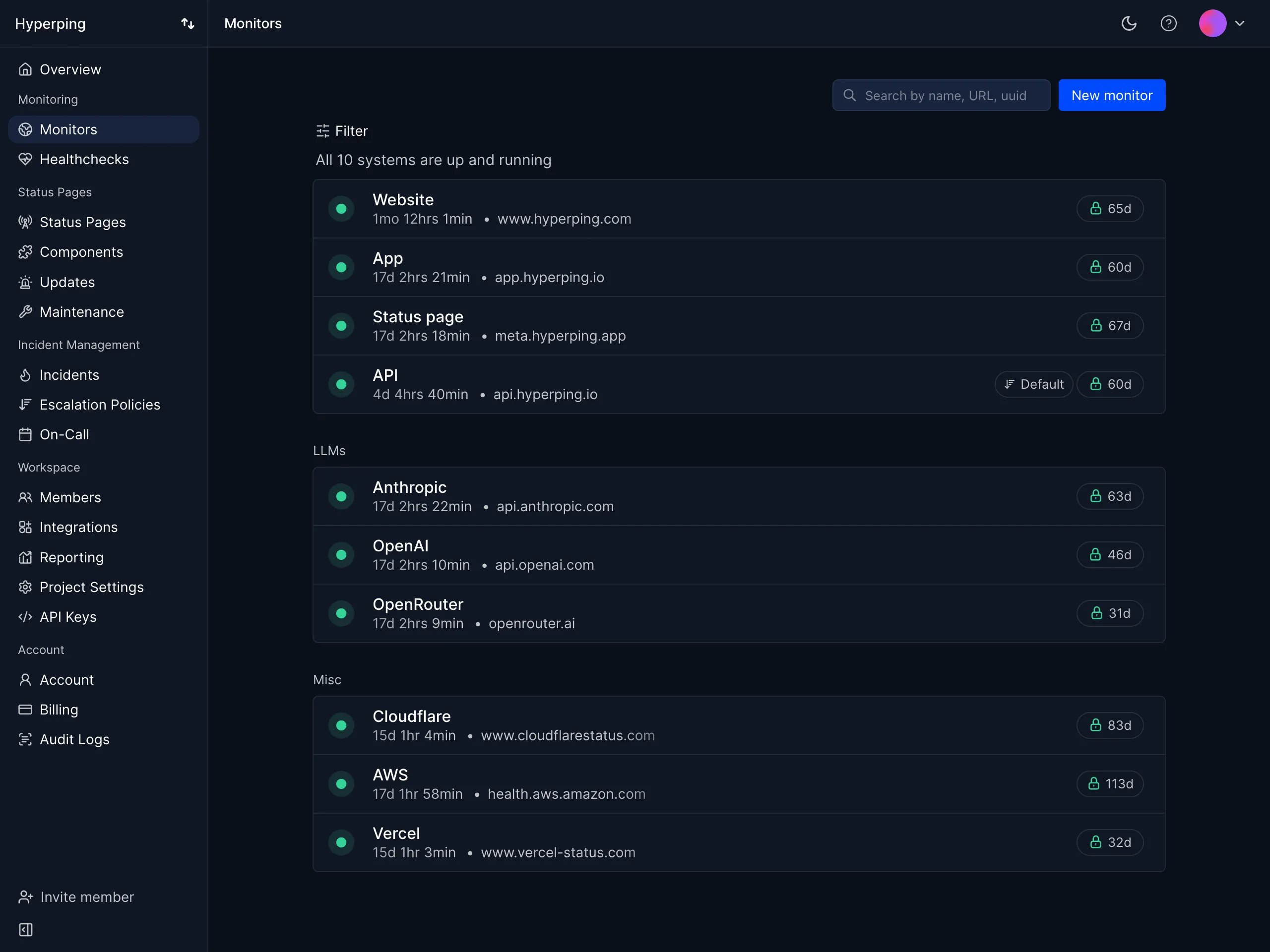
Hyperping checks your sites, APIs, and servers from 18 regions, re-checks every failure from another region before it alerts anyone, pages whoever is on call, and updates your status page from the same incident.
| Best for | Starting price | Main limitation |
|---|---|---|
| Teams that get paged for outages and keep customers updated | Free, then $24/mo | No RUM or page speed waterfalls |
Who Hyperping is built for
SaaS and engineering teams who started on Pingdom's 10-check plan and now have customers who notice outages at night. Usually a public site, a few dozen API endpoints, a login or checkout flow, cron jobs, and a status page, with a few engineers taking turns on call.
Notable features
- Uptime checks. HTTP, keyword, ping, port, DNS, and SSL from 18 regions, every 30 seconds, or 20 on Business.
- Multi-region confirmation. A failed check is re-run from your other regions before an incident opens.
- Playwright browser checks. 3 on Essentials, 10 on Pro, 25 on Business, with video and traces on failure.
- Cron heartbeats. Alerts when a backup or scheduled job doesn't check in.
- On-call and escalation. Rotations across time zones, overrides, and multi-step escalation by Slack, SMS, or phone call.
- Status pages. Public or private, on your own domain over HTTPS, with subscribers, maintenance windows, and multiple languages on Pro.
- Server monitoring. A one-line agent reports CPU, memory, filesystem, disk I/O, and network from Linux and macOS hosts.
- Logs (alpha). OpenTelemetry, syslog, and Vercel or Heroku drains, with the log lines from just before each incident shown on the incident.
- Ask Hyperping (alpha). An AI that answers questions about your monitors and investigates when you're paged, in the app or in Slack, plus an MCP server for AI tools.
Why choose Hyperping over Pingdom?
Twice as often for a third of the price. Pingdom charges $71.50 a month billed yearly for 50 checks every minute. Hyperping Essentials runs 50 every 30 seconds for $24, and Pro runs 250 for $74.
Someone is on call. Pingdom sends an alert. Hyperping pages whoever is on the rotation, waits for them to acknowledge, and escalates if nobody does.
A status page customers can use. Your own domain over HTTPS, subscribers, incident updates, and private pages on Pro. Pingdom's page has none of those.
What users say
Alma runs Datadog and keeps Hyperping as an outside check. Their SRE, Fabrice Gregoire:
"Hyperping's reputation in our company is that it's more reactive than Datadog. We usually get notifications from Hyperping before Datadog."
"We made our Hyperping status page publicly available and it became a crucial part of our sales pitches."
How much does Hyperping cost?
- Free: 20 monitors, 5-minute checks, 1 server agent, 1 hosted status page
- Essentials: $24/month ($29 monthly) for 50 monitors, 30-second checks, 3 seats, on-call, 1 status page on your domain, 3 browser checks, 5 server agents
- Pro: $74/month ($89 monthly) for 250 monitors, 10 seats, 3 public or private status pages, 10 browser checks, 20 server agents, SAML SSO
- Business: $249/month ($299 monthly) for 1,000 monitors, 20-second checks, 20 seats, 10 white-label status pages, 25 browser checks, 100 server agents, audit logs
Fifty uptime checks and 3 transactions fit on Essentials at $24/month.
Where Hyperping falls short
There's no RUM, no page speed waterfall, and no no-code recorder: browser checks are Playwright scripts, so someone has to write them, and they run from Frankfurt and San Francisco only. Pingdom has 100+ locations against Hyperping's 18 for uptime checks, and unlimited users against seats per plan. Reporting is more basic than Pingdom's historical reports.
Is Hyperping right for you?
Pick Hyperping if your Pingdom account exists to tell you when something is down and you need someone to own the alert and update customers. Stay on Pingdom, or move to Uptime.com, if RUM and page speed reports are why you pay for it.
Switching? The Pingdom migration guide covers exporting checks through the API and recreating them with the API or Terraform.
Uptime.com: Best for a like-for-like replacement with RUM
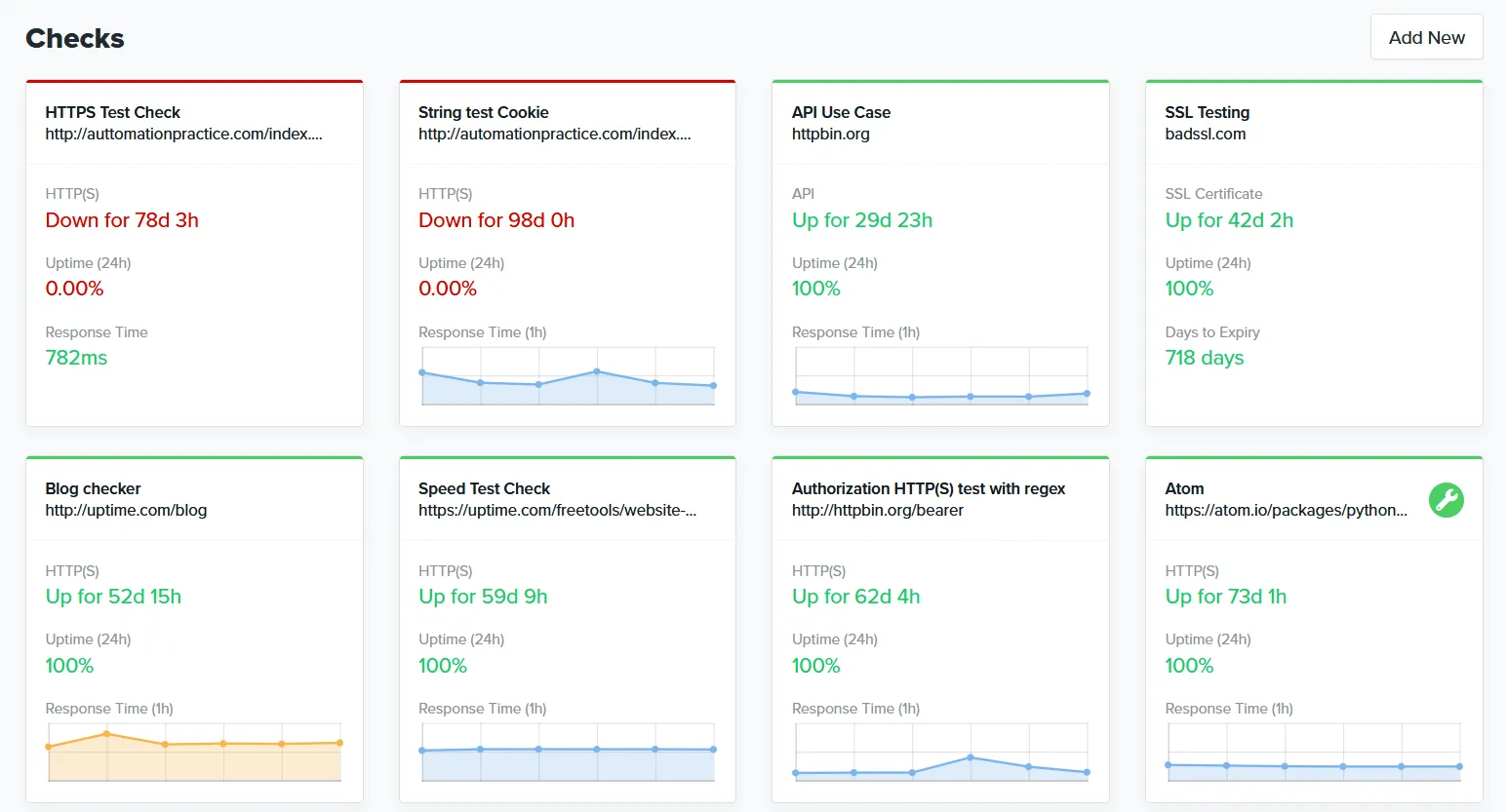
Uptime.com sells the same mix as Pingdom: uptime checks, recorded transactions, page speed, RUM, and status pages, with a longer list of check types. Since its pricing redesign, each part is bought separately.
| Best for | Starting price | Main limitation |
|---|---|---|
| Pingdom users who need transactions and RUM | $7/mo yearly | Status pages and RUM bought separately |
Who Uptime.com is built for
Ops and SRE teams who use every part of Pingdom, including RUM, and want the same product with more check types and lower prices. It's also a fit for teams that need SLA reports for customers.
Notable features
- Basic checks. HTTP, ping, TCP, DNS, SSL, WHOIS, FTP, SSH, mail, and malware checks every minute.
- Advanced checks. API, transaction, page speed, webhook, and heartbeat checks.
- Transaction recorder. Build login and checkout checks without code.
- RUM. 13-month retention, sold by data points.
- Status pages. Public and private, with subscribers and password protection.
- Locations. 12 included, or 86 for $30 a month billed yearly; private locations behind your firewall.
- Users. Unlimited.
Why choose Uptime.com over Pingdom?
The same jobs for less. Fifty basic checks, five advanced checks, a status page, and 100,000 RUM data points come to about $50 a month billed yearly, against $88 on Pingdom.
More check types. Mail servers, WHOIS, malware, and private locations, none of which Pingdom covers.
A status page with subscribers. Pingdom's page has no subscribers or password protection.
What users say
The common complaint is how quickly advanced checks add up. From a January 2026 G2 review:
"The main downside I've noticed is that after the trial, the cost increases quickly if you use it to monitor n8n workflows, since these are considered advanced checks."
How much does Uptime.com cost?
Billed yearly; monthly prices are about 25% higher:
- Monitoring: $7/month for 10 basic and 1 advanced check, $30 for 50 and 5, $60 for 100 and 10
- Status pages: $10/month for 1 page and 250 subscribers, $30 for 4 pages
- RUM: $5/month for 50,000 data points, $10 for 100,000
- More locations: $30/month for 86 locations
There's no free plan, and there's a 30-day money-back guarantee.
Where Uptime.com falls short
There are no on-call schedules: escalations send alerts to more people, and paging goes through PagerDuty or similar. Each transaction counts as an advanced check, so a dozen user flows push you up several tiers. Most of its recent G2 reviews were collected by the vendor, so independent signal is thin.
Is Uptime.com right for you?
Pick Uptime.com if you use Pingdom's RUM and transaction recorder and want the same thing for less. If nobody looks at RUM, Hyperping or UptimeRobot cost less.
Site24x7: Best for website monitoring inside a cheap suite
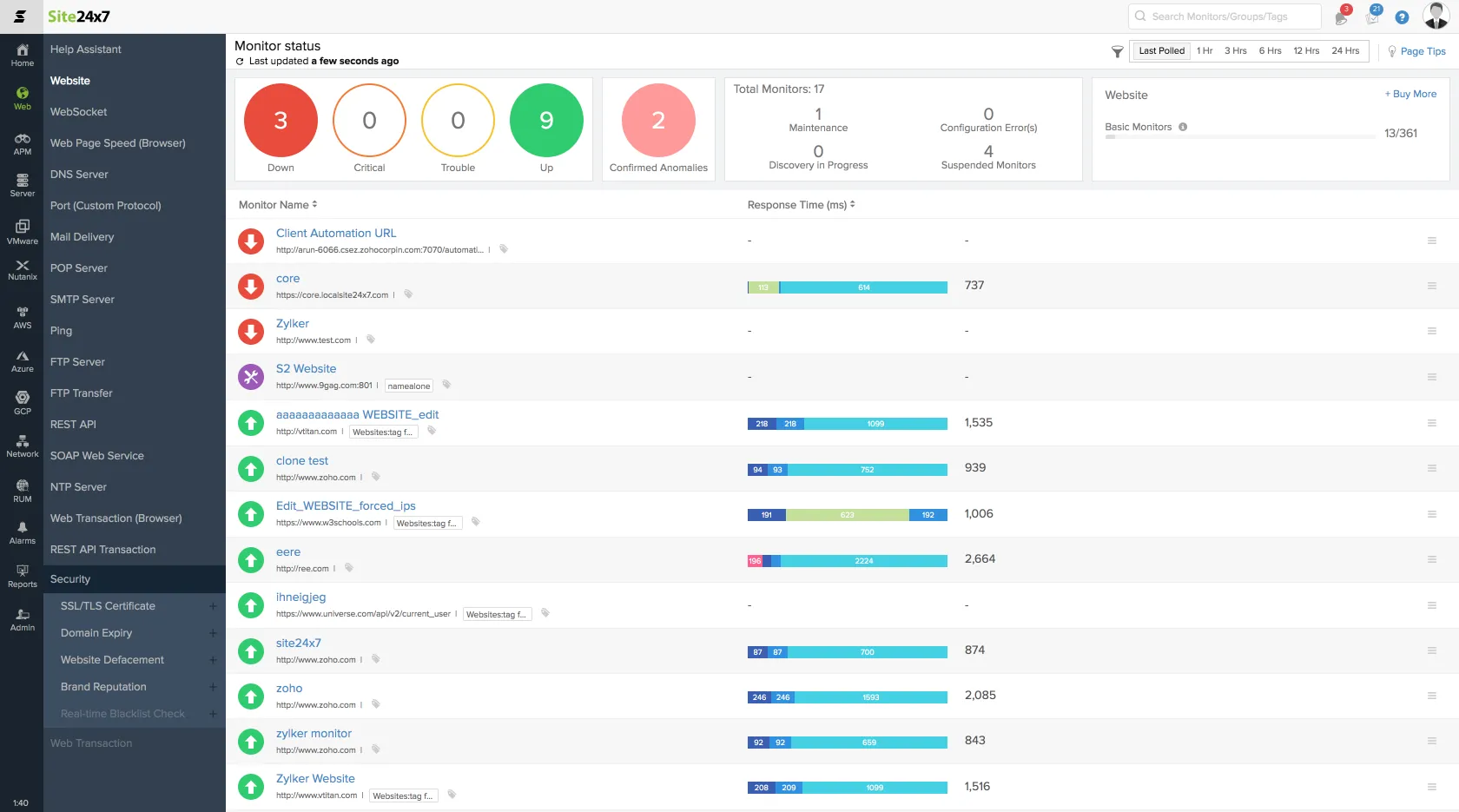
Site24x7 is Zoho's monitoring product: websites, recorded transactions, RUM, and status pages, with servers, APM, and logs available in the same account. In 2026 its infrastructure side was renamed OpManager Nexus, and Site24x7 now focuses on website and digital experience monitoring.
| Best for | Starting price | Main limitation |
|---|---|---|
| Teams that want Pingdom plus servers and APM | $9/mo yearly | Crowded console; add-ons add up |
Who Site24x7 is built for
IT teams and MSPs who want website checks, transactions, RUM, and server monitoring from one vendor at a low price, and don't mind a dense interface.
Notable features
- Website checks. HTTP, ping, port, DNS, SSL, and more, every minute.
- Transaction recorder. Record flows in real Chrome, Firefox, or Edge, or import from Selenium IDE.
- RUM. 100,000 page views on Web Perf, with Core Web Vitals.
- Locations. 130+ in total; plans unlock 1, 8, or 16, and other locations poll less often.
- Alerting. Email, SMS, voice, push, and up to nine escalation levels, with basic on-call shifts.
- Status pages. 3 to 10 basic pages by plan; a custom domain needs a StatusIQ page at $9 a month each.
- Suite. Servers, APM, logs, and network monitoring on the all-in-one plans.
Why choose Site24x7 over Pingdom?
RUM and transactions in the base price. Web Perf includes 40 websites, 8 transactions, and 100,000 RUM page views for $36 a month billed yearly. On Pingdom, RUM is a second subscription.
Servers and APM next to your checks. The all-in-one Professional plan adds 5 servers, an APM instance, and 4 GB of logs for $42 a month.
Escalation and shifts. Site24x7 has escalation levels and basic on-call shifts. Pingdom has neither.
What users say
Price is the usual praise. From an August 2026 G2 review:
"Site24x7 is a lot cheaper than its competitors"
And add-ons are the usual complaint. From a May 2026 G2 review:
"Extra monitors, SMS credits, synthetic checks, and add-ons can push costs up faster than expected"
How much does Site24x7 cost?
- Web Uptime: $9/month yearly ($10 monthly) for 25 websites at 1 minute, one location, email alerts, one user
- Web Perf: $36/month yearly ($39 monthly) for 40 websites, 8 transactions, 8 locations, 100,000 RUM page views
- Professional (all-in-one): $42/month yearly ($49 monthly) for 20 websites, 5 servers, APM, 4 GB of logs, 100,000 page views
- Add-ons: 50 websites and 10 transactions for $50 on Web Perf; 500,000 RUM page views for $25
Fifty checks, 3 transactions, and RUM come to about $86 a month on Web Perf.
Where Site24x7 falls short
Reviewers call the interface dated and cluttered. Secondary locations poll much less often unless you buy extra checks, and 30-second checks use two licenses per website. A May 2026 r/sysadmin comment complained of "so many false positives and just random agent failures." Its own pages disagree on details like the free plan size and how many locations Web Uptime gets.
Is Site24x7 right for you?
Pick Site24x7 if you want Pingdom's RUM and transactions plus servers and APM for the price of Pingdom alone. If you want a simple tool your whole team understands, look at Hyperping or Uptime.com.
UptimeRobot: Best for lots of cheap availability checks
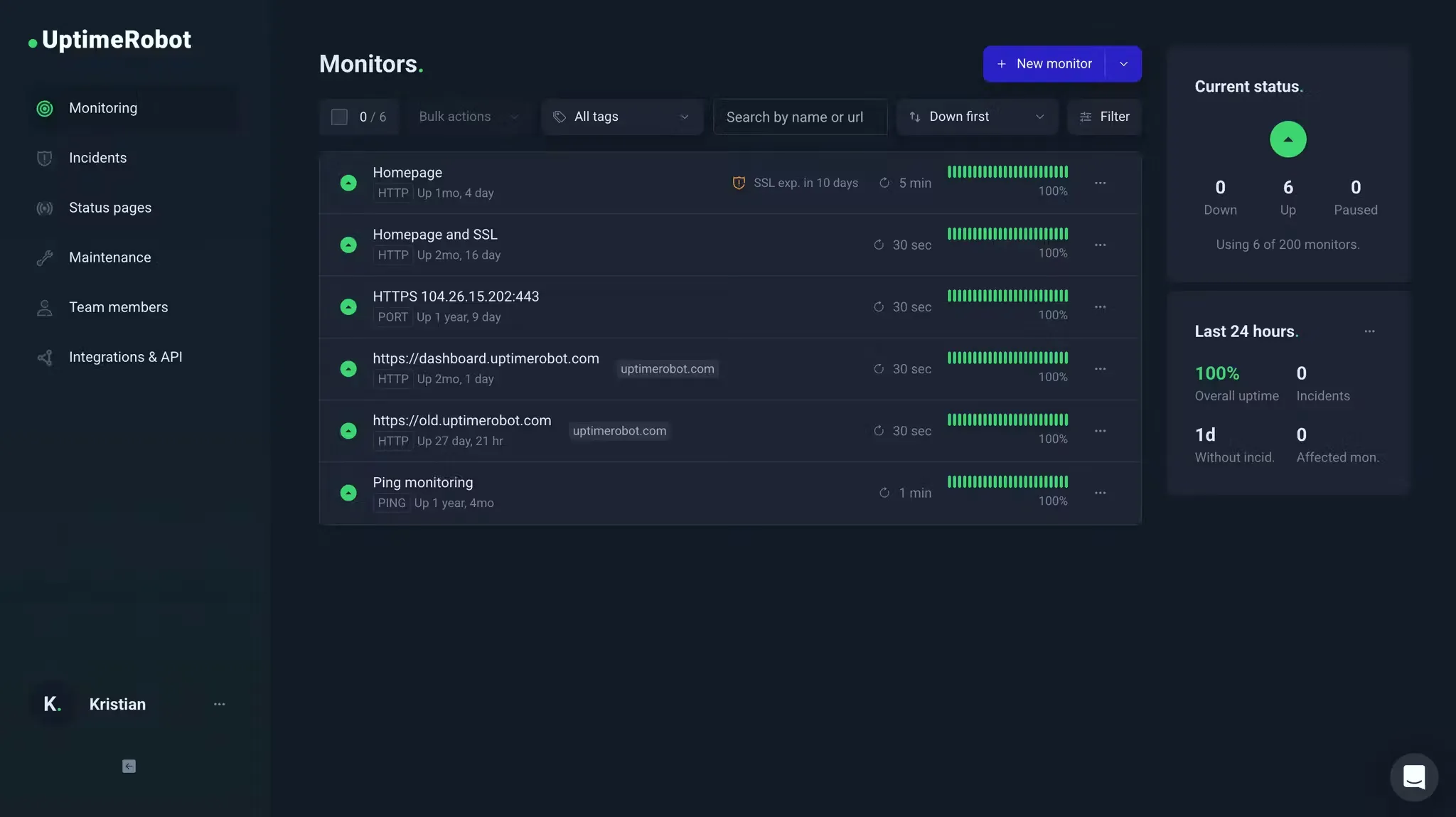
UptimeRobot is where many people went when Pingdom ended its free plan in 2019. Its free plan has 50 monitors at 5-minute intervals, and paid plans start at $9 a month.
| Best for | Starting price | Main limitation |
|---|---|---|
| Developers and agencies watching many URLs | Free; Solo $9/mo | No transactions, RUM, or on-call |
Who UptimeRobot is built for
Freelancers, small teams, and agencies who use Pingdom only for uptime checks and want to pay less, or nothing.
Notable features
- Free plan. 50 monitors at 5-minute intervals.
- Monitor types. HTTP, keyword, ping, port, UDP, DNS, SSL, domain expiry, cron, and API checks on JSON fields.
- Intervals. 60 seconds on Solo, 30 seconds on Team, 15 seconds on Scale.
- Status pages. 3 on Solo, 100 on Team, unlimited on Scale.
- Mobile apps. iOS and Android, which Pingdom retired in 2021.
Why choose UptimeRobot over Pingdom?
Free for 50 monitors. Pingdom has no free plan at all.
Faster checks for less. Team runs 100 monitors every 30 seconds for $35 a month billed yearly. Pingdom's 100 checks every minute cost $136.42.
Status pages for every client. Team includes 100 status pages, where Pingdom has one.
What users say
From a July 2026 G2 review:
"I like that UptimeRobot is very intuitive and very easy to set up. It gives me timely email notifications and also the weekly summaries."
How much does UptimeRobot cost?
- Free: 50 monitors, 5-minute checks
- Solo: $9/month billed yearly ($10 monthly) for 10 monitors, 60-second checks, 3 status pages
- Team: $35/month billed yearly ($41 monthly) for 100 monitors, 30-second checks, 3 seats, 100 status pages
- Scale: $65/month billed yearly ($77 monthly) for 200 monitors, 15-second checks, unlimited status pages
Where UptimeRobot falls short
There are no transaction checks, RUM, page speed tests, or on-call schedules. If you used Pingdom's recorder for checkout, UptimeRobot won't replace it. Long-time users also remember plan changes: in July 2025, an r/selfhosted poster was moved from an $8 legacy plan to a $34 Team plan.
Is UptimeRobot right for you?
Pick UptimeRobot if you use Pingdom only for uptime and want the cheapest replacement. If you need transactions, look at Hyperping or Uptime.com.
StatusCake: Best for uptime and page speed on a small budget
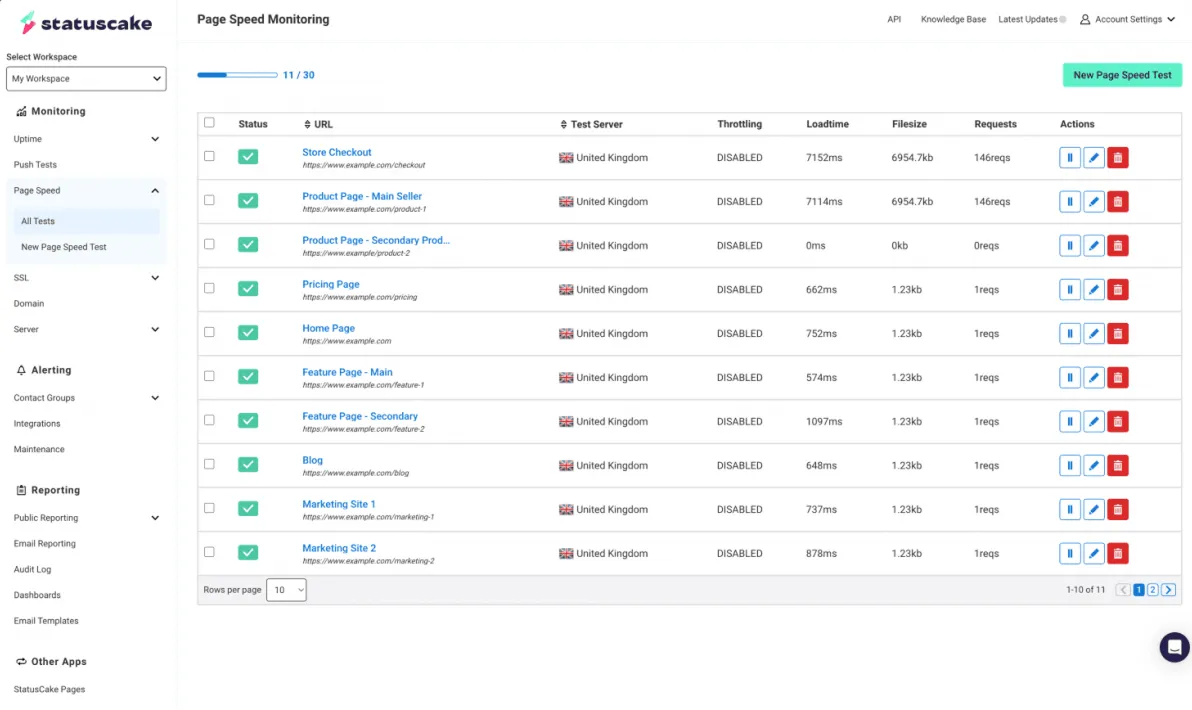
StatusCake is a UK uptime monitor that bundles page speed, SSL, domain, and basic server checks into cheap plans. It's the closest budget match for people who bought Pingdom for uptime plus page speed.
| Best for | Starting price | Main limitation |
|---|---|---|
| Uptime and page speed on a small budget | Free; $20.41/mo yearly | No transactions or on-call |
Who StatusCake is built for
Small businesses, agencies, and web teams who want uptime and page speed checks across many sites and manage monitors with Terraform.
Notable features
- Uptime. 100 checks at 1 minute on Superior, 300 at 30 seconds on Business.
- Confirmation. Up to 3 servers confirm a failure before alerting.
- Page speed. 15 page speed monitors on Superior, every 15 minutes.
- SSL and domain. Expiry, mixed content, and DNS changes.
- Server checks. CPU, RAM, and disk on paid plans.
- Terraform. A provider with millions of downloads.
Why choose StatusCake over Pingdom?
100 checks for $20.41. Pingdom charges $136.42 a month billed yearly for 100 uptime checks.
Page speed every 15 minutes. Pingdom's page speed checks run every 30 minutes.
A free plan. 3 monitors at 15 minutes with email alerts, where Pingdom has none.
What users say
From a February 2026 G2 review by Golden Tours:
"When something drops, we get notified straight away through our integrations, which means we're reacting fast rather than finding out after customers do."
How much does StatusCake cost?
In US dollars, billed yearly (October 2026):
- Free: 3 HTTP(S) checks at 15 minutes, email alerts only
- Superior: $20.41/month ($24.49 monthly) for 100 checks at 1 minute, 15 page speed, 50 SSL, 3 servers, 75 SMS
- Business: $66.66/month ($79.99 monthly) for 300 checks at 30 seconds, 30 page speed, 10 servers, 400 SMS, 9 team members
Status pages are a separate subscription: $12.46/month ($14.95 monthly) for 1 page with StatusCake branding, $41.63/month ($49.95 monthly) for 5 pages without branding.
Where StatusCake falls short
There are no transaction checks, RUM, or on-call schedules, and status pages are a separate subscription on top of monitoring. Free accounts that don't log in for 3 months lose their monitors, according to an r/homelab post from August 2023. Business invoices auto-renew unless you cancel 70 days ahead.
Is StatusCake right for you?
Pick StatusCake if you used Pingdom for uptime and page speed across many sites and want to pay a fraction of it. If you need transactions or someone on call, look elsewhere on this list.
Better Stack: Best for checks inside an incident workflow
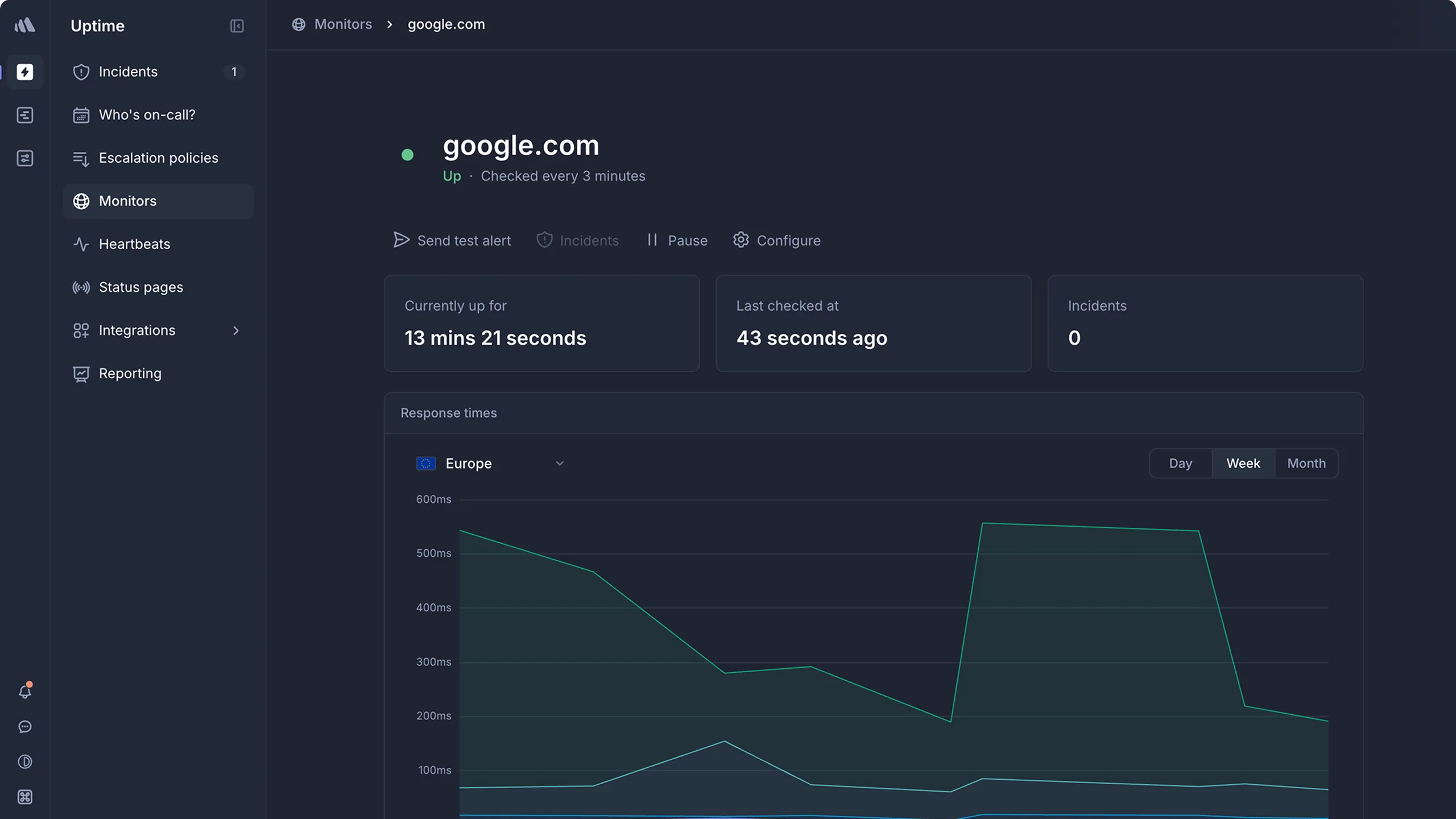
Better Stack puts uptime and Playwright checks in the same product as on-call, incidents, status pages, and logs. You pay per person on call, starting at $29 a month.
| Best for | Starting price | Main limitation |
|---|---|---|
| Teams that want checks, on-call, and logs | $29 per responder/mo | Per-person pricing plus add-ons |
Who Better Stack is built for
Engineering teams leaving Pingdom because alerts need an owner and a timeline, and who also want logs and traces from the same vendor.
Notable features
- Uptime checks. HTTP, keyword, ping, port, DNS, SSL, and mail checks down to 30 seconds.
- Playwright checks. Billed at $1 per 100 browser minutes, down to 30-second intervals.
- On-call. Schedules, escalation, and unlimited phone and SMS for each responder.
- Status pages. One included, with extras and options priced per page.
- Telemetry. Logs, traces, metrics, error tracking, and session replay, billed separately.
Why choose Better Stack over Pingdom?
It runs the incident. Pingdom sends the alert. Better Stack pages whoever is on call, opens an incident in Slack, and keeps the timeline.
Faster browser checks. Playwright checks can run every 30 seconds, where Pingdom's transactions stop at 5 minutes.
Logs next to the checks. If you'd open your logs the moment an alert fires, they're in the same place.
What users say
From an August 2026 G2 review:
"I love using Better Stack for logging, telemetry, and alerting. It's been great for unifying data from our multiple services."
How much does Better Stack cost?
- Free: 10 monitors and heartbeats at 3 minutes, 1 status page
- Responder: $29 per person/month ($34 monthly), with on-call, incidents, status pages, and unlimited phone and SMS
- Extra monitors: $21/month per 50
- Playwright: $1 per 100 minutes
- Status page options: password $42, white-label $208, SSO $208 per page per month
Where Better Stack falls short
The bill grows with every person on call and every status page option. Browser checks are billed by the minute, so frequent checks get expensive. There's no recorder. The Better Stack alternatives guide covers the trade-offs in detail.
Is Better Stack right for you?
Pick Better Stack if you want on-call and logs in the same tool as your checks, and only a few people carry the pager. If the whole team rotates on call, compare it with Hyperping first.
Checkly: Best for Playwright and API checks kept in Git
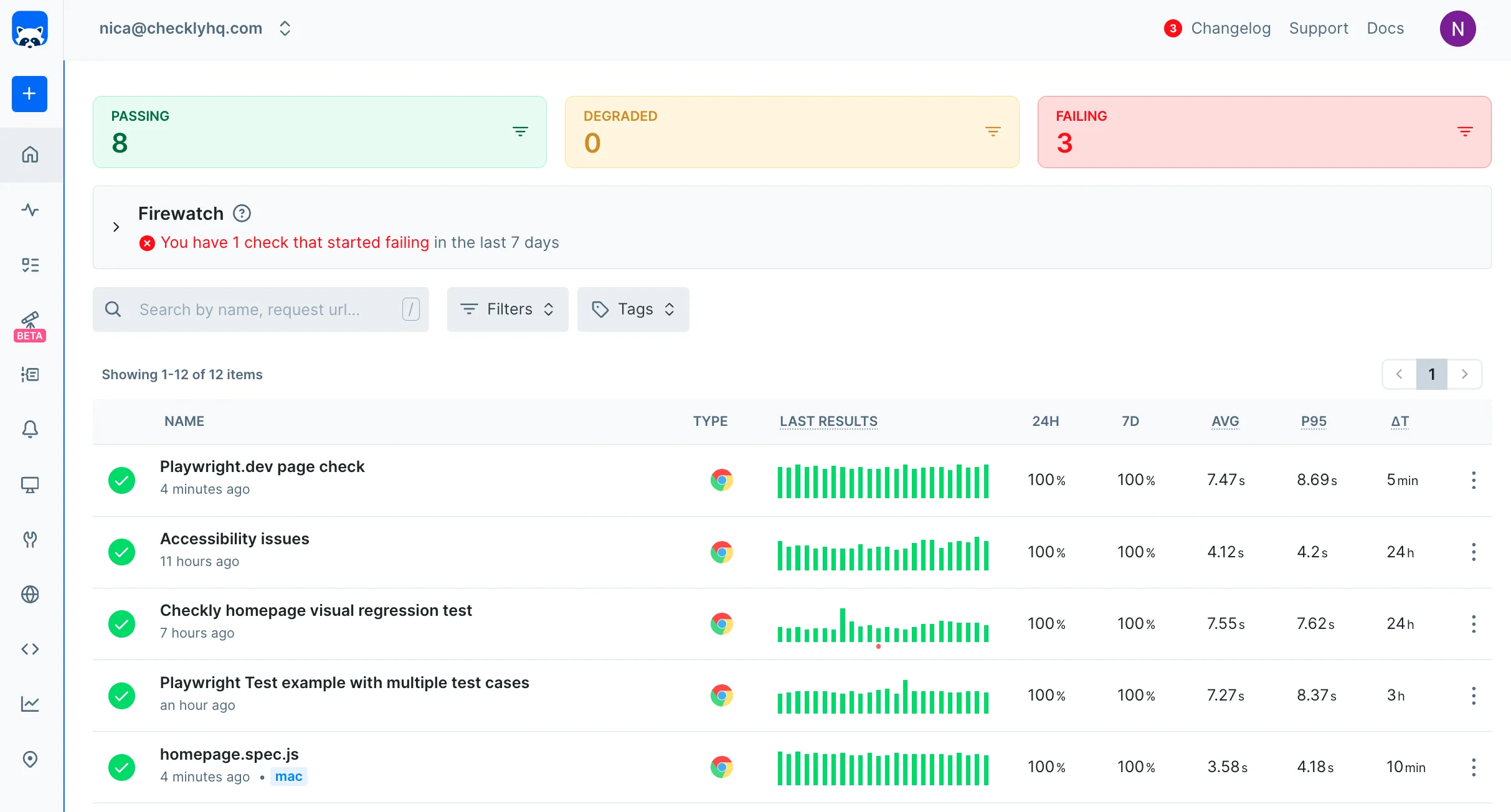
Checkly runs Playwright browser checks, API checks, and uptime monitors that you write in TypeScript, review in pull requests, and deploy with a CLI.
| Best for | Starting price | Main limitation |
|---|---|---|
| Developers who want checks reviewed like code | Free; Starter $24/mo yearly | Browser runs billed per run; no recorder |
Who Checkly is built for
Developer teams who already write Playwright tests and want to run them as production monitors. A poster on r/Playwright called it in October 2026 the "easiest choice if you want to reuse your existing Playwright tests."
Notable features
- Uptime monitors. URL, TCP, DNS, ping, SSL, and heartbeat, billed per monitor, every minute on Starter.
- API checks. Assertions on status, headers, and JSON, billed per run.
- Browser checks. Playwright scripts, billed per run, with an AI assistant to draft them.
- Monitoring as code. CLI, Terraform, and Pulumi on every plan.
- Status pages. One page with subscribers; a custom domain costs extra.
Why choose Checkly over Pingdom?
Transactions in your repo. Pingdom's recorder saves flows in its dashboard. Checkly's checks live in Git and run in CI before you deploy.
More control over each check. Code can log in, pass tokens between requests, and assert on anything on the page.
Cheap uptime monitors. Fifty monitors at 1 minute fit on Starter at $24 a month billed yearly.
What users say
From an August 2025 G2 review:
"The ability to write API and browser checks in JavaScript/TypeScript using Playwright, commit them to Git, and run them globally is a game-changer."
And the other side, from a May 2026 G2 review:
"Sometimes it feels a bit too technical, especially for non-developers."
How much does Checkly cost?
Billed yearly; monthly prices are 20 to 25% higher:
- Hobby: free, 10 uptime monitors at 2 minutes, 1,000 browser runs, 10,000 API runs
- Starter: $24/month, 3 users, 50 monitors at 1 minute, 3,000 browser runs, 25,000 API runs, 6 locations
- Team: $64/month, 10 users, 75 monitors at 30 seconds, 12,000 browser runs, 100,000 API runs, 22 locations, phone alerts
- Extra runs: $4 per 1,000 browser runs and $1.80 per 10,000 API runs, prepaid
Three browser checks every 5 minutes use about 26,000 runs a month, which costs about $116 on Starter with prepaid runs.
Where Checkly falls short
Every browser and API run counts, so frequent checks from several locations get expensive. There's no recorder, no RUM, and no on-call: paging goes through PagerDuty or Opsgenie on Team. Checkly's own Pingdom comparison admits Pingdom is "cheaper for plain uptime" and has "a point-and-click recorder."
Is Checkly right for you?
Pick Checkly if developers own your monitoring and want transactions in Git. If non-developers create the checks, Uptime.com's recorder or Hyperping's dashboard fits better.
Head-to-head
Pingdom vs UptimeRobot
UptimeRobot wins on price everywhere: a free plan with 50 monitors, and 100 monitors every 30 seconds for $35 a month against Pingdom's $136.42 for 100 every minute. Pingdom wins on depth, with recorded transactions, page speed, and RUM, none of which UptimeRobot has. Pick UptimeRobot for plain uptime and Pingdom if you need transactions or RUM.
Pingdom vs Uptime.com
These are the closest pair on the list. Both sell uptime checks, recorded transactions, page speed, RUM, and status pages. Uptime.com has more check types, private locations, a status page with subscribers, and lower prices: about $50 a month against $88 for the setup above. Pingdom has the brand and a simpler calculator. Pick Uptime.com unless your team already knows Pingdom and the price doesn't matter.
Pingdom vs Site24x7
Site24x7 includes transactions and RUM in Web Perf at $36 a month, and adds servers, APM, and logs on its all-in-one plans. Pingdom is easier to use and has a cleaner interface. Pick Site24x7 if you want one cheap vendor for websites and servers, and Pingdom if you only monitor websites and value a simple interface.
Pingdom vs StatusCake
Both cover uptime and page speed. StatusCake costs a fraction of the price ($20.41 for 100 checks), has a free plan, and checks page speed more often. Pingdom adds transactions and RUM. Pick StatusCake for uptime and speed across many sites, and Pingdom if you need transactions. The plan-by-plan table is in Pingdom vs StatusCake.
Uptrends alternatives
Uptrends is in the same family as Pingdom: uptime checks, recorded browser transactions, page speed, RUM, and status pages, sold to website and ops teams. People who look for an Uptrends alternative usually hit one of three things on the pricing page, as of October 2026:
- Credits on a yearly commitment. Plans include a base of monitoring credits for the year. An uptime monitor uses 6 credits, a browser monitor 50, each transaction step 50, and each API step 15. The monitor pricing table (USD) lists a browser monitor at $350 on Core and a transaction step at $500 on Pro with annual billing, $385 and $550 with monthly billing. It names no period, but its uptime row matches the "from $42/month" on the Core card, so a few journeys add up quickly.
- Transactions start on Pro. Core ($42 a month billed yearly, $46 monthly) has uptime checks every 2 minutes, browser page checks every 10 minutes from US and EU regions, 10 users, and 10 status pages. Transactions, API checks, 1-minute uptime checks, and the choice among 230+ checkpoints need Pro ($60 a month billed yearly, $66 monthly).
- The developer features are on Enterprise. Terraform, OpenTelemetry, SSO, 30-second checks, and checkpoints inside your firewall are listed on Enterprise, priced on request.
There's a 30-day free trial with Enterprise features, and no free plan.
| If you leave Uptrends for... | Pick | Why | What you give up |
|---|---|---|---|
| A cheaper recorder and RUM | Pingdom | Recorded transactions from $16.50/mo yearly, RUM from $16.50/mo | Checkpoint choice and unlimited status pages |
| The closest match with a published price | Uptime.com | 50 basic and 5 advanced checks for $30/mo yearly ($38 monthly), private locations | RUM and status pages are separate purchases |
| Many locations inside a cheap suite | Site24x7 | Web Perf: 8 transaction monitors from 8 locations for $36/mo yearly | A crowded console |
| Login and checkout checks with on-call | Hyperping | 3 Playwright browser checks, 50 monitors, on-call, and a status page for $24/mo | Browser checks run from Frankfurt and San Francisco only, every 5 minutes; no recorder |
| Transactions as code in Git | Checkly | Playwright checks with a CLI and Terraform from $24/mo yearly | No recorder; runs are billed per run |
If the 230+ checkpoints are why you bought Uptrends, keep them in mind: Hyperping runs browser checks from two regions and uptime checks from 18, and Checkly has 22 locations on Team. Site24x7 and Pingdom come closest on location count.
Uptrends vs Pingdom
Both sell uptime checks, recorded transactions, page speed, RUM, and status pages. Pingdom is cheaper to start and easier to price: $16.50 a month billed yearly for 10 uptime checks and 1 transaction, and $71.50 for 50 uptime checks and 10 transactions, with RUM as a second subscription from $16.50 a month. Uptrends starts at $42 a month billed yearly on Core, needs Pro ($60) for transactions, and bills each monitor in credits from a yearly allowance. In return it has 230+ checkpoints you can pick by city, unlimited public status pages on Pro, checks every 30 seconds and private checkpoints on Enterprise, where Pingdom stops at 1 minute and one public status page. Pick Pingdom for a few transactions on a small budget, and Uptrends if you need many checkpoints, internal checks, or many status pages and you can commit for a year. Prices as of October 2026, from Uptrends pricing and Pingdom pricing.
Which one should you pick?
| Buyer or situation | Recommended tool | Reason |
|---|---|---|
| Someone has to answer alerts and update customers | Hyperping | On-call, escalation, and status pages in the plan |
| You use RUM and the transaction recorder | Uptime.com | The same jobs for about half the price |
| You want servers and APM next to website checks | Site24x7 | Transactions, RUM, servers, and APM in one account |
| Plain uptime, as cheap as possible | UptimeRobot | 50 free monitors |
| Uptime and page speed across many sites | StatusCake | 100 checks and 15 page speed monitors for $20.41 |
| Incidents and logs next to your checks | Better Stack | On-call, incidents, and logs from one vendor |
| Developers who want transactions in Git | Checkly | Playwright checks as code |
| Self-hosting on your own server | Uptime Kuma | Listed below |
If you're paying Pingdom $16.50 a month for 10 checks, almost every tool here gives you more for the same money. The decision that matters is whether you need RUM: if you do, Uptime.com or Site24x7; if you don't, Hyperping, UptimeRobot, or StatusCake.
If you already pay for PagerDuty, you don't need a tool with on-call. Pick the cheapest checks that cover your transactions and send the alerts to PagerDuty.
Other credible options
Other uptime and synthetic monitoring tools
| Tool | Main strength | Main limitation | Good for |
|---|---|---|---|
| Uptrends | 230+ checkpoints, Chrome recorder, status pages | No free plan; transactions start on Pro | Enterprise synthetic monitoring |
| Dotcom-Monitor | Real-browser transactions and waterfalls | Priced per product | Teams that want detailed transactions |
| Oh Dear | SSL, broken links, Lighthouse, and cron per site | Priced per site; no free plan | EU agencies |
| OnlineOrNot | 30-second checks, browser checks, on-call | Extra status pages are $24/mo each | Small SaaS teams |
| Sematext | Playwright journeys, RUM, and logs from one vendor | Reports of downtime and a slow UI | Small teams on a budget |
| HetrixTools | 1-minute checks on every plan, blacklist monitoring | Few reviews | People running mail servers |
| Pulsetic | Status pages on every tier | No transactions | Agencies with client status pages |
| Cronitor | Cron job monitoring, uptime, and RUM | Priced per monitor and per user | Teams with many scheduled jobs |
| updown.io | 15-second checks, pay per request | No transactions or RUM | Developers who want simple checks |
Real user monitoring and web performance
| Tool | Main strength | Main limitation | Good for |
|---|---|---|---|
| DebugBear | Lab tests, CrUX, RUM, and uptime on one plan | Starts at $99/mo | Teams that care about Core Web Vitals |
| SpeedCurve | Synthetic and RUM with competitor benchmarks | Expensive for small teams | Performance teams |
| Calibre | Performance budgets and CrUX data | No uptime checks | Front-end teams |
| Request Metrics | RUM, lab tests, and SEO tracking | No uptime checks | Small sites |
| Raygun | RUM next to crash reporting and APM | Each product billed separately | App teams |
Observability suites
| Tool | Main strength | Main limitation | Good for |
|---|---|---|---|
| Datadog | Synthetics, RUM, and APM correlated | Every product is a separate meter | Teams already on Datadog |
| New Relic | Synthetics and browser RUM, 100 GB free | Expensive full platform seats | Teams already on New Relic |
| Grafana Cloud | k6 browser checks and frontend RUM | No customer status page | Teams already on Grafana |
| Dynatrace | Synthetics and RUM with AI root cause | Annual commitment, no free tier | Large enterprises |
| Catchpoint | Large agent network, internet path visibility | Sold through LogicMonitor since 2025 | Enterprises with global users |
| ThousandEyes | Transactions plus ISP and SaaS path visibility | Quote only | Network teams |
Status pages, open source, and self-hosted
| Tool | Main strength | Main limitation | Good for |
|---|---|---|---|
| Instatus | Fast status pages with basic monitors | Monitoring is basic | A status page on top of Pingdom |
| Atlassian Statuspage | Subscriber notifications, Jira ties | No monitoring | Companies on Atlassian |
| Uptime Kuma | Free, many check types, status pages | One location; you run the server | Homelabs and small teams |
| OneUptime | Open-source checks, status pages, on-call | Heavy to self-host | Self-hosters who want everything |
| Gatus | Checks defined in YAML, in Git | You host it | Teams that want config as code |
| Prometheus Blackbox | Free HTTP, TCP, DNS, and TLS probes | You run Prometheus | Teams already on Prometheus |
Freshping stopped renewals and disabled free accounts in March 2026, so I left it out.
How to test a Pingdom alternative
Test with the checks you actually run. Here's what each tool gives you to try it:
- Hyperping: 20 monitors on the free plan, plus a 14-day trial of paid plans, no card
- Uptime.com: 30-day money-back guarantee on paid plans
- Site24x7: free plan, plus a trial of paid plans
- UptimeRobot: 50 monitors at 5-minute intervals on the free plan
- StatusCake: 3 monitors at 15-minute intervals on the free plan, plus a 7-day trial with no card
- Better Stack: 10 monitors and 1 status page on the free plan
- Checkly: Hobby plan with 10 monitors and 1,000 browser runs
- Pingdom: keep your current plan running while you test
Then break things on purpose:
- Recreate your ten most important checks, with the same URLs, intervals, and body checks as on Pingdom.
- Rebuild one transaction, like login or checkout, and note how long it takes with a recorder or with Playwright code.
- Block one probe location and see whether the tool confirms from another region before it alerts.
- Ignore an alert. Check who gets notified next, whether it escalates, and how acknowledging stops it.
- Publish your status page on your own domain and check that it loads over HTTPS.
- If you use Pingdom's RUM, run the new tool's script next to Pingdom's for a week and compare the numbers.
- Price your exact setup: uptime checks, transactions, RUM page views, SMS, status pages, and seats.
- Run both tools on the same URLs for a week before you cancel Pingdom.
Give every check an owner. A check nobody trusted in Pingdom will get muted in the new tool too.
Related reading
- Migrate from Pingdom to Hyperping: export your checks and recreate them
- Hyperping vs Pingdom: feature-by-feature comparison
- Pingdom pricing: every step of the calculator in USD
- Pingdom vs UptimeRobot vs Hyperping
- Best Better Stack alternatives
- Best UptimeRobot alternatives
- Best uptime monitoring tools: the wider shortlist, with free plans compared
- Best StatusCake alternatives
- Synthetic monitoring: Playwright browser checks in Hyperping
- Status pages: public and private pages on your domain
- Hyperping pricing: monitors, seats, and status pages by plan
FAQ
What are the best Pingdom alternatives? ▼
It depends on what you use Pingdom for. Hyperping fits uptime and browser checks with on-call and a real status page. Uptime.com is the closest match if you also need transactions and RUM. Site24x7 adds servers and APM for a low price. UptimeRobot and StatusCake are the cheap options for plain uptime checks. Better Stack fits checks next to incidents and logs. Checkly fits Playwright checks kept in Git.
Why do people leave Pingdom? ▼
Mostly price. Pingdom has had no free plan since 2019, 50 uptime checks cost $78 a month ($71.50 billed yearly), SMS is sold in credits, and RUM is a second subscription. Checks stop at 1 minute, the page speed grade still uses YSlow, the mobile apps were retired in 2021, and the status page is one public page with no HTTPS on a custom domain.
Pingdom vs Hyperping: which is better? ▼
Pingdom if you need real user monitoring or a no-code transaction recorder. Hyperping if you want 30-second checks, Playwright browser checks, on-call with escalation, and status pages on your own domain: 50 monitors cost $24 a month on Hyperping Essentials billed yearly, against $71.50 on Pingdom.
What is a cheaper alternative to Pingdom? ▼
UptimeRobot's free plan covers 50 monitors at 5-minute intervals, and StatusCake Superior is $20.41 a month billed yearly for 100 checks at 1 minute. For transactions and RUM like Pingdom, Uptime.com is about $50 a month billed yearly for 50 checks, 5 advanced checks, a status page, and 100,000 RUM data points.
Does Pingdom have a free plan? ▼
No. Pingdom ended its free plan in January 2019. There's a 30-day trial that covers synthetics and RUM, then paid plans start at $18 a month, or $16.50 billed yearly, for 10 uptime checks and 1 advanced check.
What are the best Uptrends alternatives? ▼
Pingdom for a cheaper recorder and RUM, Uptime.com for the closest match with a published price ($30 a month billed yearly for 5 advanced checks), Site24x7 for many locations in a cheap suite, Hyperping for Playwright login and checkout checks with on-call and a status page, and Checkly for transactions as code. Uptrends bills credits on a yearly commitment, from $42 a month on Core, and transactions start on Pro at $60 a month billed yearly, as of October 2026.
Can I migrate from Pingdom to Hyperping? ▼
Yes. The migration guide at /docs/migrate/from-pingdom covers exporting checks through the Pingdom API, recreating them in Hyperping with the API or Terraform, running both tools in parallel, and cutting over.