Status pages now have a place for the last step of an incident: the post-mortem. Once an incident is resolved, you can write what happened, why it happened, and what you are changing, then publish it on the incident itself.
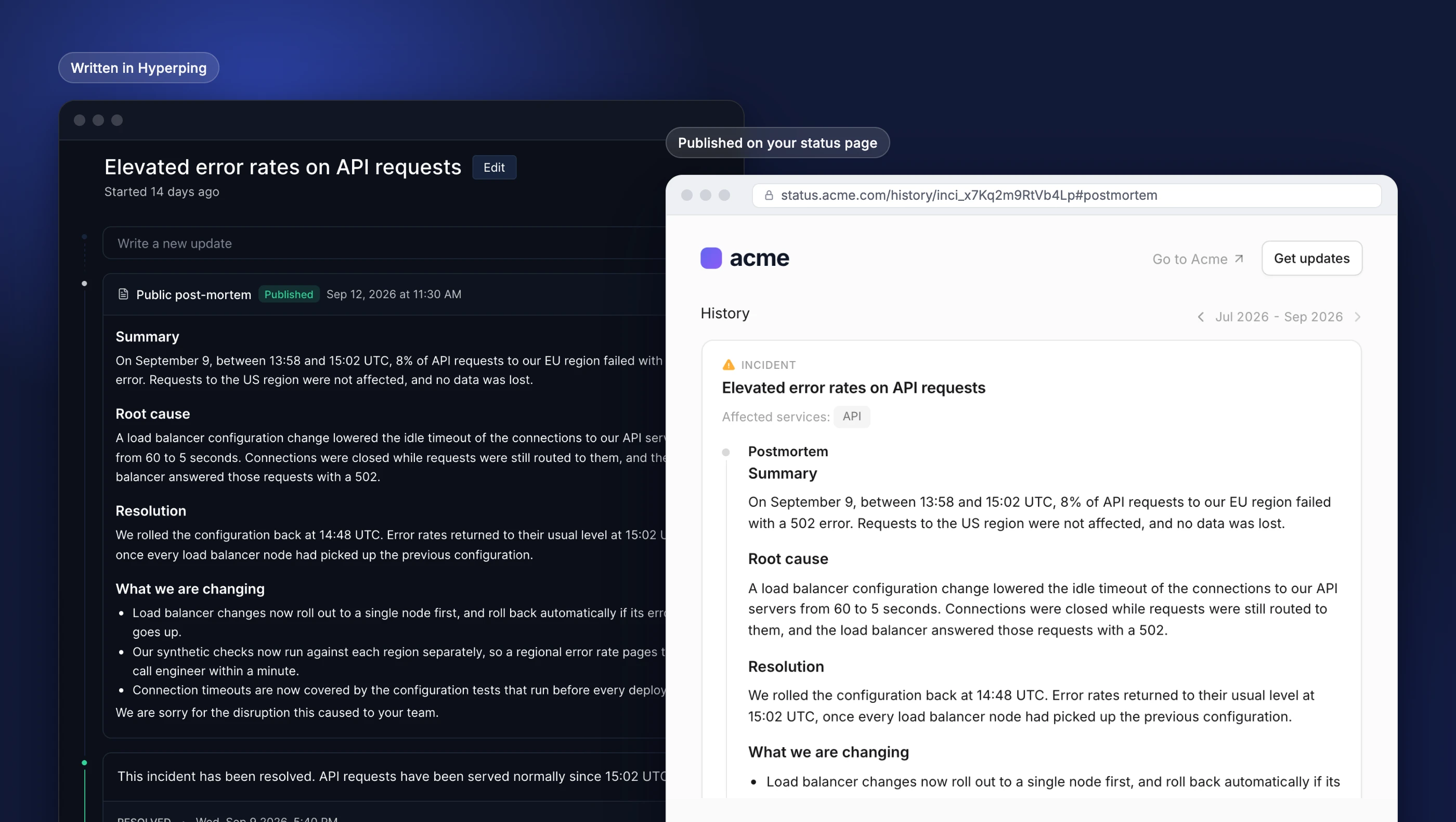
Until now, the updates you posted during an outage ended with "Resolved", and the explanation lived somewhere else: a blog post, a PDF sent to a few customers, or an email thread. Customers who read the incident on your status page never saw it.
On your status page
A published post-mortem is the newest entry of the incident timeline, above the updates you posted during the outage.
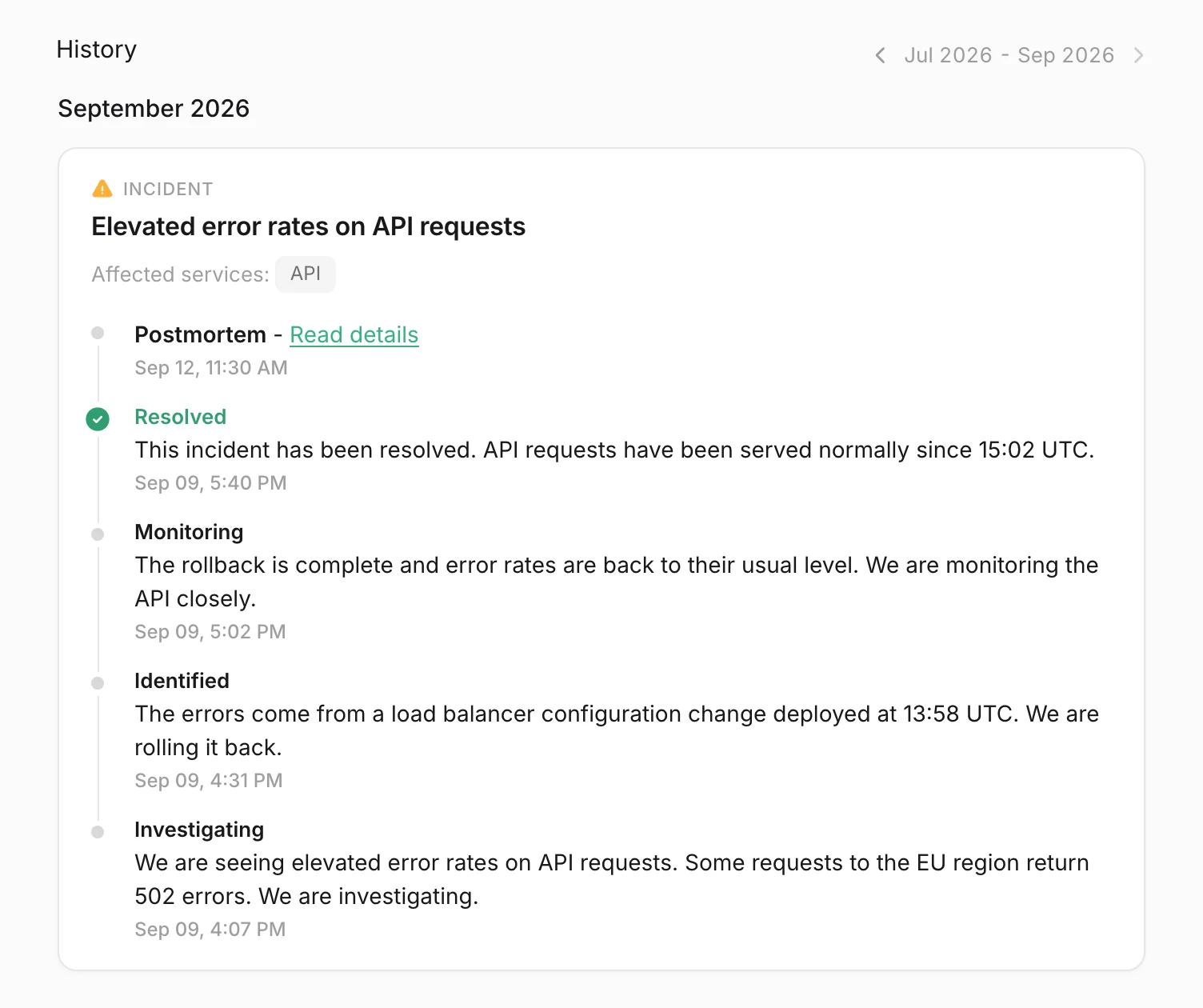
- In your incident history and in the recent incidents on your home page, the incident shows a Postmortem - Read details entry with its publication date.
- On the incident page, visitors read the full post-mortem: headings, lists, links, and inline code.
- A direct link: add
#postmortemto the incident URL to send customers straight to it, for example in your reply to a support ticket.
The labels are translated in the seven status page languages, and on a multi-language page you write one version per language.
Draft first, publish when it is ready
Open a resolved incident in Status Pages → Updates and click Write post-mortem. The editor starts from a template with five sections: Summary, Impact, Root cause, Resolution, and What we are changing.
- Save draft keeps it visible only to your team while it gets reviewed.
- Publish adds it to every status page the incident is published on.
- Editing a published post-mortem updates it right away and keeps its original publication date.
- Unpublish takes it off the status page and keeps the draft.
Publishing does not notify subscribers. If you want them to know, post a short update on the incident with a link to the post-mortem.
Your internal post-mortem stays internal
Alerting incidents in Hyperping already have a Post-Mortem tab for your team's review. That one never reaches your status page, and it still doesn't.
When the status page incident was published from an alerting incident that has an internal post-mortem, the editor offers Start from internal post-mortem. It copies your internal write-up into the public editor, so you only have to remove the names, internal systems, and action items your customers do not need, and rewrite the rest for them. The Post-Mortem tab of the alerting incident shows whether the public version is written, in draft, or published.
Get started
Post-mortems are available on every paid plan that publishes incidents to a status page. Read the post-mortem docs for the details, or the post-mortem template playbook to run the internal review first.
Questions? Reach out via in-app chat or email us at hello@hyperping.io.