My shortlist of Checkly alternatives is Hyperping (Playwright checks + on-call + status pages at a flat rate), Better Stack (monitoring + logs + incidents), Datadog (synthetics inside full observability), Uptime.com (no-code synthetic monitoring + SLA reporting), and Cronitor (cron job + uptime monitoring). I looked at over 30 tools and narrowed it to these five based on G2 and Capterra reviews, product research, and conversations with engineering teams.
Checkly is a genuinely good product. Its monitoring-as-code workflow, CLI, and Playwright integration earn consistent praise in reviews. Most teams that leave do so for one of four reasons: per-run billing that punishes thorough testing, a module stack where status pages and root-cause analysis cost extra, no built-in on-call management, or a code-first workflow that leaves non-developers out.
In this guide, you'll learn:
- Why teams leave Checkly (based on real user feedback, not speculation)
- Five alternatives that solve specific problems Checkly doesn't
- Honest pricing comparisons with actual numbers
- Which tool fits your team size, technical maturity, and budget
If you want Playwright browser checks without run metering, uptime monitoring that catches issues in 30 seconds, on-call scheduling with escalation policies, and status pages included in one flat-rate plan, Hyperping delivers exactly that. Schedule a demo to see how it works.
Key takeaways
- Hyperping includes Playwright browser checks, uptime monitoring, on-call, and status pages in flat-rate plans from $24/mo, with no per-run billing.
- Better Stack unifies uptime monitoring, log management, and incident response, so you can go from a failed check to the logs behind it in one platform.
- Datadog wraps synthetic monitoring in a full observability suite (APM, traces, logs), billed per test run at $12 per 1,000 browser test runs.
- Uptime.com offers a no-code visual editor for transaction checks plus 30+ check types and SLA reporting, starting at $7/mo.
- Cronitor is the strongest pick for teams that mostly use Checkly's heartbeat checks, with schedule-aware cron monitoring from $2/monitor.
Why you should trust this guide
I'm Léo, founder of Hyperping. Yes, that means I have a stake in one of these tools. But I've seen teams choose competitors when they were genuinely the better fit. My goal isn't to convince you Hyperping is always the answer. It's to help you understand which tool actually solves your problem.
I've analyzed dozens of G2 and Capterra reviews, tested platforms myself, reviewed Checkly's pricing page in detail, and talked to engineering teams about their experiences. Where I couldn't test something directly, I relied on verified user feedback and documented sources.
The shortlist at a glance
| Best for | Product |
|---|---|
| Playwright checks + on-call + status pages, flat rate | Hyperping |
| Unified monitoring + logs + incident management | Better Stack |
| Synthetics inside a full observability platform | Datadog |
| No-code synthetic monitoring + SLA verification | Uptime.com |
| Cron job and background task monitoring | Cronitor |
Why teams consider Checkly alternatives
Checkly holds strong ratings on G2, and reviewers consistently like the Playwright integration and the monitoring-as-code workflow. The complaints cluster elsewhere: how usage is billed, what costs extra, and who on the team can actually use it.
Per-run billing punishes thorough testing
Checkly meters synthetic monitoring by check run. The Team plan includes 12,000 browser check runs per month, then $4 per additional 1,000 prepaid (or $6.25 as overage). Retries count as runs. Each parallel location counts as a run. Running a check every 10 minutes from three locations already consumes over 13,000 runs a month, and that's a single check. The Checkly pricing breakdown walks through how runs, regions and retries add up on each plan.
Users feel this directly. One G2 reviewer wrote: "It feels like you're being charged for every breath your app takes." Another described the practical consequence: "The primary limitation is the rigid usage quotas, which don't allow us to execute our entire suite of tests on each branch or staging deployment."
The module stack adds up
Checkly prices detection, status pages, and root-cause analysis as separate modules. The Team tier costs $64/month for monitoring, plus $30/month for status pages, plus $39/month for AI root-cause analysis. That's $133/month before any run overages, and white-label status pages still require Enterprise.
Several reviewers also mention the gap between tiers. One put it this way: "The pricing model could use a bit more flexibility, as there aren't enough options between the plans, which is quite limiting as our usage falls between tiers." Another noted: "Scaling up is possible only with an Enterprise plan which is not fun to deal with."
No built-in on-call or incident management
Checkly detects problems and sends alerts, but managing who responds is delegated to external tools like PagerDuty, incident.io, or Rootly. There's no on-call rotation, no escalation if the primary responder doesn't acknowledge, and incident communication on status pages is limited. As one enterprise reviewer noted: "The dashboard/status page and incident/planned maintenance functionality could be more feature rich, to provide better communication to end users during downtime."
For a team that wants detection and response in one place, that means a second subscription and a second tool to configure.
Code-first monitoring excludes part of the team
Writing checks in TypeScript with Playwright is Checkly's core strength, and also its filter. Reviewers who aren't full-time developers notice: "Sometimes it feels a bit too technical, especially for non-developers. Setting up advanced checks or fully understanding some of the terminology can take time." Even developer-heavy teams mention that "the learning curve can be steep for teams new to writing tests in code."
If support, QA, or ops people need to create or modify checks, a code-only workflow becomes a bottleneck.
Limited EU data residency
Checkly doesn't let you choose where monitoring data is stored. Multiple European reviewers flag it: "Data residency options are limited. For teams with strict compliance needs (especially in the EU), having more control over where monitoring data is stored would be a big plus." Another simply wrote: "I would like to be able to choose data storage areas, being based in the EU."
Quick comparison: Checkly alternatives
| Tool | Starting Price | Best For | Main Limitation |
|---|---|---|---|
| Hyperping | $24/mo (50 monitors) | Playwright checks + on-call + status pages, one bill | Not a full observability platform |
| Better Stack | Free; paid from $29/mo | Monitoring + logs + incidents unified | Modular pricing adds up |
| Datadog | $12 per 1k browser test runs | Synthetics correlated with APM, traces, and logs | Costs are hard to predict |
| Uptime.com | $7/mo (10 checks) | No-code synthetic checks and SLA reporting | No on-call scheduling or escalation |
| Cronitor | Free; $2/monitor | Cron jobs and background tasks | No Playwright browser checks |
Hyperping: Best for Playwright checks with on-call and status pages included
Who Hyperping is built for
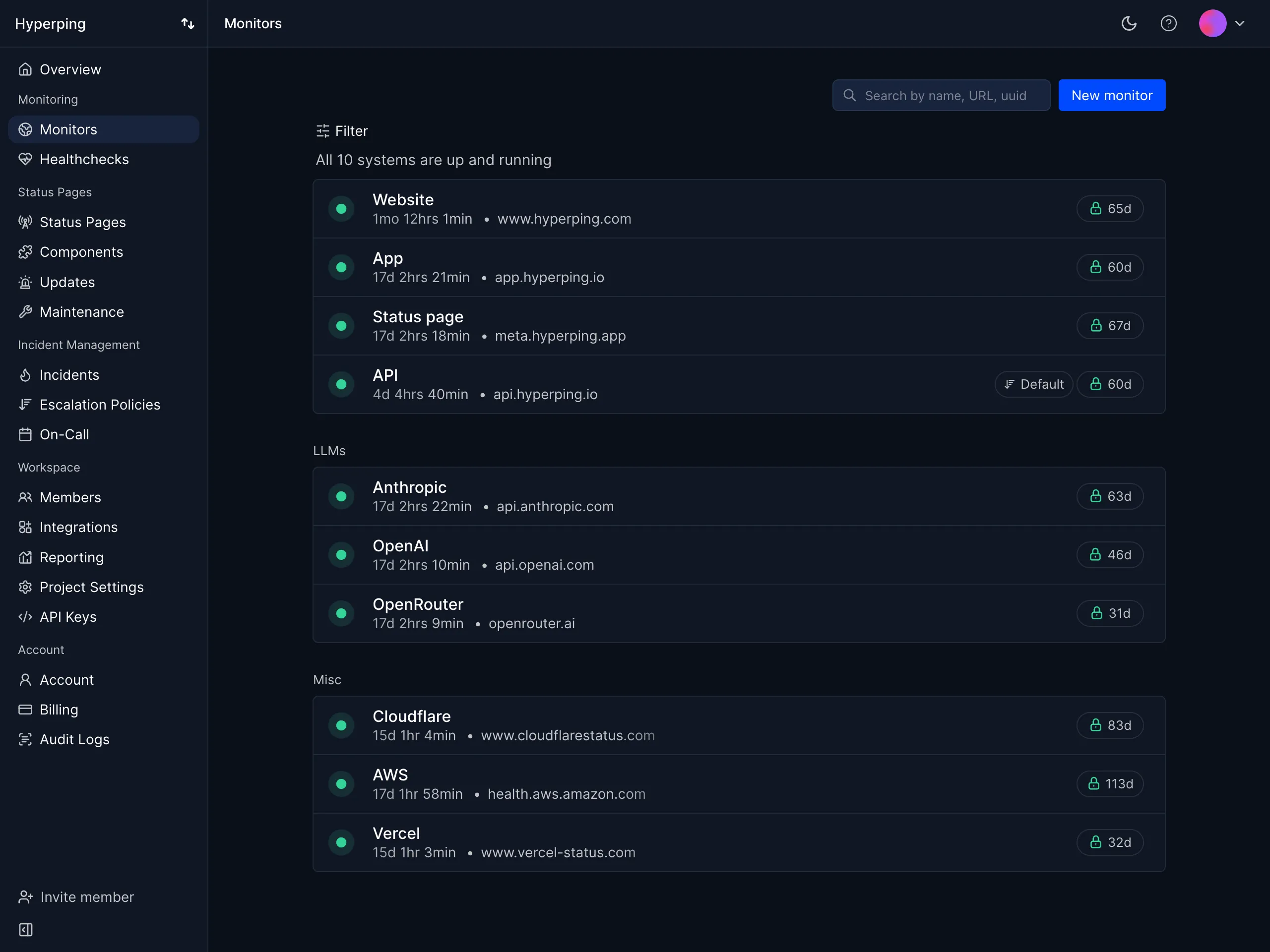
Teams that like Checkly's Playwright-based approach but want the rest of the incident workflow (on-call scheduling, escalation policies, status pages) in the same plan, without watching a run counter. Hyperping focuses on doing the essentials extremely well rather than adding every possible feature.
From the reviews and conversations I analyzed, Hyperping appeals to teams that value simplicity and predictable pricing. It's particularly popular with European companies due to being a French company with EU hosting, which directly answers the data residency complaints in Checkly reviews.
Notable features
- Playwright browser checks without run metering: Write the same Playwright scripts you'd run on Checkly. You pay for a number of checks, not for how often they run.
- Multi-region false-positive protection: A failure in one region triggers re-verification from other regions before any alert fires. On Checkly, retries and parallel locations consume billable runs; on Hyperping, verification is free.
- On-call scheduling and escalation policies: Timezone-aware rotations, multi-step escalation, and acknowledgements built in. Checkly hands this off to PagerDuty, incident.io, or Rootly.
- Status pages included: Custom domains, private pages, SSO, and subscriber notifications, instead of a separate $30/month module.
- Uptime monitoring at 30-second intervals: HTTP, TCP, DNS, ICMP, and heartbeat checks from 19 global regions, plus daily SSL certificate checks.
- Monitoring as code: A Terraform provider for teams that manage checks alongside infrastructure.
- European hosting: GDPR-compliant infrastructure with all data stored in EU data centers.
Why choose Hyperping over Checkly?
One plan instead of three modules
Checkly's full Team stack (Detect + Communicate + Resolve) reaches $133/month before run overages, and on-call still requires an external tool. Hyperping Pro covers monitoring, browser checks, status pages, on-call scheduling, and incident management in one $74/month plan.
Browser checks you don't have to ration
The recurring theme in Checkly reviews is quota anxiety: teams skip staging checks or reduce frequency to stay under run limits. Hyperping's browser checks run on their schedule with no metering, so avoiding false positives or checking more often never inflates the bill.
Detection and response in the same tool
When a Hyperping check fails, the alert follows your escalation policy until someone acknowledges, by voice call, SMS, Slack, Teams, or push. Voice calls are unlimited. There's no handoff between a monitoring tool and a separate paging tool, and no second per-seat subscription.
For a line-by-line pricing comparison, see the Hyperping vs Checkly breakdown.
What actual Hyperping users say
"Hyperping has been a total game-changer for us. The service is reliable, easy to use, and incredibly feature-rich. I love that it constantly checks our site and alerts us right away if there are any issues."
"We made our Hyperping status page publicly available and it became a crucial part of our sales pitches. We are proud of our uptime and we love that we can share it with prospects and customers in such an easy way."
How much does Hyperping cost?
- Essentials: $24/month for 50 monitors, 3 browser checks, 1 status page, 3 seats
- Pro: $74/month billed annually for 250 monitors, 10 browser checks, 3 public or private status pages, 10 seats. Includes email access codes, multilingual pages, and native account SAML SSO.
- Business: $249/month billed annually for 1000 monitors, 25 browser checks, 10 status pages, 20-second checks, 20 seats, priority support, and more
All plans include on-call scheduling, escalation policies, and voice call alerts. A free tier (20 monitors and a status page) and a 14-day trial on paid plans are available.
Where Hyperping falls short
Hyperping doesn't try to be a full observability platform. There's no log management, APM, or distributed tracing, and no AI root-cause analysis like Checkly's Resolve module. If your workflow is built around the Checkly CLI with checks deployed from CI on every commit, Checkly's monitoring-as-code tooling is deeper: Hyperping offers Terraform and an API, but no equivalent of npx checkly deploy.
Browser checks are also written in Playwright code, so like Checkly, the synthetic side is developer-oriented. Teams that want click-to-record checks should look at Uptime.com below.
Is Hyperping right for you?
Choose Hyperping if you want to keep Playwright-based synthetic monitoring but stop paying per run, and you'd rather have on-call and status pages included than integrate three tools. It's particularly strong for SaaS teams monitoring critical flows like checkout or login, and for European companies that need EU data residency.
Better Stack: Best for unified monitoring, logs, and incidents
Who Better Stack is built for
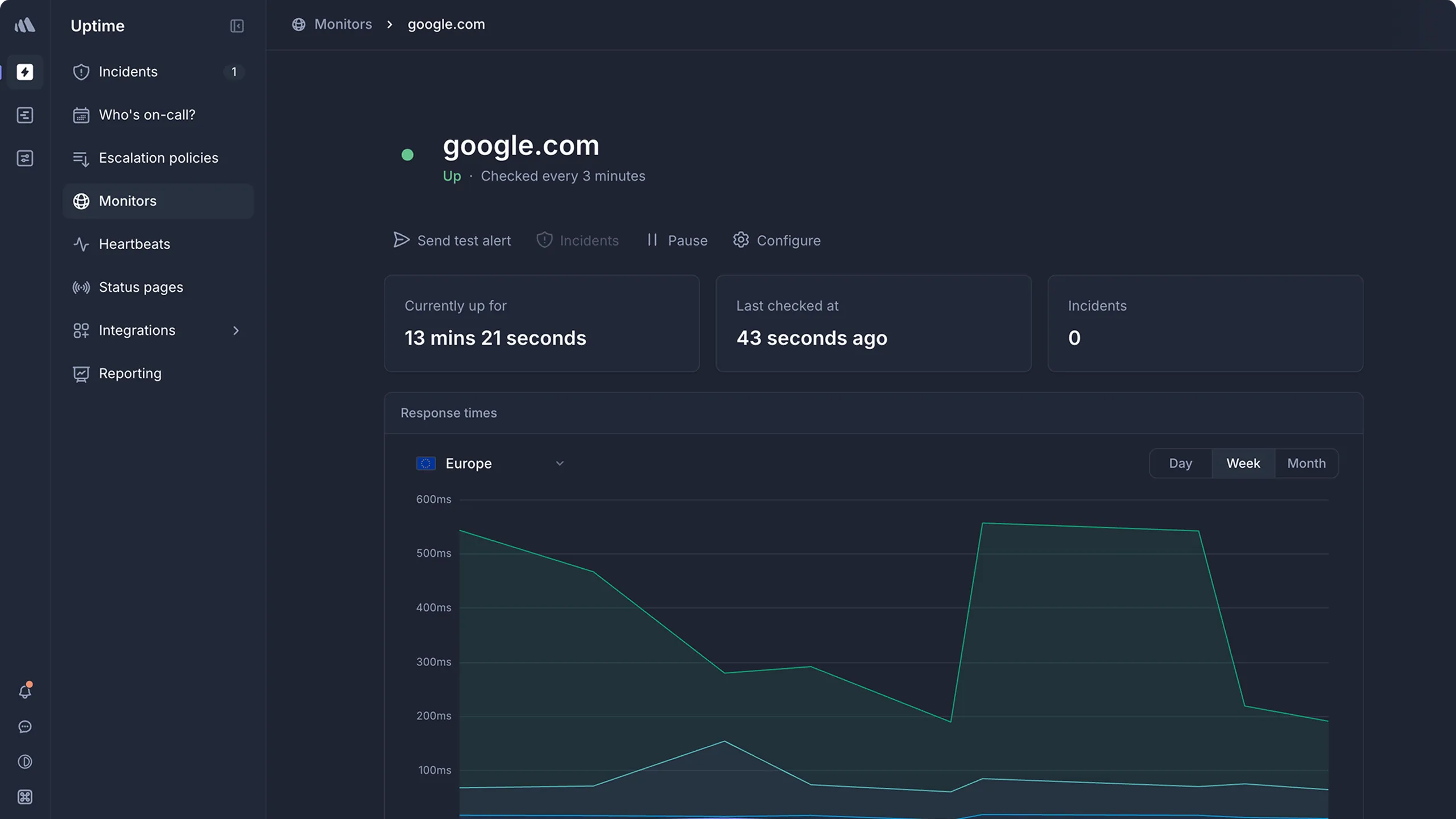
Engineering teams that want uptime monitoring, log management, and incident response unified in a single platform. Better Stack works well when you want to go from "check failed" to "here's what the logs say" without switching tools, which is the problem Checkly's separate AI root-cause module tries to solve with a $39/month add-on.
From what I gathered in G2 reviews, Better Stack's strength is its polished developer experience. Users consistently praise the modern interface and fast setup. One reviewer described it as having "probably the best looking interface you'll ever get to work with."
Notable features
- Playwright-based synthetic monitoring: Browser-based transaction checks for testing user flows, the same underlying framework as Checkly.
- 30-second uptime checks: Verified from at least three geographic regions to minimize false positives.
- Integrated log management: SQL-like querying with ClickHouse-powered storage. When a check fails, the relevant logs are in the same platform.
- Incident management: On-call scheduling, escalation policies, and AI-powered post-mortems built in.
- Multi-channel alerting: Voice, SMS, Slack, Teams, email, and push notifications with noise suppression.
- Status pages: Public and private pages with branded communication.
Why choose Better Stack over Checkly?
Root-cause context without a separate module
Checkly tells you a check failed and sells AI root-cause analysis as a $12-39/month add-on. Better Stack puts your application logs next to your monitoring, so investigating a failure means querying logs in the same tab rather than jumping to another tool or paying for another module.
Incident response is part of the product
Better Stack includes on-call rotations, escalation policies, and Slack-based incident management. With Checkly, that entire layer lives in PagerDuty or incident.io at additional per-user cost.
Free tier without hard-capped runs
Better Stack's free plan includes 10 monitors, a status page, and basic logging. Checkly's Hobby plan hard-caps browser checks at 1,000 runs per month, which a single check on a 30-minute schedule from one location already exceeds.
What G2 users say about Better Stack
"BetterStack Uptime is an excellent tool for monitoring the availability of sites and services in real-time. Its interface is modern, easy to use, and pleasant on a daily basis. I appreciate the ability to quickly set up monitors, receive multi-channel alerts, and share professional status pages with clients."
"It can be quickly and easily deployed as an external monitoring tool, with a free tier available. This allows organizations to test system uptime and functionality without a significant financial commitment."
How much does Better Stack cost?
Better Stack uses modular pricing that adds up across products:
- Free tier: 10 monitors, 1 status page, limited log retention
- Monitors: $21/month per 50 additional monitors
- On-call responders: $29/month per user
- Status pages: $12/month per page + advanced addons
- Heartbeat monitors: $17/month per 10
The jump from free to paid is significant. A G2 reviewer noted: "The initial paid tier starts at $29 which is very steep for the small open source services I run."
Where Better Stack falls short
Modular pricing, again. If you're leaving Checkly because modules stack up, Better Stack has the same structural issue: per-responder, per-monitor-pack, and per-status-page fees make total cost hard to predict. A small team can reach $100-200/month faster than expected.
No native metrics or distributed tracing. Better Stack handles logs and uptime well but doesn't offer the infrastructure metrics or APM depth of Datadog.
Dashboard limitations at scale. Users managing many monitors report limited visibility, and there's no unified dashboard showing status across multiple teams.
I've covered these tradeoffs in more depth in the Better Stack alternatives guide.
Is Better Stack right for you?
Choose Better Stack if the thing you miss most in Checkly is context: you want the failed check, the logs behind it, and the incident workflow in one product. Be aware that costs can climb as you add monitors, responders, and status pages.
Datadog: Best for synthetics inside a full observability platform

Who Datadog is built for
Organizations that have outgrown standalone synthetic monitoring and want browser tests correlated with infrastructure metrics, APM traces, and logs. Datadog works well when you need to move from "the login check failed" to "here's the exact service and line of code responsible."
From what I gathered in G2 reviews, Datadog's strength is end-to-end observability. Teams choose it when knowing that something is down isn't enough and they need to understand why, across a distributed system.
Notable features
- Synthetic monitoring with a test recorder: Browser tests can be created by recording a session, no code required, with steps editable afterwards. API tests cover HTTP, SSL, DNS, TCP, and multistep flows.
- Unified metrics, logs, and traces: When a synthetic test fails, you can pivot to the backend trace of that exact request and the logs it produced.
- 650+ integrations: Out-of-the-box support for AWS, Azure, GCP, Kubernetes, databases, and CI/CD tools.
- AI-powered anomaly detection: Watchdog automatically surfaces anomalies in metrics and correlates them across services.
- Real User Monitoring (RUM): Actual user sessions with Core Web Vitals, session replay, and frontend errors alongside your synthetic data.
Why choose Datadog over Checkly?
From symptom to cause in one platform
Checkly detects failures and recently added AI root-cause analysis as a paid module. Datadog connects the failing browser test to the trace, the pod, and the log line. One G2 reviewer put it well: "Datadog has replaced our organization's reliance on many different tools in a single package. We used to use Sentry, self-hosted ELK stack, Grafana, Jaeger, OpsGenie."
Synthetics your whole team can create
Datadog's browser test recorder lets QA and support people create tests by clicking through a flow, addressing the "too technical for non-developers" complaint that comes up in Checkly reviews. Developers can still manage tests through Terraform and the API.
Monitoring that scales with the rest of your stack
If you're already using Datadog for infrastructure or APM, adding synthetics means one less vendor, one alerting pipeline, and dashboards that mix synthetic results with everything else.
What G2 users say about Datadog
"What I like best about Datadog is how it brings together metrics, logs, and traces in one place. The dashboard is very intuitive, and it's easy to set up real-time monitoring for applications and infrastructure."
"The out-of-the-box integrations with AWS, Azure, and Kubernetes are a huge plus and save a lot of setup time."
How much does Datadog cost?
Datadog's pricing is usage-based, and synthetics are billed per run, like Checkly:
- Synthetic API tests: $5 per 10,000 test runs/month
- Synthetic browser tests: $12 per 1,000 test runs/month
- Infrastructure Monitoring: $15/host/month (Pro)
- APM: $31/host/month (Pro)
- Log Management: $0.10/GB ingested, plus indexing costs
A 14-day free trial provides full access. Note that browser tests cost roughly twice Checkly's overage rate per run, so Datadog rarely wins on synthetics price alone; it wins on correlation.
Where Datadog falls short
Pricing unpredictability is the most consistent complaint in reviews. Costs can spiral with log ingestion, custom metrics, and APM spans. One reviewer noted: "Pricing can ramp up quickly, especially when enabling multiple features like log management, APM, and custom metrics."
Overkill for synthetic monitoring alone. If you only need browser checks, uptime monitoring, and a status page, Datadog's platform (and its learning curve) is far more than the job requires.
Status pages are not the focus. Customer-facing incident communication is weaker than dedicated tools; most Datadog shops pair it with a separate status page product.
If Datadog's pricing is the concern, I've written a dedicated guide to Datadog alternatives.
Is Datadog right for you?
Choose Datadog if you're a mid-market or enterprise team running distributed systems and you want synthetic checks correlated with metrics, traces, and logs. Be prepared to invest in learning the platform and managing costs carefully.
Uptime.com: Best for no-code synthetic monitoring and SLA verification
Who Uptime.com is built for
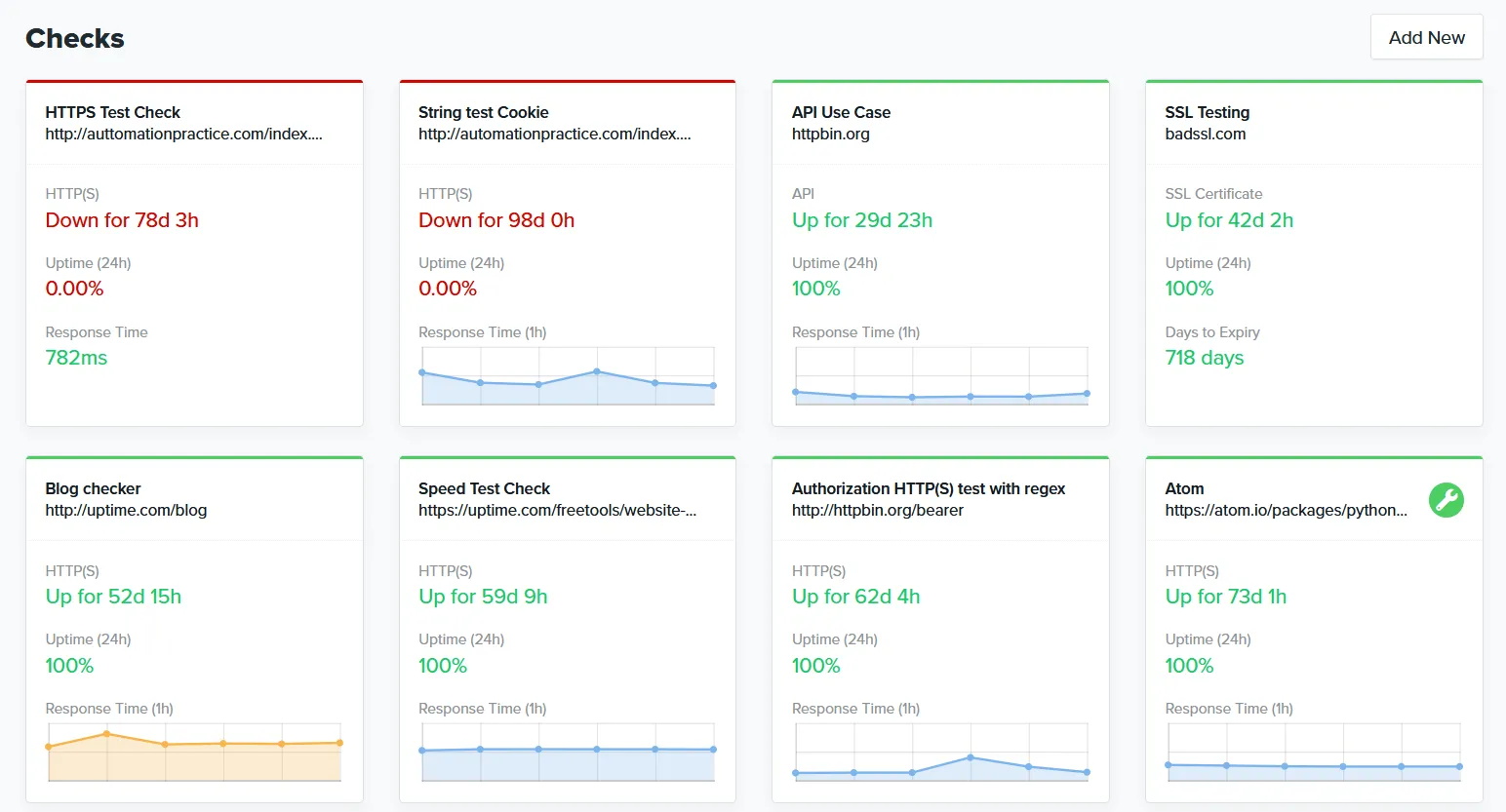
Teams that want transaction monitoring without writing Playwright code. Uptime.com's visual editor builds multi-step synthetic checks (login, forms, funnels) by pointing and clicking, which makes it the natural pick when the people responsible for monitoring aren't developers.
From what I gathered in reviews, Uptime.com's strengths are its breadth of check types and its focus on SLA compliance: proving uptime to customers with independent data from multiple global locations.
Notable features
- No-code synthetic monitoring: A visual editor for creating transaction checks without scripts. This is the direct answer to Checkly reviewers who found the platform "a bit too technical, especially for non-developers."
- 30+ check types: HTTPS, ping, DNS, SSL/cert, TCP/UDP, Whois/domain, API monitoring, transaction monitoring, page speed, heartbeat monitoring, and more.
- 80+ global monitoring locations: Plus private location probes for monitoring internal apps behind firewalls.
- Advanced alerting logic: Configurable verification designed to reduce false positives.
- SLA reporting and status pages: Public, private, and SLA-style pages for incident communication.
- Mobile apps: Native iOS and Android apps, which Checkly doesn't offer.
Why choose Uptime.com over Checkly?
Synthetic checks anyone on the team can build
Checkly's checks are TypeScript and Playwright. Uptime.com's transaction checks are built in a visual editor, so QA, support, and ops can create and maintain them without a development environment or a code review.
All features at every price point
Checkly gates automatic retries, all 22 locations, and private locations behind the Team tier, with status pages and RCA as separate modules. Uptime.com includes all features at every tier; you only choose the number of checks and SMS alerts.
Independent SLA verification
If the reason you run synthetics is proving SLA compliance to customers, Uptime.com's reporting is built for exactly that, with domain health checks and SLA-style status pages.
What G2 users say about Uptime.com
"The flexibility of being able to create and monitor virtually anything and display the status on a self-created Status screen is what I value most. Being able to create 1-minute monitors from many different locations within the US to help identify network issues vs a real problem is an outstanding feature."
"Easy to use UI, easy to integrate, automated phone calls very effective. Customer support was very responsive, passed my feedback onto their developers, and followed up regularly with updates."
How much does Uptime.com cost?
Uptime.com prices by check count rather than fixed plans:
- $7/mo: 10 basic checks, 1 advanced check, 25 SMS alerts
- $30/mo: 50 basic checks, 5 advanced checks, 75 SMS alerts
- $60/mo: 100 basic checks, 10 advanced checks, 100 SMS alerts
- $600/mo: 1000 basic checks, 100 advanced checks, 1500 SMS alerts
All features are included at every tier. Advanced checks (transactions) are the unit to watch: they're the equivalent of Checkly's browser checks.
Where Uptime.com falls short
No monitoring as code. If Checkly's CLI-and-Git workflow is why you picked it, Uptime.com is a step backwards: the visual editor is the primary interface, and reviewers in Terraform-heavy environments mention low API rate limits.
Limited incident management. There's no on-call scheduling or escalation policy management. You'll need a separate tool for incident response workflows.
Some users report alerting delays. Capterra reviewers have noted delayed alerts in certain configurations.
Is Uptime.com right for you?
Choose Uptime.com if the code-first workflow is exactly what you're trying to leave behind. It fits teams where non-developers own monitoring, and SRE teams that need independent SLA verification. If you want to keep writing Playwright but drop the run metering, Hyperping is the better fit.
Cronitor: Best for cron job and background task monitoring
Who Cronitor is built for
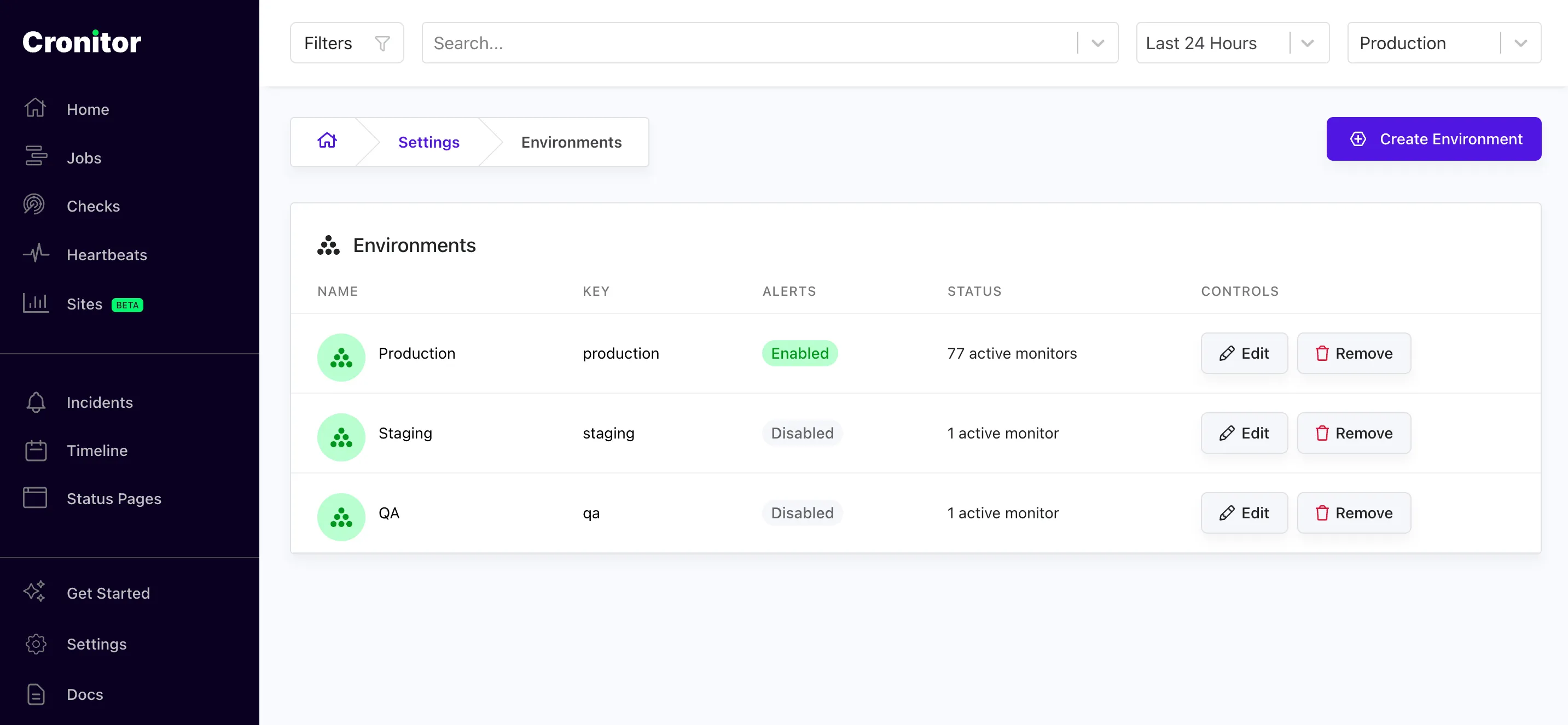
Teams whose main use of Checkly is heartbeat monitoring: cron jobs, background workers, and scheduled tasks behind billing, data pipelines, and backups. Cronitor is purpose-built for that job, where Checkly's heartbeats are a side feature.
From what I gathered in reviews, Cronitor's strength is making invisible scheduled processes visible. Users describe it as a tool that "catches small problems before they become large ones." It's trusted by teams at Johnson & Johnson, Reddit, Square, and monday.com.
Notable features
- Schedule-aware cron monitoring: Cronitor knows when a job should run and how long it should take, and alerts on missing, slow, or failing runs with configurable grace periods. Checkly's heartbeat checks confirm a ping arrived but don't analyze timing.
- Job timing and anomaly detection: Alerts when jobs don't start, run too long, or go missing.
- Uptime monitoring: Website and API checks down to 30-second frequency on Business plans.
- Status pages: Basic, branded, and private options with subscriber notifications.
- Developer-friendly setup: Jobs ping a URL via curl or wget, with no agent installation. Existing crontabs can be imported automatically.
Why choose Cronitor over Checkly?
Purpose-built for scheduled work
Checkly treats heartbeats as one check type among many, with no timing analysis. Cronitor understands cron expressions, expected durations, and tolerances, so it catches a job that ran but took three times longer than usual, not just a job that never pinged.
Pricing that matches simple needs
If you're paying Checkly's Team tier mostly to watch cron jobs and a handful of endpoints, Cronitor's $2/monitor pricing will usually come out far cheaper.
What users say about Cronitor
"We monitor numerous automated processes with Cronitor, and it has helped us catch small problems before they became large ones."
"We highly recommend it, especially for smaller companies without dedicated DevOps teams. Allows a relatively small IT team the ability to monitor a variety of different systems and processes, both on-prem and cloud-based."
How much does Cronitor cost?
- Free (Hacker): 5 monitors, basic cron/heartbeat + website monitoring, basic status page, 5-minute check frequency, 1 user
- Business: $2/monitor, 30-second checks, additional users at $5/user/month, advanced status pages and SSO as add-ons
- Enterprise: Custom pricing, 5-second checks, advanced SSO/SCIM, dedicated support
A 14-day free trial is available on paid plans.
Where Cronitor falls short
No browser checks. Cronitor has no Playwright or synthetic transaction monitoring at all. If browser checks are part of why you use Checkly, Cronitor only replaces the heartbeat and uptime half.
No on-call scheduling or escalation policies. Like Checkly, Cronitor routes alerts but doesn't manage who's on call.
Per-monitor pricing adds up. Teams with hundreds of jobs report costs climbing. One Capterra reviewer noted: "If you have many crons, it might not be ideal, since the cost is now based on the number of crons you have."
Is Cronitor right for you?
Choose Cronitor if scheduled jobs are your monitoring workload and browser checks aren't. For a broader look at this category, see the best cron job monitoring tools.
DIY alternative: Playwright in GitHub Actions
Because Checkly checks are plain Playwright, some teams consider running them free in CI: a GitHub Actions workflow with a cron trigger, running the test suite every few minutes and alerting on failure.
It works, and for a side project it might be enough. The tradeoffs show up in production use: runners are shared and flaky, so you'll chase false positives with no multi-region verification to filter them. Scheduled workflows on busy runners can start minutes late or get skipped. There's no alert routing, escalation, dashboards, or status page unless you build them. And frequent schedules burn through Actions minutes fast on private repos.
If you want the self-hosted route for basic uptime checks, Uptime Kuma is the polished open-source option, but it has no Playwright-based browser checks and you become responsible for the monitoring infrastructure itself.
All Checkly alternatives analyzed
For completeness, here's the wider field I looked at beyond the shortlist:
| Name | Pricing (2026 Est.) | Main Strength | Main Weakness |
|---|---|---|---|
| Hyperping | From $24/mo | Flat-rate Playwright checks. Browser checks, on-call, and status pages with no run metering. | Not full observability. No log management or APM. |
| Better Stack | Free; paid from $29/mo | Unified platform. Monitoring + logs + incidents with a modern interface. | Pricing jumps. Modular pricing adds up quickly from free tier. |
| Datadog | $12/1k browser runs | Deep observability. Synthetics correlated with metrics, logs, and traces. | Cost complexity. Usage-based billing creates unpredictable bills. |
| Uptime.com | From $7/mo | No-code synthetics. Visual transaction editor, 30+ check types, SLA reporting. | No incident management. Needs separate on-call tooling. |
| Cronitor | Free; $2/monitor | Cron monitoring. Schedule-aware checks for background jobs. | No browser checks. Only replaces heartbeats and uptime. |
| New Relic | Free tier; $49/user/mo | Synthetics included. Browser and scripted checks inside a full APM platform. | Steep learning curve. Costs escalate with data ingestion. |
| Grafana Cloud | Free; usage-based | k6 and synthetic monitoring. Strong fit for teams already on Grafana dashboards. | Complexity. Needs DevOps expertise to assemble the pieces. |
| Pingdom | From $18/mo | RUM + transactions. Real user monitoring with 100+ global probes. | Pricing at scale. Costs jump sharply past 10 monitors. |
| Site24x7 | From ~$9/mo | Value for money. RUM, APM, server, and network monitoring at a low price. | Dated UI. Cluttered interface that's hard to navigate. |
| UptimeRobot | Free; Solo from $9/mo | Generous free tier. 50 free monitors for basic uptime checks. | No synthetics. No browser checks or on-call scheduling. |
| StatusCake | Free; $24.49/mo | Page speed monitoring. Lighthouse data in standard plans. | Slower development. Less frequent feature updates. See the StatusCake alternatives guide. |
| Uptime Kuma | Free (self-hosted) | Self-hosted freedom. No subscription costs with a polished UI. | You're the SPoF. No global probe network, no browser checks. |
| Dynatrace | $0.08/hour per host | AI automation. Auto-discovery with real-time analysis. | Premium pricing. Overkill for synthetic monitoring alone. |
| Instatus | Free; $20/mo | Status page focus. Beautiful pages at low cost. | No synthetic monitoring. Needs external checks. |
| Pulsetic | Free; $19/mo | Simple uptime checks. Polished status pages and badges at a low price. | Limited depth. No synthetics or on-call management. |
How to test these tools
All five shortlisted tools offer trials or free tiers:
- Hyperping: Free tier and 14-day trial on all paid plans
- Better Stack: Free tier with monitoring, logging, and a status page
- Datadog: 14-day free trial with full platform access
- Uptime.com: Plans start at $7/month with all features included
- Cronitor: Free tier with 5 monitors plus a 14-day trial on paid plans
To evaluate them:
- Port one real Playwright check from Checkly to the candidate tool (Hyperping and Better Stack accept the scripts nearly as-is) and compare setup time.
- Run both tools in parallel for at least a week to compare detection accuracy and false positive rates.
- Test the alerting workflow end-to-end: does a failure reach the right person, through the right channel, fast enough, and does escalation work when nobody acknowledges?
- Model your real usage against the pricing: multiply check frequency, locations, and retries to see what a month actually costs on run-metered tools.
- Check the status page: does it support your domain, branding, and subscriber notifications without an extra module?
How to use Hyperping for Playwright browser monitoring
If you're moving Playwright checks off Checkly, here's the workflow in Hyperping.
1. Create a browser check
In Hyperping, add a browser check alongside your uptime monitors. Each check is a Playwright script that runs on a schedule from Hyperping's infrastructure, with video replay and traces on failure.
2. Write or paste your Playwright script
Reuse your existing Checkly Playwright code or write a new script for the flow you care about. Standard Playwright assertions work as-is. If you need inspiration, I've collected 10 end-to-end Playwright test ideas and a guide to Playwright itself.
3. Choose regions and frequency
Pick the regions your check runs from. When a check fails in one region, Hyperping re-verifies from others before alerting, and that verification never counts against any quota.
4. Route alerts through an escalation policy
Attach the check to an on-call schedule and escalation policy. Failures reach whoever is on duty by voice call, SMS, Slack, or Teams, and escalate automatically if nobody acknowledges.
5. Publish results to a status page
Add the check to a status page so customers see the health of actual user flows, like login and checkout, not just endpoint uptime.
Related reading
- Hyperping vs Checkly comparison with a full pricing table
- Playwright guide and end-to-end test ideas
- Best UptimeRobot alternatives if you're comparing simpler uptime tools
- Uptime monitoring hub for all our monitoring resources
FAQ
What are the best Checkly alternatives? ▼
The strongest Checkly alternatives are Hyperping (Playwright browser checks plus on-call and status pages at a flat rate), Better Stack (monitoring, logs, and incident management unified), Datadog (synthetic monitoring inside a full observability platform), Uptime.com (no-code synthetic checks and SLA reporting), and Cronitor (cron job and uptime monitoring).
Why do teams switch away from Checkly? ▼
The most common reasons are per-run billing that punishes frequent or thorough testing, modular pricing where status pages and AI root-cause analysis cost extra, no built-in on-call scheduling or escalation policies, and a code-first workflow that can exclude less technical teammates.
Which Checkly alternatives support Playwright? ▼
Hyperping and Better Stack both run browser checks on Playwright, so existing Checkly test scripts translate with little rework. Datadog uses its own browser test recorder rather than Playwright. Uptime.com uses a no-code visual editor for transaction checks.
Is there a Checkly alternative without per-run billing? ▼
Yes. Hyperping includes Playwright browser checks in its flat-rate plans with no run metering. You pay for a number of checks, not for how often they run, and multi-region re-verification of failures doesn't consume extra quota.
What is the cheapest Checkly alternative? ▼
It depends on what you monitor. Cronitor starts at $2/monitor for cron and uptime checks. Uptime.com starts at $7/month for 10 checks. Hyperping starts at $24/month but includes 50 monitors, 3 Playwright browser checks, a status page, and on-call scheduling, which replaces several Checkly modules at once.
Can I run Playwright monitoring myself instead of paying for Checkly? ▼
You can schedule Playwright tests in GitHub Actions with a cron trigger and get basic synthetic monitoring for free. The tradeoffs are real: no multi-region verification, no alert routing or escalation, flaky runners producing false positives, and you maintain all of it yourself.