The best Uptime Kuma alternatives are Hyperping (monitoring + on-call + status pages at a flat rate), Better Stack (monitoring + logs + incidents unified), UptimeRobot (50 free monitors), Uptime.com (synthetic monitoring + SLA verification), and Cronitor (cron job + heartbeat monitoring). I analyzed 28 tools and narrowed the list to these five based on product research, GitHub issues, community feedback, and hundreds of G2 and Capterra reviews.
Uptime Kuma is a genuinely impressive open-source project. But as teams grow, the self-hosting burden, lack of a REST API, single-location monitoring, and missing on-call features push them toward hosted alternatives. With 662 open GitHub issues (many of them highly-upvoted feature requests), the gap between what teams need and what Uptime Kuma provides keeps widening.
In this guide, you'll learn:
- Why growing teams move away from Uptime Kuma (backed by real GitHub issue data)
- Five alternatives that solve specific problems Uptime Kuma can't
- Honest pricing comparisons with actual numbers
- Which tool fits your team size, technical maturity, and budget
If you want monitoring that catches issues in 30 seconds from multiple global locations, status pages that build customer trust, and on-call scheduling with smart escalation policies, Hyperping delivers all of that at a predictable flat rate. Schedule a demo to see how it works.
Key takeaways
- Hyperping is the most cost-effective option for teams wanting uptime monitoring, on-call, and status pages in one tool, starting at $24/mo flat-rate with included seats and paid additional seats.
- Better Stack combines uptime monitoring, log management, and incident response in a unified platform, starting with a generous free tier.
- UptimeRobot offers the most generous free plan in the category (50 monitors) for teams that only need basic uptime checks.
- Uptime.com provides the broadest set of check types (30+) with no-code synthetic monitoring and private location probes, starting at $7/mo.
- Cronitor is the strongest choice for teams that rely on cron jobs and scheduled tasks, combining heartbeat monitoring with uptime checks starting at $7/mo.
Why you should trust this guide
I'm Leo, founder of Hyperping. Yes, that means I have a stake in one of these tools. But I've recommended competitors to teams when they were genuinely a better fit. My goal is to help you understand which tool actually solves your problem.
I've analyzed Uptime Kuma's 662 open GitHub issues, read through hundreds of community discussions, reviewed G2 and Capterra feedback on every tool in this list, and talked to engineering teams about their monitoring setups. Where I couldn't test something directly, I relied on verified user feedback and documented sources.
Top picks at a glance
| Best for | Product |
|---|---|
| Hosted monitoring + on-call + status pages at flat rate | Hyperping |
| Unified monitoring + logs + incident management | Better Stack |
| Free tier (50 monitors) | UptimeRobot |
| Synthetic monitoring + SLA verification | Uptime.com |
| Cron job and heartbeat monitoring | Cronitor |
Why teams outgrow Uptime Kuma
Uptime Kuma has earned its place as the most popular open-source uptime monitoring tool. With over 63k GitHub stars and an active community, it does self-hosted monitoring well. But as teams grow, several pain points push them toward hosted alternatives. These aren't speculative concerns. They come directly from the most-upvoted open issues on Uptime Kuma's GitHub repository.
The self-hosting tax
When you self-host your monitoring, you become the single point of failure. If your monitoring server goes down (or the host it runs on has issues), you lose visibility into all your services at the exact moment you need it most.
Beyond availability, there's the ongoing maintenance: OS updates, security patches, Docker upgrades, backup management, and capacity planning. For a small team, this overhead adds up. Every hour spent maintaining the monitoring server is an hour not spent on your product. Uptime Kuma checks endpoints rather than hosts, so CPU, memory, and disk pressure on that box needs a second tool to watch it: see how to monitor a VPS.
No API means no automation
The most upvoted feature request on Uptime Kuma's GitHub (Issue #2 by votes) is a REST API for managing monitors programmatically. Without it, you can't add monitors from CI/CD pipelines, sync monitor configurations across environments, or manage hundreds of monitors without clicking through the UI one by one.
For teams practicing infrastructure-as-code, this is a significant gap. Related requests for config-as-code (Issue #8) highlight the same underlying need: teams want to manage monitoring the same way they manage infrastructure.
Single-location monitoring means false positives
Uptime Kuma monitors from one location: wherever you installed it. If there's a network blip between your monitoring server and your service, you get an alert even though your users are unaffected. This is the second most requested feature: distributed or remote monitoring from multiple locations.
Hosted tools like Hyperping, Better Stack, and Uptime.com verify from multiple geographic regions before triggering an alert. This means fewer false positives and more accurate incident detection.
No on-call or incident management
Uptime Kuma sends notifications when something goes down, but it doesn't manage who receives them. There's no on-call scheduling, no rotation support, no escalation policies, and no incident timeline. When an alert fires at 3 AM, Uptime Kuma can't route it to whoever is on-call or escalate to a backup if the first responder doesn't acknowledge.
Teams using Uptime Kuma typically add PagerDuty or OpsGenie for on-call management, which means paying for and maintaining a separate tool.
SQLite limits at scale
Uptime Kuma uses SQLite as its only supported database. For small deployments this works fine. But teams with hundreds of monitors and months of history report performance issues. The community has requested PostgreSQL support (Issue #5) for better scaling, concurrent access, and easier backups, but it hasn't been implemented.
No SSO for team environments
Multi-user support in Uptime Kuma requires workarounds, and there's no SSO via OpenID or SAML (Issue #6). For organizations that require centralized identity management, this makes Uptime Kuma difficult to adopt. Every team member sharing credentials or working around access controls introduces security risk and audit gaps.
Status page limitations
Uptime Kuma includes basic status pages, but the community has flagged several gaps: no pre-maintenance visibility (Issue #7), no customizable uptime percentage time intervals (Issue #9), no response time graphs on the status page (Issue #10), and no configurable uptime history range beyond the default (Issue #4).
Quick comparison: Uptime Kuma alternatives
| Tool | Starting Price | Best For | Main Limitation |
|---|---|---|---|
| Hyperping | From $24/mo | Teams wanting monitoring + status pages + on-call | Not a full observability platform |
| Better Stack | From $29/mo | Teams wanting monitoring + logs + incidents unified | Costs rise quickly as add-ons stack up |
| UptimeRobot | Free; Solo from $12/mo | Budget-conscious teams needing basic monitoring | No synthetic monitoring or on-call |
| Uptime.com | From $7/mo | Teams needing SLA verification and synthetic testing | No on-call scheduling or advanced escalation |
| Cronitor | From $7/mo | Teams with critical cron jobs and background tasks | Per-monitor pricing adds up at scale |
Hyperping: Best for teams wanting hosted monitoring + on-call + status pages
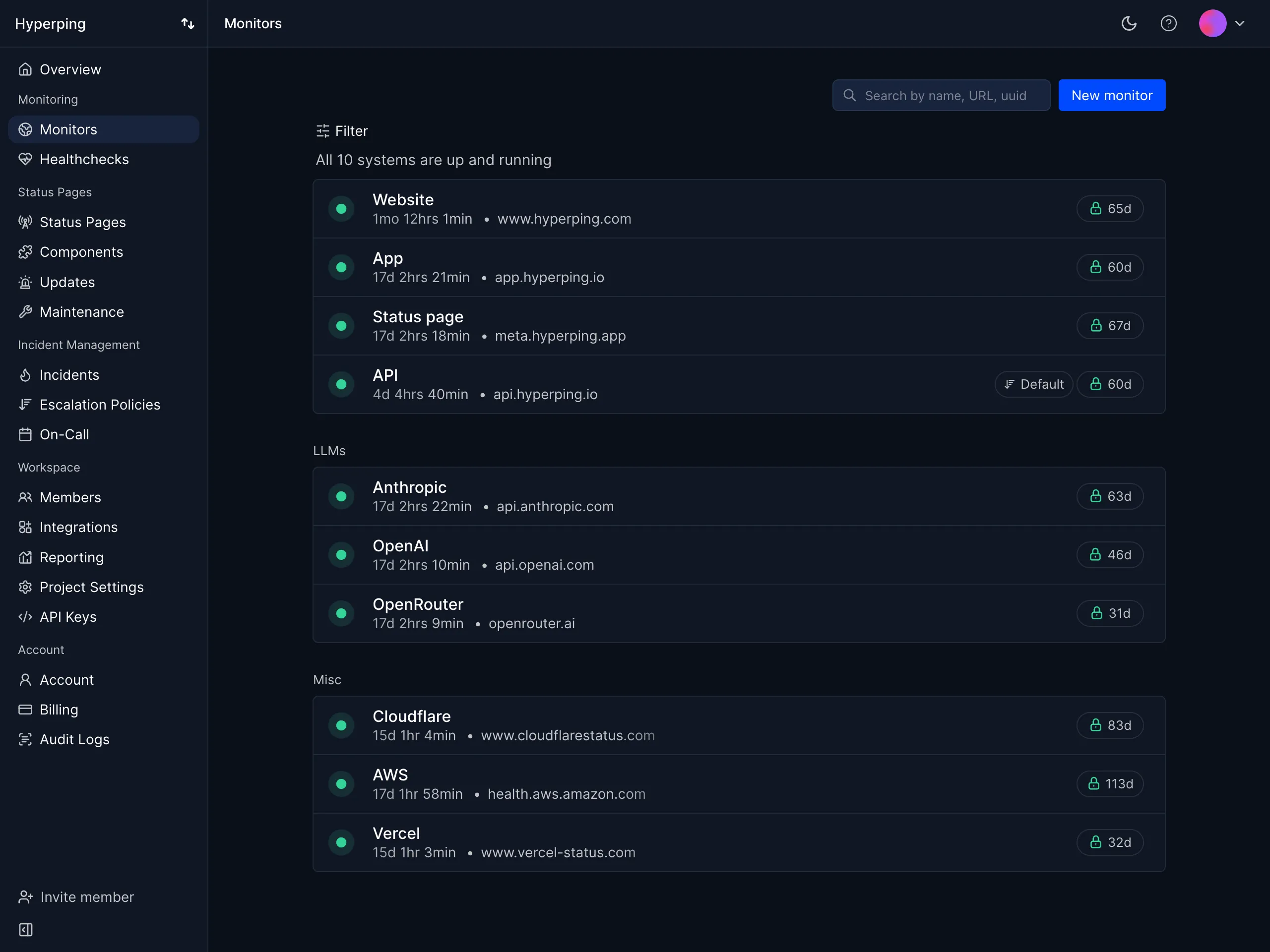
Who Hyperping is built for
Teams that have outgrown self-hosted monitoring and want uptime monitoring, on-call scheduling, and status pages without juggling multiple tools or unpredictable pricing. Hyperping is particularly popular with growing SaaS teams and European companies valuing GDPR compliance.
If you're moving away from Uptime Kuma, Hyperping addresses the biggest pain points directly: distributed monitoring, on-call scheduling, a REST API, SSO, and polished status pages, all at a flat monthly rate.
Notable features
- 30-second check intervals: Faster than most alternatives. Business plans support sub-30-second intervals for mission-critical services.
- Multi-region verification: Checks from multiple geographic regions with auto-retry before alerting. This eliminates the single-location false positive problem that plagues Uptime Kuma.
- On-call scheduling and escalation policies: Timezone-aware schedules, automatic rotation, and multi-step escalation. Something Uptime Kuma doesn't offer at all.
- Multiple full-featured status pages: Custom domain, white-label branding, multi-language support, and subscriber notifications. Far more capable than Uptime Kuma's built-in status pages.
- Browser-based synthetic monitoring: Playwright-based end-to-end testing for critical user flows like checkout or login processes, with video replay and trace analysis.
- REST API: Full API access for managing monitors programmatically, addressing Uptime Kuma's most-requested missing feature.
- Server monitoring: A one-line OpenTelemetry agent install collects CPU, memory, filesystem, disk I/O, and network metrics from Linux and macOS hosts, so a filling disk or rising memory use shows up before the endpoint stops responding.
- European hosting: GDPR-compliant infrastructure with data stored in EU data centers.
Why choose Hyperping over Uptime Kuma?
No self-hosting burden
With Hyperping, you don't maintain servers, manage backups, or worry about your monitoring going down. The platform runs on distributed infrastructure with redundancy built in. You focus on your product while monitoring runs reliably in the background.
Distributed monitoring eliminates false positives
Uptime Kuma checks from one server. Hyperping checks from multiple regions and auto-retries failed checks before triggering an alert. This means when you get an alert, it's a real incident, not a network blip.
On-call and incident management included
Uptime Kuma notifies you, but it doesn't manage who's on-call or how incidents escalate. Hyperping includes on-call scheduling, escalation policies, and voice call alerts in every paid plan.
Full API and integrations
Hyperping offers a REST API for managing monitors programmatically, plus integrations with Slack, Discord, Telegram, Microsoft Teams, PagerDuty, and webhooks. This means you can automate monitor creation from CI/CD pipelines, something Uptime Kuma's most-upvoted issue requests.
What actual Hyperping users say
"Hyperping has been a total game-changer for us. The service is reliable, easy to use, and incredibly feature-rich. I love that it constantly checks our site and alerts us right away if there are any issues."
"We made our Hyperping status page publicly available and it became a crucial part of our sales pitches. We are proud of our uptime and we love that we can share it with prospects and customers in such an easy way."
How much does Hyperping cost?
- Essentials: $24/month for 50 monitors, 1 status page, 3 browser checks, 3 seats
- Pro: $74/month billed annually for 250 monitors, 3 public or private status pages, 10 browser checks, 10 seats. Includes email access codes, multilingual pages, and native account SAML SSO.
- Business: $249/month billed annually for 1000 monitors, 10 status pages, 20-second checks, 25 browser checks, 20 seats, priority support, and more
All plans include on-call scheduling, escalation policies, and voice call alerts. A free tier is available, and the Essentials plan includes a 14-day free trial. Compared to the cost of self-hosting (server, time spent on maintenance, risk of downtime), Hyperping's pricing is predictable and often cheaper in total.
Where Hyperping falls short
Hyperping doesn't try to be a full observability platform. You won't get integrated log management like Better Stack or the depth of infrastructure monitoring that Datadog offers. If you need to correlate logs, metrics, and traces in a single platform, you'll need additional tools.
If you're a solo developer running Uptime Kuma on a spare VPS purely for personal projects and cost is the primary concern, the free self-hosted option will always be cheaper in raw dollar terms.
Is Hyperping right for you?
Choose Hyperping if you're a startup, SMB, or growing SaaS team that wants to stop maintaining a self-hosted monitoring server and get monitoring, on-call, and status pages in one tool at a predictable price. It's particularly appealing if you need multi-region monitoring, SSO for your team, or a REST API for automation. Compare Hyperping to Uptime Kuma directly.
Better Stack: Best for unified monitoring, logs, and incidents
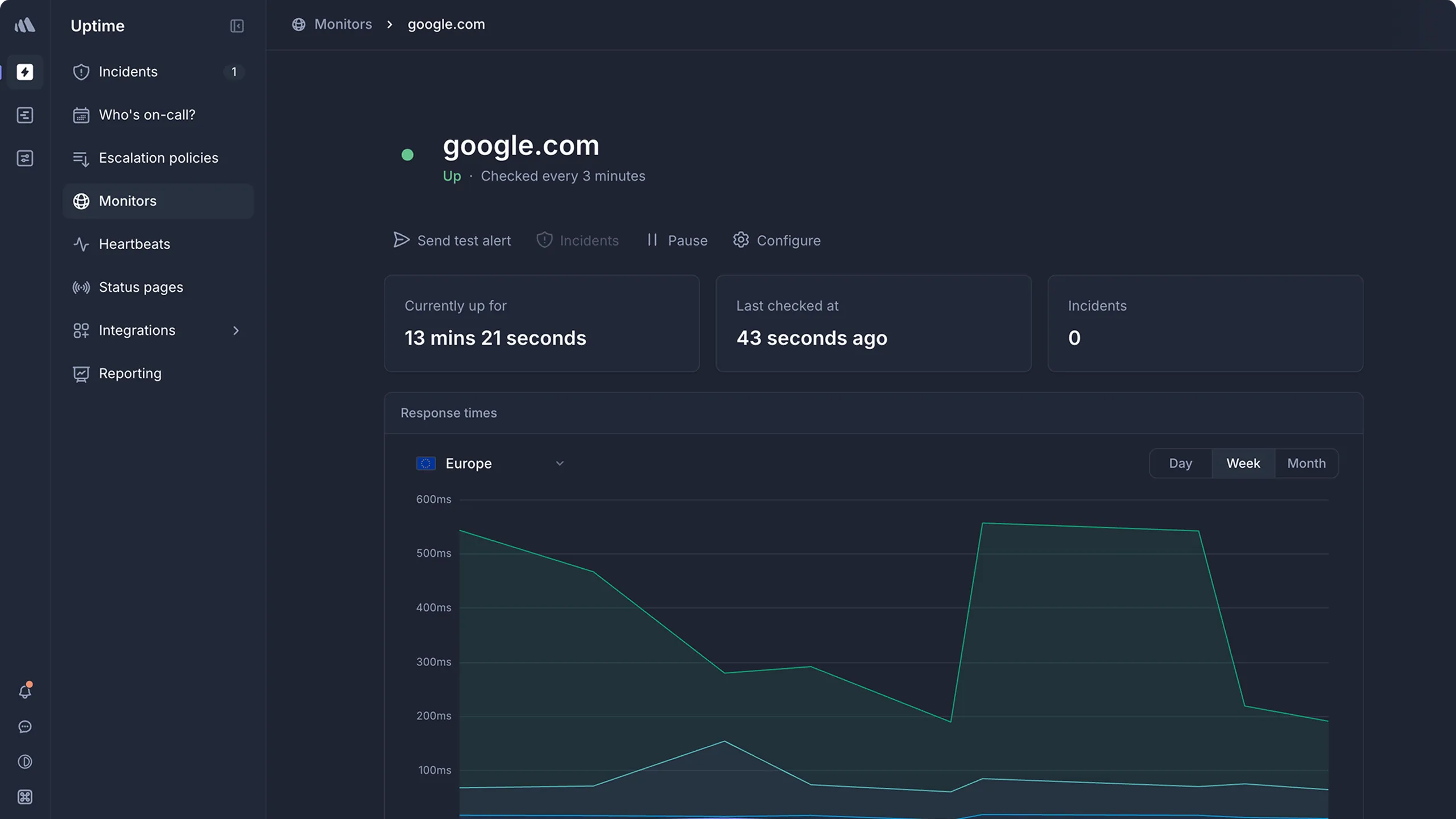
Who Better Stack is built for
Engineering teams that want uptime monitoring, log management, and incident response unified in a single platform. Better Stack works well when you want to go from "site is down" to "here's what the logs say" without switching tools.
From what I gathered in G2 reviews, Better Stack's strength is its polished developer experience. Users consistently praise the modern interface and fast setup.
Notable features
- 30-second uptime checks: Verified from at least three geographic regions to minimize false positives.
- Integrated log management: SQL-like querying with ClickHouse-powered storage, supporting high-volume log ingestion.
- Incident management: On-call scheduling, escalation policies, and AI-powered post-mortems built into the same platform.
- Multi-channel alerting: Voice, SMS, Slack, Teams, email, and push notifications with noise suppression.
- Status pages: Public and private pages with branded communication.
- Playwright-based synthetic monitoring: Browser-based transaction checks for testing user flows.
Why choose Better Stack over Uptime Kuma?
Unified platform replaces multiple tools
Uptime Kuma only handles monitoring and basic status pages. When something goes down, you need separate tools to check logs, manage the incident, and coordinate the response. Better Stack combines monitoring, logging, and incident management so you can investigate issues from the same platform that detected them.
Modern incident response
Uptime Kuma sends alerts but doesn't help you manage the response. Better Stack includes Slack-based incident management, smart incident merging to reduce alert noise, and automated post-mortems.
Distributed monitoring from the start
Where Uptime Kuma monitors from a single server, Better Stack verifies from at least three regions before alerting. No more false positives from network blips.
What G2 users say
"BetterStack Uptime is an excellent tool for monitoring the availability of sites and services in real-time. Its interface is modern, easy to use, and pleasant on a daily basis."
"The only downside: the cost can quickly rise if you have many monitors or need advanced integrations. Additionally, some customization features (for example, on status pages) remain limited in the entry-level plans."
How much does Better Stack cost?
Better Stack uses modular pricing that adds up across products:
- Free tier: 10 monitors, 1 status page, limited log retention
- Monitors: $21/month per 50 additional monitors
- On-call responders: $29/month per user
- Status pages: $12/month per page + advanced addons
The jump from free to paid is significant. What starts as a free tool can reach $100-200/month for a small team once you add monitors, responders, and status pages.
Where Better Stack falls short
Pricing that's hard to predict. The modular structure (per-monitor, per-responder, per-status-page) makes total cost difficult to estimate in advance. This is ironic for teams leaving Uptime Kuma partly because they want a simpler setup.
No native metrics or distributed tracing. Better Stack handles logs and uptime well, but doesn't offer infrastructure metrics or APM capabilities.
Is Better Stack right for you?
Choose Better Stack if you want monitoring, logging, and incident management in one platform and you're comfortable with modular pricing. It's particularly strong for teams currently juggling separate tools for each function and organizations that value a modern developer experience. Be aware that costs can climb faster than expected as your usage grows.
UptimeRobot: Best free tier for basic monitoring
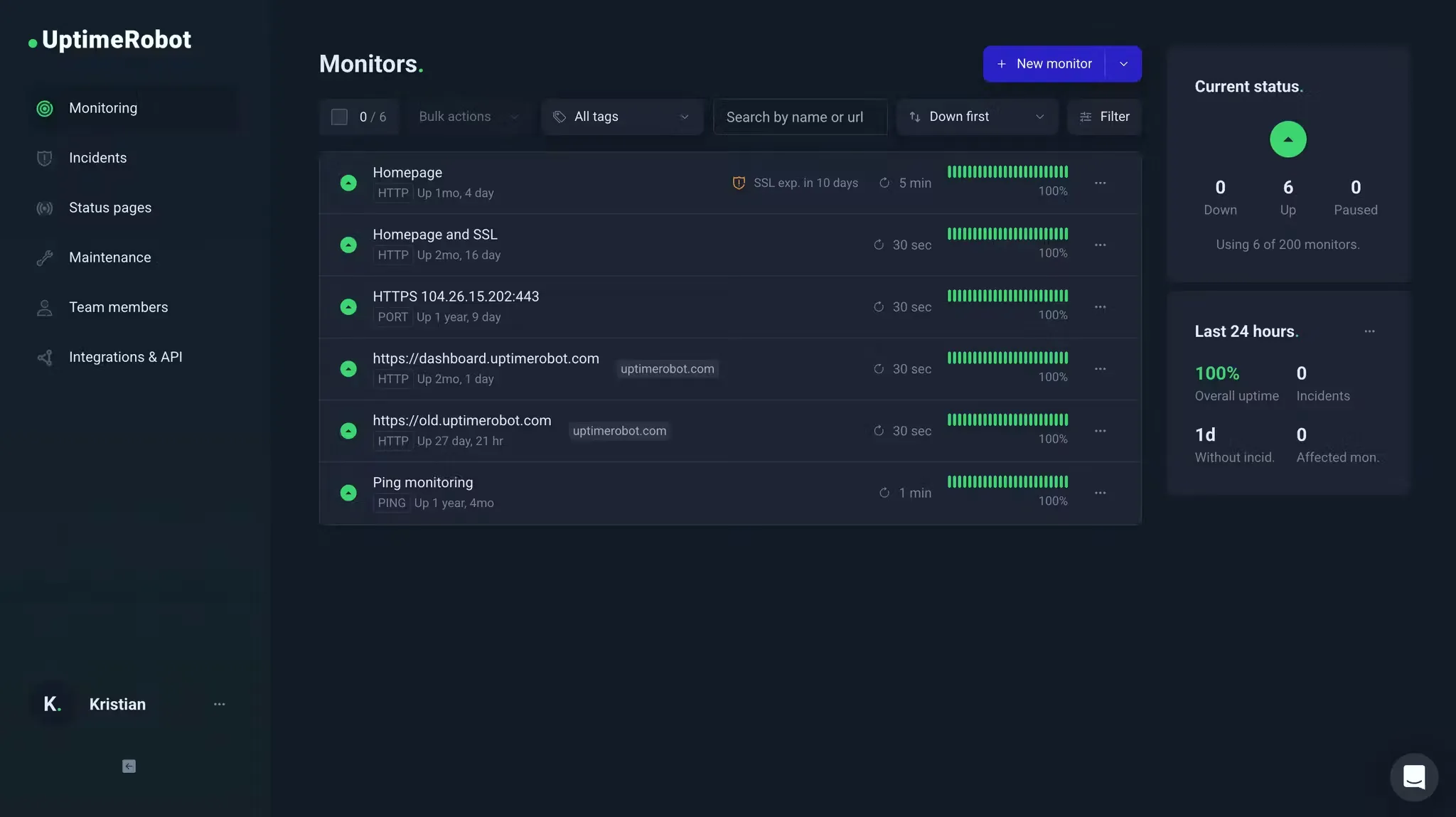
Who UptimeRobot is built for
Developers, freelancers, and small teams that need straightforward uptime monitoring without paying anything. UptimeRobot works well when your primary need is knowing whether your sites and APIs are responding, and you don't need synthetic monitoring, on-call scheduling, or advanced analytics.
From what I gathered in reviews, UptimeRobot's strength is simplicity and its free tier. With more than 3.4 million users, it's one of the most widely adopted monitoring tools in the category.
Notable features
- 50 free monitors: The most generous free tier for basic uptime monitoring. Checks every 5 minutes on the free plan, every minute on paid.
- Multiple check types: HTTP, keyword, ping, port, heartbeat, DNS, and SSL monitoring.
- Status pages: Basic public status pages with uptime percentages.
- Multi-channel alerting: Email, SMS, voice calls, Slack, Telegram, webhooks, and more.
- REST API: Full API for managing monitors programmatically, something Uptime Kuma lacks entirely.
Why choose UptimeRobot over Uptime Kuma?
No self-hosting required
UptimeRobot is fully hosted. You don't manage servers, worry about backups, or maintain the monitoring infrastructure. For teams that chose Uptime Kuma mainly for the free price tag rather than the self-hosting control, UptimeRobot offers the same cost benefit without the maintenance.
REST API for automation
UptimeRobot has a full REST API that lets you create, modify, and delete monitors programmatically. This addresses Uptime Kuma's most-requested missing feature.
Multi-location monitoring
UptimeRobot checks from multiple locations around the world, reducing false positives compared to Uptime Kuma's single-location approach.
What G2 users say
"Uptime Robot is a reliable service that I used for about 8 years to monitor the uptime of my application and its services. It has quite a rich feature set where it comes to setting up the monitor requests, is easy to use and allows the creation of very attractive status pages."
"Uptime does not seem to have progressed as much in its feature set as other services like BetterStack, which allows functionality such as using Playwright test scripts to test something is behaving as expected in a more complicated way than a request."
How much does UptimeRobot cost?
- Free: 50 monitors, 5-minute check intervals
- Solo: $13/month ($12 billed annually) for 10 monitors, 60-second checks
- Team: $46/month ($39 billed annually) for 100 monitors, 30-second checks
- Scale: $98/month ($83 billed annually) for 200 monitors, 15-second checks
- Enterprise: Custom
In November 2024, UptimeRobot announced terms-of-service changes (effective December 2024) that would ban commercial use on the free plan. After significant backlash, they quietly reversed course without a clear public announcement so most third-party content still says "non-commercial only." The free tier appears usable for commercial projects again, but if your business depends on it, the episode is a trust signal worth weighing. For more details, see our UptimeRobot alternatives guide.
Where UptimeRobot falls short
No synthetic monitoring or browser checks. UptimeRobot checks if endpoints respond, but can't test whether your checkout flow works or your login page renders correctly.
No on-call scheduling. UptimeRobot sends alerts but doesn't manage who receives them at 3 AM or how incidents escalate through a team.
Limited diagnostics. UptimeRobot tells you something is down but doesn't help you understand why. There's no APM, no real user monitoring, and no trace analysis.
Is UptimeRobot right for you?
Choose UptimeRobot if you need basic uptime monitoring for free or at a low cost, and you don't need synthetic monitoring, on-call scheduling, or advanced analytics. It's a natural step up from Uptime Kuma for teams that want to eliminate the self-hosting burden while keeping costs minimal. We put the two side by side, VPS bill included, in UptimeRobot vs Uptime Kuma.
Uptime.com: Best for synthetic monitoring and SLA verification
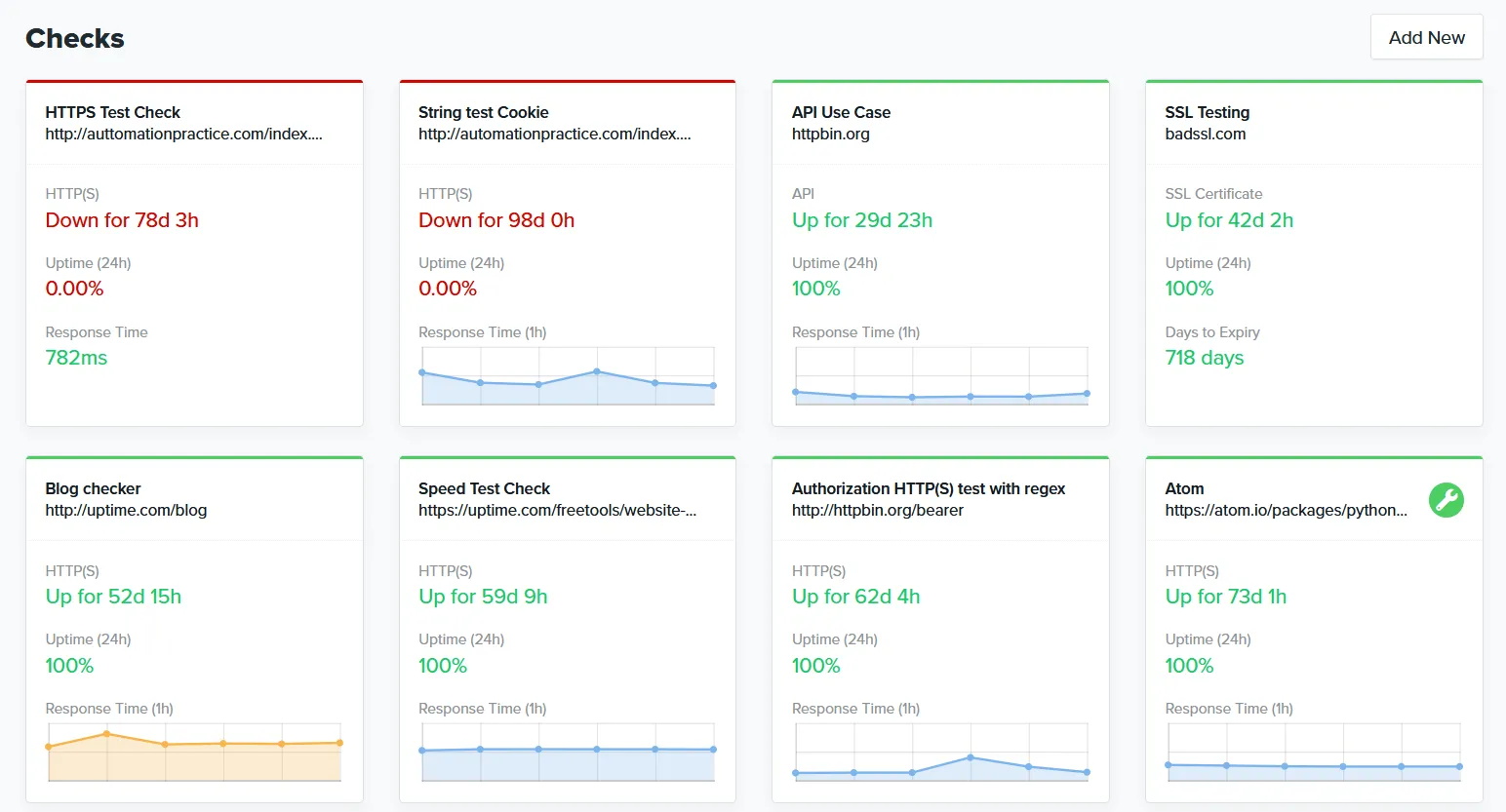
Who Uptime.com is built for
Engineering, operations, and SRE teams that need comprehensive third-party monitoring for SLA compliance and performance verification. Uptime.com works well when you need to prove uptime to customers with independent data from multiple global locations.
From what I gathered in reviews, Uptime.com's strength is its breadth of check types and focus on reducing false alerts.
Notable features
- 30+ check types: HTTPS, ping, DNS, SSL/cert, TCP/UDP, Whois/domain, API monitoring, transaction monitoring, page speed, heartbeat monitoring, and more. Significantly broader than Uptime Kuma's monitoring types.
- No-code synthetic monitoring: Visual editor for creating transaction checks without writing scripts.
- 80+ global monitoring locations: Plus private location probes for monitoring internal apps behind firewalls.
- Advanced alerting logic: Configurable verification and escalation workflows designed to reduce false positives.
- Status pages: Public, private, and SLA-style pages for incident communication.
Why choose Uptime.com over Uptime Kuma?
Far more monitoring types
Uptime Kuma covers HTTP, TCP, DNS, and a handful of other check types. Uptime.com adds transaction monitoring, page speed analysis, RUM, and over 30 check types total. If you need more than basic uptime checks, Uptime.com covers significantly more ground.
Private location monitoring
If you need to monitor internal services behind a firewall, Uptime.com's private location probes let you do this alongside public monitoring. Uptime Kuma can only monitor what's reachable from its single server.
No-code synthetic checks
Uptime Kuma has no synthetic monitoring. Uptime.com's visual editor lets you build multi-step transaction checks (test a login flow, verify a form submission) without writing code.
What G2 users say
"Easy to use UI, easy to integrate, automated phone calls very effective. Customer support was very responsive, passed my feedback onto their developers, and followed up regularly with updates."
"Pricing can feel a bit high for smaller teams, and the initial setup takes some time to fully configure all checks."
How much does Uptime.com cost?
- $7/mo: 10 basic checks, 1 advanced check, 25 SMS alerts
- $30/mo: 50 basic checks, 5 advanced checks, 75 SMS alerts
- $60/mo: 100 basic checks, 10 advanced checks, 100 SMS alerts
- $600/mo: 1000 basic checks, 100 advanced checks, 1500 SMS alerts
All features are included at every tier.
Where Uptime.com falls short
No on-call scheduling or escalation policies. Unlike Hyperping or Better Stack, Uptime.com doesn't include on-call management. You'll need a separate tool for incident response workflows.
Some users report alerting delays. Capterra reviewers have noted delayed alerts and relatively low API rate limits, particularly in automation-heavy environments.
Is Uptime.com right for you?
Choose Uptime.com if you need comprehensive third-party monitoring for SLA compliance, want the broadest set of check types in a single tool, or need private location probes alongside public monitoring. It's particularly strong for SRE teams managing customer-facing SLAs and organizations needing independent uptime verification.
Cronitor: Best for cron job and heartbeat monitoring
Who Cronitor is built for
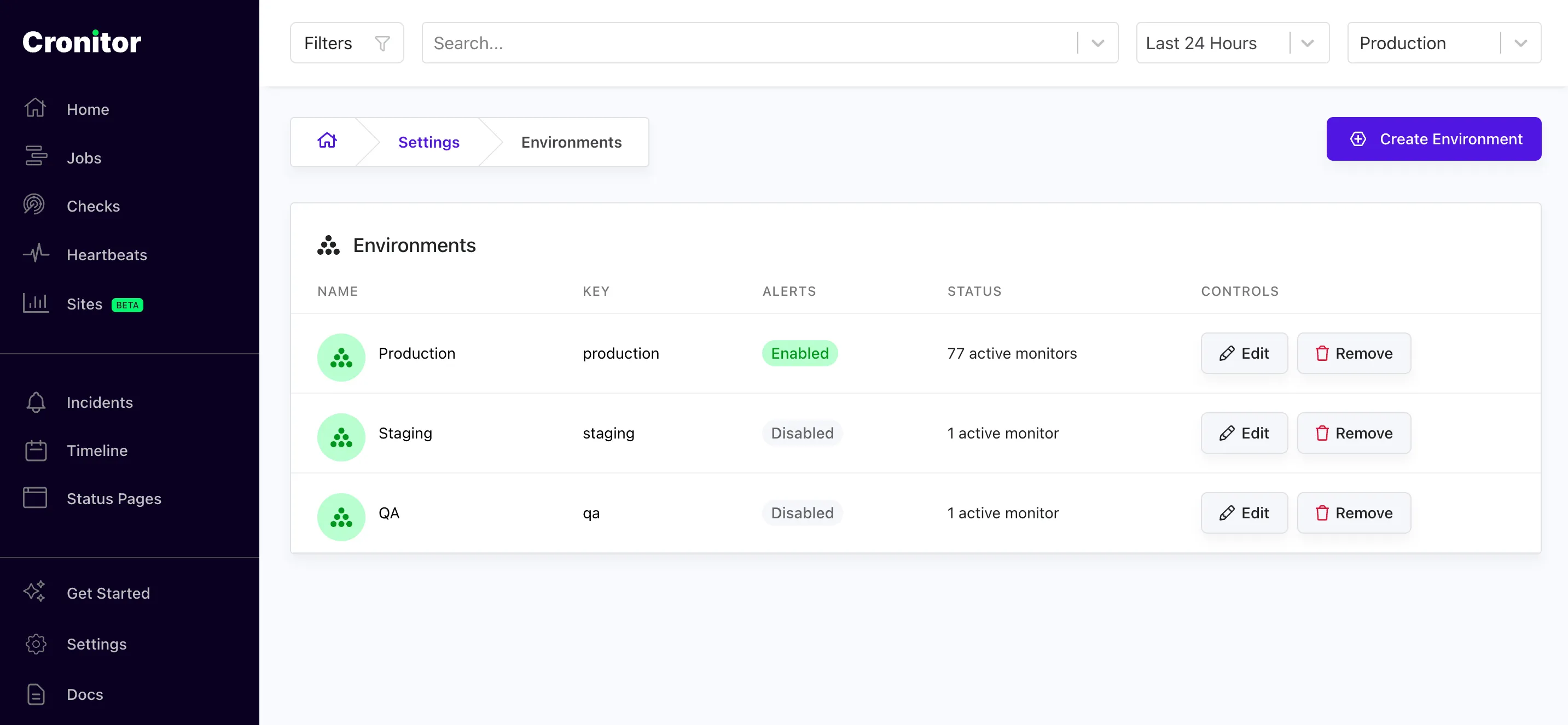
Engineering teams that rely on cron jobs, background workers, and scheduled tasks for business-critical processes like billing, data pipelines, and backups. Cronitor works well when silent job failures could mean missed invoices, stale reports, or lost data.
From what I gathered in reviews, Cronitor's strength is making invisible scheduled processes visible. Users consistently describe it as a tool that catches small problems before they become large ones.
Notable features
- Deep cron/heartbeat monitoring: Monitors cron jobs, background workers, and recurring processes using lightweight HTTP pings. Detects missing, failing, or slow jobs based on expected schedules.
- Job timing and anomaly detection: Alerts when jobs don't start, run too long, or go missing, with configurable grace periods.
- Uptime monitoring: Website and API checks with frequencies down to 30 seconds on Business plans.
- Status pages: Basic, branded, and private options with subscriber notifications.
- Developer-friendly setup: Jobs call a ping URL via curl/wget, with no agent installation needed.
Why choose Cronitor over Uptime Kuma?
Purpose-built cron job monitoring
Uptime Kuma has heartbeat monitoring, but it's basic compared to Cronitor's purpose-built approach. Cronitor understands schedules: it knows when a job should run, how long it should take, and alerts when anything deviates. Uptime Kuma's heartbeat checks confirm a signal was sent but lack schedule awareness and timing analysis.
No self-hosting required
Like all the hosted alternatives on this list, Cronitor eliminates the maintenance burden of running your own monitoring server.
Config-as-code support
Cronitor supports managing monitors through code, addressing another gap in Uptime Kuma's feature set.
What G2 users say
"This tool has all you need to monitor your cronjobs, and more. We monitor numerous automated processes with Cronitor, and it has helped us catch small problems before they became large ones."
"Been using this for years, but recently there was a pricing change. If you have many crons, it might not be ideal, since the cost is now based on the number of crons you have."
How much does Cronitor cost?
- Free (Hacker): 5 monitors, basic cron/heartbeat + website monitoring, 5-minute check frequency, 1 user
- Business: Pay per monitor ($2/monitor), 30-second checks, additional users ($5/user/month)
- Enterprise: Custom pricing, 5-second checks, advanced SSO/SCIM
A 14-day free trial is available on all paid plans.
Where Cronitor falls short
Per-monitor pricing adds up. Teams with many monitors find costs climbing quickly. If you have hundreds of cron jobs to monitor, evaluate total cost carefully.
No on-call scheduling or escalation policies. Cronitor routes alerts but doesn't manage who's on-call or how incidents escalate through a team.
No voice call alerts. Unlike Hyperping and Better Stack, Cronitor doesn't offer phone call alerts for critical incidents.
Is Cronitor right for you?
Choose Cronitor if your infrastructure depends on cron jobs, background tasks, and scheduled processes that need to run reliably. It's particularly strong for SaaS companies with critical billing and ETL jobs, and smaller engineering teams that need quick setup without specialized DevOps expertise. If you have hundreds of monitors, evaluate total cost carefully before committing.
All 28 Uptime Kuma alternatives analyzed
For completeness, here's the full landscape of alternatives beyond our top picks:
| Name | Pricing (2026 Est.) | Main Strength | Main Weakness |
|---|---|---|---|
| Hyperping | From $24/mo | Predictable pricing. 30-second checks, status pages, Playwright tests, on-call scheduling with seats included. | Not full observability. No integrated log management or APM. |
| Better Stack | Free; paid from $29/mo | Unified platform. Monitoring + logs + incidents with modern interface and fast setup. | Pricing jumps. Modular pricing adds up quickly from free tier. |
| UptimeRobot | Free; Solo from $12/mo | Generous free tier. 50 monitors | No synthetics. No synthetic monitoring, browser checks, or on-call. |
| Uptime.com | From $7/mo | Breadth of checks. 30+ check types, private location probes, strong SLA reporting. | No incident management. Needs separate on-call and escalation tools. |
| Cronitor | Free; from $7/mo | Cron monitoring. Purpose-built for scheduled tasks with uptime + status pages bundled. | Per-monitor pricing. Costs climb with high monitor counts. |
| Datadog | $15/host/mo + usage | Deep observability. Metrics, logs, traces, APM correlated to the line of code. | Cost complexity. Log ingestion and custom metrics create unpredictable bills. See the Datadog alternative comparison. |
| New Relic | Free tier; $49/user/mo Core, $549 full platform | Transparent user pricing. Free tier included, and Core seats cover a restricted set of the platform. | Steep learning curve. Costs escalate with data ingestion. |
| Pingdom | From $18/mo | RUM + transactions. Real user monitoring with 100+ global probes and transaction checks. | Pricing at scale. Costs jump sharply past 10 monitors. |
| Site24x7 | From ~$9/mo | Value for money. Massive feature set (RUM, APM, server, network) at low price. | Dated UI. Interface is cluttered and difficult to navigate. |
| StatusCake | Free; $24.49/mo | Page speed monitoring. Includes Lighthouse performance data in standard plans. | Slower development. Users report less frequent feature updates. See the StatusCake alternatives guide. |
| Checkly | Free; $24/mo | Programmable synthetics. Playwright-based E2E testing in CI/CD pipelines. | Requires coding. Not suitable for non-technical users. |
| Pulsetic | Free; $19/mo | Beautiful UI. Polished status pages and badges at a low price. | Limited depth. Lacks advanced incident management and on-call. |
| Instatus | Free; $20/mo | Status page focus. Unlimited subscribers, beautiful static pages at low cost. | No monitoring. Purely a communication tool, needs external webhooks. |
| Atlassian Statuspage | Free; $300-$1,499/mo | Jira ecosystem. For existing Atlassian/Opsgenie users. | Expensive private pages. Private status pages start at $300/month. |
| Freshping | Budget-friendly | Most affordable. Essential monitoring features at lowest price point. | Limited features. Sacrifices advanced functionality for cost savings. |
| Grafana Cloud | Free; usage-based | Visualization. Top-tier dashboarding and data correlation. | Complexity. Steep learning curve (PromQL/LogQL), needs DevOps expertise. |
| Nagios | Free (open source) | Legacy standard. Established infrastructure monitoring with massive plugin ecosystem. | Dated architecture. Complex configuration, steep learning curve. |
| Zabbix | Free (open source) | Enterprise self-hosted. Full-stack monitoring with no licensing costs. | Complex setup. Requires dedicated administration and expertise. |
| Prometheus + Grafana | Free (open source) | Metrics-focused. Industry standard for time-series metrics and alerting. | Assembly required. You build and maintain the monitoring stack yourself. |
| Dynatrace | $0.04/hour per 8 GiB host | AI automation. Auto-discovery with real-time vulnerability analysis. | Premium pricing. Steep setup, overkill for smaller teams. |
| ThousandEyes | Enterprise pricing | Internet intelligence. Maps performance across ISPs and cloud providers. | Enterprise only. Complex and expensive for basic monitoring needs. |
| SolarWinds NPM | Enterprise pricing | Network monitoring. Deep network and infrastructure visibility. | Complex setup. Enterprise-focused, heavy configuration required. |
| Upptime | Free (open source) | GitHub-native. Uses GitHub Actions and Pages for monitoring and status pages. | GitHub dependency. Limited by GitHub Actions scheduling and rate limits. |
| Gatus | Free (open source) | Lightweight. Simple config-based monitoring with conditions and alerting. | Basic features. No UI for management, no incident workflows. |
| Kener | Free (open source) | Modern status pages. Clean status page generator with monitoring. | Early stage. Smaller community, fewer integrations. |
| Hetrixtools | Free; from $5/mo | Server monitoring. Combines uptime with host metrics like CPU, memory, and disk. | Limited check types. Focused on server metrics rather than application monitoring. |
| Oh Dear | From $12/mo | Laravel-friendly. Built for PHP/Laravel teams with broken link and mixed content checks. | Niche audience. Less relevant outside the PHP ecosystem. |
| Montastic | Free; from $5/mo | Simplicity. Minimal interface for teams wanting the bare minimum. | Very basic. Lacks advanced features like SSL, DNS, or heartbeat monitoring. |
How to test these tools
All five top picks offer trials or free tiers:
- Hyperping: Free tier available; 14-day trial on the Essentials plan
- Better Stack: Generous free tier with monitoring, logging, and status pages
- UptimeRobot: Free plan with 50 monitors
- Uptime.com: Plans start at $7/month with all features included
- Cronitor: Free tier with 5 monitors plus 14-day trial on paid plans
To evaluate them:
- Sign up for 1-2 free tiers that match your primary use case.
- Run the new tool alongside Uptime Kuma for at least one week to compare detection accuracy and false positive rates.
- Test the alerting workflow end-to-end: Does the alert reach the right person, through the right channel, fast enough?
- Evaluate status pages if you use them: do they look professional, support custom domains, and integrate with your monitoring?
- Compare total cost at your expected scale, not just the starting price. Factor in the time you currently spend maintaining Uptime Kuma.
If you're looking for more monitoring tool comparisons, check out our guide on the best uptime monitoring tools for 2026. If the gap you actually need to close is host-level rather than endpoint-level, start with the Linux server monitoring guide.
FAQ
Is Uptime Kuma still worth using in 2026? ▼
Uptime Kuma is a solid choice for individuals or small teams who want full control over their monitoring and are comfortable with self-hosting. Its feature set covers the basics well, and the community is active. But if you need distributed monitoring, on-call scheduling, SSO, or a REST API for automation, you will hit limitations that require workarounds or additional tools.
What are the biggest limitations of Uptime Kuma? ▼
The most requested features on GitHub are a REST API for managing monitors programmatically, distributed multi-location monitoring, multi-user support, SSO, and PostgreSQL support for scaling beyond SQLite. There is also no built-in on-call scheduling, no incident management, and no config-as-code support.
Can I migrate from Uptime Kuma to a hosted monitoring tool? ▼
Yes. Since Uptime Kuma lacks a REST API for bulk export, migration is typically manual: list your monitors, recreate them in the new tool, and run both in parallel for a week before switching. If you are moving to Hyperping from another hosted provider, see /docs/migrate/from-uptimerobot, /docs/migrate/from-pingdom, or /docs/migrate/from-betterstack.
Which Uptime Kuma alternative is best for small teams? ▼
Hyperping for teams that need monitoring, on-call scheduling, and status pages in one tool at a flat $24/month. UptimeRobot for teams that only need basic monitoring and want the most generous free tier (50 monitors). Cronitor for teams whose primary concern is cron job and heartbeat monitoring ($7/month).
Is self-hosted monitoring safer than hosted monitoring? ▼
Self-hosted monitoring gives you control over your data and infrastructure, which some teams prefer for compliance or privacy reasons. The tradeoff is that you become the single point of failure: if your monitoring server goes down, you lose visibility into your services. Hosted tools run on distributed infrastructure with redundancy, which means they are more likely to stay up when parts of your own infrastructure fail.
Which Uptime Kuma alternative offers distributed monitoring from multiple locations? ▼
All five top picks in this guide offer multi-location monitoring. Hyperping checks from multiple regions and auto-retries before alerting. Better Stack verifies from at least three regions. Uptime.com offers 80+ global locations plus private probes. Uptime Kuma only monitors from the single server where it is installed.