White labeling
White labeling makes your status page fully yours. Your users see your domain, your branding, and your email address, with no Hyperping branding anywhere they look.
What white labeling includes
- A custom domain like status.yourdomain.com, with automatic HTTPS.
- The "Powered by Hyperping" footer removed from your status page.
- Subscriber emails sent from your own domain instead of Hyperping's.
- Full visual branding: logo, favicon, accent color, fonts, and themes.
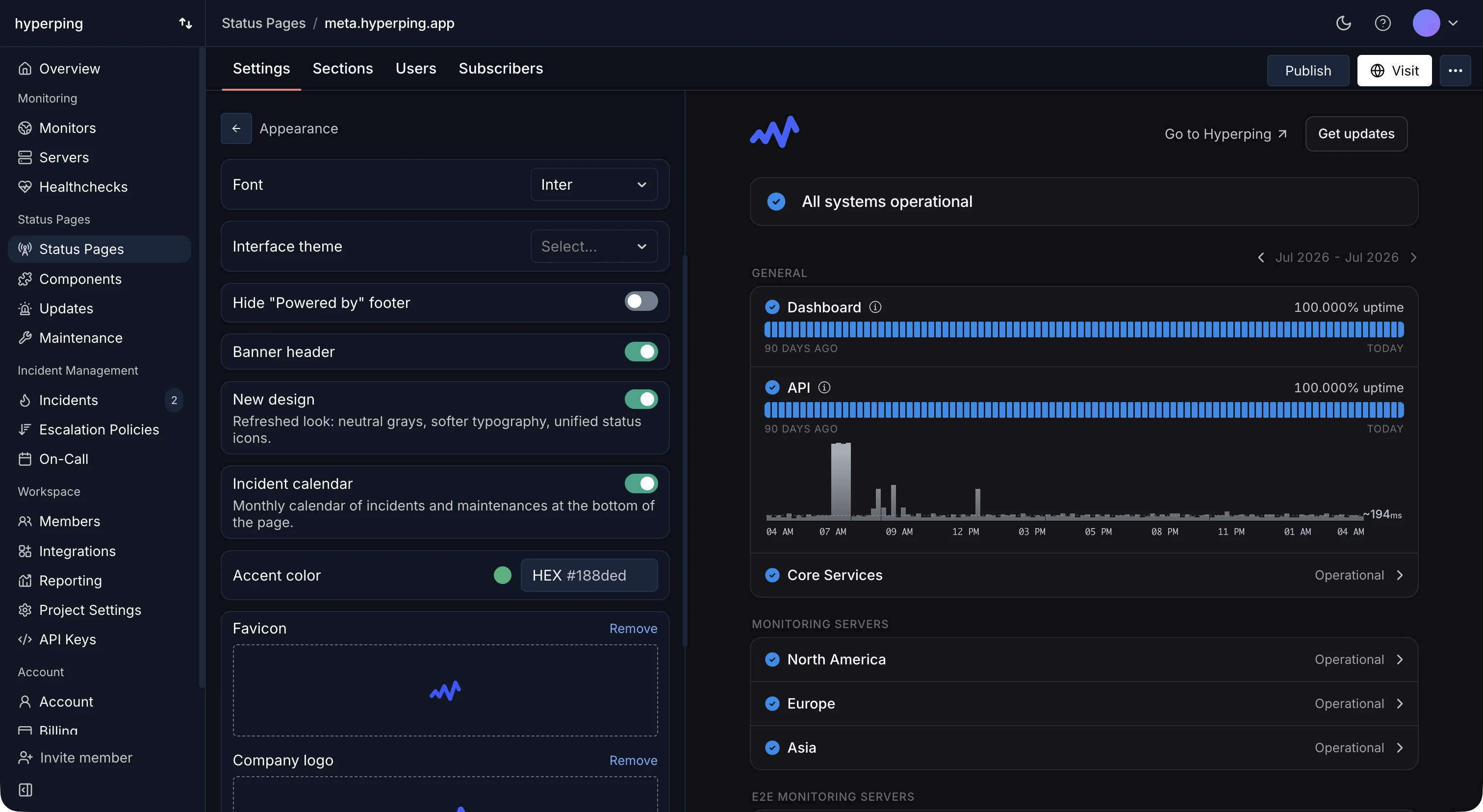
Custom domain
Point a CNAME record at Hyperping and your status page is served from your own domain with an automatically provisioned SSL certificate. See Custom domain for the full setup.
Hide the "Powered by Hyperping" footer
In your status page's Settings, under the customization options, you can hide the "Powered by Hyperping" mention so the page carries only your brand. This option is available on the Business plan.
Send emails from your own domain
By default, subscriber notifications (incident updates, maintenance notices, and confirmation emails) are sent from a Hyperping address. On the Business plan, you can send them from your own domain instead, so every touchpoint your customers see is branded as you.
Configure the sender domain from your status page's settings, then add the DNS records shown in the dashboard to verify your domain and authorize sending.
Visual branding
All plans can customize the look of their status page: company logo (with a separate dark mode logo), favicon, accent color, font, and light or dark theme. See How to create a status page for every customization option.
Plan availability
| Feature | Availability |
|---|---|
| Visual branding (logo, colors, fonts) | All plans |
| Custom domain with HTTPS | All paid plans |
| Hide "Powered by Hyperping" | Business |
| Custom email sender domain | Business |