Publish and manage incidents
Report incidents on your status page, post updates as you work through them, and notify subscribers at every step.
When something breaks, your status page is where customers look first. Hyperping lets you publish an incident, attach it to the affected services, and keep the timeline updated until resolution. Subscribers are notified on the channel they picked, so your support inbox stays quieter during an outage.
- Announce a degraded third-party dependency that your monitoring may not catch.
- Keep customers informed during an outage without leaving your incident workflow.
- Build a public history that shows how you communicate when things go wrong.
Manual incidents and automated outage detection
Incidents appear on your status page in two ways:
- Hyperping monitors your services and automatically creates incidents when outages are detected. The affected service is marked as down on your status page without any manual work.
- You can also declare incidents yourself from the dashboard, with a description and immediate team notification. Use manual incidents for problems your monitoring cannot see, such as a degraded feature that still returns a 200, or an upstream provider issue.
A manual report has a criticality, either incident or outage, which reflects how severe the event is. The incident calendar shows outages in red and incidents in amber.
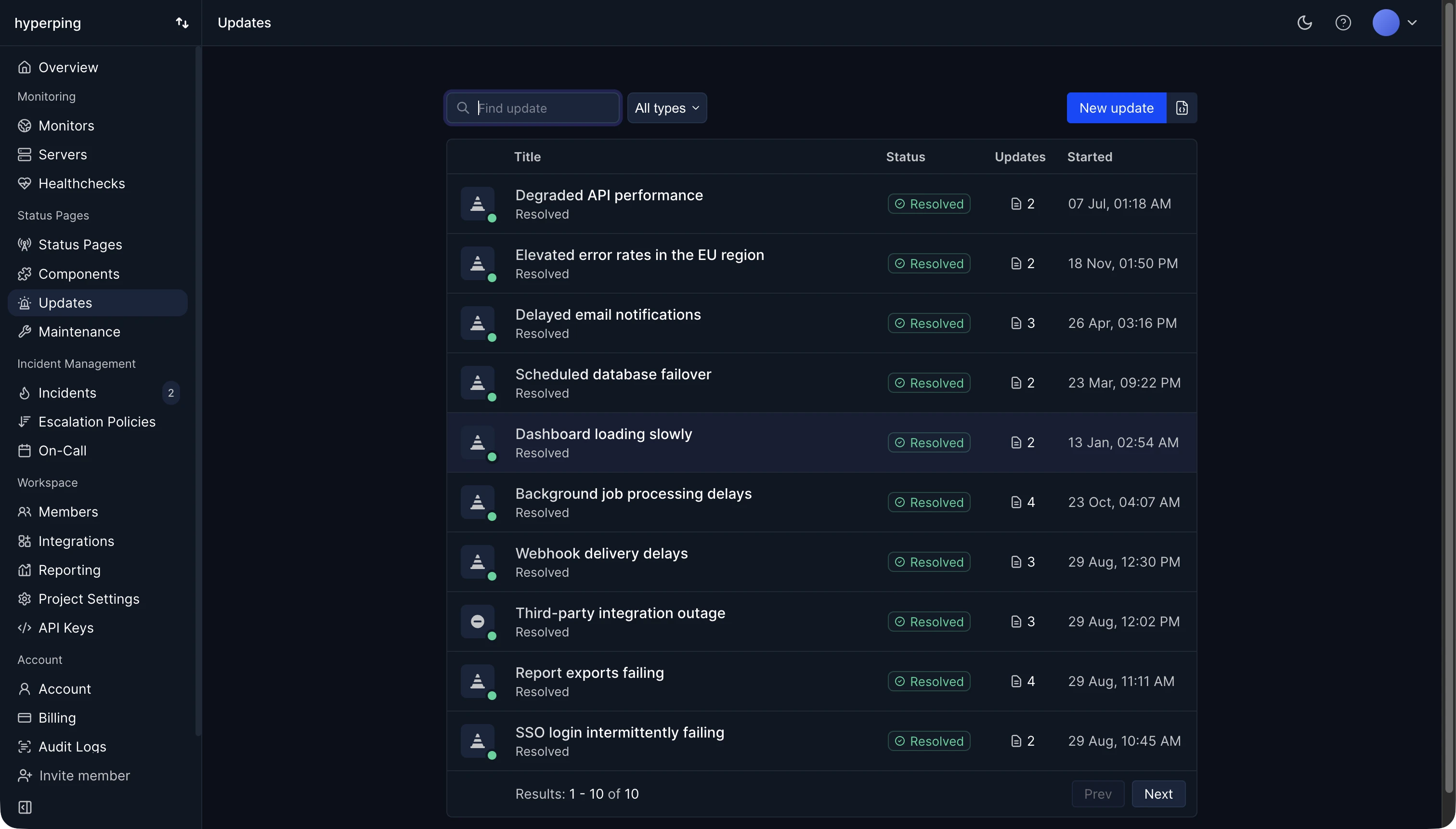
Create an incident from the dashboard
- Create a new incident
Open your project dashboard and create a new incident.
- Write a clear title
On multi-language status pages, you can provide the title in each language of the page.
- Choose the type
Either outage or incident, reflecting how severe the event is.
- Select the affected services
This determines which components show as impacted, and which subscribers get notified.
- Choose the status pages
If you run several status pages, choose which pages the incident is reported on.
- Publish the first update
Write the first update, usually an investigating message, and publish.
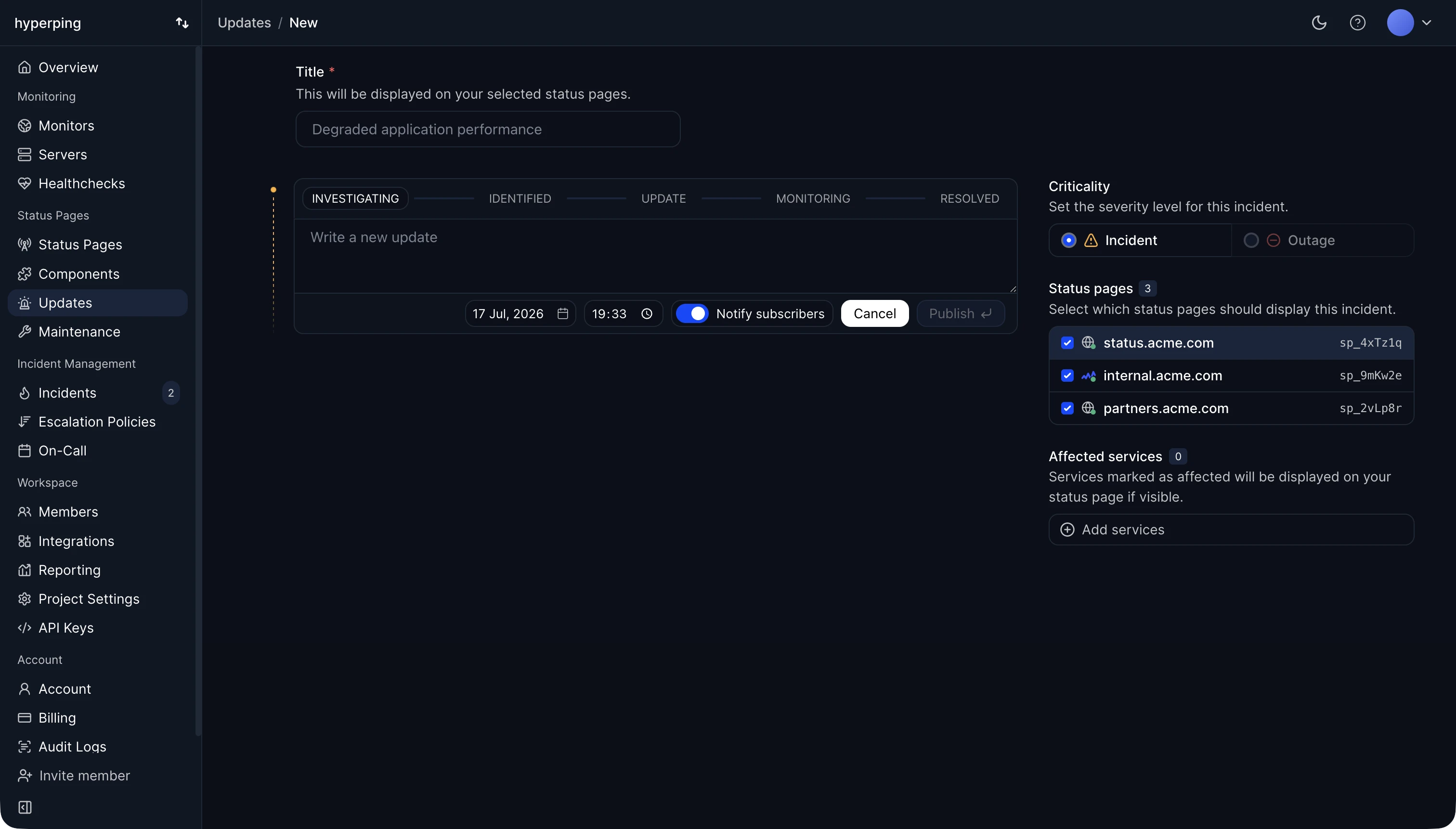
Post updates through the incident lifecycle
An incident is a timeline of updates. Each update has a status that tells visitors where you are in the resolution process:
| Status | When to use it |
|---|---|
| Investigating | You are aware of the problem and looking into the cause. |
| Identified | You found the cause and are working on a fix. |
| Update | Intermediate progress that does not change the status. |
| Monitoring | A fix is deployed and you are watching for recurrence. |
| Resolved | The incident is over. This closes the timeline. |
You do not have to go through every status. A short incident can jump from investigating straight to resolved. Use rich text formatting in the update body to keep longer updates readable.
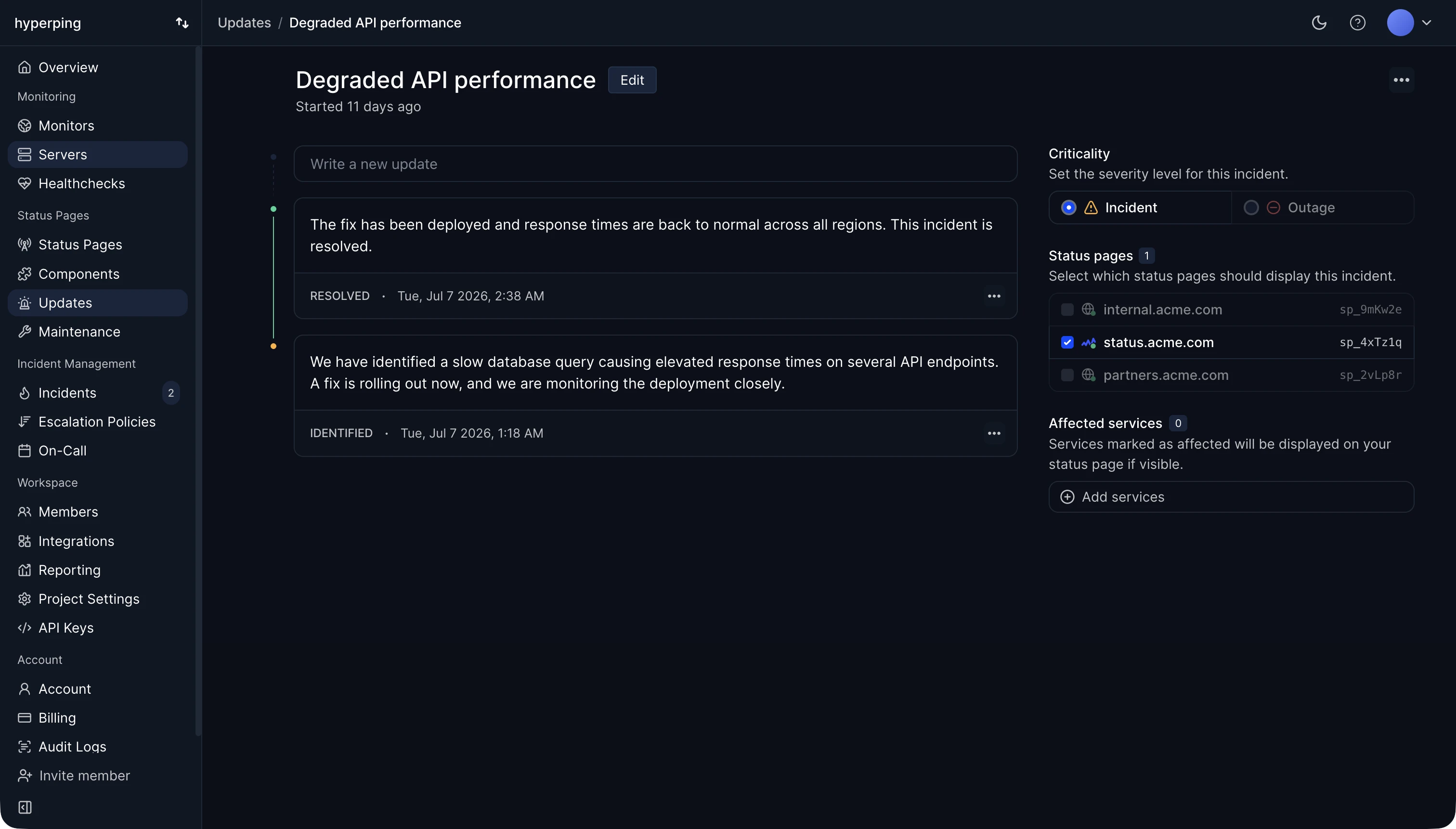
Explain the incident with a post-mortem
Once an incident is resolved, you can publish a post-mortem on it: what happened, why, and what you changed. It appears at the top of the incident on your status page, as a Postmortem - Read details entry in the history and in full on the incident page. You can keep it as a draft while your team reviews it, or start from the internal post-mortem of the alerting incident. See Public post-mortems.
How subscribers get notified
Visitors can subscribe to your status page through up to four channels: email, Slack, Microsoft Teams, and SMS. Every update you publish notifies subscribers on the channel they chose. See Subscribers for how each channel works and how to enable them.
Notifications are scoped by the services you select on the incident. Subscribers who follow specific services only hear about incidents affecting those services.
SMS notifications to subscribers require connecting your own Twilio account. Follow the SMS notifications guide to set it up.
Acknowledge and escalate monitor-detected outages
When a monitor detects an outage, your team is alerted through your configured notification channels. Acknowledging the outage takes ownership of it and stops repeat alerts. The steps of its escalation policy still fire on schedule until the outage is resolved, so the next level is paged, on the channels defined for it, if the problem lasts.
With the Slack integration, you can acknowledge incidents directly from Slack without opening the dashboard. Hyperping tracks who acknowledged each incident and how long it took, so you can measure MTTA and MTTR across your team.
Post incident updates to a Slack channel
The Slack Incident Manager integration posts to your preferred Slack channel every time you manually publish an incident to your status page. You can create a new channel for every incident, or use a permanent one. After connecting Slack, invite the @Hyperping Ongoing Incident bot to the channel of your choice.
Setup instructions are in the notification channels guide.
Show your incident history
Resolved incidents remain visible in the incident history of your status page.
Moving from StatusPage.io? You can bring your historical incidents and maintenances with you using the import tool.
Automate incidents with the API
Everything above can be done programmatically. The Incidents API lets you list, create, update, and delete incidents, and add updates to an existing incident, using the same update statuses as the dashboard. Titles and update text accept localized values for multi-language status pages.
For example, create an incident with its first investigating update:
curl -X POST https://api.hyperping.io/v3/incidents \
  -H "Authorization: Bearer ${API_TOKEN}" \
  -H "Content-Type: application/json" \
  -d '{
    "title": {
      "en": "We are investigating the issue",
      "fr": "Nous enquêtons sur le problème"
    },
    "type": "outage",
    "affectedComponents": ["comp_123"],
    "statuspages": ["sp_123"],
    "updates": [
      {
        "date": "2023-10-01T13:00:00Z",
        "text": {
          "en": "We are investigating the issue",
          "fr": "Nous enquêtons sur le problème"
        },
        "type": "investigating"
      }
    ]
}'Response201 Created
{
  "uuid": "inci_cDAqydvnNnyc8D",
  "date": "2023-10-01T13:00:00.000Z",
  "title": {
    "en": "We are investigating the issue",
    "fr": "Nous enquêtons sur le problème"
  },
  "type": "outage",
  "affectedComponents": ["comp_123"],
  "statuspages": ["sp_123"],
  "updates": [
    {
      "uuid": "upd_abc123",
      "date": "2023-10-01T13:00:00.000Z",
      "text": {
        "en": "We are investigating the issue",
        "fr": "Nous enquêtons sur le problème"
      },
      "type": "investigating"
    }
  ]
}
Start with Create an incident and Add an update.
AI agents can publish, update, correct and resolve status page incidents, and declare, acknowledge and escalate the incidents that page your on-call team, through the MCP server.