OpsGenie
Once an outage is starting on Hyperping, an alert is automatically created in Opsgenie.
Hyperping will close the Opsgenie alert once the outage is over.
How it works
- Outage detected: when a monitor goes down and the outage is confirmed across your selected regions, Hyperping creates an alert in OpsGenie with the monitor's details.
- Recovery: when the monitor comes back up, Hyperping automatically closes the corresponding OpsGenie alert, so your OpsGenie alert list reflects reality without manual cleanup.
- Routing and escalation: once the alert reaches OpsGenie, your OpsGenie team routing, schedules, and escalation rules take over.
Configure
On OpsGenie
- Open your team's integrations
Go to Teams → Select a team and click on the Integrations tab.
- Add an API integration
Click on Add integration, then select API.
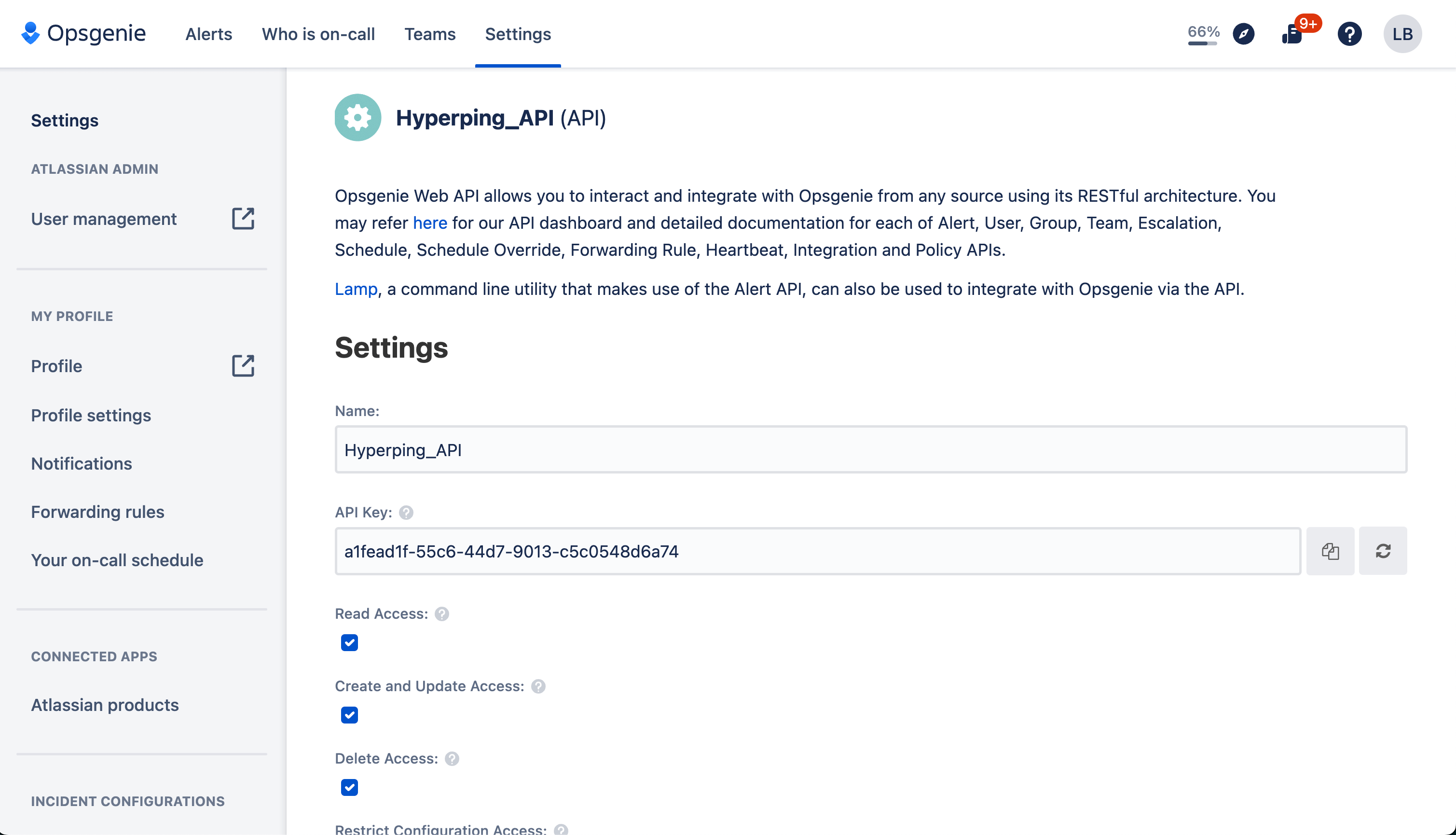
- Copy the API Key
After you created the service, copy the API Key.
On Hyperping
- Connect the OpsGenie integration
Head to your Integrations page, then click on Connect on the OpsGenie card.
- Paste the API key
Enter the field with the API key you just copied, then hit save.
Use OpsGenie in escalation policies
OpsGenie can be used as a notification channel inside an escalation policy. For example, notify Slack instantly, then create an OpsGenie alert if the outage is still going after a few minutes.
Test the integration
We recommend testing your channels to make sure they are working. To do so, create a monitor that returns an error, such as a 404 page, which will trigger the alerts. You should see the alert appear in OpsGenie, then close automatically when you fix or delete the monitor.
Troubleshooting
No alert created
Verify the API key was copied from an API integration on the right OpsGenie team, and that the integration is enabled in OpsGenie.
Alert not closing
Alerts are closed by Hyperping when the outage resolves. If you closed the alert manually first, nothing else happens.
Wrong team notified
The alert is routed by the team that owns the API integration in OpsGenie. Create the API integration under the correct team.
Plan availability
The OpsGenie integration is available on all paid plans.