Chapter 1 of 20Browse the complete guide
What Is Playwright?
Learn what Playwright is, how it drives Chromium, Firefox, and WebKit for end-to-end testing, and when to pick it over Cypress, Selenium, or Puppeteer.
What Playwright is
Playwright is an open source browser automation framework built by Microsoft. It launches real browsers, drives them through a single API, and verifies that your web app behaves the way you expect. The project launched in 2020, started by engineers who had previously built Puppeteer at Google, and by npm downloads it has since passed Cypress and Selenium to become the most popular end-to-end testing tool for JavaScript.
Playwright has two parts. The core library automates browsers: open a page, click a button, read the DOM. On top of it sits @playwright/test, a complete test runner with parallel execution, fixtures, retries, and an HTML reporter. Most teams use both together, and that combination is what people usually mean when they say "Playwright."
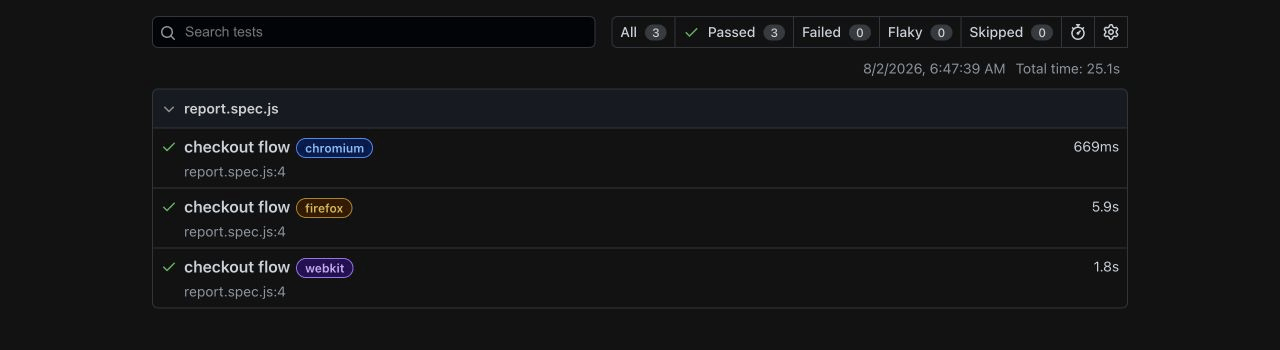
Everything is free under the Apache 2.0 license. Cross-browser support, parallelism, and the trace viewer are included rather than sold as paid add-ons, which is a real difference from parts of the Cypress and Selenium tooling around them.
What people use Playwright for
End-to-end testing is the main job. A Playwright test starts a browser, walks through a user flow such as signup, checkout, or search, and asserts that each step works. Because these tests exercise the app the way a user would, they catch bugs that unit tests cannot see: broken builds, dead buttons, API responses that never render.
The same API covers general automation. Teams use Playwright to scrape pages, generate PDFs and screenshots, and script repetitive work in internal tools. It also powers synthetic monitoring, where a test runs on a schedule against production to confirm that critical flows still work for real users, not just in CI.
How Playwright works
Playwright controls browsers from the outside. Your test runs in a Node.js process and talks to the browser over a WebSocket, using the Chrome DevTools Protocol for Chromium and equivalent protocols for Firefox and WebKit. Nothing gets injected into your application, so tests see the page exactly as a user's browser renders it, and a crashed page cannot take the test runner down with it.
Three engines cover the browser market. Chromium covers Chrome and Edge, WebKit covers Safari, and Firefox covers Firefox. Playwright downloads its own patched builds of each engine, so every release of the library is tested against known browser versions instead of whatever happens to be installed on the machine.
Isolation comes from browser contexts. A context is a fresh browser profile with its own cookies, storage, and cache, and it spins up in milliseconds without launching a new browser process. Every test gets its own context by default. Tests cannot leak state into each other, and a single machine can run dozens of them at once.
test('contexts do not share state', async ({ browser }) => {
  const admin = await browser.newContext();
  const customer = await browser.newContext();

  await admin.addCookies([
    { name: 'role', value: 'admin', domain: 'acme.test', path: '/' },
  ]);

  expect(await customer.cookies()).toEqual([]);
});
Why teams pick it
Auto-waiting
Playwright waits for an element to be visible, stable, and enabled before acting on it. You write await page.getByRole('button', { name: 'Submit' }).click() and Playwright handles the timing. This removes the hardcoded sleep(2000) calls that make older Selenium suites slow and flaky. The mechanics are covered in waits and timeouts.
await page.getByRole('button', { name: 'Submit' }).click();
await expect(page.getByText('Order confirmed')).toBeVisible();
Web-first assertions
Assertions like await expect(locator).toBeVisible() retry automatically until they pass or hit a timeout. A page that renders 300 ms late does not fail the test; it passes 300 ms later. This single design decision eliminates most of the flakiness that gave browser testing a bad reputation.
Parallelism by default
The runner spreads test files across worker processes out of the box. A suite that takes twenty minutes serially often finishes in three or four on the same machine, with no plugins and no per-seat pricing.
Trace viewer
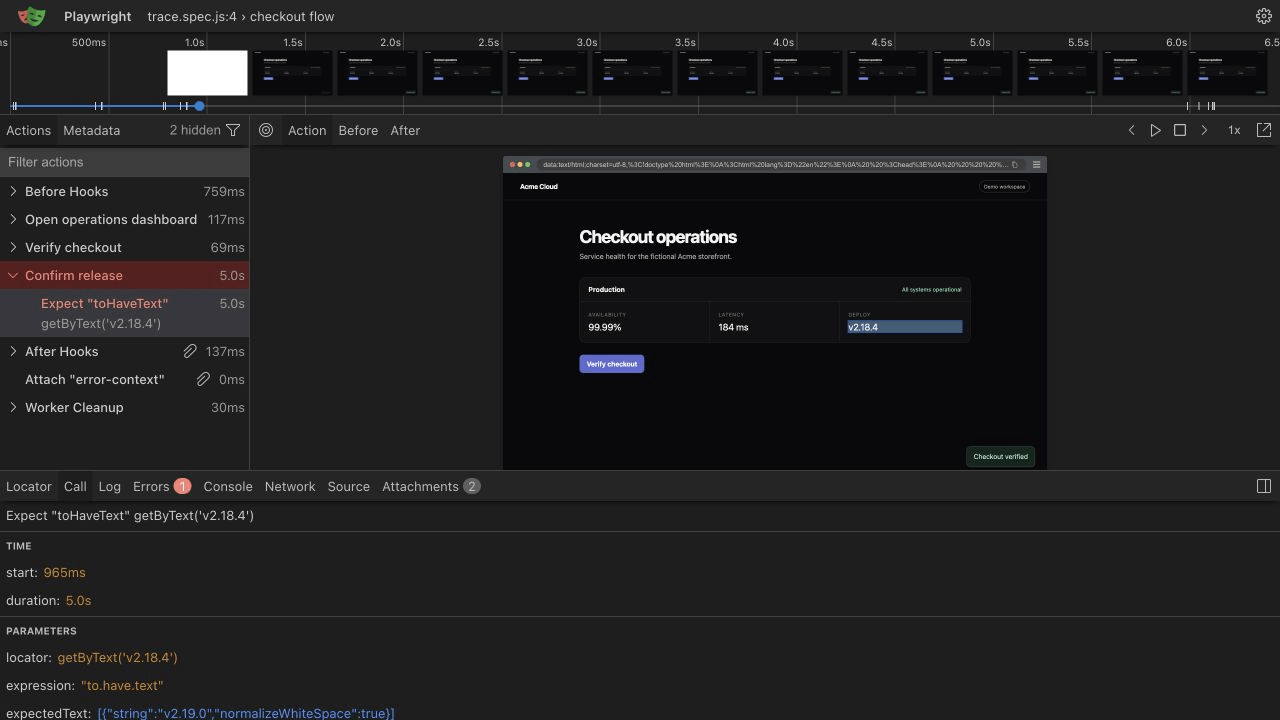
When a test fails in CI, Playwright can record a trace: a timeline of every action with DOM snapshots, network requests, and console logs. You open the trace locally and scrub through the failure frame by frame instead of guessing from a stack trace and a screenshot.
One API, four languages
Official bindings exist for TypeScript and JavaScript, Python, Java, and .NET. The TypeScript version leads on features and ships the full test runner, while the other bindings reuse the same automation core, so knowledge transfers across teams.
Playwright vs Cypress, Selenium, and Puppeteer
| Tool | Browser support | Languages | Where it wins |
|---|---|---|---|
| Playwright | Chromium, Firefox, WebKit | TS/JS, Python, Java, .NET | Cross-browser E2E suites with fast parallel CI runs |
| Cypress | Chrome family, Firefox, WebKit (experimental) | JS/TS only | Interactive in-browser debugging while writing tests |
| Selenium | Anything with a WebDriver, including real Safari | Java, Python, C#, Ruby, JS, and more | Real-device grids and legacy browser coverage |
| Puppeteer | Chromium, Chrome, limited Firefox | JS/TS only | Chrome-only scripting, scraping, and PDF generation |
Playwright is the default pick for a new end-to-end suite. It has the widest engine coverage of the four, free parallelization, and first-class TypeScript support.
Choose Cypress if your team already maintains a healthy Cypress suite, or if you rely on its interactive runner, which replays each command and shows the app state at every step while you write tests. The tradeoffs are a JavaScript-only API, weaker multi-tab and iframe handling, and parallelization that runs through the paid Cypress Cloud service.
Choose Selenium if you must test on real Safari, on physical mobile devices through Appium, or on older browsers that only speak WebDriver. It is also the practical option for teams standardized on Ruby or PHP, since Playwright has no official bindings for either.
Choose Puppeteer for Chrome-only automation that is not testing: crawling, scraping, or rendering PDFs. It is a smaller dependency, but it ships no test runner and no assertion library, so using it for testing means rebuilding what @playwright/test already provides.
One honest caveat on Safari coverage: Playwright tests WebKit using its own builds of the engine, not the Safari binary that ships with macOS or iOS. That catches nearly all rendering and JavaScript engine differences, but if a contract requires testing on actual Safari, Selenium with safaridriver is the right tool.
A minimal Playwright test
A complete test file looks like this:
import { test, expect } from '@playwright/test';

test('homepage loads and links work', async ({ page }) => {
  await page.goto('https://example.com');
  await expect(page).toHaveTitle(/Example Domain/);
  await page.getByRole('link', { name: 'More information' }).click();
  await expect(page).toHaveURL(/iana\.org/);
});
The page argument is a fixture: the runner creates a fresh browser context for the test and hands you an open tab. getByRole finds the link the way assistive technology would, which keeps the test stable when markup changes, and both expect calls retry until the condition holds. Selector strategy has its own chapter in the locators guide, and the retrying assertions are covered in Playwright assertions.
Where to go next
The next chapter, how to install Playwright, scaffolds a real project, explains every generated file, and runs this kind of test on your machine. From there, the locators and assertions chapters cover the two skills that separate stable suites from flaky ones.
Run it in production
An end-to-end test proves a flow worked at the moment CI ran it. The same Playwright script can also run every few minutes from multiple regions as a Hyperping browser check, which turns your test suite into production monitoring with alerts the moment a flow breaks. It is the same @playwright/test code, so nothing needs to be rewritten.