Free tool · no signup

Incident Post-Mortem Template Generator

Fill in what happened. Get a structured, blameless post-mortem in Markdown, Google Docs, Notion, or Confluence in 30 seconds.

Key facts
Executive summary
Timeline
Timeline events UTC
Use UTC. Click a time to open the picker, or tap Now on the row.
Contributors, mitigators, risks
Contributors — what increased likelihood
Mitigators — what limited damage
Risks — what could make this worse next time
Diagnostics & learnings
Action items
Follow-up actions
SMART actions: owner, what, by when. Track completion visibly.
Appendix
New in Hyperping

Publish it on your status page

Customers read about incidents on your status page, not in your wiki. In Hyperping, a resolved incident can carry its post-mortem: visitors see a Postmortem - Read details entry in your incident history, and the full write-up on the incident page.

Keep it as a draft while your team reviews it, then publish. If you wrote the internal version in Hyperping, start from it and remove what only your team needs to know.
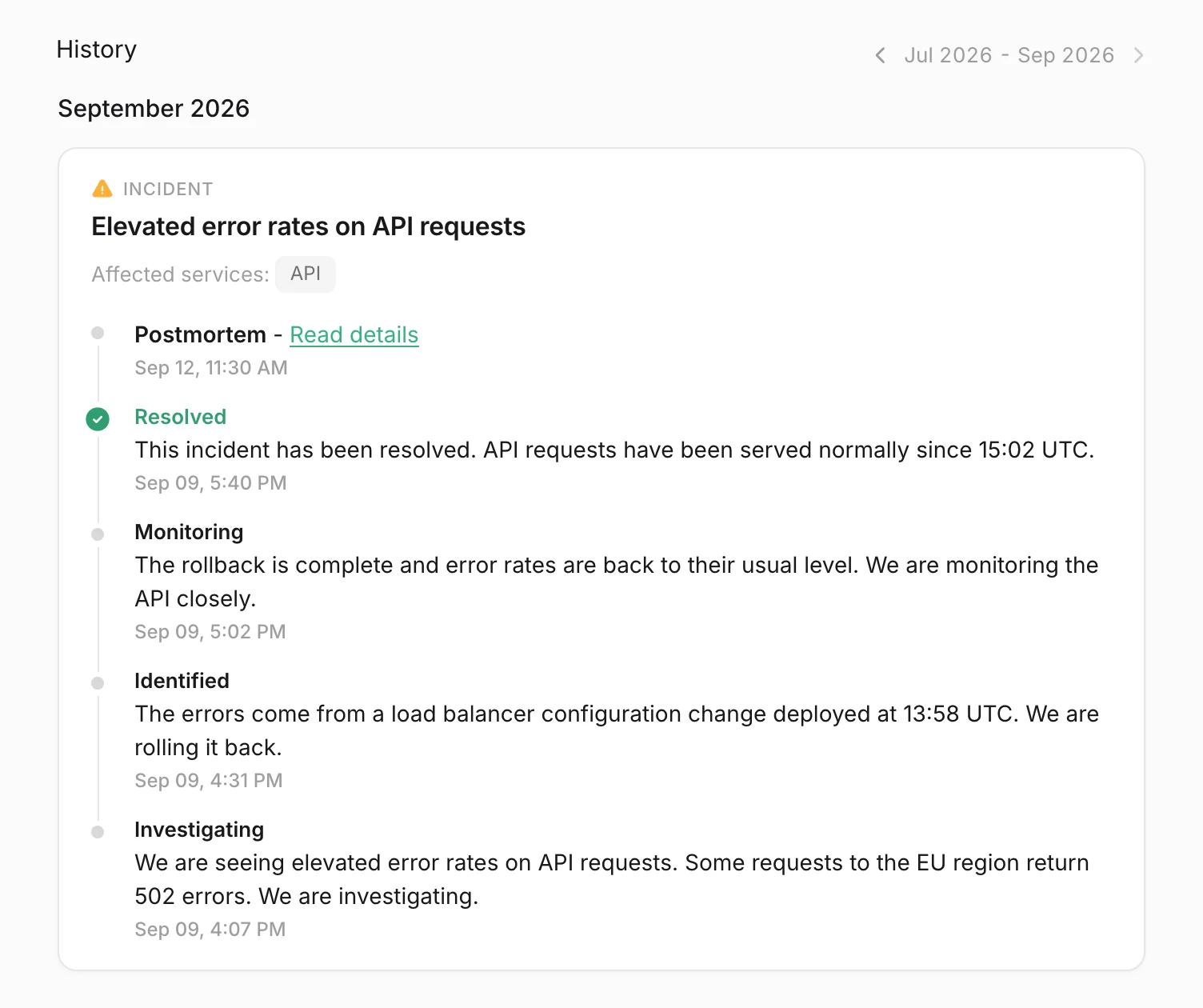
An incident on a Hyperping status page with a Postmortem - Read details entry above its updates

Based on the Hyperping post-mortem playbook

This template follows the blameless, systems-thinking approach detailed in our complete guide to incident post-mortems. Contributors, mitigators, risks — not single root cause. SMART action items with owners and due dates. Theme tags for trend analysis.

Need help sizing severity or impact? Use the SLA calculator or the downtime cost calculator.

Why a template is not enough

The document is a byproduct. The real work is catching the next incident early, routing it to the right responder, and closing action items. Hyperping gives you uptime monitoring, status pages, and on-call rotation in one product — starting at €0.

Try Hyperping free