Chapter 5 of 20Browse the complete guide
Playwright Assertions: Web-First Checks Explained
Learn how Playwright's web-first assertions retry until conditions pass, which expect matchers to use, and how soft assertions and expect.poll work in tests.
What web-first assertions are
An assertion in most test frameworks checks a value once. Playwright's expect, when given a locator, does something different: it re-evaluates the condition until it becomes true or a timeout expires.
import { test, expect } from '@playwright/test';

test('order confirmation appears', async ({ page }) => {
  await page.goto('/checkout');
  await page.getByRole('button', { name: 'Place order' }).click();
  await expect(page.getByText('Order confirmed')).toBeVisible();
});
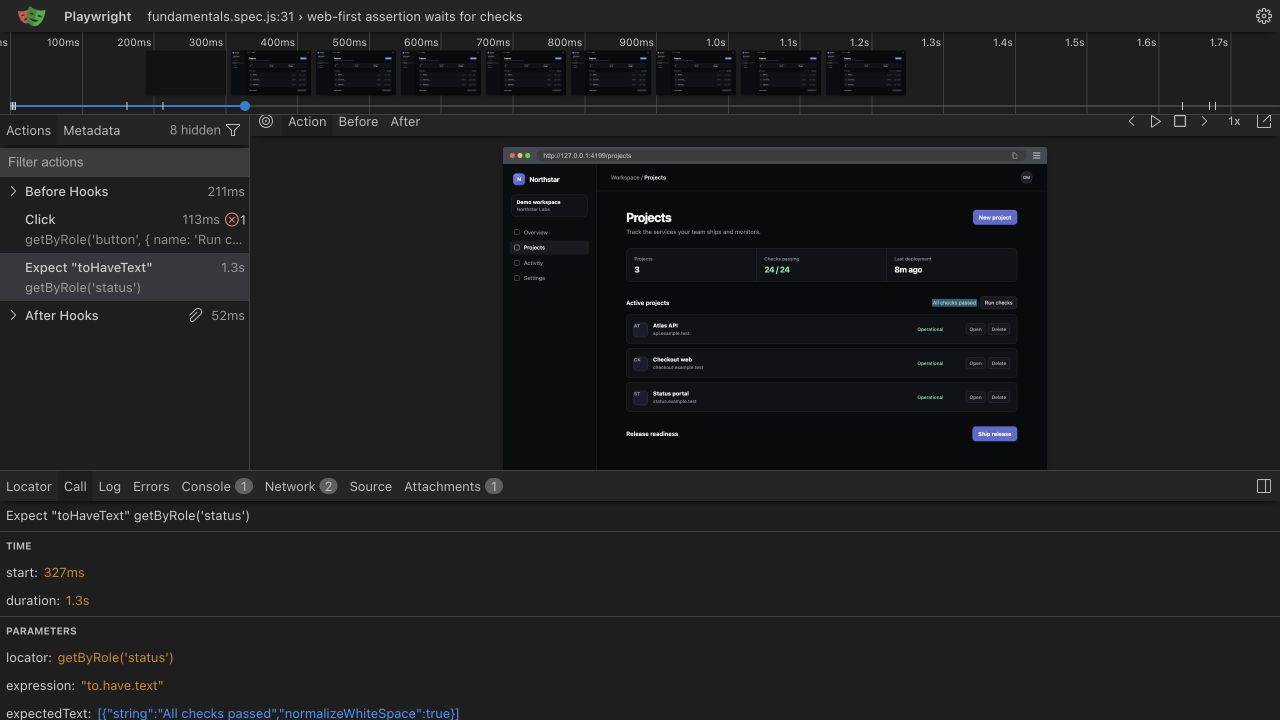
The last line does not fail the instant the message is missing. Playwright re-queries the locator and re-checks visibility, over and over, for up to 5 seconds by default. The confirmation can arrive after a network round trip and a re-render, and the assertion passes the moment it does.
Playwright calls these web-first assertions. They exist because web pages are asynchronous by nature: content streams in, frameworks hydrate, API responses land whenever they land. An assertion that checks once forces you to guess when the page is ready. An assertion that retries removes the guessing.
This only works because locators are lazy descriptions, resolved fresh on every retry. Even if the element is destroyed and re-created between checks, the assertion still finds the current one.
Why they beat manual checks
The most common assertion mistake in Playwright code is unwrapping the locator yourself.
Anti-pattern:
expect(await page.getByText('Order confirmed').isVisible()).toBe(true);Recommended:
await expect(page.getByText('Order confirmed')).toBeVisible();The two lines look almost identical, and they behave nothing alike. In the first version, isVisible() runs once, immediately, and returns a boolean. If the confirmation renders 200 ms later, the boolean is already false and the test fails. By the time the value reaches expect, it is a plain true or false with no connection to the page, so there is nothing left to retry. This is where flaky tests come from: the code passes on a fast local machine and fails in CI where everything is slower.
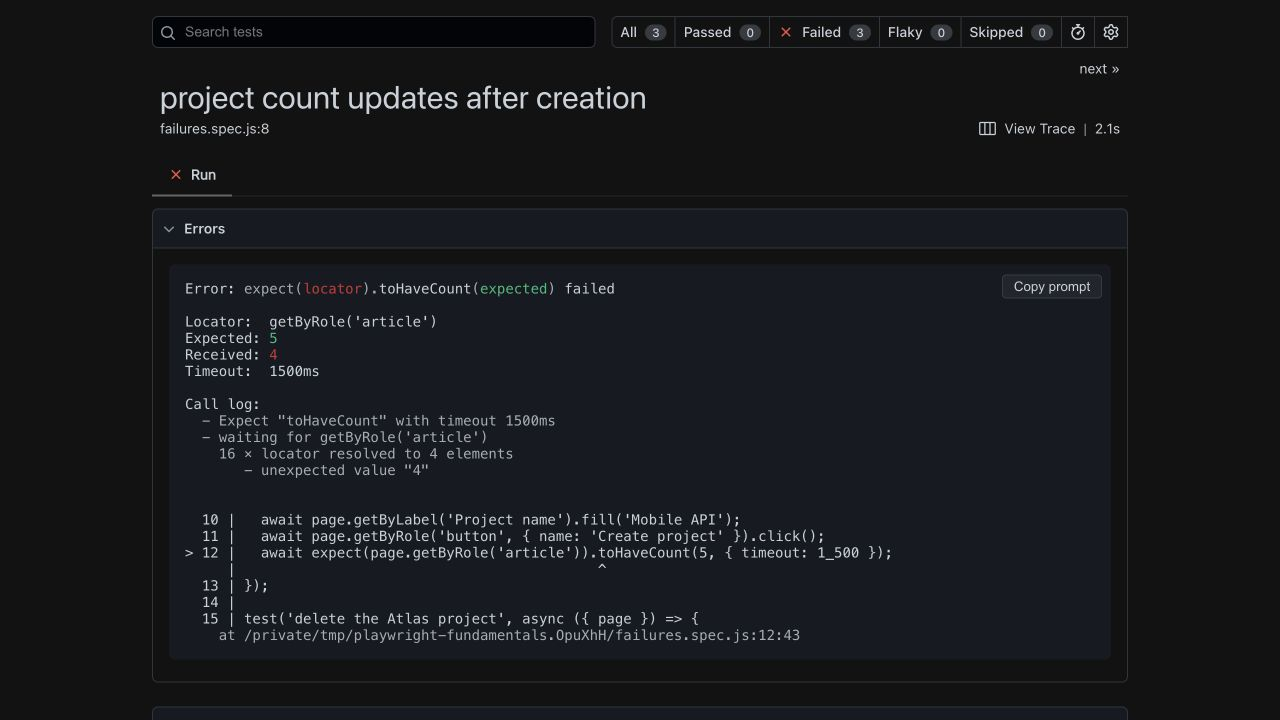
The second version hands the locator itself to expect, and Playwright keeps checking until the condition holds. As a bonus, the failure message is better. Instead of expected true, received false, you get the locator, the expected state, the actual state, and a log of what Playwright observed while retrying.
The same logic applies to every pairing: prefer toHaveText over reading textContent(), toHaveCount over count(), toBeEnabled over isEnabled(). If you find yourself writing await inside expect(...), stop and look for the matcher that takes the locator directly.
The assertions you will use most
All of these retry automatically. Each takes an optional timeout as the last argument.
| Assertion | Example | What it checks |
|---|---|---|
toBeVisible | await expect(locator).toBeVisible() | Element exists and is visible |
toBeHidden | await expect(locator).toBeHidden() | Element is hidden or absent |
toHaveText | await expect(locator).toHaveText('Paid') | Exact text match |
toContainText | await expect(locator).toContainText('Paid') | Text contains a substring |
toHaveValue | await expect(input).toHaveValue('qa@example.test') | Current value of an input |
toHaveCount | await expect(rows).toHaveCount(3) | Number of matched elements |
toBeEnabled | await expect(button).toBeEnabled() | Element accepts interaction |
toBeDisabled | await expect(button).toBeDisabled() | Element is disabled |
toBeChecked | await expect(checkbox).toBeChecked() | Checkbox or radio is checked |
toHaveURL | await expect(page).toHaveURL(/\/dashboard/) | Page URL, string or regex |
toHaveTitle | await expect(page).toHaveTitle('Dashboard') | Document title |
toHaveAttribute | await expect(link).toHaveAttribute('href', '/pricing') | Attribute value |
toHaveClass | await expect(locator).toHaveClass(/active/) | Class attribute, string or regex |
A few notes worth keeping in mind. toBeHidden passes when the element is invisible or when it does not exist at all, which makes it the right check for "the spinner went away". toHaveText and toContainText both accept regular expressions, and both accept arrays for asserting the text of a whole list at once. toHaveURL and toHaveTitle are called on page, not on a locator.
There is also toHaveScreenshot(), which compares the element or page against a stored baseline image and fails on visual differences. Visual comparison is its own topic with its own tradeoffs around flakiness and baseline management, but it follows the same retrying model: Playwright takes screenshots until two consecutive ones match, then compares against the baseline.
Negating with .not
Every matcher can be flipped:
await expect(page.getByRole('button', { name: 'Submit' })).not.toBeDisabled();
await expect(page.getByTestId('error-banner')).not.toBeVisible();
Negated assertions retry too, waiting until the condition stops being true. One habit to build: for visibility, prefer toBeHidden() over not.toBeVisible() where it reads better, and keep in mind they are equivalent in what they accept.
Generic assertions still have a place
expect also works on plain values, without retrying:
const response = await page.request.get('/api/health');
expect(response.status()).toBe(200);

const items = await page.getByRole('listitem').allTextContents();
expect(items).toEqual(['Alpha', 'Beta', 'Gamma']);
These are ordinary, check-once assertions, and they are the right tool when the value cannot change anymore: an API response you already received, a computed number, the result of a function. The rule of thumb is simple. If the value comes from the live page and could still change, use a web-first assertion on the locator. If the value is already settled in a variable, a generic assertion is fine, and note that generic expect calls are synchronous, no await needed.
Soft assertions
A normal failed assertion ends the test. Sometimes that is not what you want. Checking ten pieces of content on a marketing page, you would rather see all the wrong strings in one run than fix them one failure at a time.
test('pricing page content', async ({ page }) => {
  await page.goto('/pricing');

  await expect.soft(page.getByRole('heading', { name: 'Pricing' })).toBeVisible();
  await expect.soft(page.getByText('$29/month')).toBeVisible();
  await expect.soft(page.getByText('$99/month')).toBeVisible();
  await expect.soft(page.getByRole('link', { name: 'Start free trial' })).toBeVisible();
});
Each expect.soft that fails records the failure and lets the test continue. The test is still marked failed at the end, with every recorded failure in the report. Keep soft assertions for independent checks like these. If a later step depends on an earlier assertion passing, use the normal form, because continuing past a broken precondition produces confusing follow-on errors.
Custom messages for readable failures
You can pass a message as the second argument to expect. It becomes the headline of the failure report:
await expect(page.getByTestId('cart-count'), 'cart badge should update after adding an item')
  .toHaveText('1');
Without the message, a failure shows you a locator and two strings. With it, whoever reads the CI log knows what behavior broke before parsing any selectors. The cost is one line of typing, so use them on any assertion whose intent is not obvious from the locator alone.
Configuring assertion timeouts
The 5 second default lives in your config and can be changed globally:
// playwright.config.ts
import { defineConfig } from '@playwright/test';

export default defineConfig({
  expect: {
    timeout: 10_000,
  },
});
Or per assertion, for the one check that legitimately needs longer:
await expect(page.getByText('Report generated')).toBeVisible({ timeout: 30_000 });Resist the urge to raise the global timeout every time a test gets flaky. A generous timeout does not fix a race condition, it just makes every real failure take longer to report. Diagnose the slow step first; the waits and timeouts guide covers how assertion timeouts interact with action and test timeouts, and where to look when something times out.
expect.poll and toPass
Two tools extend retrying beyond locators. expect.poll retries an async function until its return value matches:
await expect.poll(async () => {
  const response = await page.request.get('/api/jobs/42');
  return (await response.json()).status;
}, {
  message: 'job should finish processing',
  timeout: 20_000,
}).toBe('complete');
toPass retries an entire block of assertions until none of them throw:
await expect(async () => {
  const response = await page.request.get('/api/health');
  expect(response.status()).toBe(200);
}).toPass({ timeout: 15_000 });
Use them for conditions that live outside the DOM: background jobs, eventual consistency between services, an API catching up with a UI action. For anything visible on the page, the standard locator assertions remain simpler and produce better error messages. The cheat sheet lists the full assertion surface in one place when you need a quick reference.
Run it in production
Assertions are what turn a Playwright script into a meaningful production check: a page can return 200 while the checkout button is broken, and only expect notices the difference. Hyperping Browser Checks run the same assertions on a schedule from multiple regions and alert you the moment one fails.