Chapter 8 of 20Browse the complete guide
Playwright Cheat Sheet
A quick Playwright reference: CLI commands, locators, actions, assertions, network mocking, emulation, and config snippets you can copy into your tests.
Keep this page nearby while you write tests. The examples cover the commands and APIs you will use most often.
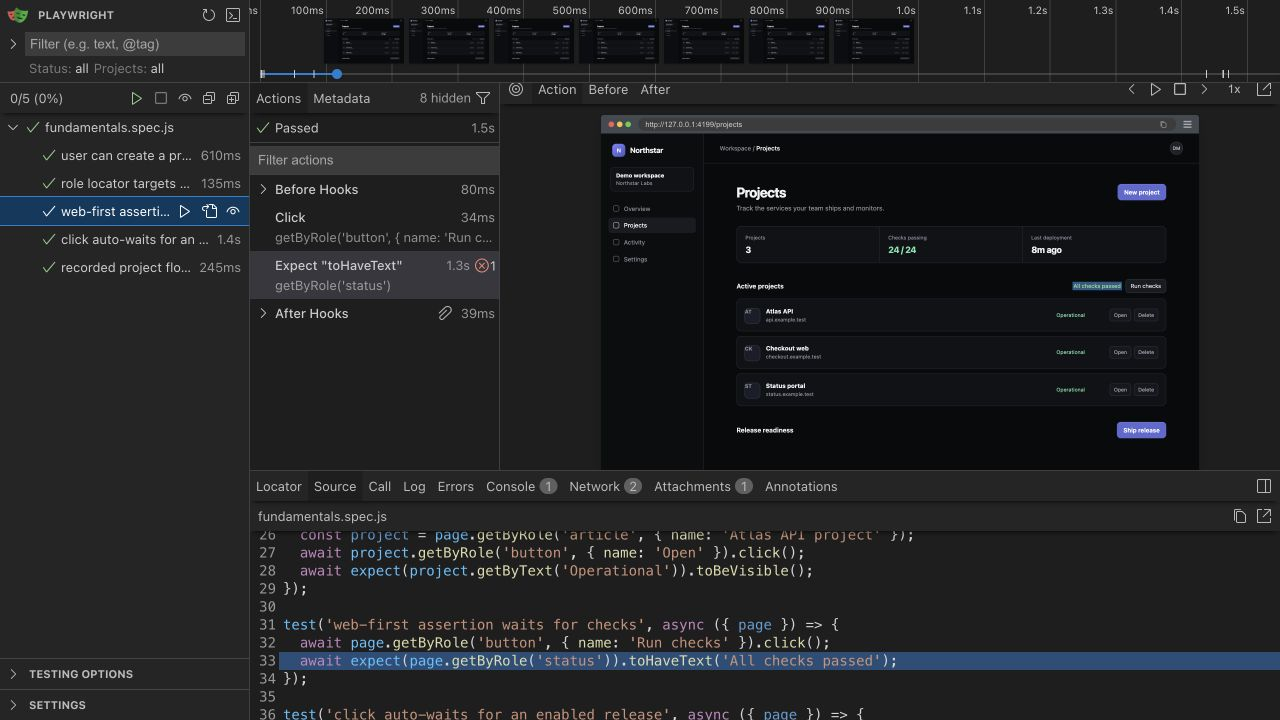
CLI commands
npm init playwright@latest              # scaffold a new project
npx playwright test                     # run all tests headlessly
npx playwright test tests/auth.spec.ts  # run one file
npx playwright test -g "checkout"       # run tests matching a title
npx playwright test --ui                # interactive UI mode
npx playwright test --headed            # show the browser window
npx playwright test --debug             # step through with the Inspector
npx playwright test --project=chromium  # run a single project
npx playwright codegen example.com      # record actions into test code
npx playwright show-report              # open the last HTML report
npx playwright install                  # download browser binaries
npx playwright install --with-deps      # also install OS dependencies (CI)
Setup details are in how to install Playwright, and the recorder is covered in the codegen guide.
Locators
page.getByRole('button', { name: 'Sign in' })   // by ARIA role and accessible name
page.getByText('Welcome back')                  // by visible text
page.getByLabel('Email')                        // form control by its label
page.getByPlaceholder('Search')                 // input by placeholder
page.getByAltText('Company logo')               // image by alt text
page.getByTitle('Close')                        // by title attribute
page.getByTestId('checkout-button')             // by data-testid
page.locator('.card')                           // CSS (or XPath) fallback
page.locator('.card').filter({ hasText: 'Pro' }) // narrow a match
page.getByRole('listitem').first()              // also .last() and .nth(2)
page.locator('.row').getByRole('checkbox')      // chain to search inside
Prefer the getBy methods over raw CSS. The locators guide explains the priority order.
Actions
await page.getByRole('button', { name: 'Save' }).click();
await page.getByText('Item').dblclick();
await page.getByLabel('Email').fill('ada@example.com');   // clears, then types
await page.getByLabel('Search').press('Enter');           // single key or chord
await page.getByLabel('Accept terms').check();            // also .uncheck()
await page.getByLabel('Country').selectOption('France');  // by value or label
await page.getByRole('menuitem', { name: 'File' }).hover();
await page.locator('#task').dragTo(page.locator('#done'));
await page.getByLabel('Avatar').setInputFiles('photo.jpg'); // pass [] to clear
Every action auto-waits for the element to be actionable. Details in waits and timeouts.
Assertions
All of these retry until they pass or the 5 second expect timeout expires. Prefix any of them with .not to invert.
| Assertion | Passes when |
|---|---|
await expect(locator).toBeVisible() | Element is visible |
await expect(locator).toBeHidden() | Element is hidden or absent |
await expect(locator).toHaveText('Done') | Full text matches (string or regex) |
await expect(locator).toContainText('Do') | Text contains the substring |
await expect(locator).toHaveValue('42') | Input has the value |
await expect(locator).toBeChecked() | Checkbox or radio is checked |
await expect(locator).toBeEnabled() | Element is enabled (also toBeDisabled) |
await expect(locator).toHaveCount(3) | Locator resolves to n elements |
await expect(locator).toHaveAttribute('href', '/home') | Attribute has the value |
await expect(locator).toHaveClass(/active/) | Class matches |
await expect(page).toHaveURL(/.*dashboard/) | Page URL matches |
await expect(page).toHaveTitle('Home') | Page title matches |
More patterns, including soft assertions and expect.poll, in the assertions guide.
Navigation and page
await page.goto('https://example.com/login'); // waits for the load event
await page.reload();
await page.goBack();                          // also goForward()
await page.waitForURL('**/dashboard');        // glob, regex, or predicate
page.url();                                   // current URL, synchronous
await page.title();
Test structure
import { test, expect } from '@playwright/test';

test.describe('checkout', () => {
  test.beforeEach(async ({ page }) => {
    await page.goto('/cart');
  });

  test('pays with a saved card', async ({ page }) => {
    await test.step('open payment form', async () => {
      await page.getByRole('button', { name: 'Pay now' }).click();
    });
    await expect(page.getByText('Payment accepted')).toBeVisible();
  });

  test.skip('applies gift cards', async ({ page }) => {});  // never runs
  test.fixme('splits payment', async ({ page }) => {});     // known broken
  // test.only(...) runs just that test while debugging
});
Network
// Mock the endpoint before the page sends the request
await page.route('**/checks', (route) =>
  route.fulfill({
    status: 200,
    json: { status: 'passed', checks: 24 },
  })
);

// Start waiting before the click that triggers the request
const responsePromise = page.waitForResponse('**/checks');
await page.getByRole('button', { name: 'Run checks' }).click();
const response = await responsePromise;
expect(response.ok()).toBeTruthy();

// Other routing patterns
await page.route('**/*.png', (route) => route.abort());
await page.route('**/analytics/**', (route) => route.continue());
Register routes before the navigation or click that triggers the request.
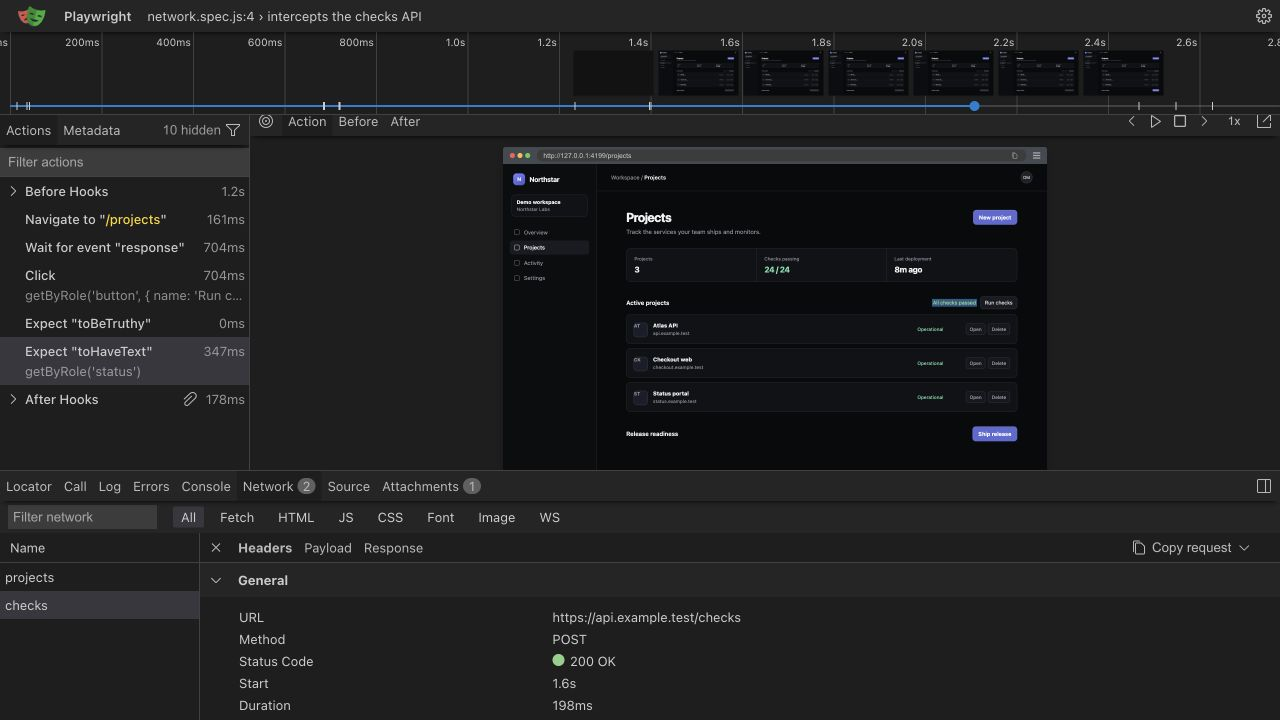
/checks request to its successful response.Emulation
import { test, devices } from '@playwright/test';

test.use({
  ...devices['iPhone 15'],
  locale: 'fr-FR',
  timezoneId: 'Europe/Paris',
  geolocation: { latitude: 48.8566, longitude: 2.3522 },
  permissions: ['geolocation'],
  colorScheme: 'dark',
});
Place test.use at the top level of a file or inside a describe block. The same options work in use in the config for a whole project.
Config snippets
// playwright.config.ts
import { defineConfig, devices } from '@playwright/test';

export default defineConfig({
  retries: process.env.CI ? 2 : 0,     // retry only in CI
  use: {
    baseURL: 'https://staging.example.com',
    trace: 'on-first-retry',           // record a trace when a retry happens
    screenshot: 'only-on-failure',
  },
  projects: [
    { name: 'chromium', use: { ...devices['Desktop Chrome'] } },
    { name: 'firefox', use: { ...devices['Desktop Firefox'] } },
    { name: 'webkit', use: { ...devices['Desktop Safari'] } },
  ],
});
With baseURL set, page.goto('/login') resolves against it.
Debugging
npx playwright test --debug          # Playwright Inspector, step by step
npx playwright test --ui             # UI mode with watch and time travel
PWDEBUG=1 npx playwright test        # same Inspector via env var
npx playwright show-trace trace.zip  # inspect a recorded trace
Inside a test, await page.pause() stops execution and opens the Inspector at that exact point when running headed. The trace viewer shows a DOM snapshot, console, and network for every action, which makes it the fastest way to understand a CI-only failure.
Run it in production
Any script built from these snippets can do double duty as a production monitor. A Hyperping Browser Check runs your Playwright code on a schedule from multiple regions and alerts you when a step fails. Your test suite catches regressions before deploy, and the same script catches outages after.