The best Pulsetic alternatives are Hyperping for website and API checks with on-call and a status page, UptimeRobot for a lot of cheap availability checks, Better Stack for checks next to incidents and logs, Checkly for API and Playwright checks in Git, and Oh Dear for EU-hosted per-site monitoring with SSL, broken links, and cron included.
I analyzed 28 products and shortlisted five. Each one replaces at least one thing people use Pulsetic for: uptime checks, keyword or API checks, status pages, or alerts that reach the right person. Status-page-only and on-call-only tools are further down.
Prices were checked in September 2026. The price to compare against is Pulsetic Team at $19/month, or $190/year, for 50 monitors at 30-second intervals, with extra monitors at $0.20 each. Hyperping Essentials is $24/month for 50 monitors at 30 seconds, with on-call and a status page included.
| Tool | Best for | Starting price | Main limitation |
|---|---|---|---|
| Hyperping | Checks, on-call, and a status page in one plan | Free; $24/mo | Fewer status pages; no RUM |
| UptimeRobot | Lots of cheap availability checks | Free; Solo $9/mo | No on-call; Solo has fewer monitors than Free |
| Better Stack | Checks inside an incident workflow | Free; $29 per responder/mo | Per-user pricing plus status page extras |
| Checkly | API and Playwright checks reviewed in Git | Free; Starter $24/mo | Billed per run; no on-call |
| Oh Dear | Per-site uptime, SSL, links, and cron in the EU | €15/mo for 2 sites | No free plan; priced per site |
Why trust this guide
I'm Léo, founder of Hyperping. Yes, that means I have a stake in one of these tools. But I've watched teams pick competitors when they were the better fit, and I'm not going to pretend otherwise. My goal isn't to convince you Hyperping is always the answer. It's to help you understand which tool actually solves your problem.
I went through Pulsetic's pricing and product pages, G2 and Capterra reviews, Reddit threads in r/sysadmin and r/selfhosted, and the docs for every tool on the list, in September 2026.
Why people leave Pulsetic
Start by deciding which part of Pulsetic you're replacing. Pulsetic does website uptime with status pages, keyword and API checks, SSL, ping, port, cron heartbeats, and a newer real user monitoring (RUM) script. G2 reviewers like how fast it is to set up and how reliable the alerts are. The complaints are the free-plan limit, alert customization, and paying per teammate.
| What you used Pulsetic for | If you stay | Look at |
|---|---|---|
| 10 public URLs and a status page | The free plan covers it | UptimeRobot, Hyperping |
| 50 sites, 30-second checks, many client pages | Team at $19/mo is good value | Hyperping if you also need on-call |
| Phone and SMS when Slack is muted | Paid plans include SMS and calls | Better Stack, Hyperping |
| Testing a login or checkout | Not available | Checkly, Hyperping |
| SSL, broken links, Lighthouse, cron per site | SSL and cron only | Oh Dear |
| On-call rotations and an incident timeline | Not available | Better Stack, Hyperping |
| Self-hosting everything | Not available | Uptime Kuma |
The free plan ran out of monitors
Pulsetic Free is 10 monitors at 5 minutes, which is enough for a club site and tight for an agency. From an August 2026 G2 review: "I find the monitor limit on the free plan a bit restrictive as my needs grew." UptimeRobot's free plan has 50 monitors, and Hyperping's has 20.
Nobody owns the alert at night
Pulsetic will call and text you, but it has no on-call schedule, no acknowledgement, and no escalation when nobody answers. If what you need after a failed check is "who's on tonight, and who's next if they don't pick up," you need Better Stack or Hyperping.
I need a status page for every client
This is the main reason agencies stay: paid Pulsetic plans include unlimited status pages. Hyperping includes 1 on Essentials, 3 on Pro, and 10 on Business, and UptimeRobot Team includes 100. If you sell a page per client, count the pages before you count the monitors.
I want the checks in Git
Pulsetic is a dashboard product with an API on Team and above. Checkly is the usual answer when monitors should go through pull requests. Hyperping has an API and a Terraform provider, but its checks aren't code the way Checkly's are.
I'm not sure the alerts are real
A June 2025 G2 review complained about false positives and check locations you can't turn off on the free plan. Pulsetic now says a failure is confirmed from other regions before it alerts, so test it on a trial by blocking one region.
Pulsetic alternatives compared
The biggest differences are on-call, browser checks, and how many status pages you get.
| Capability | Pulsetic | Hyperping | UptimeRobot | Better Stack | Checkly | Oh Dear |
|---|---|---|---|---|---|---|
| Fastest check | 30s on Team | 30s Essentials; 20s Business | 30s Team; 15s Scale | 30s on paid | You choose, per run | 1 minute |
| Keyword or body check | Yes | Yes | Keyword and JSON fields | JSON assertions | Scripted assertions | Yes |
| SSL and domain expiry | Yes | Yes | Yes, on paid | Yes | SSL on checks | Yes |
| Cron heartbeats | Yes | Yes | Yes | Yes | Yes | Yes |
| Browser checks | No | Playwright | No | Playwright, extra cost | Playwright in code | No |
| On-call scheduling | No | Yes | No | Yes | No | No |
| Status pages | Unlimited on paid | 1, 3, or 10 by plan | 1 free; 100 on Team | 1 included, extras $12 | Basic | Yes, custom domain |
| Real user monitoring | Yes | No | No | Separate product | No | Lighthouse, not RUM |
Pulsetic alternatives pricing compared
Pulsetic bills by monitor and sells add-ons at fixed prices. The others bill by plan, by person on call, by run, or by site.
| Tool | Free plan | First paid plan | What it includes | Billed by | Watch out for |
|---|---|---|---|---|---|
| Pulsetic | 10 monitors, 5 min | Solo, $9/mo | 10 monitors at 60s, SMS and calls included | Monitor | $8 per extra teammate |
| Hyperping | 20 monitors, 5 min, 1 status page | Essentials, $24/mo | 50 monitors at 30s, on-call, 3 browser checks, 3 seats | Plan | 1 status page on Essentials |
| UptimeRobot | 50 monitors, 5 min | Solo, $9/mo | 10 monitors at 60s, 3 status pages | Monitor | Solo has fewer monitors than Free |
| Better Stack | 10 monitors, 1 status page | Responder, $29/mo | Uptime, on-call, incidents, status pages | Person on call | Status page extras and logs cost more |
| Checkly | 10,000 API runs a month | Starter, $24/mo | 25,000 API runs, 3,000 browser runs | Run | Frequent checks use runs fast |
| Oh Dear | No; 10-day trial | Solo, €15/mo | 2 sites, every check type | Site | 50 sites is €149/mo |
What 50 website checks cost
Say you have 50 HTTP checks and want each one to run every 30 seconds. That's what Pulsetic Team gives you, so it's a fair baseline. This is my estimate from public pricing.
| Tool | What covers 50 checks at 30 seconds | Monthly cost | Note |
|---|---|---|---|
| Pulsetic | Team, 50 monitors | $19, or $15.83 | Unlimited status pages; extra monitors $0.20 |
| Hyperping | Essentials, 50 monitors | $24 | On-call, 3 browser checks, 1 status page |
| UptimeRobot | Team, 100 monitors | $35 | The free plan covers 50, but only every 5 minutes |
| Better Stack | One responder seat | $29 and up | Check how many monitors the seat includes today |
| Oh Dear | Agency, 50 sites | €149 | Checks every minute, not 30 seconds |
| Checkly | Doesn't fit: about 4.3 million runs a month | Far past Team at $64 | Team includes 100,000 API runs |
Pulsetic is the cheapest way to run 50 checks at 30 seconds. Hyperping costs about $8 a month more, and that difference pays for on-call and browser checks. UptimeRobot only wins if every 5 minutes is fast enough, and Checkly only makes sense for a handful of important checks.
Pulsetic vs Hyperping
For about the same money, Pulsetic Team gives you unlimited status pages, real user monitoring, and cheap extra monitors, and Hyperping Essentials gives you on-call, escalation, and Playwright browser checks. If you sell a status page to every client and never needed a rotation, Pulsetic is the better deal.
| Capability | Pulsetic | Hyperping |
|---|---|---|
| Free plan | 10 monitors, status pages on your domain | 20 monitors, 1 hosted status page |
| 50 monitors at 30s | Team, $19/mo or $190/year | Essentials, $24/mo |
| Extra monitors | $0.20 each | Next plan up |
| Status pages | Unlimited on paid plans | 1 on Essentials, 3 on Pro, 10 on Business |
| On-call and escalation | Alerts only | Included on every paid plan |
| Browser checks | No | Playwright: 3, 10, or 25 depending on plan |
| Real user monitoring | Yes, $5 per extra 100,000 page views | No |
| Extra teammates | $8 each | 3 seats on Essentials, then $7 each |
| SMS and calls | Included pool, then $0.10 each | 20 SMS on Essentials, phone call alerts included |
| Check locations | Up to 15 | 18 |
Hyperping covers what happens after a check fails: who gets paged, who's next if they don't answer, and what your customers see. If status pages and RUM are why you picked Pulsetic, stay.
Hyperping: Best for checks with on-call and a status page
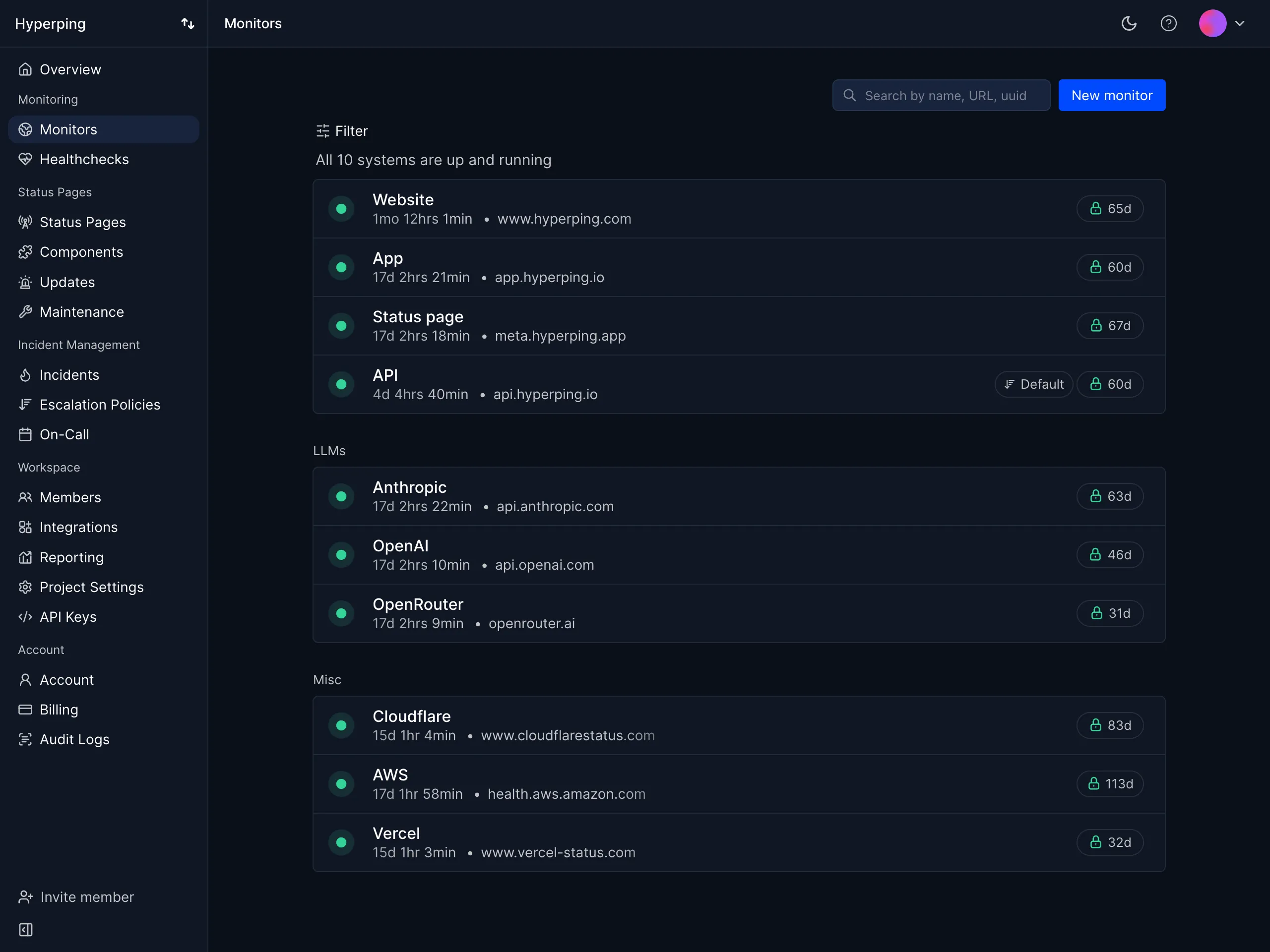
Hyperping combines HTTP and API monitors with Playwright browser checks, on-call schedules, escalation, incidents, and status pages. I built it for SaaS teams that want a failed check to reach the right person, then keep customers informed from the same product.
| Best for | Starting price | Main limitation |
|---|---|---|
| Teams that want monitoring, on-call, and a status page in one tool | Free, then $24/mo | Fewer pages than Pulsetic; no RUM |
Who Hyperping is built for
Pulsetic users whose product now has customers who notice outages at night. Usually a public site, a few API endpoints, and a customer-facing status page, run by a handful of engineers who don't want to add PagerDuty on top.
Notable features
- HTTP checks. Custom method, headers, and body, with an expected status code and a body assertion.
- 30-second checks. On Essentials and Pro, 20 seconds on Business.
- Multi-region confirmation. A failed check is re-run from your other regions before an incident opens.
- Playwright browser checks. 3 on Essentials, 10 on Pro, 25 on Business.
- On-call and escalation. Slack, SMS, or phone call to whoever is on the rotation.
- Status pages. Connected to the same monitors, on your own domain from Essentials.
- EU hosting. Monitoring data stays in EU data centers.
Why choose Hyperping over Pulsetic?
Someone is on call. When Pulsetic detects an outage, it alerts your contacts. Hyperping pages whoever is on the rotation, waits for them to acknowledge, and escalates if nobody does.
It can test the checkout. Pulsetic has no browser checks. Hyperping Essentials includes three Playwright checks, so you can test a login or checkout, not only the homepage.
The incident and the status page are connected. A failed check opens an incident, and the status page updates from the same monitors, so support doesn't have to post an update by hand.
What users say
Alma's SRE, Fabrice Gregoire:
"Hyperping's reputation in our company is that it's more reactive than Datadog. We usually get notifications from Hyperping before Datadog."
"We made our Hyperping status page publicly available and it became a crucial part of our sales pitches."
How much does Hyperping cost?
- Free: 20 monitors, 5-minute checks, 1 hosted status page, email and Slack alerts
- Essentials: $24/month ($29 monthly) for 50 monitors, 30-second checks, 1 status page, 3 browser checks, 3 seats, on-call and escalation
- Pro: $74/month ($89 monthly) for 250 monitors, 3 status pages, 10 browser checks, 10 seats
- Business: $249/month ($299 monthly) for 1,000 monitors, 20-second checks, 10 status pages, 25 browser checks, 20 seats
Fifty monitors fit on Essentials at $24/month.
Where Hyperping falls short
Pulsetic Team includes unlimited status pages, and we don't. Pulsetic's free plan puts status pages on your own domain, while ours stays on a Hyperping domain until Essentials. We don't sell real user monitoring. Extra monitors mean moving up a plan, not paying $0.20 each, so if you watch 200 client sites and never need on-call, Pulsetic is cheaper.
Is Hyperping right for you?
Pick Hyperping if a failed check should page a rotation and update customers. Stay on Pulsetic if you need unlimited client status pages or real user monitoring and you're happy with its alerts.
UptimeRobot: Best for inexpensive availability checks
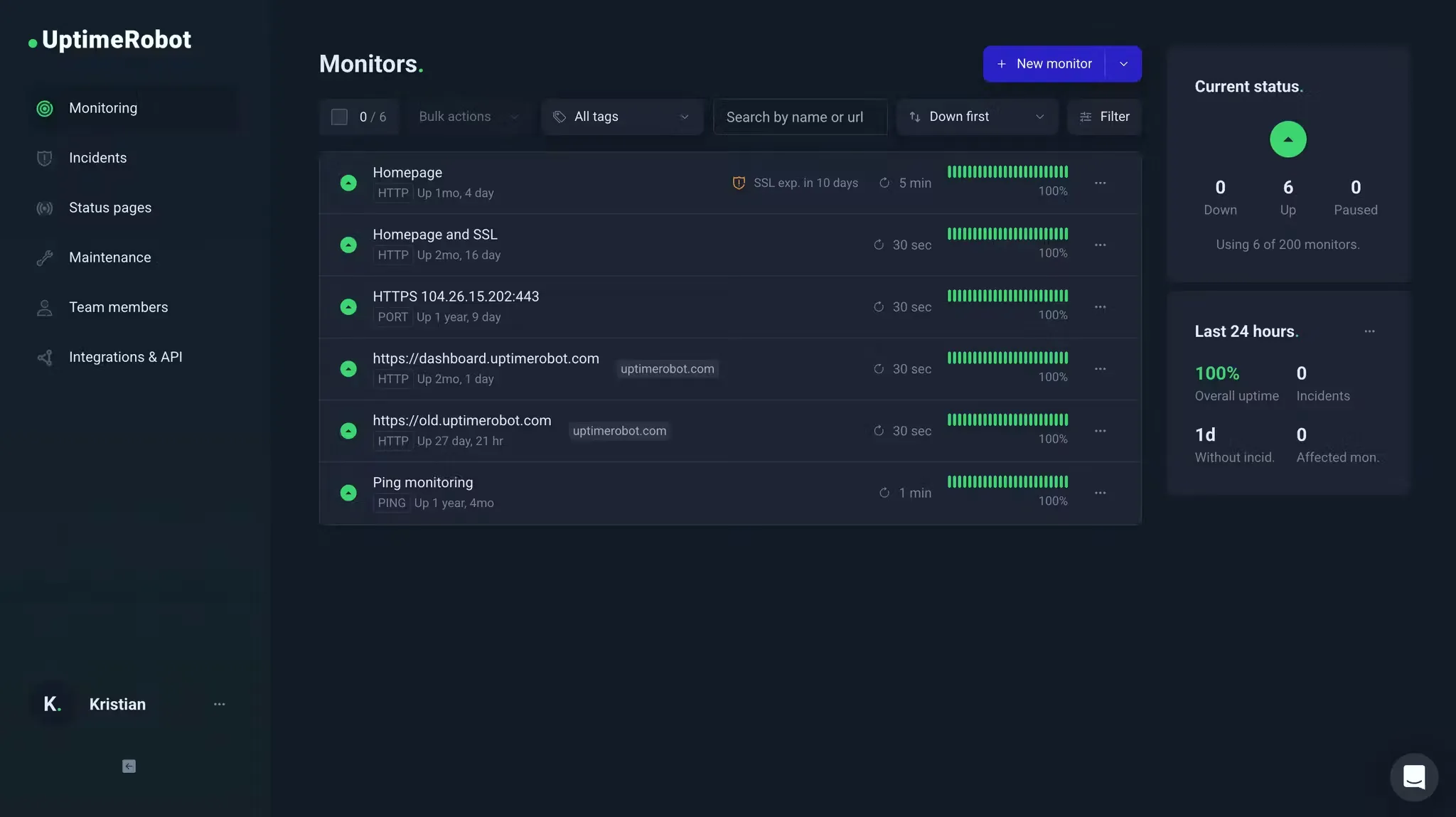
UptimeRobot has the biggest free plan here: 50 monitors at 5-minute intervals, against Pulsetic's 10. Paid plans start with Solo at $9/month.
| Best for | Starting price | Main limitation |
|---|---|---|
| Solo developers and small agencies watching many URLs | Free; Solo $9/mo | No on-call; Solo has fewer monitors than Free |
Who UptimeRobot is built for
Solo developers, small teams, and agencies that need a lot of endpoints watched and are fine with simple checks. Usually 30 URLs and a JSON health endpoint, with nobody on call. In an r/sysadmin thread on Site24x7 alternatives, people suggested UptimeRobot for cheap uptime, SSL, and DNS checks, and Pulsetic for uptime with status pages.
Notable features
- Free plan. 50 monitors at 5-minute intervals.
- API monitors. JSON field checks, plus keyword and status code checks.
- Intervals. 60 seconds on Solo, 30 seconds on Team, 15 seconds on Scale.
- Status pages. 1 on Free, 3 on Solo, 100 on Team.
- Alerts. Email, mobile app, Slack, Teams, webhooks, PagerDuty.
- SMS and voice. Credits included on paid plans, then one-time packs.
Why choose UptimeRobot over Pulsetic?
Five times the free monitors. Pulsetic Free has 10 monitors. UptimeRobot Free has 50, plus a basic status page.
100 status pages on Team. If Pulsetic's unlimited pages were the draw, UptimeRobot Team includes 100 for $35/month, which covers most agencies.
Checks on JSON fields. API monitors can check a specific field in a JSON response. That's enough for most public health endpoints.
What users say
People mostly praise how easy it is to set up. From a July 2026 G2 review:
"I like that UptimeRobot is very intuitive and very easy to set up. It gives me timely email notifications and also the weekly summaries."
How much does UptimeRobot cost?
- Free: 50 monitors, 5-minute checks, 1 basic status page
- Solo: $9/month for 10 monitors, 60-second checks, 3 status pages
- Team: $35/month for 100 monitors, 30-second checks, 100 status pages
- Scale: $65/month for 200 monitors, 15-second checks
Fifty monitors at 5 minutes cost nothing. Fifty at 30 seconds need Team at $35/month.
Where UptimeRobot falls short
No browser checks, no on-call rotation, and no incident timeline. SMS credits don't renew with the plan, while Pulsetic's paid plans include a monthly pool of SMS and calls. Hyperping and Better Stack are better if someone needs to be on call, and Checkly is better for API checks in Git.
Is UptimeRobot right for you?
Pick UptimeRobot if you want as many free monitors as possible and nobody needs to be on call. If you need 30-second checks, Pulsetic Team is cheaper for 50 monitors.
Better Stack: Best for checks inside an incident workflow
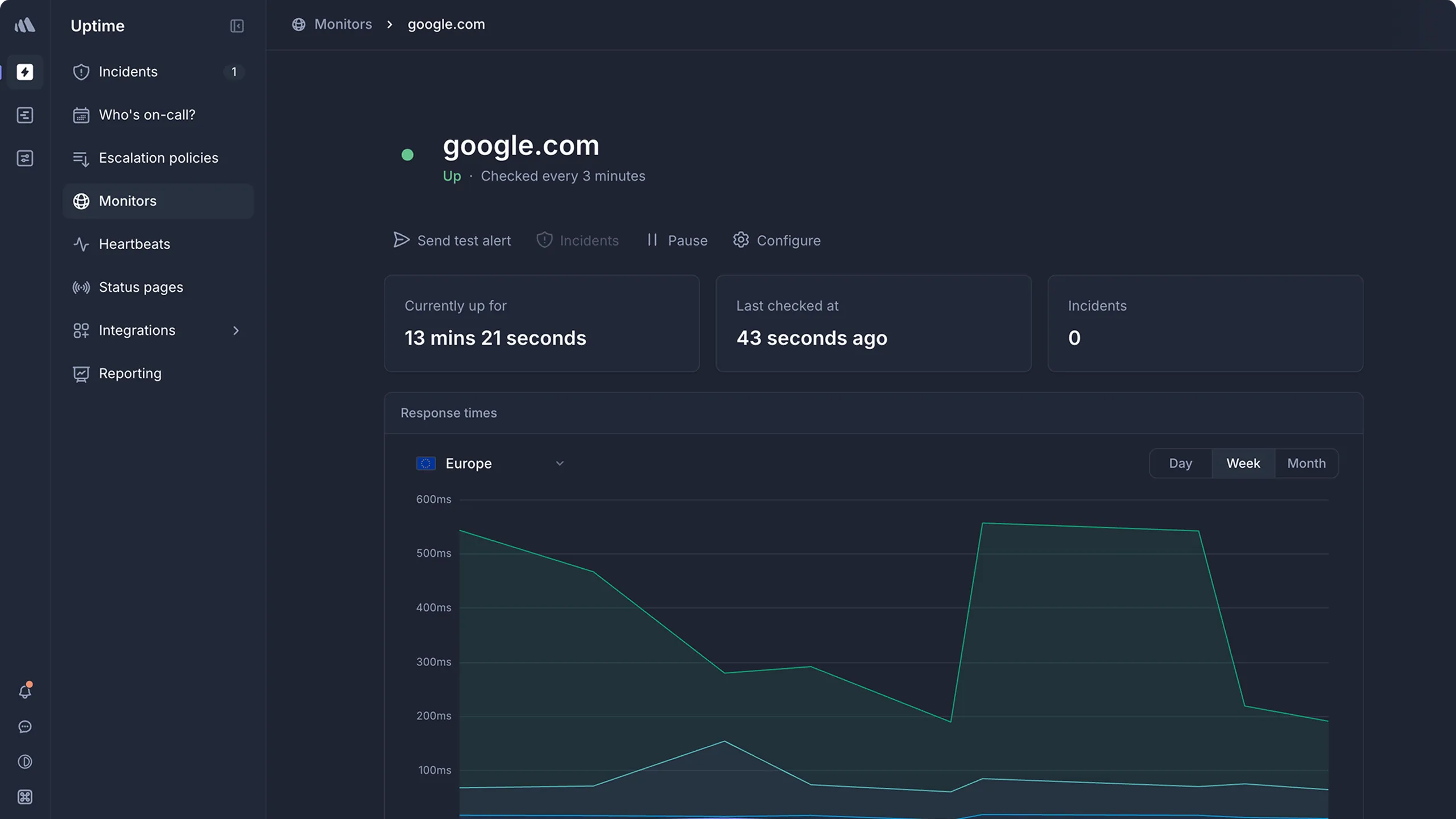
Better Stack puts uptime checks in the same product as on-call, incidents, logs, and status pages. You pay per person on call, starting at $29/month.
| Best for | Starting price | Main limitation |
|---|---|---|
| Startups that want monitoring and on-call together | $29 per responder/mo | Status page extras and logs add up |
Who Better Stack is built for
Engineering teams that want the check, the status page, the incident timeline, and the logs from one vendor, usually because they're tired of wiring UptimeRobot to PagerDuty to a status page. In a February 2025 r/devops thread comparing Hyperping, Better Stack, and OneUptime, people praised Better Stack's support, logging, API, and Terraform provider. If you already run PagerDuty and only need a pinger, it's more than you need.
Notable features
- HTTP and API checks. JSON assertions on the response body.
- On-call. Schedules, escalation, phone, SMS, push, and email, with unlimited phone and SMS for responders.
- Incidents. Slack and Teams workflows, timelines, post-mortems.
- Status pages. Public and private, with subscriber notifications.
- Logs. Log management, billed separately.
- Terraform and API. A Terraform provider and a REST API.
- Paid extras. More status pages, white-label, SSO, IP allowlisting.
Why choose Better Stack over Pulsetic?
It runs the incident. Pulsetic sends the alert. Better Stack pages whoever is on call, opens an incident in Slack, and keeps the timeline for the post-mortem.
Unlimited phone and SMS. Pulsetic includes a pool of SMS and calls (30 on Solo, 100 on Team, 200 on Organization), then charges $0.10 each. Better Stack's responder seat includes unlimited phone and SMS.
The alert leads to the logs. If you'd open your logs the moment an alert fires, Better Stack keeps them in the same place.
What users say
Reviewers like having everything in one place. From an August 2026 G2 review:
"I love using Better Stack for logging, telemetry, and alerting. It's been great for unifying data from our multiple services."
Price is the usual complaint, especially for small teams. From a March 2026 G2 review:
"The pricing can feel a bit high for small teams or individual developers. Also, some of the more advanced features and configuration options come with a learning curve."
How much does Better Stack cost?
- Free: 10 monitors and heartbeats, 1 status page, Slack and email alerts
- Responder: $29 per user/month ($34 monthly), with uptime, incidents, on-call, status pages, and unlimited phone and SMS
- Extra public status page: $12/month
- Status page extras: custom CSS, white-label, SSO, and IP allowlisting cost extra
For 50 checks with on-call, you need at least one responder seat. Check the current monitor allowance before you assume $29 is the whole bill.
Where Better Stack falls short
The price grows with every person on call and every status page extra, and white-label and SSO on status pages cost more than on Pulsetic or Hyperping Business. It's harder to predict than Pulsetic Team at $19 or Hyperping Essentials at $24.
Is Better Stack right for you?
Pick Better Stack if incident management and logs are why you're leaving Pulsetic. If you only want more monitors or nicer status pages, Pulsetic or UptimeRobot is cheaper.
Checkly: Best for API and Playwright checks in Git
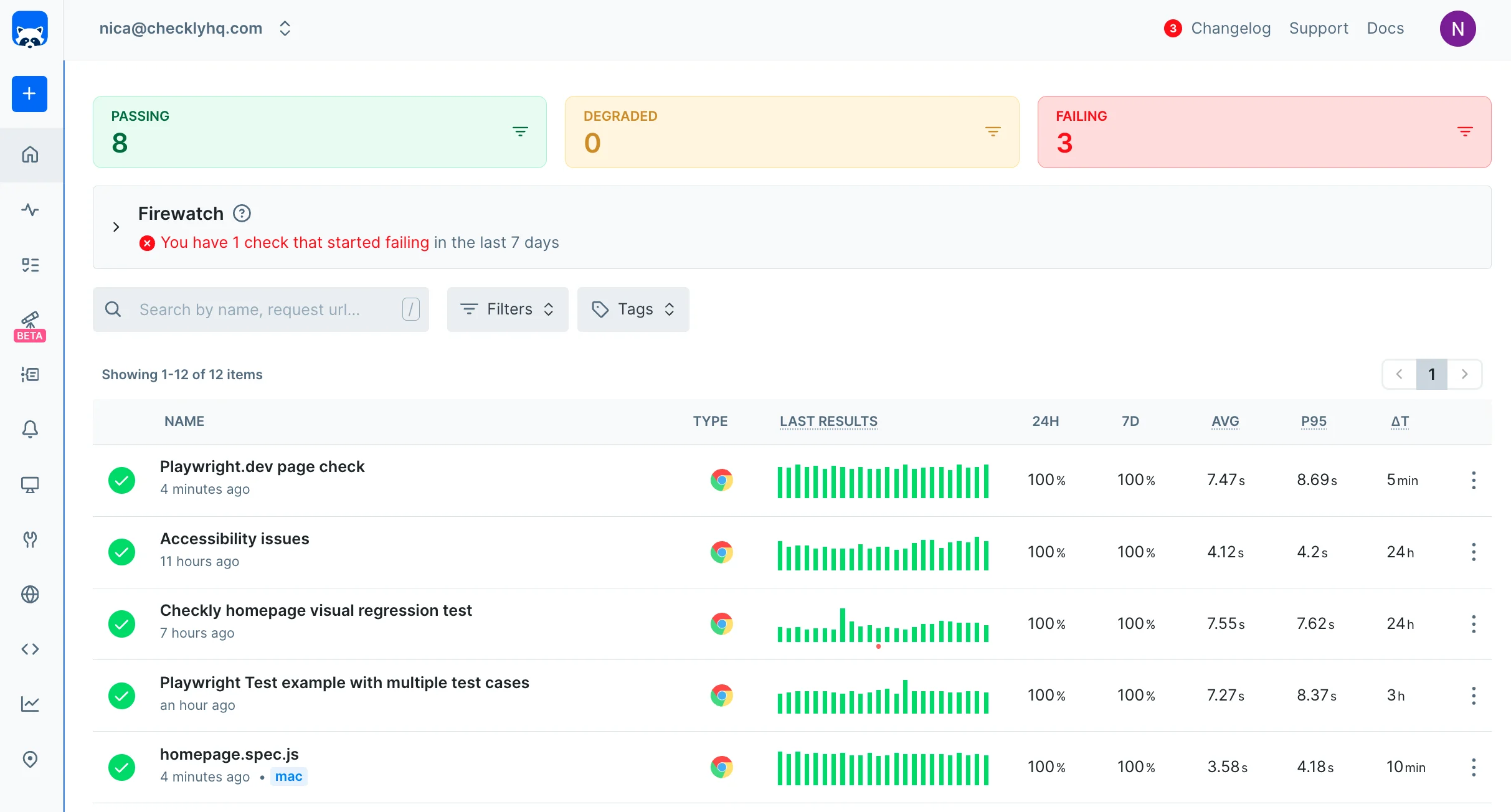
Checkly is for engineering teams who want their checks in code. You write them in TypeScript, review them in pull requests, and deploy them with a CLI. The free plan includes 10,000 API runs a month.
| Best for | Starting price | Main limitation |
|---|---|---|
| Developers who want Playwright and API checks in Git | Free; Starter $24/mo | Billed per run; no on-call |
Who Checkly is built for
Developers who don't want monitors that only exist in a dashboard. Usually a TypeScript team with a CLI in CI and a mix of API and Playwright checks. It's a poor fit if non-engineers need to create monitors. This r/devops thread is a typical example: the API needs more than a URL check, and Checkly is the name that comes up.
Notable features
- Checks as code. Written in TypeScript or JavaScript and stored in Git.
- Assertions. Status, latency, and specific fields in a JSON response.
- Multi-step API checks. Log in and pass a token to the next request.
- Browser checks. Playwright, in the same product.
- Locations. 6 on Hobby and Starter, 22 on Team, private locations on Team and above.
- Status pages. Basic, not a full customer status page product.
Why choose Checkly over Pulsetic?
Checks are reviewed like code. Pulsetic monitors live in a dashboard. With dozens of API checks, Git history is how you know which version is running.
It can test a user flow. Pulsetic has no browser checks. Checkly runs Playwright, and so does Hyperping, but Checkly is the one where the checks live in your repo.
What users say
Reviewers mostly talk about the Git workflow. From an August 2025 G2 review:
"What I like best about Checkly is its "monitoring-as-code" approach, which fits perfectly into modern CI/CD workflows. The ability to write API and browser checks in JavaScript/TypeScript using Playwright, commit them to Git, and run them globally is a game-changer."
How much does Checkly cost?
- Hobby: free, 10,000 API runs and 1,000 browser runs a month
- Starter: $24/month, 25,000 API runs and 3,000 browser runs
- Team: $64/month, 100,000 API runs, 12,000 browser runs, 22 locations, private locations
Starter covers about ten API checks every 20 minutes. Website checks every 30 seconds belong on Pulsetic or Hyperping.
Where Checkly falls short
It bills per run, so frequent checks from several locations get expensive. It has no on-call and only basic status pages. Pair it with PagerDuty, or use Hyperping or Better Stack if on-call is what you're missing.
Is Checkly right for you?
Pick Checkly if developers own your monitoring and want it in Git. If you want cheap website checks and unlimited client status pages, stay on Pulsetic or look at UptimeRobot.
Oh Dear: Best for per-site checks in the EU
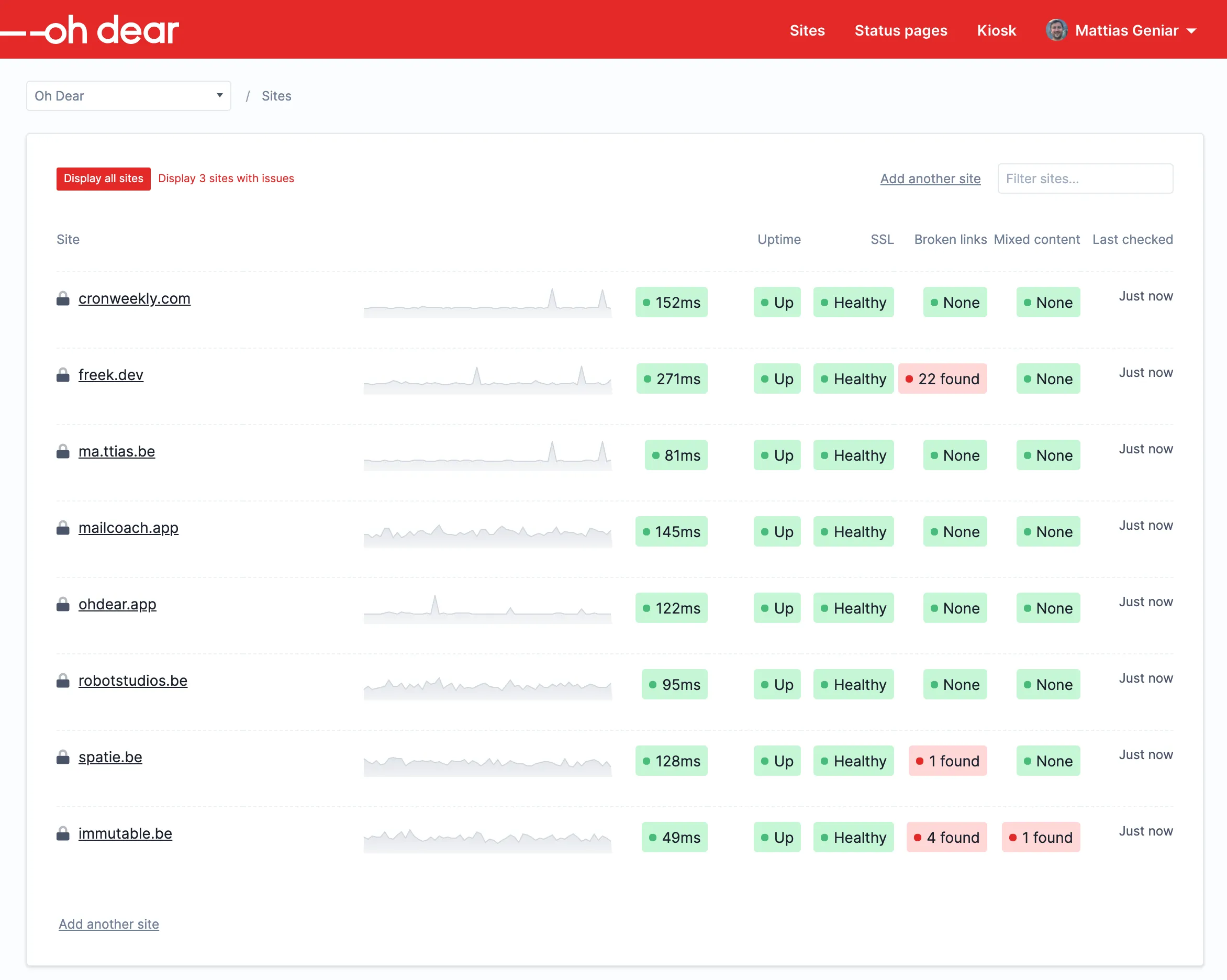
Oh Dear checks each site for uptime, SSL, broken links, Lighthouse scores, DNS, and cron, and includes branded status pages. Every feature is on every plan, and you pay by the number of sites.
| Best for | Starting price | Main limitation |
|---|---|---|
| Agencies and EU teams that price by site | €15/mo for 2 sites | No free plan; 1-minute checks |
Who Oh Dear is built for
Agencies and developers who want one bill per site instead of an uptime tool, an SSL checker, and a link crawler. Data is hosted in Belgium, and every plan includes unlimited users, where Pulsetic charges $8 per extra teammate.
Notable features
- Uptime. HTTP, ping, and TCP checks.
- SSL, DNS, and domain expiry. Included on every plan.
- Broken links and mixed content. Crawls each site for both.
- Lighthouse. Performance scores, which aren't the same as real user monitoring.
- Cron. Scheduled task monitoring.
- Status pages. Custom domain and subscribers.
- Users. Unlimited users and SSO on every plan.
Why choose Oh Dear over Pulsetic?
Every check comes with every site. Pulsetic is cheap if you only need HTTP checks and a status page. Oh Dear adds SSL chains, broken links, Lighthouse, and cron to every site, which would otherwise be separate tools.
No per-teammate pricing. Pulsetic charges $8 for each extra teammate. Oh Dear includes unlimited users on every plan.
EU company, euro invoices. Oh Dear is Belgian and stores data in the EU. Hyperping is EU-hosted too, so this only decides between the two if you want Oh Dear's checks.
What users say
Reviewers mention how quick it is to set up. From a 2025 G2 review:
"It was really easy to set up, we really like it!"
How much does Oh Dear cost?
In euro before VAT:
- Solo: €15/month, 2 sites
- Solo Plus: €29/month, 5 sites
- Freelance: €49/month, 10 sites
- Studio: €99/month, 25 sites
- Agency: €149/month, 50 sites
There's a 10-day trial with every feature and no card required. Fifty sites on Oh Dear cost €149/month, against $19/month for 50 HTTP checks on Pulsetic Team, so you're paying for the extra checks.
Where Oh Dear falls short
There's no free plan, no browser checks, and no on-call. Checks run every minute rather than every 30 seconds. If all you want is fast HTTP checks with phone alerts, Pulsetic Team is cheaper. Hyperping is better if you need on-call, and Checkly if you want checks in Git.
Is Oh Dear right for you?
Pick Oh Dear if you look after a list of sites and want SSL, broken links, and cron on the same EU-hosted bill. If you only need uptime and a status page, Pulsetic Team costs less.
Head-to-head
Pulsetic vs UptimeRobot
UptimeRobot wins on the free plan, with 50 monitors against Pulsetic's 10. Once you pay for 30-second checks, Pulsetic is cheaper: Team is $19/month for 50 monitors, while UptimeRobot Team is $35/month for 100. Pulsetic also includes unlimited status pages and a monthly pool of SMS and calls, while UptimeRobot sells SMS as credit packs. Neither has on-call. Pick UptimeRobot if you want to stay free, and Pulsetic if you're paying for faster checks and client status pages.
Pulsetic vs Better Stack
These are different purchases. Pulsetic is a cheap uptime tool with good status pages that sends alerts. Better Stack pages whoever is on call, runs the incident in Slack, and keeps your logs, and you pay $29 for each person on the rotation. Pick Pulsetic if a Slack message and a phone call are enough, and Better Stack if outages need an owner and a post-mortem.
Pulsetic vs Oh Dear
Both suit agencies. Pulsetic is cheaper for HTTP checks and adds real user monitoring, but charges $8 per extra teammate. Oh Dear bills by site, includes SSL, broken links, Lighthouse, and cron on every site, and gives you unlimited users. Pick Pulsetic for fast checks across many sites, and Oh Dear if clients expect a full health report on each site.
Which one should you pick?
| Buyer or situation | Recommended tool | Reason |
|---|---|---|
| SaaS team that needs on-call and a status page | Hyperping | 30-second checks, on-call, and a status page for $24/mo |
| Agency with many client status pages, nobody on call | Pulsetic Team | $19/mo, unlimited pages, extra monitors $0.20 |
| Hobby sites, as many free monitors as possible | UptimeRobot | 50 free monitors |
| Startup that wants incidents and logs in Slack | Better Stack | On-call and incidents included; logs if you need them |
| Developers who want checks in Git | Checkly | Playwright and API checks as code |
| EU agency that prices by site | Oh Dear | SSL, links, and cron on every site |
| Wants to self-host and run it themselves | Uptime Kuma | Listed below |
If you're spending under $20 a month, Pulsetic is hard to beat for paid checks, and UptimeRobot's free plan is hard to beat if 5-minute checks are enough. Hyperping and Better Stack only make sense once someone has to be on call.
If you already pay for PagerDuty, you don't need Hyperping or Better Stack for the on-call side. Keep Pulsetic, or move to UptimeRobot, and send alerts to PagerDuty.
Other credible options
Other uptime monitoring tools
| Tool | Main strength | Main limitation | Good for |
|---|---|---|---|
| Pingdom | Transaction checks and real user monitoring | No free plan | Sites that care about load times |
| StatusCake | Uptime, SSL, domain, page speed | Alerts only, no on-call | Lots of cheap basic checks |
| HetrixTools | Uptime plus IP blacklist monitoring | Few independent reviews | People running mail servers |
| Uptime.com | Many check types and SLA reports | Enterprise pricing | Ops teams with SLA reporting |
| HostTracker | Long-running uptime service | Dated interface | Simple uptime checks |
| OnlineOrNot | 30-second checks, browser checks, cron | Short Playwright run limit | Small SaaS teams |
| Phare | EU company, incidents, unlimited members | No browser checks | EU teams |
| Cronitor | Cron job monitoring plus uptime | Priced per monitor and per user | Teams with many scheduled jobs |
Observability and suites
| Tool | Main strength | Main limitation | Good for |
|---|---|---|---|
| Site24x7 | Websites plus servers, APM, network | Crowded dashboard | Teams that want a full suite |
| Datadog | Checks next to traces and logs | Billed per run and per product | Teams already on Datadog |
| Grafana Cloud | k6 scripted checks | You need to know Grafana | Teams already on Grafana |
| Uptrends | Large network of check locations | Credit-based pricing | Enterprise synthetic monitoring |
| Sematext | HTTP checks plus private locations | Browser checks aren't in Terraform | Teams already on Sematext |
| NoDisrupt | Website, database, and server checks | Few independent reviews | One login for sites and servers |
Open source, status pages, and on-call
| Tool | Main strength | Main limitation | Good for |
|---|---|---|---|
| Uptime Kuma | Free, clean interface, status pages | If your server goes down, so does monitoring | Homelabs and small teams |
| OneUptime | Open-source checks plus on-call | A whole ops platform to run | Self-hosters who want on-call |
| OpenStatus | Open-source status pages and checks | Few independent reviews | Developers who like open source |
| Prometheus Blackbox | Free HTTP and TLS checks | You run Prometheus | Teams already on Prometheus |
| Instatus | Fast public status pages | Doesn't monitor anything | A status page on top of Pulsetic |
| Statuspage (Atlassian) | Subscriber notifications | Doesn't monitor anything | Larger companies |
| Cachet | Self-hosted status pages | Doesn't monitor anything | Self-hosters |
| PagerDuty | Deep on-call features | Doesn't check uptime | Adding on-call to Pulsetic |
| incident.io | Incident process in Slack | Doesn't check uptime | Teams with a formal incident process |
Freshping shut down in 2026, and Opsgenie reaches end of life in April 2027, so I left both out.
How to test a Pulsetic alternative
Test with the checks you actually run. Here's what each tool gives you to try it:
- Hyperping: 20 monitors on the free plan, plus a 14-day trial of paid plans
- UptimeRobot: 50 monitors at 5-minute intervals on the free plan
- Better Stack: 10 monitors and 1 status page on the free plan
- Checkly: 10,000 API runs a month on the free Hobby plan
- Oh Dear: 10-day trial with every feature, no card
- Pulsetic: keep your current plan running while you test
Then break things on purpose:
- Recreate three Pulsetic checks: a public homepage, a keyword or API check, and a cron heartbeat if you used one.
- Return HTTP 200 with the wrong content, and confirm the tool alerts on the body, not only the status code.
- Fail the check from one region, and see whether the tool confirms from another region before paging you.
- Ignore an alert. Check who gets paged next, whether it escalates, and how acknowledging stops it.
- Publish a status page on your domain and count how many you'll need for clients.
- Price your exact setup: monitors, interval, seats, SMS, status pages, and browser checks.
- If you used Pulsetic's real user monitoring, decide whether you still need it. Hyperping doesn't offer it, and Pingdom and Uptime.com do.
- Run both tools on the same URLs for a week before you cancel Pulsetic.
Give every monitor an owner. A check nobody trusted in Pulsetic will get muted in the new tool too.
Related reading
- Create a monitor: HTTP, keyword, and interval settings
- Keyword monitoring
- Healthchecks
- Hyperping vs UptimeRobot
- Hyperping vs Better Stack
- Hyperping vs Checkly
- Hyperping vs Oh Dear
- Status pages: public and private pages on your domain
- Uptime monitoring hub: all Hyperping uptime resources
- Hyperping pricing: monitors, status pages, and seats by plan
FAQ
What are the best Pulsetic alternatives? ▼
It depends on what you used Pulsetic for. Hyperping fits website and API checks with on-call and a status page. UptimeRobot fits a lot of cheap availability checks. Better Stack fits checks next to incidents and logs. Checkly fits API and Playwright checks in Git. Oh Dear fits agencies that want SSL, broken links, and cron on every site.
Why do people leave Pulsetic? ▼
The usual reasons are the free plan's 10-monitor and 5-minute limits, limited alert customization, paying $8 per extra teammate, and wanting on-call schedules or Playwright browser checks, which Pulsetic doesn't offer.
Pulsetic vs Hyperping: which is better? ▼
Pulsetic if you want unlimited status pages, real user monitoring, and $0.20 extra monitors: Team is $19/month for 50 monitors at 30 seconds. Hyperping if a failed check should page an on-call rotation or you need Playwright browser checks: Essentials is $24/month for 50 monitors at 30 seconds with on-call included.
Pulsetic vs UptimeRobot: which is better? ▼
UptimeRobot if you want the most free monitors: 50 at 5-minute intervals, against Pulsetic's 10. Pulsetic if you pay for 30-second checks: Team is $19/month for 50 monitors, while UptimeRobot Team is $35/month for 100. Neither has on-call scheduling.
What is a cheaper alternative to Pulsetic? ▼
UptimeRobot's free plan covers 50 monitors at a 5-minute interval, and Hyperping's covers 20. For 50 monitors at 30 seconds, Pulsetic Team is still one of the cheapest options at $19/month, or $190/year.
Does Pulsetic have a free plan? ▼
Yes. Pulsetic's free plan has 10 monitors, 5-minute checks, and status pages on your own domain. Paid plans start with Solo at $9/month.