The best DNS monitoring tools are Hyperping for fast DNS checks with on-call and a status page, Oh Dear for authoritative nameserver comparison and change history, Site24x7 for DNSSEC and global locations inside a suite, UptimeRobot for inexpensive DNS checks next to HTTP, and DNS Spy for dedicated DNS security and WHOIS.
I analyzed 24 products and shortlisted five. Every tool below queries DNS on a schedule and alerts when the answer is missing or wrong. Lookup sites, DNS filters, and provider control panels are further down.
Prices were checked in September 2026. The difference that changes the shortlist most is how often the check runs: Oh Dear's DNS check defaults to every two hours, while Hyperping DNS monitors run every 30 seconds on Essentials. Pick Oh Dear when you want change history across every authoritative nameserver and can live with the slower poll.
| Tool | Best for | Starting price | Main limitation |
|---|---|---|---|
| Hyperping | Fast DNS checks with on-call | $24/mo | No DNS on the free plan; no zone history |
| Oh Dear | Record changes across authoritative nameservers | €15/mo for 2 sites | DNS checks every 2 hours by default |
| Site24x7 | DNSSEC and 130-plus locations | Free; paid from $9/mo | Crowded console |
| UptimeRobot | Cheap DNS checks next to HTTP | DNS from $9/mo | No on-call; no zone audit |
| DNS Spy | Dedicated DNS security and WHOIS | $9/mo for 10 domains | Email alerts only on Personal |
Why trust this guide
I'm Léo, founder of Hyperping. Yes, that means I have a stake in one of these tools. But I've watched teams pick competitors when they were the better fit, and I'm not going to pretend otherwise. My goal isn't to convince you Hyperping is always the answer. It's to help you understand which tool actually solves your problem.
I went through vendor docs, pricing pages, and G2 reviews for every tool on the list, in September 2026.
What is DNS monitoring?
DNS monitoring sends scheduled queries for a hostname and record type, then treats a missing, wrong, or disagreeing answer as a failure. A useful check names the record (A, MX, NS, TXT, and the rest), an expected value, and often which nameserver to ask. Failed checks should page the same people who get HTTP outages, because users experience a DNS failure as "the site is down."
HTTP monitors can keep passing while DNS is already wrong, because resolvers cache and your laptop is on a different resolver than a customer in another country. The failures you care about:
- The domain expired and nothing resolves.
- The record still resolves, to an IP you didn't set.
- MX or SPF changed and mail bounces while the website looks fine.
- One authoritative nameserver still serves the old value after a migration.
- Resolution is so slow that every page load pays for it.
- DNSSEC is broken or missing when you thought it was on.
- A dangling CNAME points at a cloud resource you deleted.
| Method | Traffic | Where it runs | What it catches | Where it misses |
|---|---|---|---|---|
| DNS record monitoring | Scheduled queries | Production | A wrong or missing record | Expected value goes stale after a change |
| DNS lookup | On demand | Anywhere | The answer right now | Nobody runs it after hours |
| HTTP monitoring | Scheduled HTTP | Production | A broken site | Cached DNS hides a record change |
| DNS server telemetry | Agent or query logs | Your resolvers | Latency, cache, and daemon health | Records you don't host |
Hyperping, UptimeRobot, and Site24x7 treat DNS as another monitor type next to HTTP. Oh Dear and DNS Spy treat DNS as change detection. Datadog's DNS views are closer to telemetry. Those are different purchases.
What should a DNS monitoring tool catch?
The site was up and nobody could resolve it
Servers answered, and HTTP checks from a warm resolver still passed, while customers on a different resolver got NXDOMAIN. A DNS monitor with an expected A record is the check that pages first. Hyperping's DNS docs list the usual causes: expired domains, hijacked or misconfigured records, and propagation failures.
The A record moved and HTTP still looked fine
Caches keep the old IP for the length of the TTL. Oh Dear is built to show you the record change itself, before the outage it causes. Its DNS check queries every authoritative nameserver it discovers and fails when one disagrees.
Mail broke and the website was fine
MX, SPF, DKIM, and DMARC live in DNS, so a website check won't tell you. Hyperping and Site24x7 can watch MX or TXT as their own monitors. Oh Dear flags some mail mistakes as advisory findings that don't page you.
Nameservers disagreed after a migration
One nameserver still has the old zone, and a single dig returns whichever answered first. Oh Dear names the nameserver that differs. Hyperping can do the same with one monitor per nameserver and the same expected answer.
DNS needs to page the same person as HTTP
A DNS failure at 3am still looks like an outage to users. Hyperping and Site24x7 send DNS failures down the same alert path as HTTP. Oh Dear routes alerts per site. DNS Spy's Personal plan only sends email; Slack and PagerDuty are on Enterprise.
I wanted a zone audit, not a check every 30 seconds
DNSSEC, dangling CNAMEs, WHOIS changes, and look-alike domains are DNS Spy and Site24x7 territory. A 30-second A-record check won't grow into that, and apart from domain expiry reminders, Hyperping doesn't try.
DNS monitoring capability comparison
The biggest split is how often each tool checks and whether it compares nameservers for you.
| Capability | Hyperping | Oh Dear | Site24x7 | UptimeRobot | DNS Spy |
|---|---|---|---|---|---|
| Record types | A, AAAA, CNAME, MX, NS, TXT, SOA, SRV, CAA, PTR | Every record found on the hostname | 12 types including DS, DNSKEY | Common record types | Full record inventory |
| Expected answer | Substring match | Compared to previous state | Regex | Yes | Alerts on change |
| Query a specific nameserver | Yes | All authoritative nameservers | Yes | Not documented | Nameserver sync |
| Compares nameservers | One monitor per nameserver | Built in | Propagation monitoring | No | Yes |
| Change history | Monitor logs | Timestamped history | Reports | Limited | 1 year |
| DNSSEC | No | Advisory findings only | Yes | No | Enterprise plan |
| Fastest check | 30s on Essentials, 20s on Business | 2 hours by default | 1 minute on the website pack | 60s Solo, 30s Team | Not published |
| On-call and escalation | Yes | Alerts per site | Yes | No | PagerDuty on Enterprise |
| WHOIS and domain expiry | Domain expiry, from RDAP or WHOIS | Separate domain check | Yes | Domain expiry on paid | Yes, every plan |
DNS monitoring pricing compared
Vendors bill DNS by monitor, by site, or by domain, so the same zone costs very different amounts.
| Tool | Free plan | First paid plan | What it includes | Billed by | Watch out for |
|---|---|---|---|---|---|
| Hyperping | 20 monitors, no DNS | Essentials, $24/mo | 50 monitors at 30s, DNS, on-call, 1 status page | Plan | Each record type is its own monitor |
| Oh Dear | No; 10-day trial | Solo, €15/mo | 2 sites, DNS plus uptime, SSL, links, cron | Site | Solo only covers 2 sites |
| Site24x7 | Yes, limited resources | Web Uptime, $9/mo | 25 website monitors at 1 minute, 3 status pages | Pack | Servers, APM, and faster intervals are extra |
| UptimeRobot | 50 HTTP monitors, no DNS | Solo, $9/mo | 10 monitors at 60s, DNS and SSL | Monitor | Solo has fewer monitors than Free |
| DNS Spy | No; 7-day trial | Personal, $9/mo | 10 domains, WHOIS, SSL expiry, email alerts | Domain | Slack and PagerDuty need Enterprise at $49/mo |
What 10 DNS checks cost
Take 10 DNS checks: A, AAAA, MX, NS, and TXT on two hostnames. This is my estimate from public pricing.
| Tool | Plan that covers it | Monthly cost | Note |
|---|---|---|---|
| Hyperping | Essentials, 50 monitors | $24 | On-call included; 40 monitors left for HTTP |
| Oh Dear | Solo, 2 sites | €15 | Every record on both hostnames, every 2 hours |
| Site24x7 | Web Uptime, 25 monitors | $9 | Each DNS check uses a monitor slot in the pack |
| UptimeRobot | Solo, 10 monitors | $9 | Uses the whole Solo allowance |
| DNS Spy | Personal, 10 domains | $9 | Two domains cover it; email alerts only |
Oh Dear and DNS Spy come out cheap here because they bill by hostname or domain and check every record on it. That flips once you have many hostnames: 10 hostnames on Oh Dear need Freelance at €49/month. Site24x7 is the cheapest per-check option, and Hyperping costs more but is the only one here with on-call included on the entry plan.
Hyperping: Best for fast DNS checks with on-call
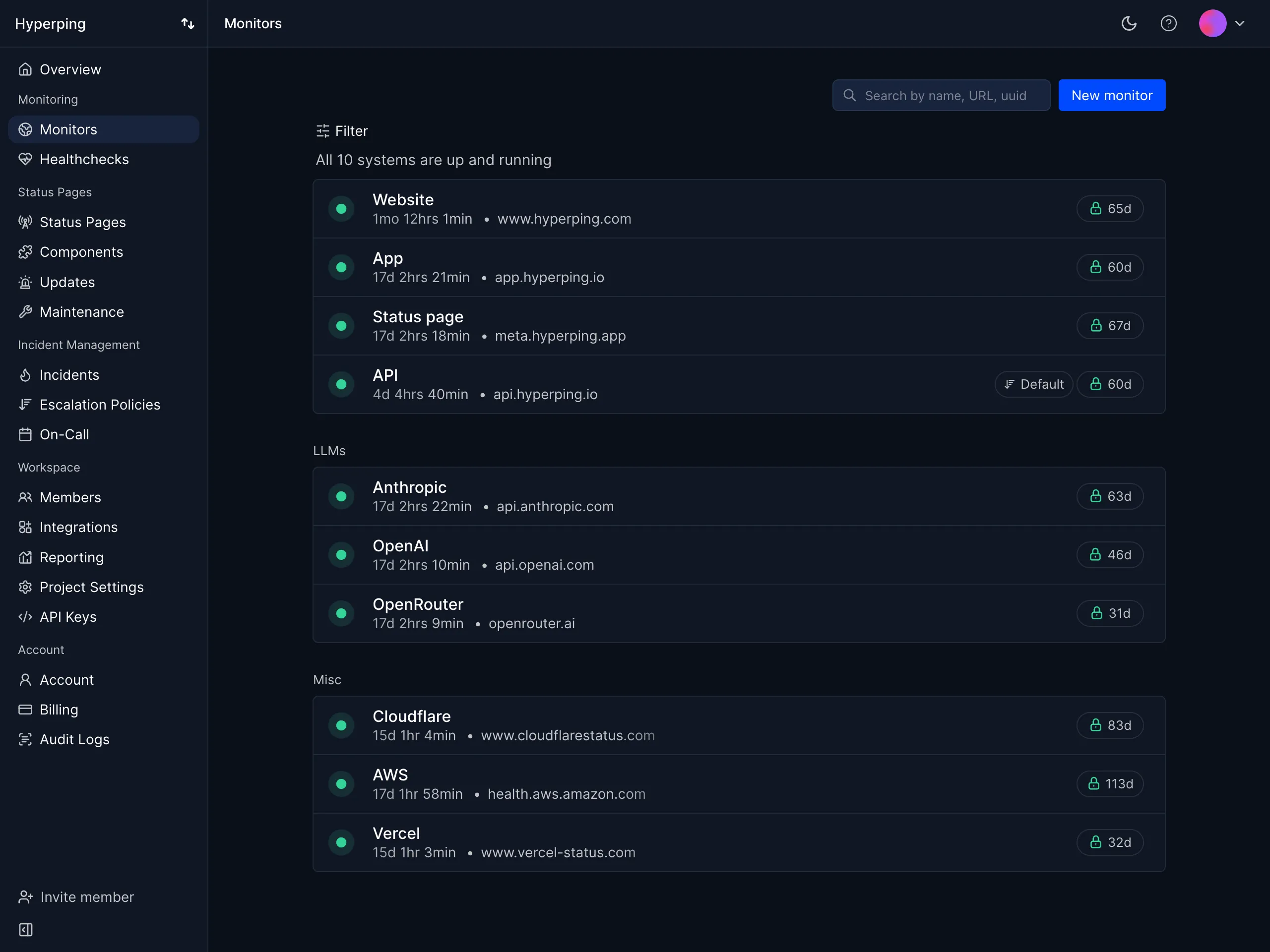
Hyperping's DNS monitoring treats DNS as another monitor type next to HTTP, ping, and port. A failed DNS check uses the same on-call, escalation, and status pages as any other outage.
| Best for | Starting price | Main limitation |
|---|---|---|
| DNS checks that page the same rotation as HTTP | $24/mo | No DNS on the free plan; no zone history |
Who Hyperping is built for
Small engineering teams that already watch HTTP and want DNS in the same product, at the same interval, with the same on-call rotation. Usually that's a public site, an API hostname, and an MX record. A full zone inventory or phishing-domain scans need a different product.
Notable features
- Record types. A, AAAA, CNAME, MX, NS, TXT, SOA, SRV, CAA, PTR, one type per monitor.
- Expected answer. Substring match, so an A record can require
192.0.2.1. - Nameserver. Optional, for example
8.8.8.8or your authoritative nameserver. - Interval. 30 seconds on Essentials and Pro, 20 seconds on Business.
- Regions. 18, with a failure confirmed from other regions before anyone is paged.
- On-call and status pages. The same as for HTTP monitors.
- API and MCP. Set
protocoltodns. The Terraform provider doesn't cover DNS monitors yet.
Why choose Hyperping for DNS monitoring?
A bad record pages someone in seconds. Oh Dear's DNS check runs every two hours by default. Hyperping DNS monitors run every 30 seconds on Essentials, so a wrong A record wakes someone up before most caches expire.
DNS goes through the same on-call as HTTP. DNS Spy Personal sends email, and UptimeRobot has no on-call. On Hyperping, a failed DNS check retries, opens an incident, escalates if nobody acknowledges, and updates your status page.
It fits in the plan you already have. If you only need A and MX on two hostnames, those are four monitors inside the Essentials plan you'd buy for HTTP anyway.
What users say
Alma runs Datadog and keeps Hyperping as an outside check. Their SRE, Fabrice Gregoire:
"Hyperping's reputation in our company is that it's more reactive than Datadog. We usually get notifications from Hyperping before Datadog."
How much does Hyperping cost?
- Free: 20 monitors, 5-minute checks, HTTP, port, ping, and keyword. No DNS
- Essentials: $24/month ($29 monthly) for 50 monitors, 30-second checks, DNS, on-call, 1 status page, 3 seats
- Pro: $74/month ($89 monthly) for 250 monitors, 3 status pages, 10 seats
- Business: $249/month ($299 monthly) for 1,000 monitors, 20-second checks, 10 status pages, 20 seats
Ten DNS monitors fit on Essentials at $24/month.
Where Hyperping falls short
No zone-wide change history, no check that compares every authoritative nameserver at once, no DNSSEC, and no WHOIS monitoring beyond the domain's expiry date. Each record type is a separate monitor, so A plus MX plus TXT is three monitors. Oh Dear and DNS Spy are better if you want to audit the zone, and Site24x7 is better if you need DNSSEC or 130 locations.
Is Hyperping right for you?
Pick Hyperping if a DNS failure should page the same rotation as an HTTP outage, within 30 seconds. Look elsewhere for a two-hour zone diff, DNSSEC, or a security grade across 100 domains.
Oh Dear: Best for DNS change history
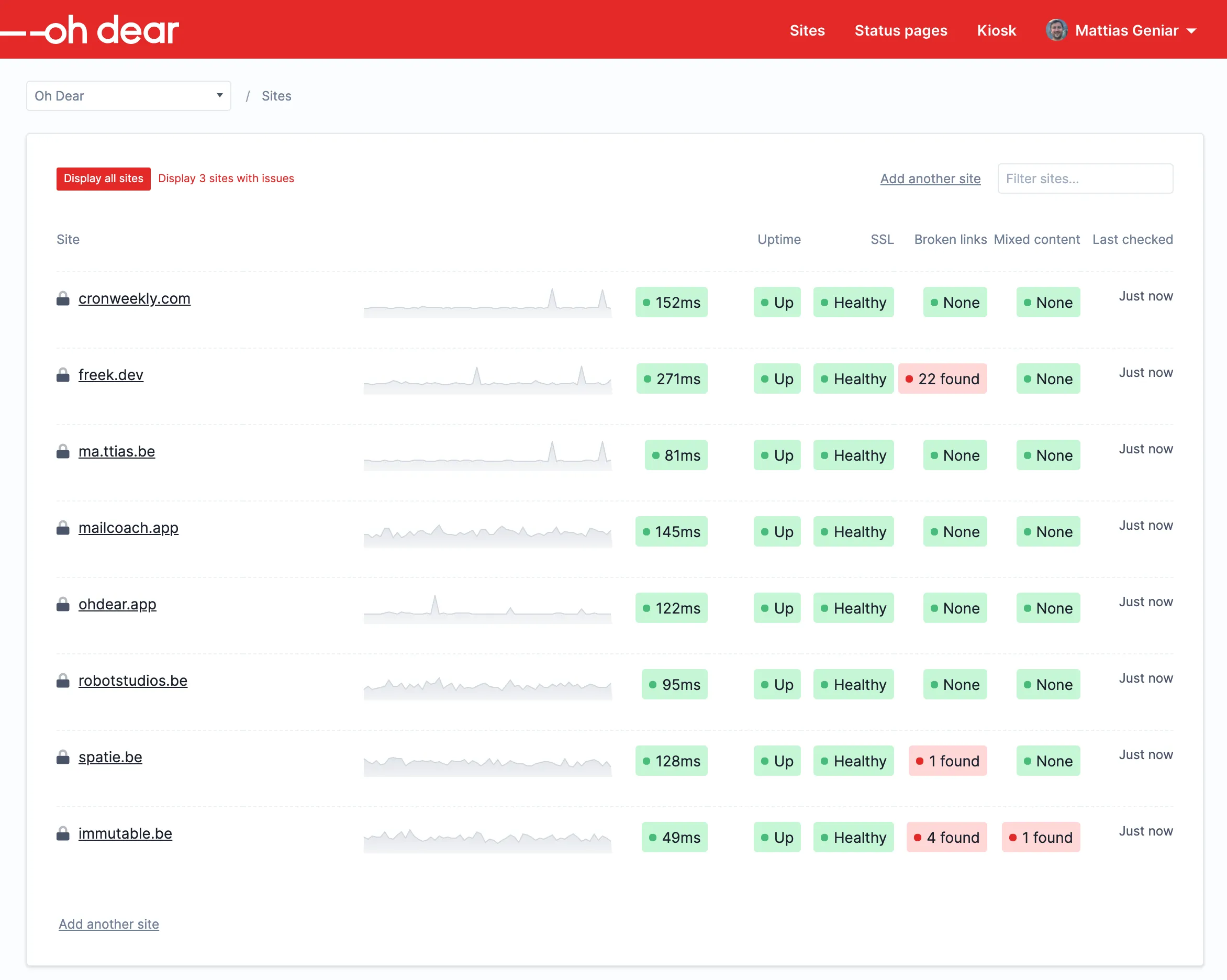
Oh Dear records the DNS state of each hostname, rechecks every authoritative nameserver it finds, and alerts when a record changes or a lookup starts failing. DNS is included on every plan.
| Best for | Starting price | Main limitation |
|---|---|---|
| Seeing which nameserver still has the old value | €15/mo for 2 sites | DNS checks every 2 hours by default |
Who Oh Dear is built for
Agencies and developers who got burned by a silent record change and want a history and a diff. Data is hosted in Belgium, and every plan includes unlimited users.
Notable features
- Nameserver comparison. Every authoritative nameserver it finds, and it names the one that differs.
- Change history. Previous and current values, with timestamps and API access.
- Record validation. SPF
+all, duplicate SPF records, apex CNAME, and malformed CAA, reported as advisory findings. - Ignored record types. Skip records that are supposed to change.
- Cloudflare. A and AAAA changes are ignored when Cloudflare nameservers are detected.
- Interval. Every two hours by default, adjustable per site.
- One bill. Uptime, SSL, broken links, cron, and DNS on the same plan.
Why choose Oh Dear for DNS monitoring?
It compares the nameservers for you. Hyperping can only do this if you create one monitor per nameserver. Oh Dear finds the authoritative nameservers and compares them in one check.
It tells you what the record was before. A failed check tells you the record is wrong now. Oh Dear's history tells you what it was, and when it changed.
What users say
Casey Sprague, CTO at thera-LINK, on Oh Dear's DNS page:
"Oh Dear detected an issue that our other uptime monitor did not!"
How much does Oh Dear cost?
In euro, before VAT:
- Solo: €15/month, 2 sites
- Freelance: €49/month, 10 sites
- Studio: €99/month, 25 sites
- Agency: €149/month, 50 sites
There's a 10-day trial with every feature and no card required. Two hostnames fit on Solo at €15/month.
Where Oh Dear falls short
The two-hour default is what people miss: it won't wake anyone during a hijack. There's no on-call rotation, no Playwright, and DNSSEC problems are advisory rather than a failing check. Pair it with Hyperping or Site24x7 for a fast A-record check, use Site24x7 for DNSSEC, and use DNS Spy for WHOIS and look-alike domains.
Is Oh Dear right for you?
Pick Oh Dear if you want a dated history of what your authoritative nameservers served. If a bad A record should page someone within a minute, add a faster check next to it.
Site24x7: Best for DNSSEC inside a suite
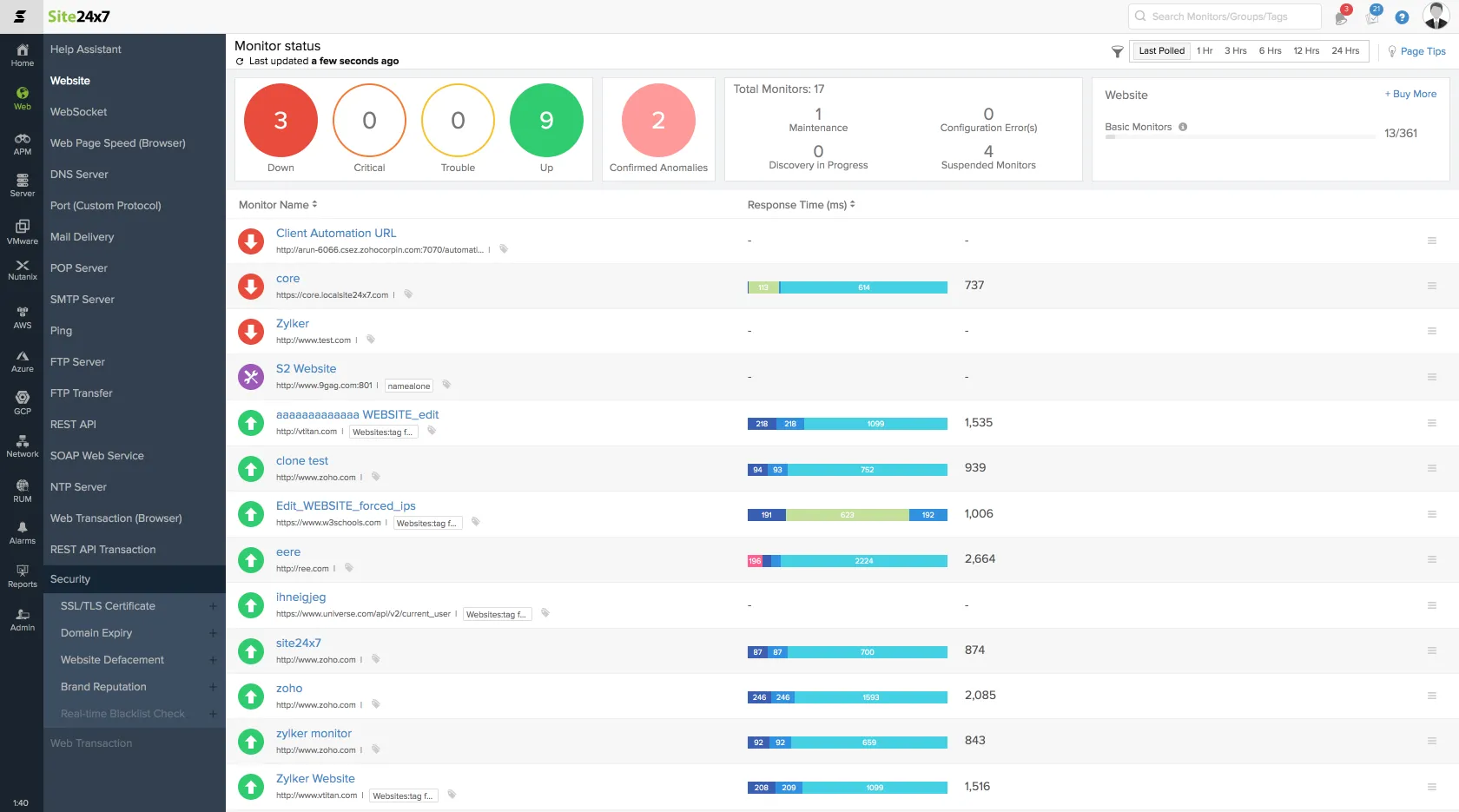
Site24x7 runs DNS checks from 130-plus locations, validates DNSSEC, and ties failures to the rest of the Zoho suite. The Web Uptime pack starts at $9/month.
| Best for | Starting price | Main limitation |
|---|---|---|
| DNSSEC and global resolution in a suite | Free; paid from $9/mo | Crowded console |
Who Site24x7 is built for
IT and SRE people who already use Site24x7, or who need DNSSEC, regex answer checks, and cloud DNS metrics (Route 53, Azure DNS, Google Cloud DNS) in one purchase. Two A records and a status page don't need this much product.
Notable features
- Locations. 130-plus, over TCP or UDP.
- Record types. 12, including DS and DNSKEY.
- Expected answers. Regular-expression matching.
- DNSSEC. Its own check type.
- Root cause. DNS analysis, ping, traceroute, and MTR on failure.
- Cloud DNS. Route 53, Azure DNS, and Google Cloud DNS metrics.
- Alerts. Slack, Teams, SMS, voice, email, PagerDuty.
Why choose Site24x7 for DNS monitoring?
DNSSEC is a real check. Hyperping doesn't validate DNSSEC, and Oh Dear only reports some problems as advisory. Site24x7 fails the check when DNSSEC breaks.
Resolution from many countries. If you need to see how your records resolve worldwide, Site24x7 publishes 130-plus locations. Hyperping has 18.
The cheapest per-check option. Twenty-five monitors for $9/month is hard to beat if you'll also use the rest of the suite.
What users say
The complaint that comes up when people leave is the console. From an r/sysadmin thread on Site24x7 alternatives, people pointed each other to UptimeRobot and Pingdom for simple uptime and Datadog for deeper observability.
[NEEDS SOURCE: a G2 or Reddit quote about Site24x7 DNS monitoring]
How much does Site24x7 cost?
- Free: a limited number of resources, with email alerts
- Web Uptime: $9/month for 25 websites at 1-minute checks, 32 locations, 3 status pages
- Trial: 30 days of paid packs
Ten DNS checks fit in the Web Uptime pack if you aren't already using those slots for HTTP.
Where Site24x7 falls short
Packs split basic and advanced monitors, and the console gets crowded once you go past website checks. Hyperping is simpler for a handful of DNS and HTTP checks, Oh Dear is clearer for record diffs, and DNS Spy is clearer for WHOIS.
Is Site24x7 right for you?
Pick Site24x7 if DNSSEC and many locations matter and you'll use more of the suite. A 30-second A-record check with a status page is simpler elsewhere.
UptimeRobot: Best for inexpensive DNS checks
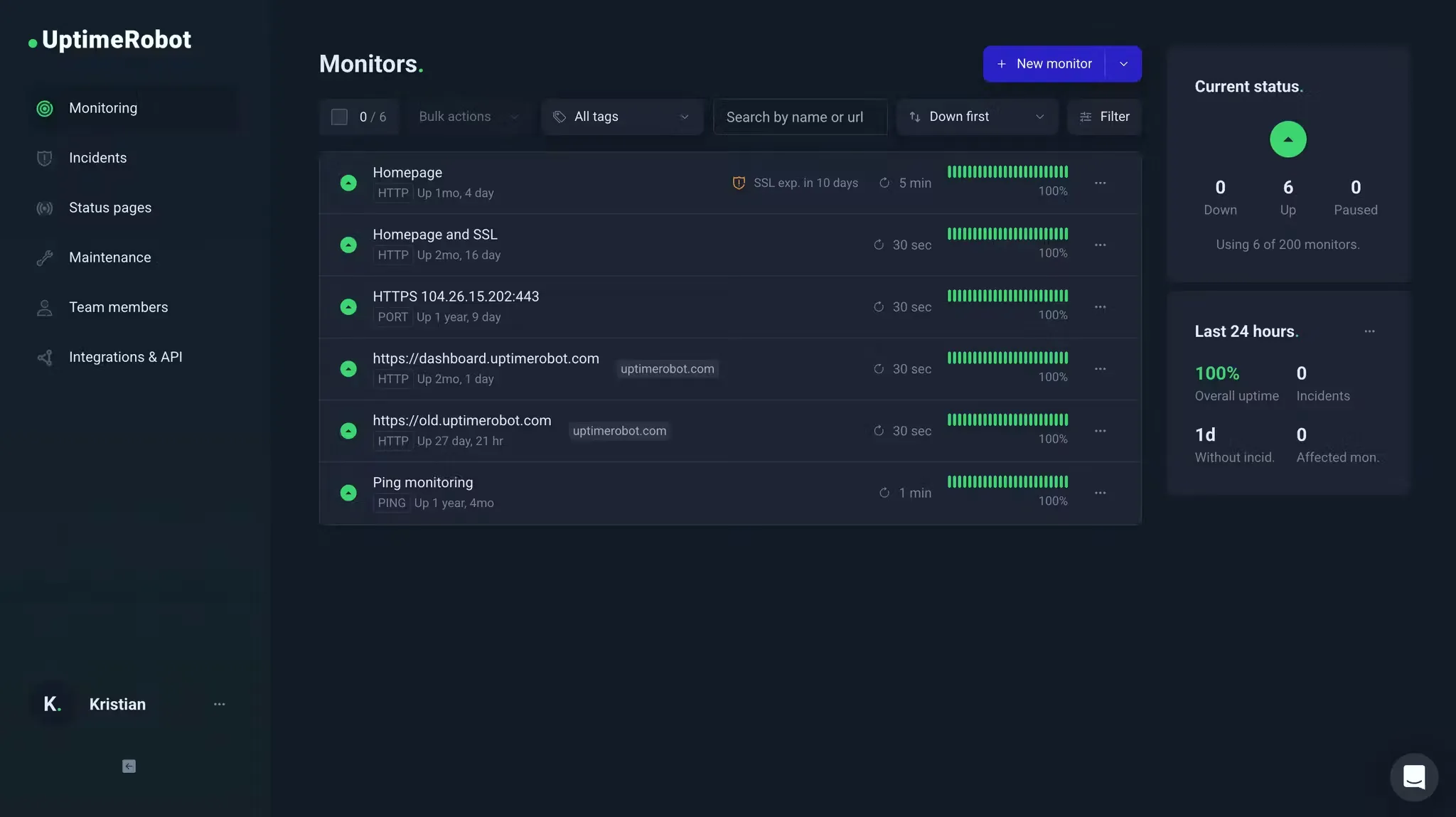
UptimeRobot adds DNS monitors on paid plans, next to HTTP, keyword, ping, and port. Solo starts at $9/month.
| Best for | Starting price | Main limitation |
|---|---|---|
| A few DNS checks on a cheap plan | DNS from $9/mo | No on-call; no zone audit |
Who UptimeRobot is built for
Solo developers and small teams who already have HTTP monitors on UptimeRobot and want a DNS check without a second vendor. DNSSEC and WHOIS aren't what it's for.
Notable features
- DNS monitors. On paid plans, listed on the pricing page.
- Domain expiry. On paid plans.
- Intervals. 60 seconds on Solo, 30 seconds on Team.
- Status pages. On every plan.
- Alerts. Email, SMS, Slack, Teams, Discord, webhooks; no on-call rotation.
Why choose UptimeRobot for DNS monitoring?
You already run HTTP there. If your HTTP monitors live on UptimeRobot, adding a few DNS checks costs less than buying Oh Dear for two records.
Fifty free HTTP monitors stay free. DNS itself is paid, but the free plan still covers your HTTP checks while you test.
What users say
People mostly praise how easy it is to set up. From a July 2026 G2 review:
"I like that UptimeRobot is very intuitive and very easy to set up. It gives me timely email notifications and also the weekly summaries."
How much does UptimeRobot cost?
- Free: 50 HTTP monitors, 5-minute checks. No DNS
- Solo: $9/month for 10 monitors, 60-second checks, DNS and SSL
- Team: $35/month billed annually for 100 monitors, 30-second checks
Ten DNS checks fill Solo at $9/month.
Where UptimeRobot falls short
No on-call, no nameserver comparison, no DNSSEC, and no change history like Oh Dear's. Hyperping covers the on-call side, Oh Dear the diff, and Site24x7 DNSSEC.
Is UptimeRobot right for you?
Pick UptimeRobot if you want a few cheap DNS checks next to your HTTP monitors. If a failed DNS query should page someone on a rotation, use Hyperping or Site24x7.
DNS Spy: Best for dedicated DNS security
DNS Spy watches records, nameserver sync, WHOIS, SSL expiry, and, on Enterprise, look-alike phishing domains. Personal is $9/month for 10 domains.
| Best for | Starting price | Main limitation |
|---|---|---|
| Domain portfolios and DNS security | $9/mo for 10 domains | Email alerts only on Personal |
Who DNS Spy is built for
MSPs and security-minded people who think in domains rather than monitors. Personal covers 10 domains with email alerts. Enterprise covers 100 domains and adds Slack, Discord, PagerDuty, DNSSEC, dangling CNAME checks, and Phishing Sentinel.
Notable features
- Record changes. Alerts on changed records, plus nameserver sync.
- WHOIS and domain expiry. On every plan, with alerts at 90, 30, and 7 days.
- SSL expiry. On every paid plan.
- Security Center. 30-plus checks on Personal, more on Enterprise.
- Provider sync. Cloudflare, Route 53, GoDaddy, and others, read-only.
- Enterprise. DNSSEC, dangling CNAMEs, SPF, DKIM, and DMARC depth, phishing variants.
- History. 1 year, with BIND, CSV, and PowerDNS backups.
Why choose DNS Spy for DNS monitoring?
It inventories the whole zone. Hyperping checks the records you tell it to. DNS Spy pulls in every record in the zone and watches all of them.
WHOIS is included. Oh Dear has a separate domain check, and Hyperping only reads the domain's expiry date. DNS Spy covers WHOIS on every plan.
What users say
Keith Gatt, Technical Consultant at GOV Architects, on dnsspy.io:
"With control of your DNS, a malicious actor can with ease re-direct your website complete with valid SSL certs for your domain, or quietly update your MX records to deliver your email to another host and then relay back to you without you knowing."
How much does DNS Spy cost?
- Trial: 7 days with Enterprise features, no card
- Personal: $9/month, 10 domains, email alerts
- Enterprise: $49/month, 100 domains, add-on packs of 50
Ten domains fit on Personal at $9/month. Slack and PagerDuty need Enterprise.
Where DNS Spy falls short
Personal can't alert Slack or PagerDuty. It doesn't check HTTP uptime and has no on-call. Hyperping still covers the website, and Oh Dear covers nameserver diffs on the same bill as uptime and SSL.
Is DNS Spy right for you?
Pick DNS Spy if you need a security inventory of your domains and email alerts are enough. An A record that should page on-call still belongs in Hyperping or Site24x7.
Head-to-head
Hyperping vs Oh Dear
Hyperping checks one record every 30 seconds and pages your on-call rotation. Oh Dear checks every record on the hostname every two hours, compares every authoritative nameserver, and keeps the history. Pick Hyperping for the records that should wake someone up, Oh Dear for knowing what changed during a migration. Plenty of people run both: Hyperping on the A and MX records, Oh Dear on the zone.
Oh Dear vs DNS Spy
Both are change-detection products. Oh Dear bills by site and puts DNS on the same bill as uptime, SSL, and broken links, which suits agencies with a handful of client sites. DNS Spy bills by domain, adds WHOIS and security checks, and is cheaper for 10 domains, but Personal only sends email. Pick DNS Spy if you manage a domain portfolio, Oh Dear if DNS is one part of looking after a site.
Site24x7 vs UptimeRobot
Both add DNS as a monitor type next to HTTP. Site24x7 gives you DNSSEC, regex matching, and 130-plus locations for $9/month, inside a console that does much more than you need. UptimeRobot is easier to set up but has no DNSSEC and no on-call. Pick Site24x7 if DNSSEC matters, UptimeRobot if you only need a few extra checks next to HTTP.
Do I need a DNS check or a zone audit?
A DNS check (Hyperping, UptimeRobot, Site24x7) asks one question about one record, often, and pages someone when the answer is wrong. A zone audit (Oh Dear, DNS Spy) looks at everything, less often, and tells you what changed. Outages need the first. Migrations, security reviews, and domain portfolios need the second.
Which one should you pick?
| Buyer or situation | Recommended tool | Reason |
|---|---|---|
| DNS should page the same rotation as HTTP, fast | Hyperping | 30-second DNS checks with on-call |
| Need to know which nameserver has the old zone | Oh Dear | Nameserver comparison and history |
| DNSSEC and many countries, already in a suite | Site24x7 | 130-plus locations and DNSSEC |
| A few extra DNS checks next to cheap HTTP | UptimeRobot | Solo from $9/mo |
| 10 to 100 domains, WHOIS and record security | DNS Spy | Built for domain portfolios |
| Resolver CPU, cache, and query volume | Datadog | DNS telemetry, listed below |
If you're spending under $15 a month, DNS Spy Personal or Oh Dear Solo will cover a couple of domains, and Site24x7's $9 pack covers 25 checks. You only need to pay for Hyperping if the check has to page an on-call rotation.
If you already run HTTP monitoring somewhere, add DNS there first. Hyperping, UptimeRobot, and Site24x7 all put DNS on the same plan as HTTP, so you don't need a second vendor until you want zone history or security checks.
Other credible options
Uptime tools with a DNS check
| Tool | Main strength | Main limitation | Good for |
|---|---|---|---|
| Pingdom | Mature synthetic checks | Shallow DNS options | Teams already on SolarWinds |
| Better Stack | Incidents next to uptime | No zone history or DNSSEC | Teams that also want logs |
| StatusCake | Domain and DNS with uptime | Alerts only, no on-call | Cheap basic checks |
| HetrixTools | Uptime plus DNS blacklists | Blacklist and uptime first | People running mail servers |
| Uptime.com | Many check locations | Enterprise pricing | Larger websites |
| Pulsetic | Domain expiry with uptime | No record diff | Small teams that want a status page |
| Checkly | Scripted checks in Git | Not built for DNS | Developers who write checks in code |
Enterprise and DNS telemetry
| Tool | Main strength | Main limitation | Good for |
|---|---|---|---|
| Catchpoint | Global DNS performance | Enterprise procurement | Network reliability teams |
| ThousandEyes | Internet and DNS path | Cisco enterprise purchase | Existing Cisco shops |
| Datadog | DNS next to traces and metrics | Watches from inside, not outside | Teams already on Datadog |
| Cloudflare | Analytics for zones it hosts | Only sees DNS it serves | Zones already on Cloudflare |
| Route 53 | Health checks in AWS | Tied to AWS | AWS-only setups |
| NS1 | Managed DNS with traffic steering | Tied to NS1 | Zones already on NS1 |
Open source and lookups
| Tool | Main strength | Main limitation | Good for |
|---|---|---|---|
| Uptime Kuma | Self-hosted DNS checks | You run and host it | Homelabs and small teams |
| Prometheus Blackbox | Free DNS probes | You run Prometheus | Teams already on Prometheus |
| OneUptime | Open-source monitoring | A whole ops platform to run | Self-hosters who want on-call |
| DNSPerf | Public resolver benchmarks | Doesn't alert | Choosing a DNS provider |
| Lookup sites | Free dig in a browser |
Nobody runs them after hours | One-off checks |
How to test DNS monitoring tools
Every tool on the shortlist has a free plan or a trial:
- Hyperping: 14-day trial of paid plans, which is where DNS is
- Oh Dear: 10-day trial, every feature, no card
- Site24x7: 30-day trial and a free plan
- UptimeRobot: DNS needs Solo or higher
- DNS Spy: 7-day trial with Enterprise features, no card
A single dig won't tell you how the product pages. Break records on purpose:
- Create an A-record check with an expected IP. Change the record in a staging zone, or point the monitor at a name you control.
- Create an MX or TXT check, and confirm a website check stays green while DNS fails.
- If the tool supports it, query two nameservers with the same expected answer, serve different values, and see whether the alert names the nameserver.
- Wait for the advertised interval. That's up to two hours on Oh Dear and 30 seconds on Hyperping Essentials, so don't score them on the same clock.
- Ignore the first alert and confirm who gets paged next. Hyperping and Site24x7 should escalate, while DNS Spy Personal only emails.
- Price your exact inventory: record types times hostnames, or domains. Ten record checks and ten domains are different bills.
- If you need DNSSEC, dangling CNAMEs, or WHOIS, confirm those on the trial.
Give every DNS monitor an owner who can change the zone. A check that pages the wrong team gets muted.
Related reading
- DNS monitoring docs: record types, expected answers, and nameservers in Hyperping
- Create a monitor: intervals, regions, and alerts
- Hyperping vs Oh Dear
- Hyperping vs UptimeRobot
- Website monitoring tools
- Uptime monitoring hub: all Hyperping uptime resources
- Hyperping pricing: DNS is included from Essentials
FAQ
What are the best DNS monitoring tools? ▼
The best DNS monitoring tools are Hyperping for fast DNS checks with on-call and status pages, Oh Dear for authoritative nameserver comparison and change history, Site24x7 for DNSSEC and 130-plus locations inside a suite, UptimeRobot for inexpensive DNS checks next to HTTP, and DNS Spy for dedicated DNS security and WHOIS.
What is DNS monitoring? ▼
DNS monitoring queries your records on a schedule and alerts when an answer is missing, wrong, slow, or disagrees across nameservers. A one-off dig is a lookup. Resolver CPU, cache, and query volume are DNS server telemetry, which you watch from inside the service.
What is the difference between DNS monitoring and a DNS lookup? ▼
A lookup tells you what one resolver returned right now. Monitoring repeats the query, stores history, compares expected values, and pages someone when the answer changes or fails.
Can DNS monitoring detect hijacking? ▼
It can show the warning sign: an A, NS, or MX record that no longer matches the value you set. Proving intent and stopping a registrar compromise are separate jobs. Pair an expected answer with an on-call path.
How often should I check DNS? ▼
It depends on the job. Hyperping DNS monitors use the same interval as other monitors, 30 seconds on Essentials. Oh Dear's DNS check defaults to every two hours because it's a change record across authoritative nameservers, not an instant pinger.
Does Hyperping monitor DNS? ▼
Yes, on paid plans. Each DNS monitor checks one record type, optionally against an expected answer and a specific nameserver. Failed DNS checks use the same alerts, on-call, and status pages as HTTP monitors.