Healthchecks
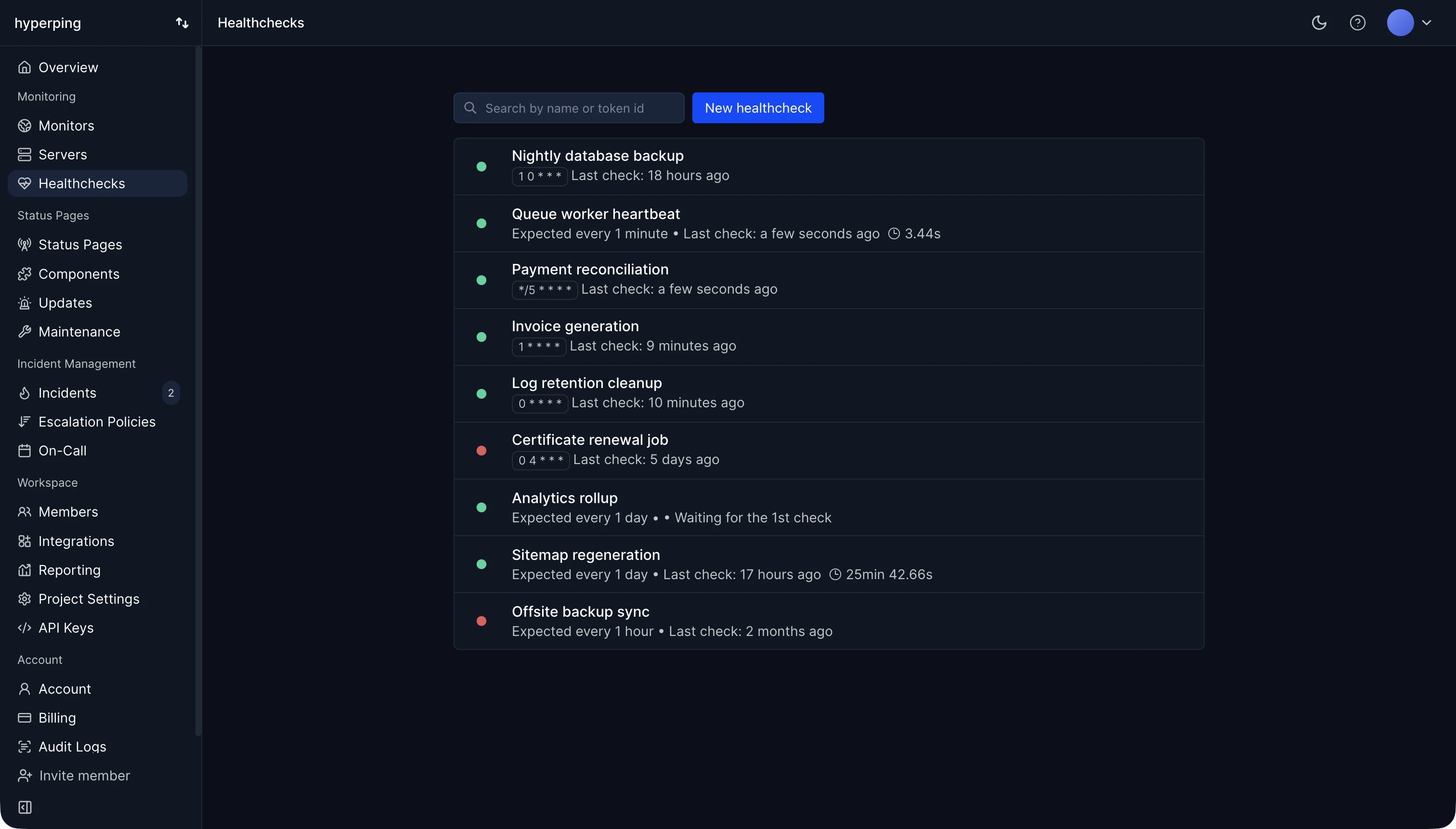
Monitor your cron jobs and scheduled tasks, and get alerted when they fail to run.
Each healthcheck gives your job a unique URL to ping when it runs. If the ping does not arrive on schedule, Hyperping alerts you. Typical candidates: backups, system updates, log rotation, database maintenance, report generation, email jobs, automated tests, file cleanup, SSL renewal, and data synchronization.
Healthchecks watch jobs that run on a schedule. For a service that should answer continuously, use an uptime monitor instead.
HTTP pings
Each healthcheck provides a unique endpoint upon creation, in this format: https://hc.hyperping.io/TOKEN_ID
At the end of your task, send a HEAD, GET or POST HTTP request to this endpoint to log the run. Any tool that can make an HTTP request works:
# Ping when your job completes successfully
curl -fsS https://hc.hyperping.io/TOKEN_IDMeasure your job execution time
You can append /start to the URL to measure the job execution time. Hit this endpoint with a HEAD, GET or POST request at the beginning of your script, then ping the regular URL at the end:
# Signal the start of the job
curl -fsS https://hc.hyperping.io/TOKEN_ID/start

/usr/local/bin/backup.sh

# Signal completion
curl -fsS https://hc.hyperping.io/TOKEN_ID
Grace period
Each healthcheck has a grace period: how long Hyperping waits from the moment it expects a ping before alerting you.
Use it to absorb normal variance in run time. If a script is expected to take 5 minutes, a 10 minute grace period avoids alerts for runs that are just a little slow.
Schedules: simple or cron
Each healthcheck expects pings on a schedule. Two modes are supported:
Simple mode
Set the interval at which you expect a ping: every 10 minutes, every hour, every day. If no ping arrives within the interval plus the grace period, you get alerted.
Cron mode
For jobs that run on a precise schedule, use the same cron expression as the job itself, together with its timezone. Hyperping computes the expected run times from the expression and alerts you when a run is missed.
For example, a nightly backup running at 2:00 AM in Paris would use the expression 0 2 * * * with the Europe/Paris timezone.
Both modes are also available programmatically via the Healthchecks API.
Integrations
When a healthcheck misses its ping, Hyperping opens an incident (Name missed its scheduled ping) and alerts every channel at once: email and SMS to every member of the project, Slack, Discord, Telegram, PagerDuty and Opsgenie. When the next ping arrives, the incident resolves and a recovery goes out on the same channels, and PagerDuty and Opsgenie alerts close on their own. See Integrations for setup.
Rate limits
Healthcheck pings are limited in two ways:
IP Rate limit
You cannot ping from the same IP more than 300 times per minute.
Token Rate limit
You cannot ping a single check more than 10 times per minute.
Guides by scheduler
Where the ping goes, and how each scheduler fails silently, depends on what runs the job. These guides give a tested setup for each:
- On a server: systemd timers, Windows Task Scheduler, Kubernetes CronJobs
- On a platform: GitHub Actions scheduled workflows, Vercel cron jobs, Cloudflare Workers cron triggers
- In the app: Laravel scheduler, Rails scheduled jobs, Node.js cron jobs, Celery beat, Sidekiq cron jobs, pg_cron
- By job: database backups, a dead man's switch for Prometheus Alertmanager, scheduled AI agents
Coming from Opsgenie heartbeats? The Opsgenie migration guide recreates each one as a healthcheck. To write or check a schedule, use the cron expression generator.