The best incident management tools are Hyperping for monitoring, on-call, and status pages on one plan with seats included, incident.io for incidents run in Slack or Teams with an opinionated process, Rootly for Slack-native response with deeper automation, PagerDuty for paging and routing across many teams, FireHydrant for runbooks and retros with a free tier for 10 responders, Better Stack for incidents next to logs and uptime checks, and SolarWinds Incident Response, formerly Squadcast, for cheap per-user on-call.
I analyzed 39 products and shortlisted seven. Every tool below pages people on a schedule, escalates when nobody answers, and gives you a way to tell customers what's going on. Eleven of the 39 have been acquired, merged, archived, or shut down, which says a lot about this market. Paging-only tools, ITSM suites, and open-source options are further down.
Prices were checked in October 2026. The thing that changes the shortlist most is how each tool counts people. Hyperping includes 3, 10, or 20 seats in the plan. Everything else on the list charges per person, usually $15 to $45 a month for each engineer on a schedule, and some charge again for the response features or the status page.
| Tool | Best for | Starting price | Main limitation |
|---|---|---|---|
| Hyperping | Monitoring, on-call, and status pages together | Free; $24/mo with 3 seats | No incident roles or AI post-mortems |
| incident.io | Incidents run in Slack or Teams | Free; $25/user/mo with on-call | Per user twice; no monitoring |
| Rootly | Slack-native response with deep automation | $20/user/mo, $40 with on-call | No free plan; setup takes time |
| PagerDuty | Paging and routing across many teams | Free 5 users; $21/user/mo | Business plan replaced by upfront platform fees |
| FireHydrant | Runbooks and retros, free for small teams | Free 10 responders; $25/user/mo | SMS and voice extra; now owned by Freshworks |
| Better Stack | Incidents next to logs and uptime | Free; $29 per responder/mo | Slack workflows $9 more per responder |
| SolarWinds Incident Response | Cheap per-user on-call | $15/user/mo yearly | Status pages need Premium at $24 |
Why trust this guide
I'm Léo, founder of Hyperping. Yes, that means I have a stake in one of these tools. But I've watched teams pick competitors when they were the better fit, and I'm not going to pretend otherwise. Incident management is a wide category, and Hyperping covers detection, paging, and customer communication. For running the response itself in Slack, incident.io, Rootly, and FireHydrant go further, and I say so below.
I went through pricing pages, docs, G2 reviews, Reddit threads in r/sre and r/devops, Hacker News, and the Opsgenie migration write-ups for every tool on the list, in October 2026.
What is incident management?
Incident management is everything between "something broke" and "here's what we changed so it doesn't happen again." A useful setup finds out quickly, wakes the right person and the next one if they don't answer, gives the responders one place to work, tells customers what's going on, and leaves a record you can learn from.
Tools in this category do some of those jobs, rarely all of them:
| Tool type | What it does | Examples | Where it misses |
|---|---|---|---|
| Paging and on-call | Schedules, escalation, phone and SMS | PagerDuty, Grafana IRM, ilert | Doesn't coordinate the response |
| Response platform | Slack or Teams channels, roles, timelines, retros | incident.io, Rootly, FireHydrant | Doesn't detect anything |
| Monitoring with on-call | Checks, paging, and status pages in one product | Hyperping, Better Stack, Datadog | Lighter response tooling |
| Status pages | Customer updates and subscribers | Statuspage, Instatus | Doesn't page anyone |
| ITSM | Tickets, change records, service desk | Jira Service Management, ServiceNow | Slow for engineers at 3 a.m. |
Most teams end up with two layers: something that detects and pages, and something where the response happens. The question is whether that's one product or two.
What should an incident management tool handle?
The first page didn't wake anyone
Phone calls are the alert that gets through Do Not Disturb, and escalation is what saves you when the first person sleeps through it. Every tool on the shortlist has schedules, escalation, and phone calls. The differences are cost: Better Stack and SolarWinds Incident Response Premium include unlimited phone and SMS, Hyperping includes phone calls and an SMS allowance, and FireHydrant sells SMS and voice separately.
Every new engineer is a pricing conversation
Per-user pricing is the complaint that comes up most. On Hacker News in February 2026, one engineer wrote: "PagerDuty's pricing trajectory is following the exact same playbook as Datadog. Start cheap enough that teams adopt it without finance approval, then jack up per-seat pricing once it's embedded in every runbook and escalation policy." Hyperping includes seats in the plan. Grafana IRM and Datadog charge only for people on a schedule. Everyone else charges for every responder.
The response happens in five tabs
During an outage, engineers jump between the alert, dashboards, Slack, and the deploy log. incident.io, Rootly, and FireHydrant open a Slack or Teams channel per incident, assign roles, and record the timeline as you go. Hyperping and Better Stack can open a Slack channel for an incident, and Hyperping's AI investigations post what changed into the incident and the Slack thread, but neither has incident roles.
Customers found out from Twitter
A status page that updates from the incident saves the person on call from writing to customers by hand. Hyperping, Better Stack, incident.io, Rootly, and FireHydrant include one. PagerDuty has an external page with 250 subscribers on Professional, and SolarWinds Incident Response keeps status pages for Premium.
Post-mortems never get written
Teams have templates and rarely finish them. Tools that record the timeline during the incident make the write-up much shorter. incident.io, Rootly, and FireHydrant generate drafts from it. Hyperping has an internal post-mortem on every incident and a public one on the status page, written from a template, without AI drafting.
Opsgenie support ends in April 2027
Atlassian stopped selling Opsgenie in June 2025 and ends support on April 5, 2027. Its default path is Jira Service Management, which is a service desk first. incident.io, Rootly, and FireHydrant import Opsgenie schedules, and Hyperping has an Opsgenie migration guide.
Incident management capability comparison
The biggest split is whether the tool also watches your services, and how much of the response it runs in chat.
| Capability | Hyperping | incident.io | Rootly | PagerDuty | FireHydrant | Better Stack | SolarWinds IR |
|---|---|---|---|---|---|---|---|
| Built-in monitoring | Uptime, browser, cron, servers | No | No | No | No | Uptime, logs, traces | No |
| On-call and escalation | Included | Add-on per user | Separate SKU per user | Included | Signals on Pro | Per responder | Included |
| Phone and SMS | Calls included, SMS allowance | Included | Included | Included | Sold separately | Unlimited per responder | Allowance on Pro, unlimited on Premium |
| Slack incident channels | One per status page incident | Full lifecycle | Full lifecycle | Notifications and actions | Full lifecycle | $9 per responder | Channel per incident |
| Incident roles and timeline | No | Yes | Yes | Varies by tier | Yes | Timeline | Yes |
| Post-mortems | Internal and public, from a template | AI drafts | AI drafts | Varies by tier | Retros, AI on Enterprise | AI post-mortems | Templates; AI on Enterprise |
| Status pages | 1, 3, or 10 by plan | 1 public on every plan | Included | External page on Professional | Unlimited public on Pro | 1 included, extras $12 | Premium and up |
| Free plan | 20 monitors, 1 seat | Basic, 5 users | No | 5 users | 10 responders | 10 monitors | No |
Incident management pricing compared
Most of these tools charge per person. The details that change the bill are whether on-call is a separate SKU, and who counts as a billable user.
| Tool | Free plan | First paid plan | What it includes | Billed by | Watch out for |
|---|---|---|---|---|---|
| Hyperping | 20 monitors, 1 seat | Essentials, $24/mo yearly | 3 seats, 1 on-call schedule, 50 monitors, 1 status page | Plan, then $7 to $12 per extra seat | 1 schedule on Essentials, 3 on Pro |
| incident.io | Basic, single-team on-call | Team, $15/user/mo yearly | Slack incidents, 1 status page; on-call $10 more | User, twice | On-call is an add-on on every paid plan |
| Rootly | No; 2-week trial | $20/user/mo | Incident response; on-call is another $20 | User, per product | Billing period not printed |
| PagerDuty | 5 users, 1 schedule | Professional, $21/user/mo yearly | Schedules, escalation, status page for 250 subscribers | User, then upfront platform | Next step is $2,800 to $48,000 a year upfront |
| FireHydrant | 10 responders | Pro, $25/responder/mo yearly | Signals on-call, runbooks, unlimited public status pages | Responder, plus alerts | SMS and voice sold separately |
| Better Stack | 10 monitors, 1 status page | Responder, $29/mo yearly | On-call, incidents, status page, unlimited phone and SMS | Responder, plus add-ons | Slack workflows $9 more per responder |
| SolarWinds IR | No; 14-day trial | Pro, $15/user/mo yearly | Schedules, Slack and Teams, postmortems | User | Status pages and runbooks need Premium at $24 |
What 20 engineers on call costs
Take 20 engineers who all take turns on call, one public status page on your own domain, and incidents opened from Slack. This is my estimate from public pricing, billed yearly.
| Tool | Plan that covers it | Monthly cost | Monitoring included |
|---|---|---|---|
| Hyperping | Pro: 10 seats included + 10 extra at $9 | $164 | Yes |
| PagerDuty | Professional, 20 users | $420 | No |
| SolarWinds IR | Premium, 20 users, for status pages | $480 | No |
| incident.io | Team with on-call, 20 users | $500 | No |
| FireHydrant | Pro, 20 responders, plus SMS and voice | $500 and up | No |
| Better Stack | 20 responders | $580 | Yes |
| Rootly | Incident response and on-call, 20 users | $800 | No |
Hyperping is the cheapest by a wide margin because seats come with the plan, and it's one of the two that also watch your services. It does less during the response: no incident roles, no AI-drafted post-mortems, and Slack channels only for status page incidents. If the response is your bottleneck, PagerDuty Professional and incident.io Team are the cheapest of the per-user tools, and you'd still need a monitoring tool sending them alerts. Better Stack costs more than the response tools, but includes monitoring and logs.
Hyperping: Best for monitoring, on-call, and status pages together
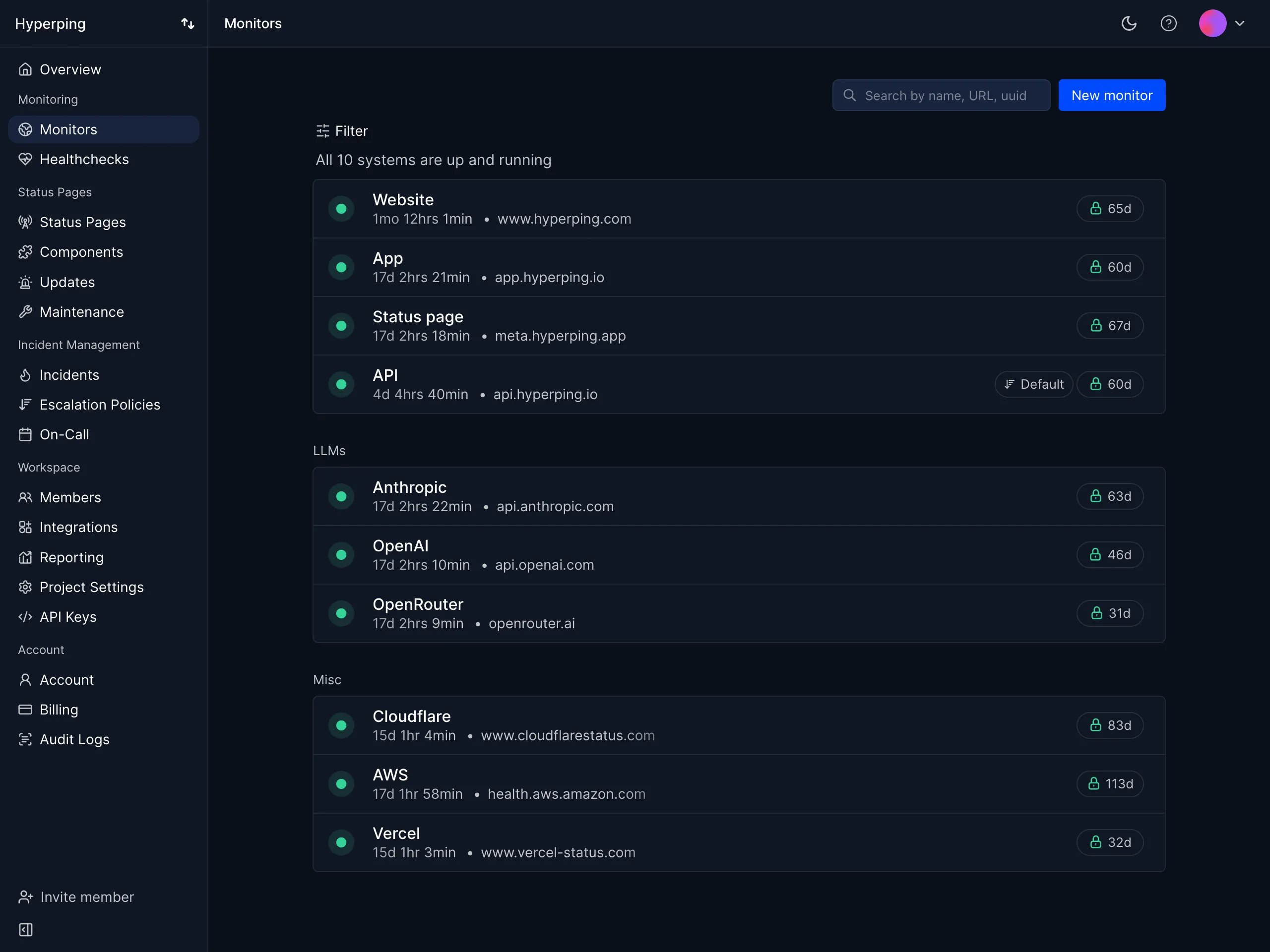
Hyperping checks your sites, APIs, cron jobs, and servers, pages whoever is on call, and updates your status page from the same incident. Seats are included in each plan.
| Best for | Starting price | Main limitation |
|---|---|---|
| Teams that detect, page, and update customers from one tool | Free; $24/mo with 3 seats | No incident roles or AI post-mortems |
Who Hyperping is built for
SRE and DevOps teams of 3 to 50 engineers whose customers notice outages, who want the alert, the page, and the customer update in one product. They often already run Datadog or Grafana for the inside view, and use Hyperping for outside checks and the response that follows. Teams with a formal incident process in Slack usually pair it with incident.io or Rootly.
Notable features
- Monitoring. HTTP, keyword, ping, port, DNS, and SSL checks from 18 regions every 30 seconds, Playwright browser checks, cron heartbeats, and a server agent.
- Multi-region confirmation. A failure is re-checked from another region before anyone is paged.
- On-call. Rotations across time zones, overrides, business-hours rules, and multi-step escalation by Slack, SMS, or phone call.
- Status pages. Public or private, on your own domain, with subscribers, maintenance windows, and public post-mortems.
- Slack. Alerts and acknowledgement from Slack, and a channel per status page incident.
- Post-mortems. An internal post-mortem on every incident, and a public one on the status page.
- Ask Hyperping (alpha). Investigates when you're paged and posts what failed, where, and what changed into the incident and the Slack thread.
- Reports. MTTA, MTTR, and SLA reports.
Why choose Hyperping for incident management?
Seats come with the plan. Pro includes 10 seats for $74 a month billed yearly, and each extra seat is $9. Twenty people on call cost about $164 a month, against $420 to $800 on the per-user tools.
Detection, paging, and the customer update in one place. A failed check opens the incident, pages the rotation, and can update the status page. With PagerDuty or incident.io, those are three tools.
Fewer false pages. Every failure is confirmed from another region before the phone rings.
What users say
Alma runs Datadog and keeps Hyperping as an outside check. Their SRE, Fabrice Gregoire:
"Hyperping's reputation in our company is that it's more reactive than Datadog. We usually get notifications from Hyperping before Datadog."
How much does Hyperping cost?
- Free: 20 monitors, 1 seat, 1 status page
- Essentials: $24/month ($29 monthly) for 3 seats, 1 on-call schedule, 50 monitors, 1 status page on your domain, phone calls
- Pro: $74/month ($89 monthly) for 10 seats, 3 schedules, 250 monitors, 3 public or private status pages, SAML SSO
- Business: $249/month ($299 monthly) for 20 seats, unlimited schedules, 1,000 monitors, 10 status pages, audit logs
- Extra seats: $7 on Essentials, $9 on Pro, $12 on Business, per month
Twenty people on call fit on Pro with 10 extra seats, about $164 a month.
Where Hyperping falls short
There are no incident roles, no Slack war room for every alert, and no AI-drafted post-mortems. Routing is simpler than PagerDuty's event orchestration. Microsoft Teams gets notifications, not a chat workflow. Ask Hyperping is in alpha and not available on EU-only accounts. If you run a formal incident process with commanders and scribes, Hyperping covers the detection and paging, and incident.io or Rootly should run the response.
Is Hyperping right for you?
Pick Hyperping if you want to know first, wake the right person, and keep customers updated without paying per engineer. If your incidents need roles, channels, and generated retros, use it alongside incident.io or Rootly.
incident.io: Best for incidents run in Slack or Teams
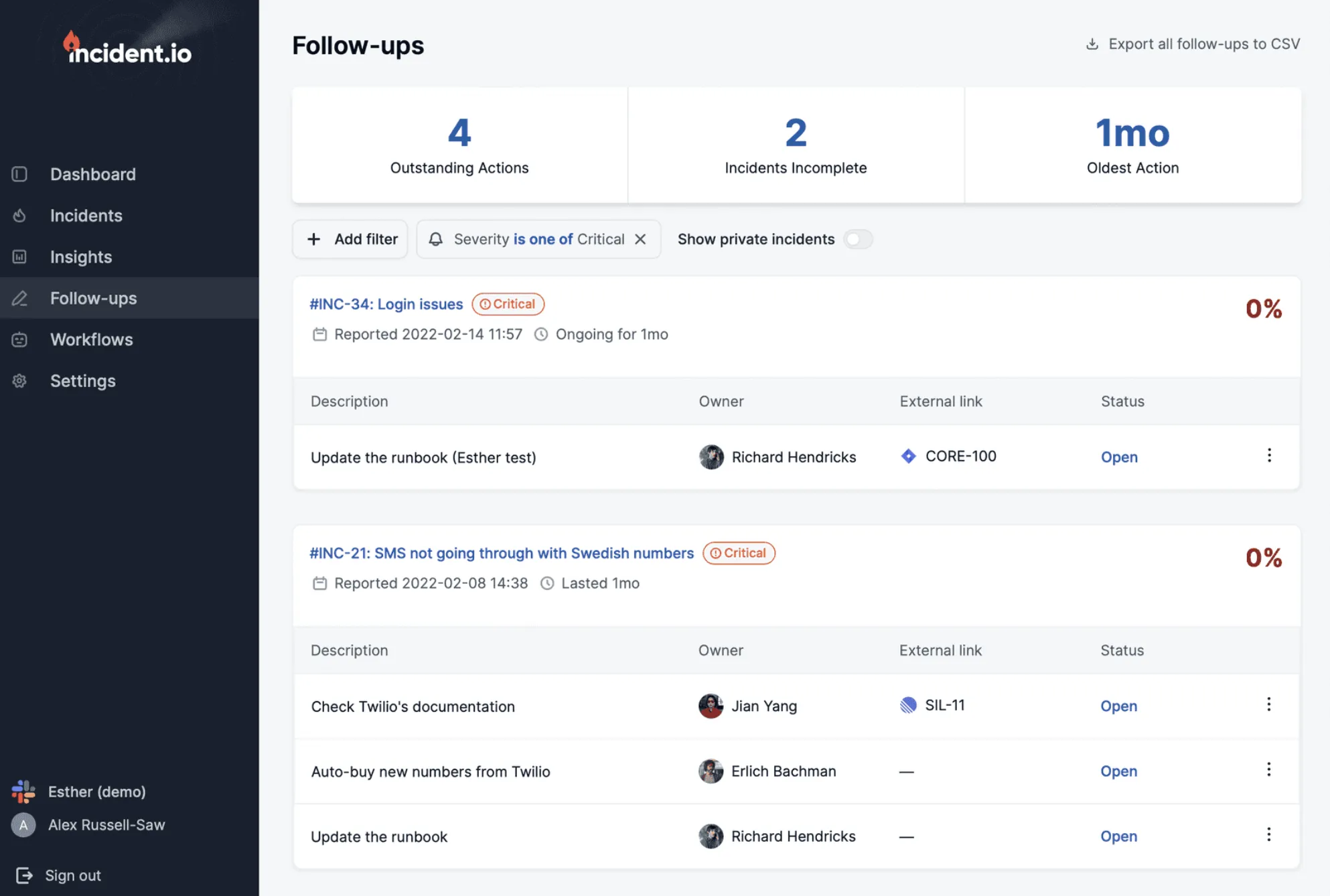
incident.io runs the whole incident inside Slack or Microsoft Teams: declare it, assign roles, update stakeholders, and generate the post-mortem from the timeline. On-call and a status page are part of the product.
| Best for | Starting price | Main limitation |
|---|---|---|
| Incidents run in Slack or Teams | Free; $25/user/mo with on-call | Per user twice; no monitoring |
Who incident.io is built for
Engineering teams with enough incidents to need a process: a lead, a communications owner, and a post-mortem that actually gets written. They live in Slack and want the incident to happen there.
Notable features
- Slack and Teams incidents. A channel per incident, roles, custom fields, and a timeline.
- On-call. Schedules, overrides, shadow rotations, and Opsgenie schedule import.
- AI. Scribe takes notes on calls, investigations look for the cause, and post-mortems are drafted from the timeline.
- Workflows. Automations by severity or incident type.
- Status pages. 1 public page on every plan, internal pages from Team.
Why choose incident.io?
The response happens in chat. Nobody opens a web app at 3 a.m. to find out who's leading.
Post-mortems get written. The draft comes from what happened in the channel.
Easy to adopt. Sensible defaults for severities, roles, and workflows from day one.
What users say
From an r/sre comment in January 2026, on moving off PagerDuty:
"Incident-io is what we migrated from PagerDuty. We had an on call with escalations requirement. That landed a few days before we inked the contract."
How much does incident.io cost?
- Basic: free, single-team on-call, 1 status page, 2 integrations
- Team: $15/user/month yearly ($19 monthly), plus $10 per user for on-call
- Pro: $25/user/month, plus $20 per user for on-call
- On-call only: $20/user/month
- Enterprise: custom
Twenty people on Team with on-call cost $500 a month.
Where incident.io falls short
On-call is an add-on on every paid plan, so the real price is $25 to $45 per user. It doesn't watch your services, so it needs alerts from a monitoring tool. A July 2026 G2 reviewer said it "can become too noisy, and it can also end up being misconfigured." Setup takes a real week for workflows and routing.
Is incident.io right for you?
Pick incident.io if your team lives in Slack and incidents need a process. If you have a few incidents a month and nobody needs a role, it's more than you need.
If the choice is between incident.io and PagerDuty, read PagerDuty vs incident.io.
Rootly: Best for Slack-native response with deep automation
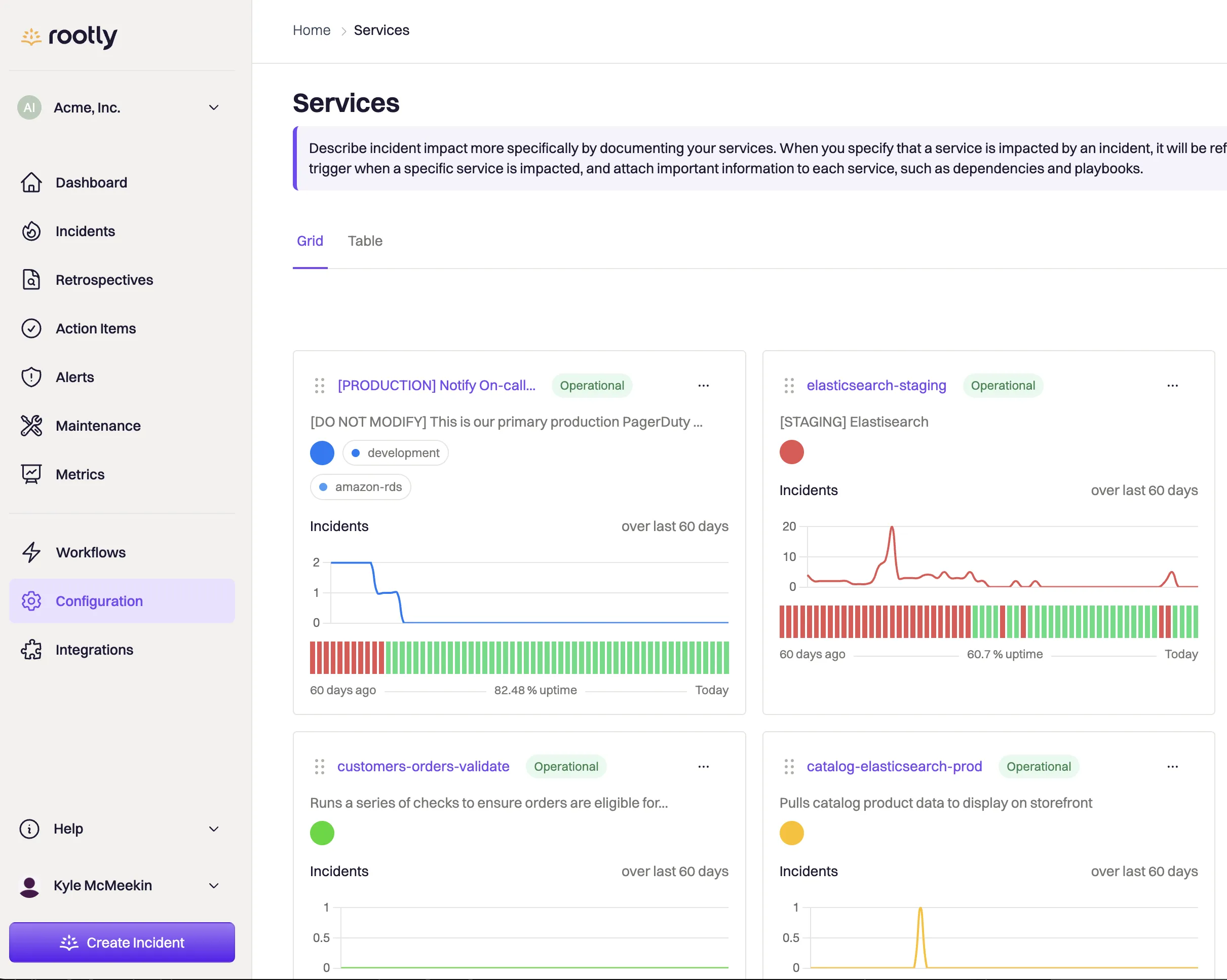
Rootly runs incidents in Slack or Teams like incident.io, with a workflow engine that reaches further into Jira, GitHub, and the rest of your tools. Incident response and on-call are sold as separate products.
| Best for | Starting price | Main limitation |
|---|---|---|
| Teams that want to automate the response | $20/user/mo, $40 with on-call | No free plan; setup takes time |
Who Rootly is built for
Growing engineering organizations with a complex toolchain that want incidents to create tickets, pull deploys, and page teams without glue code. Startups get up to 50% off, and companies under 25 employees can pay what they can.
Notable features
- Slack and Teams incidents. Channels, roles, timelines, and an AI scribe.
- Workflows. A low-code engine across Jira, GitHub, Zoom, and others.
- On-call. Schedules, escalation, shadow rotations, PTO, coverage requests, and Slack user-group sync.
- Retros. Generated from the timeline, with action items.
- AI SRE. Root cause, change correlation, and draft pull requests, sold separately.
Why choose Rootly?
More automation. The workflow engine does more than incident.io's when your process touches many tools.
On-call that syncs with Slack. Slack user groups follow the schedule, which PagerDuty needs a third-party app for.
Startup pricing. Up to 50% off, or pay what you can under 25 employees.
What users say
The trade-off is configuration. An r/devops commenter who chose incident.io over Rootly called it "tons of features but required way too much configuration to work for our commerce environment."
How much does Rootly cost?
- Incident Response Essentials: $20/user/month
- On-call Essentials: $20/user/month
- Enterprise: custom, with bundle discounts
- Startups: up to 50% off, or pay what you can under 25 employees
The pricing page doesn't say whether $20 is monthly or yearly billing. Twenty people on both products cost $800 a month.
Where Rootly falls short
There's no free plan, only a two-week trial. Both products together are $40 per user. G2 reviewers mention too many options at setup. It doesn't watch your services.
Is Rootly right for you?
Pick Rootly if you want Slack-native incidents and your process needs automation across many tools. If you want something opinionated that works on day one, incident.io fits better.
PagerDuty: Best for paging and routing across many teams
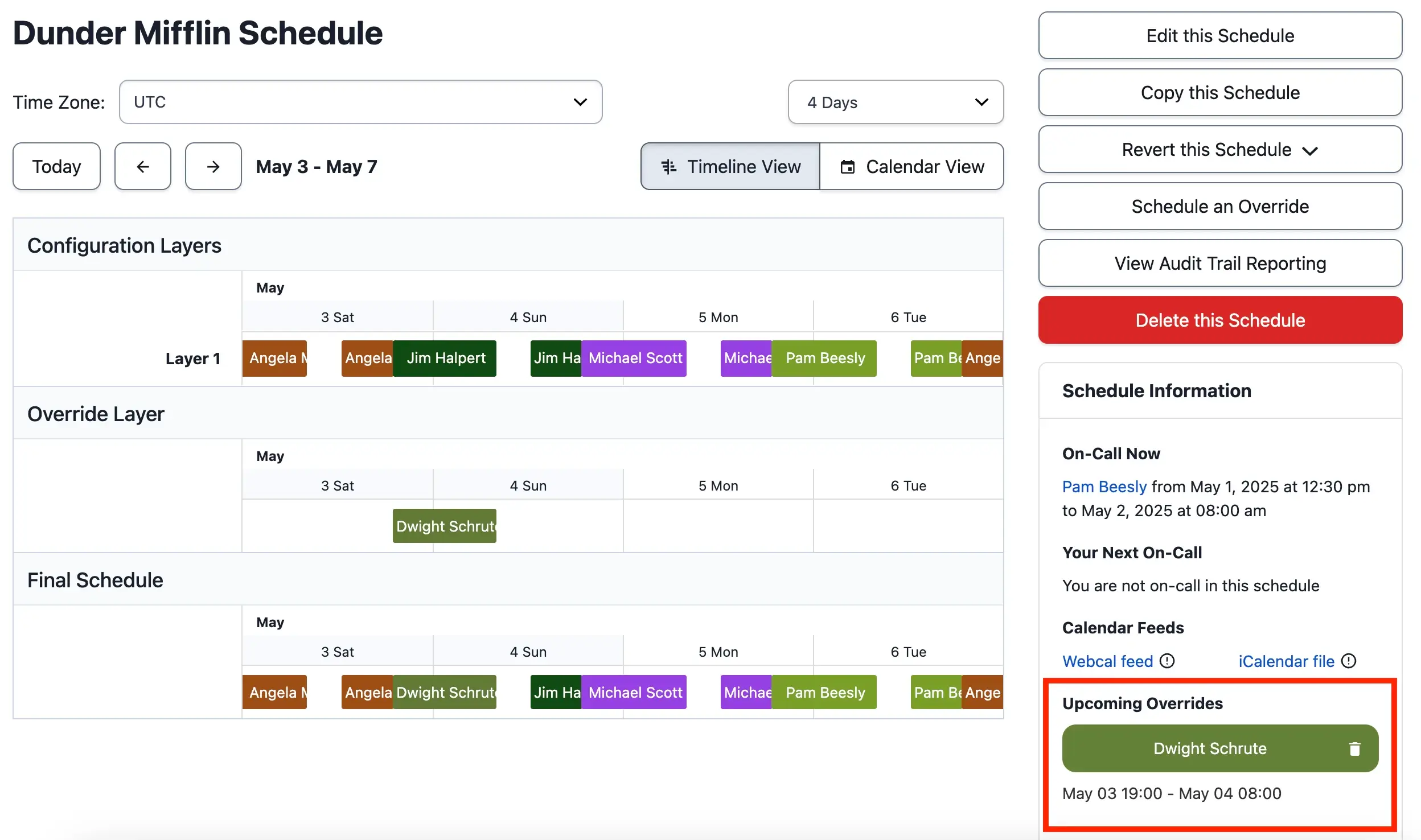
PagerDuty is the pager most others are measured against: schedules, escalation, event routing, and 700+ integrations. In 2026 it replaced its Business plan with an upfront platform fee.
| Best for | Starting price | Main limitation |
|---|---|---|
| Paging and routing across many teams | Free 5 users; $21/user/mo yearly | Next step is $2,800 to $48,000 a year upfront |
Who PagerDuty is built for
Larger organizations with many teams, follow-the-sun rotations, and alerts from a dozen monitoring tools that need routing rules before they page anyone.
Notable features
- Schedules. Layered rotations, overrides, and shadows.
- Event orchestration. Routing and suppression rules before an alert becomes an incident.
- 700+ integrations. Including ServiceNow and Jira, both ways.
- Mobile app. The paging app many SREs trust most.
- Status page. External page with 250 subscribers on Professional.
- AIOps and automation. Noise reduction and runbook automation on the platform tiers.
Why choose PagerDuty?
Routing for complex organizations. Many teams, many alert sources, and rules about who gets what.
It connects to everything. If a tool sends alerts, there's probably a PagerDuty integration.
Procurement knows it. It's the default choice in large companies.
What users say
Price is the recurring complaint. From a July 2026 G2 review:
"The billing is misleading and expensive. The UI makes it seem like the seats are auto-allocated and you can't decrease the number easily."
How much does PagerDuty cost?
- Free: up to 5 users, 1 schedule, 1 escalation policy
- Professional: $21/user/month yearly ($25 monthly)
- PD Reliability Platform: billed upfront per year. Starter $2,800 for 10 seats, Essential $12,000 for 20, Plus $48,000 for 50, Ultimate custom
Twenty people on Professional cost $420 a month. Essential, for 20 seats with AIOps and automation, is $12,000 a year.
Where PagerDuty falls short
It doesn't watch your services. The response still lives in its web app, with Slack for notifications and actions. Between Professional and the platform tiers there's no middle step: the next plan is an upfront yearly fee. In a May 2025 Hacker News thread, a user complained it doesn't connect schedules to Slack user groups without a paid third-party app.
Is PagerDuty right for you?
Pick PagerDuty if you have many teams, complex routing, and ITSM integrations to keep. For one or two teams, Hyperping, incident.io, or FireHydrant cost less.
FireHydrant: Best for runbooks and retros, free for small teams
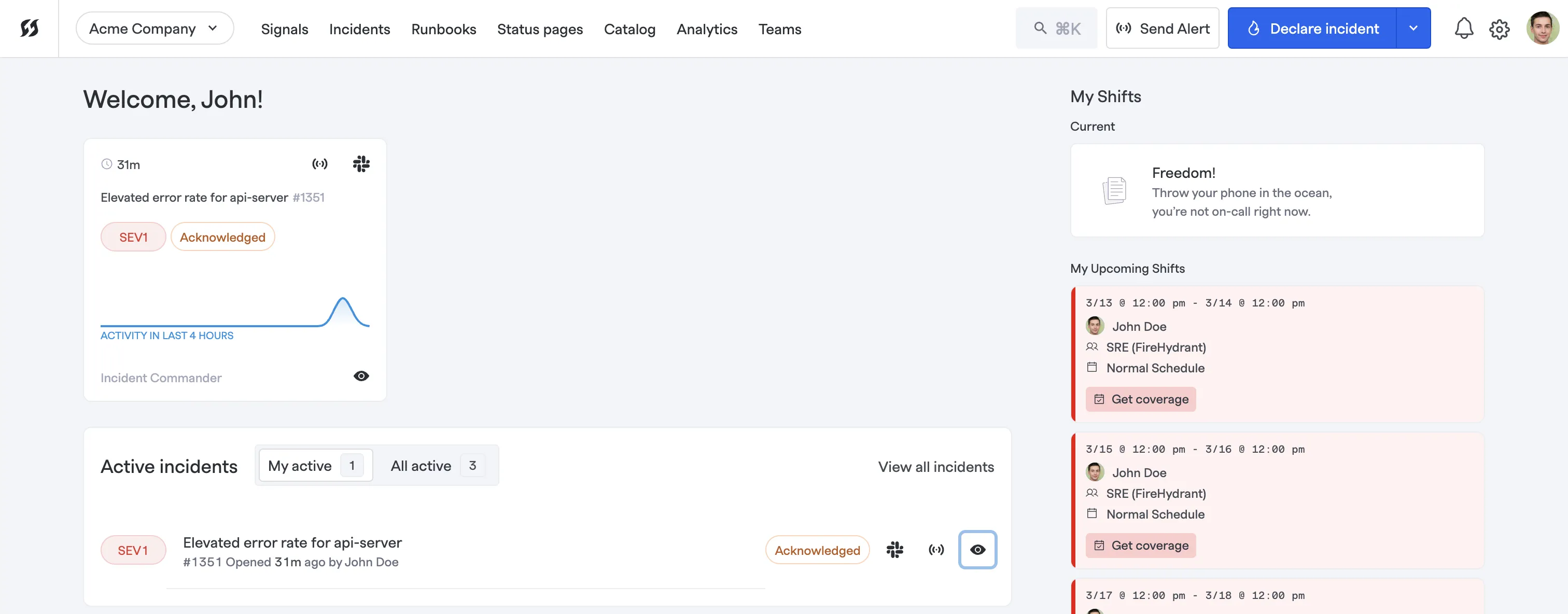
FireHydrant runs incidents in Slack or Teams with runbooks, retros, a service catalog, and Signals for on-call. It's free for up to 10 responders, and Freshworks has owned it since January 2026.
| Best for | Starting price | Main limitation |
|---|---|---|
| Runbooks and retros, free for small teams | Free 10 responders; $25/user/mo | SMS and voice extra; Freshworks-owned |
Who FireHydrant is built for
Teams leaving PagerDuty or Opsgenie that want paging and a structured incident process in one tool, and small teams that fit in the free plan.
Notable features
- Slack and Teams incidents. Channels, stakeholder updates, Jira and ServiceNow tickets.
- Runbooks. 2 on Free, 5 on Pro, unlimited on Enterprise.
- Signals. On-call schedules and unlimited escalation policies, with a PagerDuty and Opsgenie migrator.
- Retros. One template on Pro, AI on Enterprise.
- Status pages. 1 public page on Free, unlimited on Pro.
Why choose FireHydrant?
Free for 10 responders. With runbooks, a Slack chatbot, and a public status page.
Unlimited public status pages on Pro. Most per-user tools include one.
A migrator off PagerDuty and Opsgenie. Schedules and escalation policies come over.
What users say
From an April 2026 G2 review:
"A cheaper alternative to Opsgenie. It offers a good set of tools, and customer support responds quickly when I reach out with a request. It has fewer features overall and fewer enterprise-level capabilities."
How much does FireHydrant cost?
- Free: 10 responders, 2 runbooks, 1 public status page, 3 integrations
- Pro: $25/responder/month yearly, with Signals, 5 runbooks, unlimited public status pages, SSO
- Enterprise: custom, with AI, private incidents, and SCIM
- SMS and voice: sold separately; Signals is billed by alert volume, with no published rate
Where FireHydrant falls short
SMS and voice cost extra, and the alert-based Signals billing isn't published. AI and private incidents are Enterprise only. Reviewers mention fewer integrations than PagerDuty. Freshworks is folding it into Freshservice, so watch where the product goes.
Is FireHydrant right for you?
Pick FireHydrant if you want runbooks and retros with paging, and especially if 10 responders is enough. If the Freshworks direction worries you, incident.io covers the same ground.
Better Stack: Best for incidents next to logs and uptime
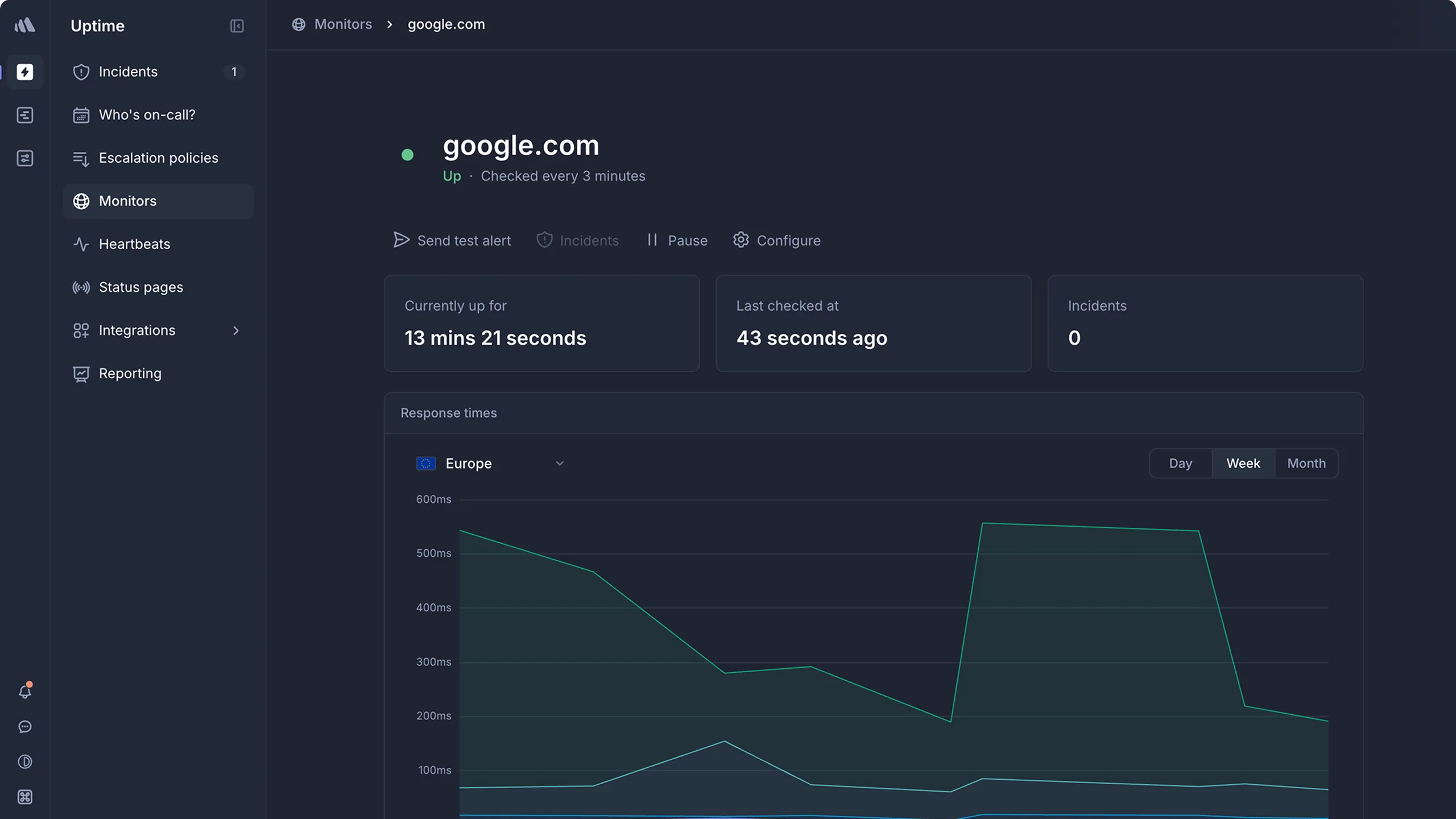
Better Stack puts on-call and incidents in the same product as uptime checks, logs, traces, and status pages, and bills per person on call.
| Best for | Starting price | Main limitation |
|---|---|---|
| Incidents next to logs and uptime | Free; $29 per responder/mo | Slack workflows $9 more per responder |
Who Better Stack is built for
Startups that want monitoring, logs, and incidents from one vendor, with a few people on call. The bill grows quickly when the whole team rotates.
Notable features
- On-call. Schedules, escalation, and unlimited phone and SMS per responder.
- Incidents. Timelines, AI post-mortems, and Slack or Teams workflows at $9 per responder.
- Monitoring. Uptime, heartbeats, Playwright checks, logs, and traces.
- Status pages. One included, extras $12, with options priced per page.
- AI SRE. Investigations across logs and metrics, billed per token.
Why choose Better Stack?
The logs are in the same place. When an alert fires, the logs are one click away.
Unlimited phone and SMS. Included with each responder license.
What users say
From a March 2026 G2 review:
"The pricing can feel a bit high for small teams or individual developers. Also, some of the more advanced features and configuration options come with a learning curve."
How much does Better Stack cost?
- Free: 10 monitors and heartbeats, 1 status page
- Responder: $29 per person/month yearly ($34 monthly), with on-call, incidents, status pages, and unlimited phone and SMS
- Slack and Teams workflows: $9 per responder per month
- Status page options: password $42, white-label $208, SSO $208 per page per month
Twenty responders cost $580 a month, or $760 with the Slack workflows.
Where Better Stack falls short
Every person on call is a license, so a large rotation gets expensive. Status page options are priced per page. Incident roles are lighter than incident.io's. The Better Stack alternatives guide covers the rest.
Is Better Stack right for you?
Pick Better Stack if you want logs and incidents together and only a few people carry the pager. If the whole team rotates, compare it with Hyperping first.
SolarWinds Incident Response: Best for cheap per-user on-call
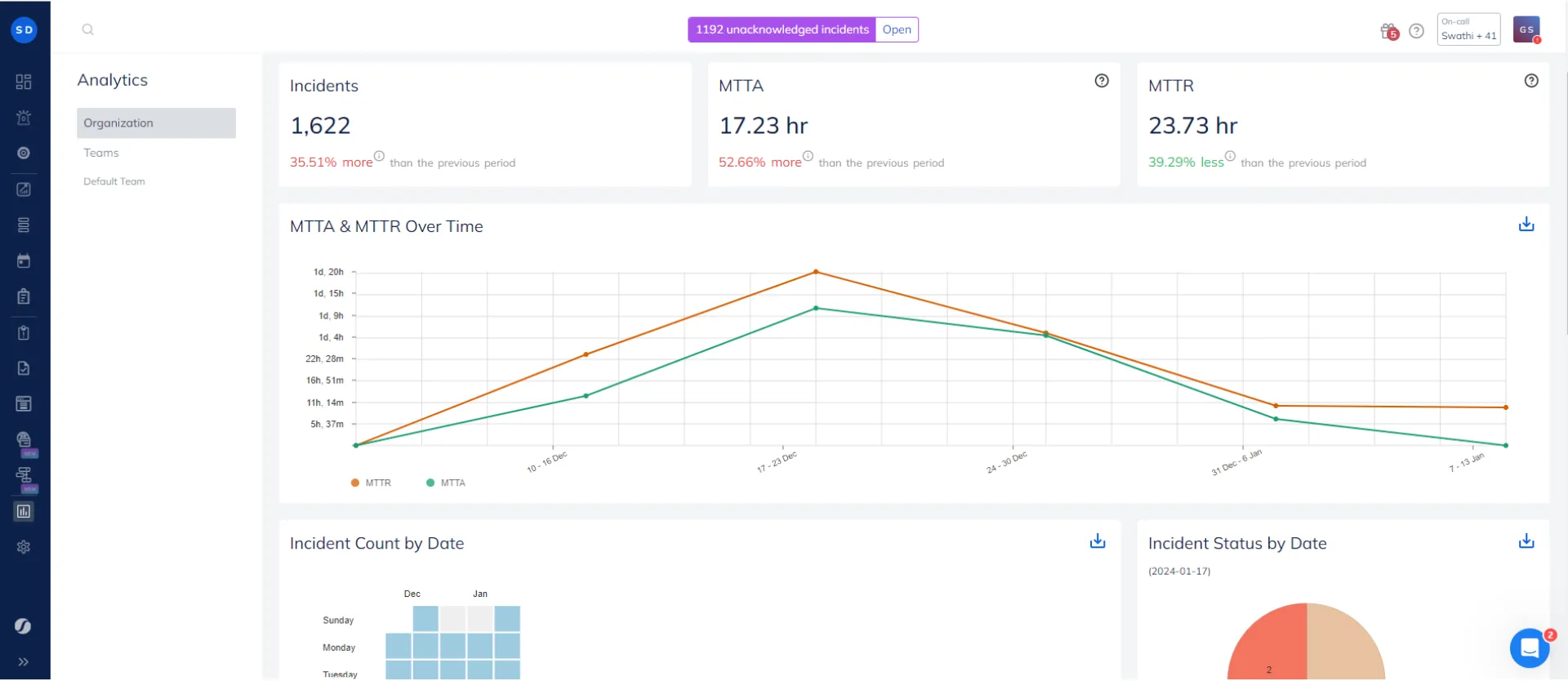
SolarWinds Incident Response is Squadcast, bought by SolarWinds in March 2025 and renamed in February 2026. It does on-call, alert routing, Slack incident channels, and SLO tracking at a lower per-user price than PagerDuty.
| Best for | Starting price | Main limitation |
|---|---|---|
| Cheap per-user on-call | $15/user/mo yearly | Status pages need Premium at $24 |
Who SolarWinds Incident Response is built for
DevOps and IT teams that want PagerDuty-style paging for less, and MSPs handling alerts for many clients.
Notable features
- On-call. Schedules, escalation, routing, and deduplication rules.
- Slack and Teams. A channel per incident, and acknowledge or resolve from chat.
- Postmortems. From templates on Pro.
- Status pages. Public and private, with subscribers, on Premium.
- SLO tracker and runbooks. On Premium.
- Integrations. About 200, including Datadog, Prometheus, Grafana, and Jira.
Why choose SolarWinds Incident Response?
Cheaper than PagerDuty per user. Pro is $15 against $21.
Unlimited phone and SMS on Premium. Pro includes an allowance.
What users say
The interface is the usual complaint. From a November 2023 G2 review:
"The GUI, it's so complicated vs the competition."
How much does SolarWinds Incident Response cost?
- Pro: $15/user/month yearly, with schedules, Slack and Teams, postmortems, and an SMS and voice allowance
- Premium: $24/user/month yearly, adding status pages, runbooks, workflows, the SLO tracker, and unlimited SMS and voice
- Enterprise: custom, with AI summaries
There's no free plan any more, and no published monthly price. Prices went up in early 2026: Pro was $9 a month billed yearly before.
Where SolarWinds Incident Response falls short
Status pages, runbooks, and workflows need Premium. Since the acquisition there's been little public activity: no blog posts since March 2025 and no public changelog. Reviewers mention a complex interface and alert grouping that needs tuning.
Is SolarWinds Incident Response right for you?
Pick it if you want per-user on-call at a lower price than PagerDuty and don't need status pages. With status pages, Premium costs more than PagerDuty Professional.
Head-to-head
incident.io vs Rootly
Both run incidents in Slack or Teams with roles, timelines, and AI drafts. incident.io is more opinionated and quicker to set up, and its on-call add-on is cheaper on Team ($10). Rootly has a deeper workflow engine, syncs Slack user groups with schedules, and discounts startups heavily. Pick incident.io for a good default process, and Rootly if you want to automate around a complex toolchain.
PagerDuty vs incident.io
PagerDuty is the stronger pager: more integrations, event orchestration, and a long track record. incident.io runs the response better, in Slack instead of a web app, and costs about the same per user with on-call ($25 against $21). Many teams moving off PagerDuty in 2026 went to incident.io. Pick PagerDuty for complex routing across many teams, and incident.io if the response itself is the problem.
Hyperping vs Better Stack
Both monitor, page, and run status pages. Better Stack adds logs, traces, and AI post-mortems, and charges $29 per responder. Hyperping includes seats in the plan, private and white-label status pages without per-page fees, and confirms failures from another region. Pick Better Stack for logs next to incidents with a small rotation, and Hyperping when the whole team is on call.
FireHydrant vs incident.io
Both run incidents in Slack with retros and status pages. FireHydrant is free for 10 responders and includes unlimited public status pages on Pro, but sells SMS and voice separately and now belongs to Freshworks. incident.io is the more polished product with a cheaper on-call add-on on Team. Pick FireHydrant for a small team on a budget, and incident.io for the best Slack experience.
Which one should you pick?
| Buyer or situation | Recommended tool | Reason |
|---|---|---|
| Detect, page, and update customers from one tool | Hyperping | Monitoring, on-call, and status pages, seats included |
| Incidents with roles and generated post-mortems | incident.io | The best default process in Slack or Teams |
| A response that automates across many tools | Rootly | Deeper workflow engine |
| Many teams, complex routing, ITSM | PagerDuty | Event orchestration and 700+ integrations |
| Small team, runbooks, no budget | FireHydrant | Free for 10 responders |
| Logs and incidents in one place, few people on call | Better Stack | Telemetry next to the incident |
| Cheapest per-user pager | SolarWinds Incident Response | $15 per user |
| Already on Datadog or Grafana | Datadog On-Call, Grafana IRM | Listed below |
Many teams combine two: Hyperping or Datadog to detect and page, and incident.io or Rootly to run the response. If you have fewer than one serious incident a week, a response platform is usually more process than you need, and paging plus a status page covers it.
Other credible options
On-call and paging
| Tool | Main strength | Main limitation | Good for |
|---|---|---|---|
| Grafana Cloud IRM | On-call next to Grafana alerts, 3 users free | Everyone on a schedule is billed | Teams already on Grafana |
| Datadog On-Call | Any Datadog monitor pages a team | $20 a seat on top of the Datadog bill | Teams already on Datadog |
| ilert | EU hosting, heartbeats, Opsgenie migration | 3-user minimum on Pro | EU teams leaving Opsgenie |
| Splunk On-Call | Mobile paging with Splunk context, $5 a user | Product team reportedly wound down | Existing Splunk customers |
| xMatters | Workflow automation and stakeholder paging | Complex setup | Large enterprises |
| OnPage | Alerts that override silent mode | Dated interface | Healthcare and IT on-call |
| All Quiet | Low per-user price, EU hosting | Few reviews | Small EU teams |
| PagerTree | Simple on-call routing, 5 users free | No status page | Small teams |
ITSM and AIOps
| Tool | Main strength | Main limitation | Good for |
|---|---|---|---|
| Jira Service Management | Atlassian's home for former Opsgenie features | A service desk first | Companies on Atlassian |
| ServiceNow ITSM | Change and major incident records | Expensive and complex below enterprise | Large enterprises |
| Freshservice | ITSM plus on-call, same owner as FireHydrant | On-call from Growth at $49 an agent | IT teams on Freshworks |
| BigPanda | Alert correlation across monitoring tools | Around $200,000 a year in reviews | Large operations centers |
Open source and self-hosted
| Tool | Main strength | Main limitation | Good for |
|---|---|---|---|
| GoAlert | Free on-call with Twilio SMS and voice | You run the pager | Self-hosters |
| Keep | Alert deduplication and workflows across tools | No on-call schedules | Teams with noisy alerting |
| OneUptime | Monitoring, on-call, and status pages | Heavy to self-host | Self-hosters who want everything |
Opsgenie stops being supported in April 2027, Grafana OnCall's open-source version was archived in March 2026, Netflix Dispatch in September 2025, and Jeli and Blameless now belong to PagerDuty and FireHydrant, so I left them out.
How to test incident management tools
Every tool on the shortlist has a free plan or a trial:
- Hyperping: free plan, plus a 14-day trial of paid plans, no card
- incident.io: free Basic plan with single-team on-call
- Rootly: two-week trial
- PagerDuty: free for 5 users, plus a 14-day trial
- FireHydrant: free for 10 responders, plus a 14-day Pro trial
- Better Stack: free plan, plus a 60-day money-back guarantee on paid plans
- SolarWinds Incident Response: 14-day trial
Then run a fake incident:
- Send the same alert to every trial, from a test monitor or a webhook.
- Ignore the first page, and time how long until the second person's phone rings.
- Declare an incident from Slack, assign a lead, and see what gets created automatically.
- Post an update to a status page on your domain and check that subscribers get it.
- Resolve it and see how much of the post-mortem is already written.
- Price your real team: everyone on a schedule, everyone who needs a login, and every status page.
Give every alert an owner. An alert nobody owns gets muted in any tool.
Related reading
- On-call scheduling: rotations and escalation in Hyperping
- Incident communication: status pages and subscribers
- Best PagerDuty alternatives
- incident.io alternatives
- PagerDuty vs incident.io
- Grafana OnCall alternatives
- Opsgenie shutdown alternatives
- Escalation policies guide
- Hyperping pricing: seats, schedules, and status pages by plan
FAQ
What are the best incident management tools? ▼
Hyperping if you want monitoring, on-call, and status pages on one plan with seats included. incident.io for incidents run in Slack or Teams with an opinionated process. Rootly for Slack-native response with deeper automation. PagerDuty for paging and routing across many teams. FireHydrant for runbooks and retros, free for 10 responders. Better Stack for incidents next to logs and uptime. SolarWinds Incident Response, formerly Squadcast, for cheap per-user on-call.
What is incident management? ▼
Incident management covers what happens after something breaks: paging the right person, coordinating the response, keeping customers updated, and learning from it afterwards. Tools split into paging (who gets woken up), response (channels, roles, timelines), status pages (what customers see), and monitoring (how you found out). Few tools do all four well.
How much does incident management cost for 20 people? ▼
From public pricing in October 2026, for 20 engineers on call with one public status page: Hyperping Pro about $164 a month with monitoring included, PagerDuty Professional $420, SolarWinds Incident Response Premium $480, incident.io Team with on-call $500, FireHydrant Pro $500 plus SMS and voice, Better Stack $580, and Rootly $800. All yearly billing.
What is the cheapest incident management tool? ▼
For a small team, the free plans: PagerDuty and incident.io for up to 5 users, FireHydrant for 10 responders, and Grafana IRM for 3. For 20 people, Hyperping Pro is about $164 a month with seats, monitoring, and status pages included. Among per-user tools, SolarWinds Incident Response Pro is $15 per user yearly, but status pages need Premium at $24.
What should I migrate to from Opsgenie? ▼
Opsgenie support ends in April 2027. If you used it for paging alerts from monitoring, Hyperping, PagerDuty, or Grafana IRM cover that. If you want incidents run in Slack, incident.io and Rootly both import Opsgenie schedules. If you already pay for Datadog, Datadog On-Call is the shortest move. Jira Service Management is Atlassian's default, but it's a service desk first.
Does PagerDuty still have a Business plan? ▼
Not on its pricing page. In October 2026 PagerDuty lists Free for 5 users, Professional at $21 per user a month billed yearly, and a PD Reliability Platform billed upfront per year: Starter at $2,800 for 10 seats, Essential at $12,000 for 20 seats, and Plus at $48,000 for 50 seats.
Do I need monitoring and incident management as separate tools? ▼
Not necessarily. Hyperping and Better Stack include monitoring, on-call, and status pages in one product. PagerDuty, incident.io, Rootly, FireHydrant, and SolarWinds Incident Response don't watch your services, so they need alerts from Datadog, Prometheus, Hyperping, or similar. One product is simpler for small teams. Separate tools make sense when Slack-native response is the priority.