The best incident.io alternatives in 2026 are Rootly for AI-native Slack response with deeper workflow automation, FireHydrant for mature enterprise runbooks, Hyperping for monitoring, on-call, and status pages at a flat rate, PagerDuty for deep enterprise alerting, Squadcast for budget-conscious DevOps teams, and Better Stack for monitoring, logs, and incidents unified.
I analyzed 25+ tools, pulled patterns from r/sre, r/devops, and r/incidentio threads where engineers compare incident.io head-to-head with Rootly, FireHydrant, and PagerDuty, and compared real pricing at common team sizes. incident.io is a strong product. Most teams looking for alternatives are not unhappy with it as a tool, they want a different tradeoff: more flexibility, less Slack dependency, broader coverage than chat-native response, or a tool that does not surprise them at the Pro plan minimum.
In this guide you will learn:
- Why teams actually evaluate alternatives to incident.io (it is rarely "incident.io is bad")
- The six picks I would recommend, with honest pricing and real tradeoffs
- A pricing comparison at common team sizes
- The full list of 25+ incident.io alternatives I considered
If you want monitoring that catches issues in 30 seconds, on-call scheduling with smart escalations, and status pages your customers actually check, all at a flat monthly rate with included seats and paid additional seats, try Hyperping free.
Key takeaways
- Rootly is the most direct alternative when you want chat-native response with more workflow depth. From ~$20/user/mo for Incident Response Essentials, with separate per-user tiers for On-Call and AI SRE.
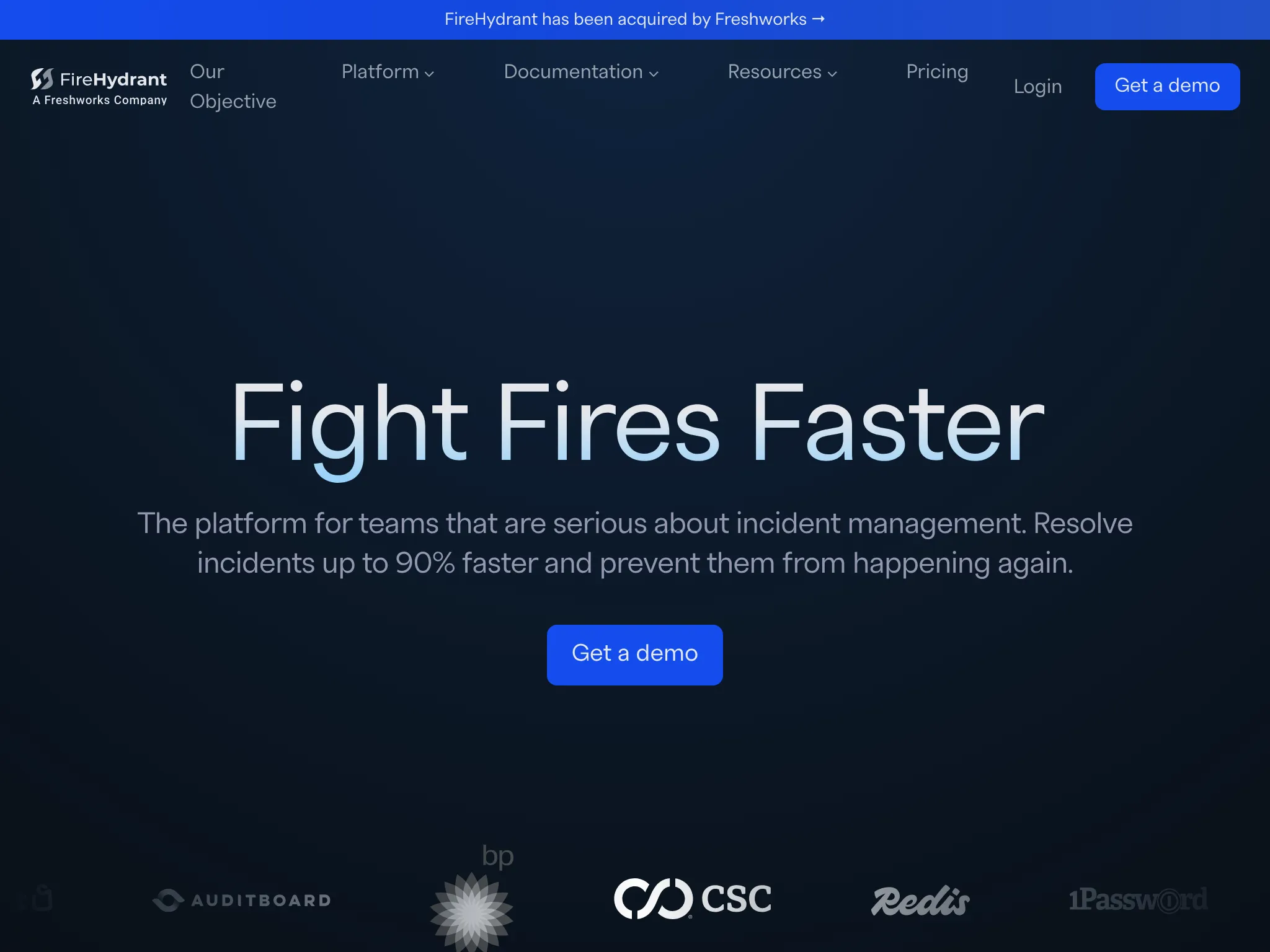
- FireHydrant is the closest match for teams that want a mature runbook and service-catalog story. Starter from ~$20/user/mo, Advanced from ~$44/user/mo (AI included).
- Hyperping is the best value if your bottleneck is detection, on-call, and status pages rather than chat-native response. $24/mo flat-rate, seats included and extra seats billed separately.
- PagerDuty is the incumbent with the deepest alerting engine and 700+ integrations. $21–$41/user/mo before AIOps add-ons.
- Squadcast (now part of SolarWinds) is the cheapest credible option, with a free tier up to 5 users and Pro at $12/user/mo.
- Better Stack bundles monitoring, logs, and incidents in one modern UI from $29/mo, but per-responder and per-add-on fees can stack up.
Why you can trust this guide
I'm Léo, founder of Hyperping. Yes, I have a stake in one of these tools. My goal is not to convince you Hyperping is always the answer. It rarely is. Incident management is a broad category, and Hyperping covers a specific slice of it: detection, on-call, and status pages. For deep Slack-native response or AI-driven post-mortems, the tools below are better fits, and I say so.
To build this guide I read product analyses for each tool, pulled quotes from G2, and cross-referenced criteria against Reddit threads where practicing SREs share what works and what does not. Key threads I leaned on:
- My experience after testing both Rootly and incident.io (r/sre)
- Incident management tools comparison (r/sre)
- Anyone here using AI RCA tools like incident.io (r/sre)
- Best PagerDuty alternatives in 2026 (r/devops)
- r/incidentio
Where I could not test a tool directly, I said so and relied on verified user feedback.
Top picks at a glance
| Best for | Product |
|---|---|
| Slack-native response with deeper workflow automation | Rootly |
| Mature enterprise runbooks and structured workflows | FireHydrant |
| Monitoring + on-call + status pages at a flat rate | Hyperping |
| Deep enterprise alerting with the largest integration catalog | PagerDuty |
| Budget-conscious DevOps teams that need solid on-call | Squadcast |
| Monitoring, logs, and incidents unified | Better Stack |
Why teams look for incident.io alternatives
incident.io gets some of the strongest reviews in the category. Across the r/sre threads I read, teams praise its polished Slack integration, opinionated defaults, and AI-generated post-mortems. The reasons to evaluate alternatives are usually about fit, not failure.
- Pricing transparency surprises. The advertised
$15/user/mo Team plan is the headline, but the real bill includes a per-on-call-user add-on ($10/user/mo) and a Pro plan effective floor that several r/incidentio threads peg around $4,000/year minimum. Teams that modeled their bill from the public per-user number get caught. - Customization ceilings. The clearest complaint pattern in the r/sre Rootly vs incident.io thread: incident.io is opinionated. Teams with complex conditional logic (more than two branches), unique escalation processes, or unusual incident lifecycles hit walls. One reviewer summarized: "It felt like it was designed for someone else's incident process, not ours."
- Slack dependency. Microsoft Teams support exists but consistently lags Slack on feature parity. For organizations on Teams as their primary chat surface, much of the differentiation evaporates.
- On-call as add-on. incident.io originally launched as response-only. On-call was bolted on later and remains a separate paid module. Teams that want a single tier covering both find the math unflattering compared to Rootly or FireHydrant.
- "We just need detection and on-call." Many teams looking at incident.io realize they do not actually have a chat-native coordination problem. They have a detection and paging problem, and a response orchestrator is the wrong layer.
- AI features still feel early. The r/sre AI RCA thread is full of pragmatic skepticism: AI summaries are useful for documentation toil, but root-cause hints are inconsistent enough that teams are not relying on them yet.
One recurring theme on r/sre: no single tool solves every layer of the incident lifecycle. Many teams pair a detection tool (Hyperping, Datadog, Prometheus) with a response tool (incident.io, Rootly, FireHydrant) and a status page (Hyperping, Statuspage). The goal is not one tool to rule them all, it's the right tool for each layer with as little overlap as possible.
Why these 6 tools made the cut
I considered 25+ tools including Blameless, OpsGenie, Grafana OnCall, xMatters, Zenduty, iLert, Splunk On-Call, ServiceNow, Jira Service Management, Freshservice, GoAlert, BigPanda, Spike.sh, and PagerTree. Many fell short for specific reasons:
- Sunsetting. OpsGenie is being shut down in April 2027. Anyone evaluating today should be evaluating the replacement, not the tool being replaced.
- Too narrow. Spike.sh, GoAlert, and PagerTree are fine for teams that just need basic paging, but they lack the lifecycle features (timelines, post-mortems, status pages) that come up repeatedly in r/sre threads.
- Service-desk first. Jira Service Management, ServiceNow, and Freshservice are ITSM tools first and incident response tools second. They optimize for tickets, not for the 2 a.m. coordination problem incident.io solves.
- Opaque pricing. Tools that still require a sales call to get a number (BigPanda, Moogsoft, BMC Helix) are excluded because evaluating them blind is a non-starter.
- Best as part of another stack. Grafana OnCall is excellent if you already run Grafana, although the OSS version is archived and the Grafana OnCall alternatives guide explains what that changes. Splunk On-Call (VictorOps) is best if you already run Splunk. Neither stands on its own as an incident.io replacement.
- Strong but lower urgency. Blameless has a real post-mortem and SRE-practice story but momentum and product velocity have lagged the chat-native pack. Worth knowing about, not at the top of most short lists in 2026.
The six tools below each own a specific use case incident.io cannot match as well, or match the same use case at a different price point.
Feature comparison
| Feature | Rootly | FireHydrant | Hyperping | PagerDuty | Squadcast | Better Stack |
|---|---|---|---|---|---|---|
| Pricing model | Per user (per module) | Per user (tiered) | Flat-rate | Per user + add-ons | Per user | Tier + per-responder + add-ons |
| Built-in monitoring | No | No | Yes | No | No | Yes |
| On-call scheduling | Yes (separate module) | Yes | Yes | Yes | Yes | Yes |
| Slack-native workflow | Full lifecycle | Full lifecycle | Notifications | Notifications | Notifications | Notifications |
| Microsoft Teams support | Full | Full | Notifications | Full | Full | Full |
| Workflow engine depth | Deep (low-code) | Strong runbooks | N/A | Strong (web) | Premium tier | Limited |
| AI post-mortems | Yes | Yes (Advanced) | No | Add-on | Premium | Limited |
| Status pages built-in | Yes | Yes | Yes | Add-on (Statuspage) | Yes | Yes (per-page fee) |
| Phone call alerting | Yes | Via integration | Yes | Yes | Yes | Yes |
| Free tier | Trial only | Trial only | Yes | Up to 5 users | Up to 5 users | Yes |
| Hosting | US | US | EU (GDPR) | US | US | US/EU |
1. Rootly: closest direct alternative to incident.io

Perfect for
Fast-growing mid-market and enterprise engineering teams that already standardize on Slack or Microsoft Teams and want AI-native incident response with deep automation across Jira, GitHub, Zoom, and the rest of the dev stack. The most-cited head-to-head against incident.io in r/sre threads.
Notable features
- Slack- and Teams-native workflows. Declare, manage, and resolve incidents from chat with automated channel creation, huddles, and transcription.
- Workflow engine for low-code automation. Build incident-driven flows across your stack without writing glue code.
- AI summaries, suggested responders, and remediation hints. Built around AI from day one rather than added on later.
- Full on-call management. Schedules, escalation policies, overrides, and mobile apps. Sold as a separate per-user module rather than bundled.
- Automated retrospectives with MTTR/MTTA tracking and follow-up task assignment.
- Status pages, public and private.
- Enterprise security. SSO, SCIM, RBAC, audit logs, SOC 2, GDPR, CCPA.
Why choose Rootly over incident.io
Workflow depth. The clearest contrast in the r/sre Rootly vs incident.io thread: Rootly's low-code workflow builder reaches further into Jira, GitHub, and the rest of the dev stack. Teams with complex conditional logic, multi-team escalations, or unique processes hit fewer walls. incident.io is more opinionated; Rootly is more configurable.
No "designed for someone else's process" frustration. Where incident.io reviewers complain about opinionated defaults that do not match their workflow, Rootly users praise the ability to model their own.
Customer logos at scale. Cisco, NVIDIA, Figma, Squarespace, and Canva run Rootly. The configuration depth is what attracts large engineering orgs with established processes.
Where Rootly falls short
Configuration cost. This is the flipside of "flexible." One r/devops commenter who picked incident.io over Rootly described it as "tons of features but required way too much configuration to work for our commerce environment." Teams that want best practices baked in get more from incident.io.
Per-user cost stacks across modules. Incident Response, On-Call, and AI SRE are priced as separate per-user tiers. At ~$20/user/mo each, the full stack adds up faster than incident.io's bundled Pro plan.
Less transparent tier limits. G2 reviews note that exact caps on workflows, runbooks, and status pages typically require a sales conversation.
UI/UX rough edges. Some users report page-refresh behavior and search pain on custom fields during incidents. Small things, but they matter at 3 a.m.
Pricing
- Incident Response Essentials: ~$20/user/mo
- On-Call Essentials: ~$20/user/mo
- AI SRE / Enterprise: custom, with bundle discounts when modules are combined
- 14-day free trial; startup discounts up to ~50% for early-stage companies
Typical annual spend: $15,000 to $60,000 depending on team size and tier.
Choose Rootly if
Your engineering team lives in Slack or Teams, you have a complex toolchain to automate around, and you want AI-native response with workflows that match your own processes rather than someone else's. Skip it if you want best practices baked in out of the box (incident.io fits that better) or if budget is the binding constraint.
2. FireHydrant: best for mature enterprise runbooks
Perfect for
Mid-market and enterprise engineering teams that want Slack-native response with a stronger runbook and service-catalog story than incident.io's. The third name that consistently shows up alongside incident.io and Rootly in r/sre evaluation threads.
Notable features
- Slack- and Teams-native lifecycle with automated channel creation, role assignment, and structured response.
- Strong runbook engine. FireHydrant invests heavily in codified, repeatable runbooks that execute alongside human responders.
- Structured post-incident analysis. Templates, blameless culture defaults, and follow-up tracking with assignees and due dates.
- Service catalog. Map services, owners, and dependencies. Incidents inherit the catalog automatically.
- AI features on Advanced tier. AI summaries and analysis included rather than priced as a separate module.
- Status pages. Public and private, with stakeholder communication built into the response flow.
Why choose FireHydrant over incident.io
Runbooks treated as first-class objects. incident.io has runbooks but FireHydrant's runbook story is deeper. Teams with mature, documented playbooks port more cleanly here.
Service catalog at the center. FireHydrant's service catalog ties incidents to services and owners by default. incident.io supports this but FireHydrant's model is more central to the product.
More transparent pricing surface for AI. Where incident.io adds AI features higher in the tier ladder and on-call as a separate add-on, FireHydrant Advanced bundles AI into the per-user price.
Where FireHydrant falls short
Price jump between tiers is real. Starter at ~$20/user/mo to Advanced at ~$44/user/mo is a 2x step. Most teams that want AI end up on Advanced.
Less marketing presence than incident.io and Rootly. Procurement conversations can take longer.
Annual commitments common. Public pricing is per-month, but real deals often involve annual commitments.
Less opinionated than incident.io. Teams that wanted incident.io's smart defaults specifically will find FireHydrant a half-step more configuration-heavy.
Pricing
- Starter: ~$20/user/mo, core incident management and on-call
- Advanced: ~$44/user/mo, AI features included, advanced analytics, service catalog depth
- Enterprise: custom
Choose FireHydrant if
You want a mature, runbook-centric incident response platform with a service catalog at the center and AI bundled rather than priced separately. Skip it if budget is the binding constraint or if incident.io's opinionated defaults are what drew you to that category in the first place.
3. Hyperping: best if your bottleneck is detection, on-call, and status pages
Perfect for
Startups, SMBs, and growing SaaS teams that want uptime monitoring, on-call scheduling, escalation policies, and polished status pages in one tool, without per-user bills that grow with every hire. Often the right answer when teams evaluating incident.io realize they do not actually have a chat-native coordination problem.
Notable features
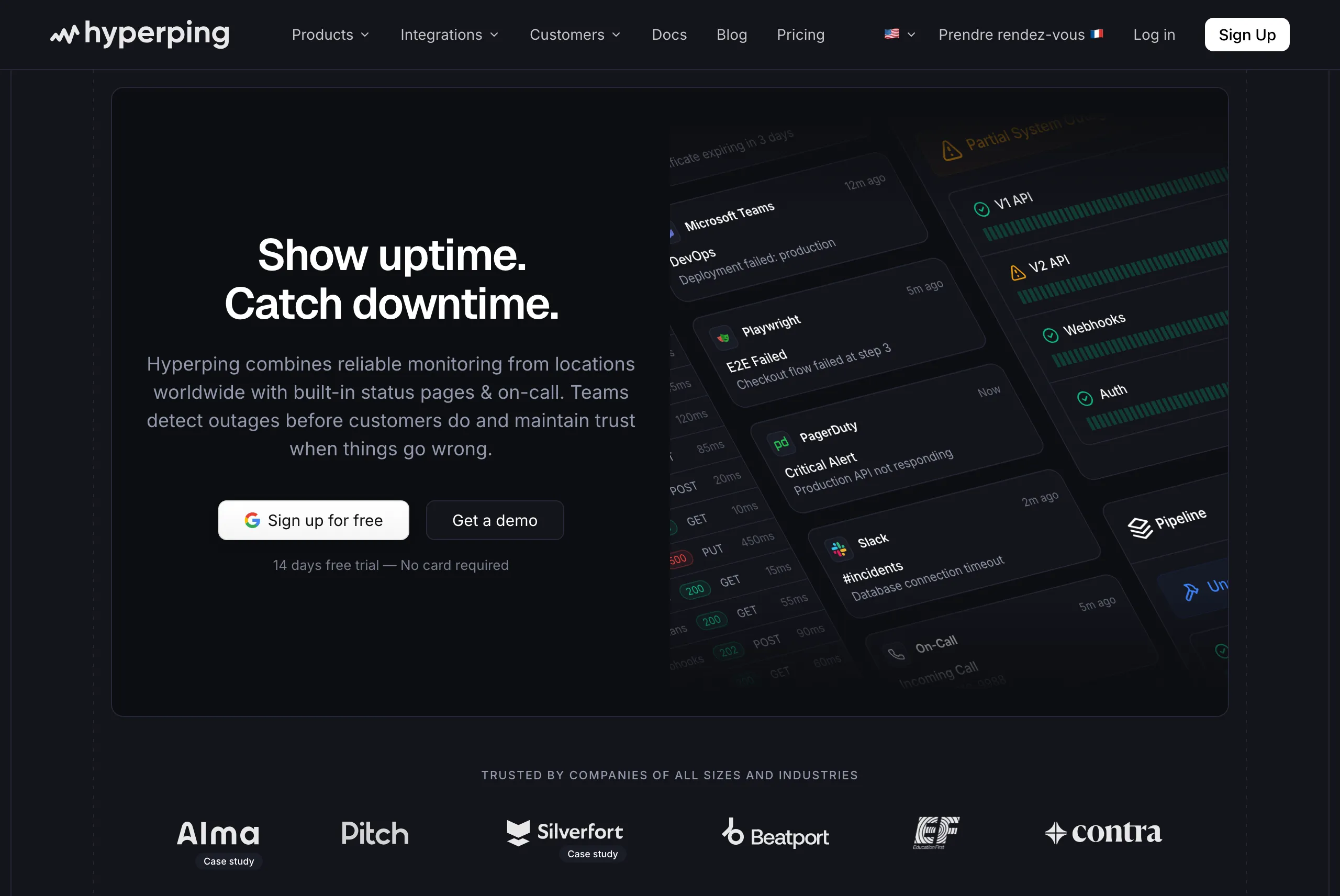
- External monitoring from 18 global regions. Catch issues from your customers' perspective, not just from inside your VPC.
- On-call scheduling and escalation policies. Timezone-aware rotations, automatic handoffs, multi-step escalation. Included on every paid plan, not sold as a separate module.
- Auto-retry before alerting. Verifies failures from multiple regions before waking anyone up, which cuts false positives significantly.
- Multi-channel alerting. Slack, Teams, Discord, Telegram, PagerDuty, OpsGenie, SMS, voice calls, webhooks.
- Branded status pages included. Public and private pages, custom domains, white-label branding, SSO protection, multi-language. 3 pages on Pro, 10 on Business, with no per-page fees inside those limits.
- Playwright synthetic monitoring. End-to-end browser checks for login, checkout, and other critical user flows.
- Server monitoring agent. Lightweight Linux and macOS agent for CPU, memory, disk, and network metrics, built on OpenTelemetry.
- EU hosting. GDPR-compliant, all data stored in EU data centers.
Why choose Hyperping over incident.io
Different problem, different tool. incident.io is a coordination platform. Hyperping is detection, paging, and customer communication. Many teams evaluating incident.io are actually shopping for the latter and do not need the former. A 20-person team rarely runs enough incidents to justify a chat-native response orchestrator.
Predictable flat-rate pricing, no Pro plan minimums. A 20-person team on Hyperping Pro costs $179/month, or about $149.17/month billed annually, including 10 extra seats beyond the 10 included. The same team on incident.io Team with on-call is around $500/month. None of incident.io's tiers include monitoring or status pages on the same plan, so you would buy those separately on top.
Three tools in one. Monitoring, on-call, and status pages are all included at every paid plan tier. That replaces UptimeRobot + Statuspage.io + a paging tool (easily $200+ combined for a small team).
Ten seats included on Pro. The ninth and tenth team members fit within the base plan. Additional seats cost $9/month or $90/year each.
Where Hyperping falls short
Hyperping is not a Slack-native incident response platform. You do not get rich incident channels with role assignment, AI-generated post-mortems, or auto-captured timelines. For teams running 20+ incidents a month who want the full incident.io or Rootly experience, Hyperping covers detection and on-call but stops short of orchestrating the response itself.
There is also no integrated APM or distributed tracing. For internal observability, pair Hyperping with Datadog, New Relic, or Prometheus.
What users say
"Hyperping's reputation in our company is that it's more reactive than Datadog. We usually get notifications from Hyperping before Datadog. It's useful as a fallback, a lighter backup monitoring solution."
"We made our Hyperping status page publicly available and it became a crucial part of our sales pitches. We are proud of our uptime and we love that we can share it with prospects."
Pricing
- Free: 1 seat, 20 monitors, 1 server agent, 1 basic status page
- Essentials: $24/month for 50 monitors, 1 status page, 3 browser checks, 3 seats
- Pro: $74/month billed annually for 250 monitors, 3 public or private status pages, 10 browser checks, voice call alerts, 10 seats. Includes email access codes, multilingual pages, and native account SAML SSO.
- Business: $249/month billed annually for 1,000 monitors, 10 status pages, sub-30-second checks, 25 browser checks, 20 seats
All paid plans include on-call scheduling and escalation policies.
Choose Hyperping if
You realize what you actually need is monitoring, on-call, and a status page, not a chat-native response orchestrator. Particularly strong for teams under 30 frustrated by per-user billing, European companies that need GDPR compliance and EU data hosting, and SRE teams that want an independent safety net alongside Datadog (see the Alma case study).
4. PagerDuty: best for deep enterprise alerting
Perfect for
Large enterprises with complex on-call schedules, deep ITSM integration requirements (ServiceNow, Jira), and the budget to absorb per-user pricing plus AIOps add-ons. The default fallback when incident.io's opinionated chat-native model does not fit.
Notable features
- Mature alerting and routing engine. Event Orchestration handles complex conditional logic that newer tools do not yet match.
- 700+ integrations. The deepest catalog of any tool in this list, including legacy enterprise systems.
- AIOps add-ons. Noise reduction, alert grouping, automated incident workflows.
- Reliable mobile paging. Multiple r/devops threads call out PagerDuty's mobile app as the gold standard for reliably waking people up at 3 a.m.
- Multi-cloud architecture. PagerDuty has invested heavily in not going down when AWS or Azure does.
Why choose PagerDuty over incident.io
Alerting depth and routing. If you have follow-the-sun rotations across five regions, 20-rule escalation policies, and a ServiceNow integration that has to work bidirectionally, PagerDuty's scheduling and routing engine is still more capable than incident.io's on-call add-on. incident.io is response-first; PagerDuty is paging-first.
Procurement comfort. "Nobody got fired for buying PagerDuty" is real. In large, conservative organizations, PagerDuty clears procurement faster than any of the modern alternatives.
Integration catalog. 700+ integrations, including legacy enterprise systems incident.io's catalog does not reach.
Where PagerDuty falls short
Cost. $21/user/mo Pro, $41/user/mo Business, plus AIOps and Automation add-ons. For a 50-person engineering org, you are looking at $25,000+ a year before add-ons.
Web-app-centric coordination. PagerDuty notifies into Slack but the actual incident lives in their web UI. Teams that want chat-native response consistently report better adoption with incident.io.
API and webhook gaps. Forum users repeatedly flag missing fields (description removed from webhooks, resolution notes not exposed) and N+1 API calls for service custom fields.
Mobile regressions. Recent updates added a confirmation tap to swipe-to-resolve, which on-call engineers complain about regularly.
Privacy defaults. PagerDuty's Slack integration enables "Chat message ingestion" and "Private channel ingestion" by default. Worth reviewing during setup.
Pricing
- Professional: $21/user/mo (annual)
- Business: $41/user/mo (annual)
- Digital Operations / Enterprise: custom pricing
- AIOps and Automation modules priced separately on top
- Free tier limited to 5 users with minimal features
Choose PagerDuty if
You are 200+ engineers, have complex multi-region scheduling, need deep ITSM integrations, and per-user pricing is not the bottleneck. Skip it if you are under 50 people (the per-user math does not pencil out) or if you want a chat-native experience.
5. Squadcast: best for budget-conscious DevOps teams

Perfect for
Small to mid-size DevOps and SRE teams that need solid on-call scheduling, alert routing, and basic incident management at the lowest credible per-user price point. The right answer when incident.io is conceptually overkill.
Notable features
- On-call scheduling with rotations, overrides, and time-based routing
- Escalation policies with deduplication and noise reduction
- SRE workflows including SLO/SLA tracking, error budgets, and reliability automation
- 175+ integrations with Datadog, Prometheus, Grafana, Jira, Slack, Teams
- Status pages included
- Free tier for up to 5 users with email/push and 100 free SMS/voice account-wide
Why choose Squadcast over incident.io
Cheapest credible alternative. Pro at $12/user/mo is less than half of incident.io's effective per-user cost once the on-call add-on is included. For a 20-person team, that is $2,880/year vs. $6,000+/year.
Setup speed. Multiple G2 reviewers report getting up and running in hours, not days.
SRE practices baked in. SLOs, error budgets, and reliability tracking ship in the product rather than being bolted on with custom dashboards.
Where Squadcast falls short
Less Slack-native than incident.io or Rootly. Squadcast is a paging-and-on-call tool first, with incident response layered on top. The chat-native lifecycle is shallower.
Fewer enterprise features. incident.io-level AI post-mortems and workflow polish are not matched.
Post-acquisition uncertainty. SolarWinds bought Squadcast and rebranded it. Teams in r/devops flag healthy caution about long-term roadmap clarity.
Brand recognition in procurement. "We chose Squadcast" is a longer conversation in enterprise procurement than "we chose incident.io."
Pricing
- Free: up to 5 users, email/push, 100 free SMS/voice account-wide, 3-month retention
- Pro: $12/user/mo (annual), unlimited users, SMS/voice, noise reduction
- Premium: $19/user/mo (annual), adds runbooks, workflows, SLO tracking
- Enterprise: custom, with AI summaries, ServiceNow bidirectional sync, SSO
Choose Squadcast if
Budget is the primary constraint, your scheduling needs are straightforward, and you want a tool that does the core 80% of incident.io's on-call layer at a fraction of the price. Skip it if you need deep AI-native response or full chat-native lifecycle.
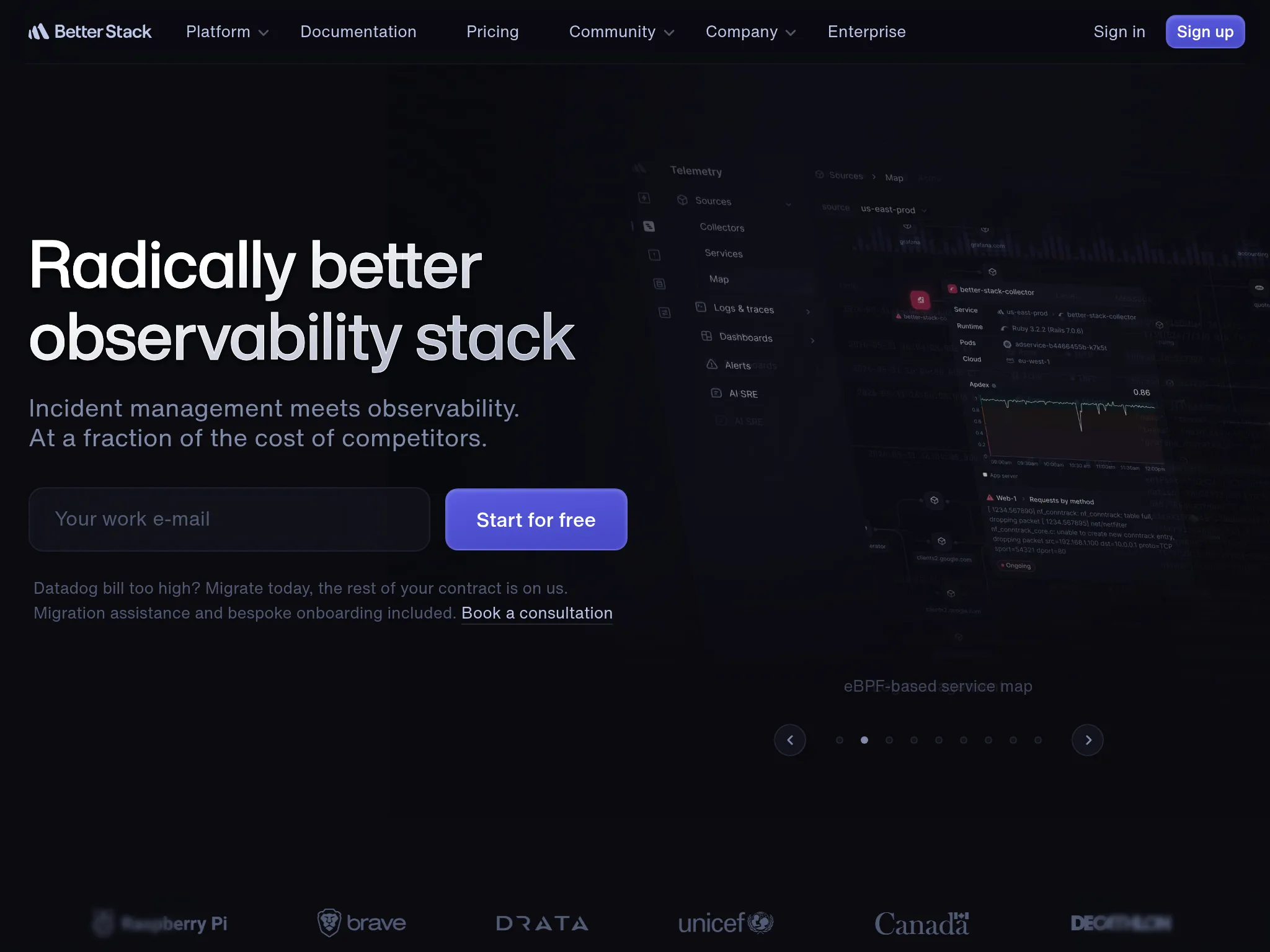
6. Better Stack: best for monitoring, logs, and incidents unified
Perfect for
Startups and growing SaaS teams that want monitoring, log management, and incident response in one polished modern UI, and do not mind tracking usage-based add-ons.
Notable features
- Uptime monitoring with checks from multiple global locations
- Log management with structured search and alerting
- On-call scheduling and escalation with multi-channel alerts
- Branded status pages with custom domains
- Modern UI consistently praised in G2 reviews
- eBPF-based OpenTelemetry tracing for auto-instrumentation
- Terraform and API support for infra-as-code workflows
Why choose Better Stack over incident.io
Three layers in one platform. Monitoring, logs, and incidents under one roof, which means one less SaaS bill and one less integration to maintain. incident.io assumes you bring your own detection and observability.
Polished interface. This is the most commonly praised aspect across reviews. Comparable in polish to incident.io but with the monitoring layer included.
Generous free tier. Lets you try the platform without committing.
Where Better Stack falls short
Per-responder pricing surprises. $29/mo is the headline, but additional responders ($29 each), more monitors ($21 per 50), and additional status pages ($12 each) stack up faster than the marketing suggests.
Less mature lifecycle than incident.io or Rootly. On-call and incidents are solid, but the AI-driven post-mortem and chat-native workflow depth is lower.
Limited customization on entry tiers. Status page customization in particular is constrained on lower plans.
Pricing
- Free tier with basic monitoring and limited features
- Paid plans from $29/mo with per-responder pricing on higher tiers
- Add-ons: more monitors, more status pages, log retention all priced separately
Choose Better Stack if
You want monitoring + logs + incidents in one tool, you value a modern UI, and you are comfortable tracking usage-based add-ons. Skip it if you want flat-rate predictability (Hyperping fits better) or full chat-native incident lifecycle (Rootly or FireHydrant fit better).
Head-to-head decisions
Rootly vs incident.io: which Slack-native?
This is the most-cited head-to-head in r/sre threads. Rootly is more configurable and has deeper workflow automation across Jira, GitHub, and the rest of the dev stack. incident.io is more opinionated and faster to adopt out of the box, with the strongest AI post-mortem story. If you have a complex toolchain and want to automate around it, Rootly. If you want best practices baked in, incident.io.
FireHydrant vs incident.io: which for enterprise runbooks?
FireHydrant's runbook engine and service catalog are deeper at the center of the product. incident.io's strength is opinionated defaults and AI post-mortems. FireHydrant bundles AI into the Advanced tier; incident.io stages it across tiers and an on-call add-on. For teams whose top requirement is codified, repeatable playbooks and a central service catalog, FireHydrant. For teams that want incident.io's polish, incident.io.
Hyperping vs incident.io: do I even need a response platform?
If you run fewer than 5 incidents a month, the honest answer is probably no. Hyperping covers detection, paging, escalation, and status pages at a flat rate with seats included and extra seats billed per seat. incident.io is built for the team that runs 10+ incidents a month and needs orchestration. For most teams under 30 engineers, the detection-and-paging layer is where the bottleneck actually lives.
Squadcast vs incident.io: which for budget-conscious teams?
Squadcast at $12/user/mo covers the on-call and basic incident response layer at less than half of incident.io's effective cost once the on-call add-on is included. The trade-off is no AI post-mortems, shallower chat lifecycle, and less workflow polish. For most teams under 50 engineers where budget is the binding constraint, Squadcast is the better business case.
PagerDuty vs incident.io: which for large enterprises?
PagerDuty's alerting engine and integration catalog are still more mature. incident.io's chat-native response and AI post-mortems are more modern. For organizations where alerting depth and procurement comfort matter most, PagerDuty. For organizations that have decided chat-native response is the future and want to modernize, incident.io.
Decision framework
By team size:
- Solo or small team (1–10): Hyperping or Squadcast (free up to 5 users).
- Mid-size (10–50): Hyperping for monitoring + on-call + status pages, Rootly or FireHydrant for Slack-native lifecycle.
- Large (50–200): Rootly or FireHydrant for chat-native, PagerDuty if scheduling complexity dominates.
- Enterprise (200+): PagerDuty, FireHydrant Advanced, or Rootly Enterprise.
By workflow:
- Slack-native, deep workflow automation: Rootly.
- Slack-native, deep runbooks and service catalog: FireHydrant.
- Slack-native, opinionated defaults: incident.io itself (the alternative is staying).
- Web-app-first, complex routing: PagerDuty.
- Mostly just need solid on-call: Squadcast or Hyperping.
- Want monitoring bundled in: Hyperping or Better Stack.
By budget (20-person team):
- $100 to $300/mo: Hyperping Pro, Squadcast Pro, Better Stack with light add-ons.
- $300 to $1,000/mo: FireHydrant Starter or Rootly Incident Response Essentials.
- $1,000+/mo: PagerDuty Business with AIOps, FireHydrant Advanced, Rootly Enterprise.
Full list of incident.io alternatives I considered
For completeness, here is the broader set of incident management and on-call tools I reviewed before narrowing to the six picks. Pricing is approximate as of 2026 and varies with usage and team size.
| Name | Pricing (approx. 2026) | Main strength | Main weakness |
|---|---|---|---|
| Rootly | ~$20+/user/mo per module | Deep Slack/Teams automation, full lifecycle, AI retrospectives | Per-module pricing stacks; chat-dependent |
| FireHydrant | Starter ~$20/user/mo; Advanced ~$44/user/mo (AI included) | Strong runbooks, structured workflows, post-incident analysis | Price jump between tiers; often annual commitments |
| Hyperping | Free basic; from ~$24/mo flat-rate | Integrated monitoring + status pages + on-call at a flat rate | Not a chat-native response platform |
| PagerDuty | Professional ~$21–29/user/mo; Business ~$41/user/mo; AI add-ons extra | Mature enterprise alerting, on-call, 700+ integrations, AIOps | Expensive add-ons; complex/legacy UI; steep learning curve |
| Squadcast | Pro ~$9–12/user/mo; Premium ~$19/user/mo | Affordable SRE-focused (on-call, SLOs, postmortems) | Smaller brand recognition vs. leaders |
| Better Stack | Free tier; paid from ~$29/mo (usage-based) | All-in-one monitoring + incidents + status pages; modern UI | Modular pricing adds up |
| Opsgenie (Atlassian) | ~$9–20/user/mo (bundled in JSM) | Affordable alerting/on-call with Jira integration | EOL announced April 2027; limited modern features |
| xMatters | From ~$9/user/mo (free to 10 users); higher custom | Deep analytics, ML insights, complex workflows | Dated interface; steeper learning curve |
| Jira Service Management | Free (limited); Standard ~$20/agent/mo; Premium ~$49/agent/mo | Seamless Atlassian/Jira integration for ticket-based ITSM | Ticket-focused, not real-time SRE response |
| ServiceNow | Custom enterprise (often $100+/user/mo) | Comprehensive ITSM suite, automation, compliance | Very complex, costly, long implementation |
| Splunk On-Call (VictorOps) | Contact sales (usage-based) | Tight Splunk observability integration | Aging UI; less standalone appeal |
| Freshservice | From ~$19/agent/mo | User-friendly cloud ITSM with AI automation | More helpdesk-oriented; less SRE-specialized |
| Zenduty (Xurrent IMR) | Free then ~$5/user/mo (Starter); up to $21 Enterprise | Affordable AI-driven (RCA, postmortems), good integrations | Less known brand; some enterprise gaps |
| iLert | Free (limited); Pro ~€19/user/mo; Enterprise ~$49+ | EU-friendly, AI-first, status pages, cross-stack | Regional focus may limit some global perceptions |
| PagerTree | From ~$10/user/mo or flat; free basic | Simple, lightweight alert routing & on-call for small teams | Limited advanced automation/lifecycle |
| Spike.sh | From ~$5/mo | Budget-friendly simple incident response | Basic features; not for enterprise needs |
| Grafana OnCall / IRM | Free tier; paid ~$20/user + usage | Native Grafana/observability integration, open-source roots | Best with Grafana stack; less standalone |
| Blameless | Custom (contact sales) | SRE-practice focused, structured post-mortems | Momentum lagged the chat-native pack |
| BigPanda | Enterprise (contact sales) | Strong AIOps alert correlation & noise reduction | Expensive; more AIOps than full incident lifecycle |
| Moogsoft | Enterprise (contact sales) | AIOps for noise reduction & grouping | Complex; higher cost for large-scale |
| OnPage | ~$12/user/mo | Secure paging for healthcare/regulated sectors | Niche focus; less broad SRE features |
| ManageEngine ServiceDesk Plus | Contact sales / from lower tiers | Affordable ITSM suite with incident modules | Dated UI; more traditional ITSM |
| InvGate Service Management | Starter ~$17/agent/mo; Pro ~$40 | Usable no-code workflows, ITAM integration | Less known in pure SRE circles |
| BMC Helix | Enterprise (contact sales) | AI-powered enterprise ITSM | Costly and complex implementation |
| NinjaOne | Varies (MSP-focused) | Patch management + incident response | More endpoint/RMM than core incident mgmt |
| GoAlert | Free OSS | Simple open-source on-call scheduling | Self-host overhead; minimal lifecycle features |
| All Quiet | From ~$5/user/mo | Budget-friendly on-call alternative | Smaller feature set; newer entrant |
Source patterns across this list came from 2025–2026 analyses on Gartner Peer Insights, vendor pricing pages, comparison write-ups, and Reddit threads on r/sre, r/devops, r/incidentio, and r/SaaS.
Common mistakes when leaving incident.io
A few patterns I saw repeatedly in the Reddit threads:
- Replacing incident.io with Rootly without testing the workflow migration cost. Rootly's depth is valuable but porting opinionated incident.io workflows to Rootly's low-code builder is real work. Audit the workflows you actually use before migrating.
- Switching to a tool without the AI post-mortem story you actually relied on. If incident.io's auto-generated post-mortems were the load-bearing feature, FireHydrant Advanced and Rootly AI SRE are the closest matches. PagerDuty and Squadcast lag here.
- Forgetting status pages and detection. Many teams replace incident.io with another response tool and then realize they were also using a separate uptime monitor and status page. A bundled tool like Hyperping or Better Stack covers that gap.
- Picking by AI feature checklist. AI post-mortems, AI summaries, AI suggested responders are all real features but vary in actual quality. The r/sre AI RCA thread is full of pragmatic skepticism. Run a parallel POC on three to five real incidents before deciding.
- Treating "Slack-native" as a single binary. "Slack-native" means very different things across Rootly, FireHydrant, and incident.io. Run real responders through the chat flow during a POC. Power users and first-time on-call engineers will give different feedback.
The bottom line
There is no single best incident.io alternative, only the best tool for a specific slot in your stack.
- For Slack-native response with deeper workflow automation: Rootly.
- For mature enterprise runbooks and service catalog at the center: FireHydrant.
- For monitoring, on-call, and status pages in one flat-rate tool: Hyperping.
- For deep enterprise alerting and the broadest integration catalog: PagerDuty.
- For budget-conscious DevOps teams that just need solid on-call: Squadcast.
- For monitoring, logs, and incidents unified in a polished UI: Better Stack.
If you want monitoring that catches issues in 30 seconds, on-call scheduling with smart escalations, and status pages your customers will actually check, all at a flat monthly rate with included seats and paid additional seats, try Hyperping free.
Related reading
- Best incident management tools: broader category guide across 6 tools
- Best Rootly alternatives: if Rootly is also on your shortlist
- Best FireHydrant alternatives for on-call scheduling: if FireHydrant is the other name on your shortlist
- Best PagerDuty alternatives: if PagerDuty is also on your shortlist
- Best on-call scheduling tools: focused on the on-call layer
- Best status page tools: the customer-communication layer most response tools skip
- Hyperping pricing
FAQ
What is the best incident.io alternative? ▼
There is no single best incident.io alternative. For Slack-native response with deeper workflow automation, Rootly. For mature enterprise runbooks and a service catalog at the center, FireHydrant. For monitoring, on-call, and status pages in one flat-rate tool, Hyperping. For deep enterprise alerting and 700+ integrations, PagerDuty. For budget-conscious DevOps teams, Squadcast. For monitoring plus logs and incidents unified, Better Stack.
Why do teams look for incident.io alternatives? ▼
From the Reddit threads I read, the dominant reasons are pricing surprises (the Pro plan's effective floor lands well above the public per-user price once on-call is added), opinionated defaults that frustrate teams with unique processes, customization ceilings on complex conditional logic, and the dependency on Slack as a primary surface. Teams on Microsoft Teams as their main chat tool also report lagging feature parity.
Is Rootly better than incident.io? ▼
It depends on what you want. Rootly is more configurable with a deeper workflow engine across Jira, GitHub, Zoom, and the rest of the dev stack. incident.io is more opinionated, faster to adopt out of the box, and has the strongest AI post-mortem story. Teams with a complex toolchain pick Rootly. Teams that want best practices baked in pick incident.io.
What is the cheapest incident.io alternative? ▼
Squadcast Pro at $12/user/month is the cheapest credible incident management tool with real on-call features. Hyperping starts at $24/month flat-rate with included seats and paid additional seats and includes monitoring, on-call, escalation policies, and status pages. For most teams under 30 people, Hyperping is the cheapest all-in-one path.
Is incident.io worth the cost? ▼
For teams that genuinely live in Slack, run 10+ incidents a month, and want consistent process without forcing engineers into a separate web app, yes. For Microsoft Teams shops, small teams running a few incidents a month, or teams whose bottleneck is detection rather than coordination, the on-call add-on and Pro plan minimums make it hard to justify.