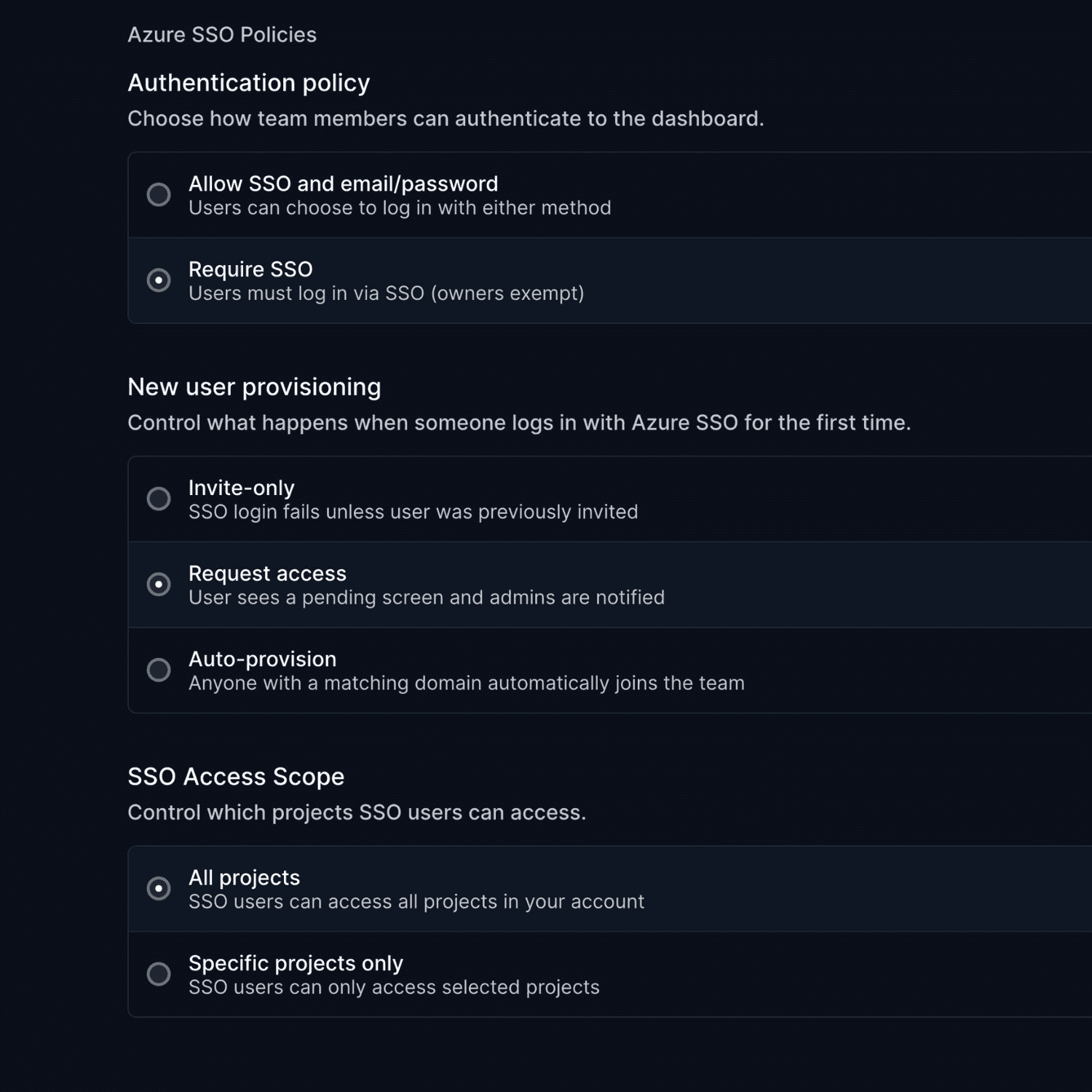
February brings a new Outages dashboard, a complete Status Page API, and a major overhaul of our API documentation.
Outages Dashboard
A central place to view, manage, and act on all outages from your monitors.
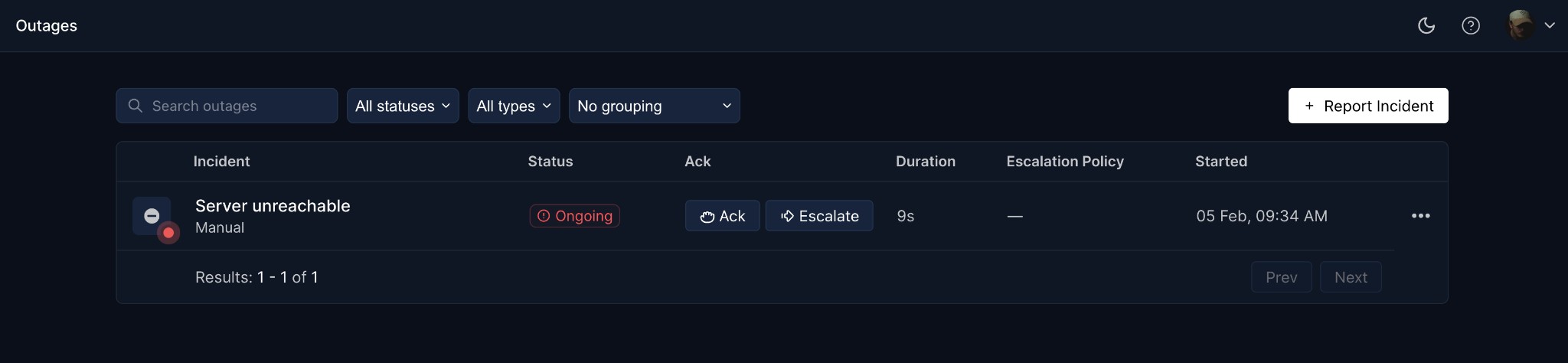
- View all outages: See past and ongoing outages across all your monitors
- Create manual incidents: Report incidents that weren't detected automatically
- Acknowledge outages: Let your team know you're on it
- Escalate to on-call: Trigger escalation policies or notify specific teammates via email, SMS, or phone
- Filter and search: Find outages by status, type, or search term
- Resolve incidents: Mark outages as resolved when fixed
Status Page API
Manage your status pages entirely through our API. Create, update, configure, and delete status pages without touching the dashboard.
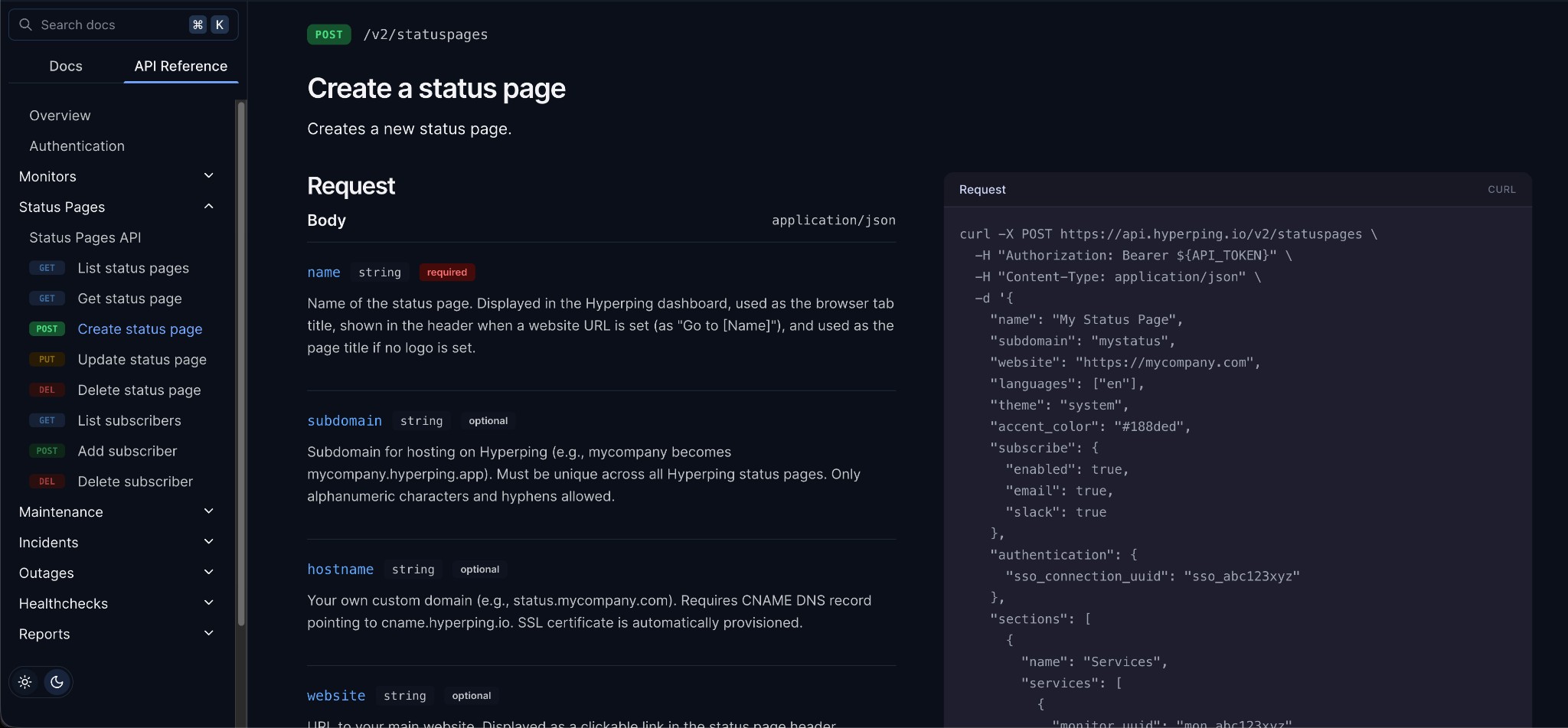
- Full CRUD operations: Create, read, update, and delete status pages programmatically
- Configuration control: Set themes, colors, logos, languages, and subscribe options
- Service management: Add and organize monitors and components in sections
- Subscriber management: List, add, and remove subscribers
API Documentation: Now on hyperping.com
We've migrated our API documentation from Notion to our main docs site. It's faster, searchable, and always up to date.
The new API Reference includes complete documentation for:
- Outages API
- Status Pages API
- Healthchecks API
- Monitors API
- Incidents API
- Maintenance API
Check out the new docs at hyperping.com/docs/api/overview.
Enhanced Usage Dashboard
Redesigned usage view with cleaner layout, clear limit indicators, and better visual hierarchy.
Questions? Reach out via in-app chat or email us at hello@hyperping.io.
Article by
I'm Léo Baecker, the heart and soul behind Hyperping, steering our ship through the dynamic seas of the monitoring industry.

Related Articles
Opsgenie vs PagerDuty in 2026: Default Choice or Per-User Tax?
Opsgenie vs PagerDuty for teams leaving Opsgenie before April 2027: on-call, routing, heartbeats, status pages, migratio...
UptimeRobot vs Better Stack: A 2026 Comparison (267 G2 Reviews Analyzed)
UptimeRobot vs Better Stack compared across eight dimensions: uptime checks, browser tests, on-call, status pages, incid...
UptimeRobot vs Oh Dear: A 2026 Comparison (157 G2 Reviews Analyzed)
UptimeRobot vs Oh Dear compared across eight dimensions: check coverage, website health, browser tests, on-call, status ...
Datadog vs Better Stack: A 2026 Comparison (307 G2 Reviews Analyzed)
Datadog vs Better Stack compared across eight dimensions: uptime checks, browser tests, on-call, status pages, incidents...