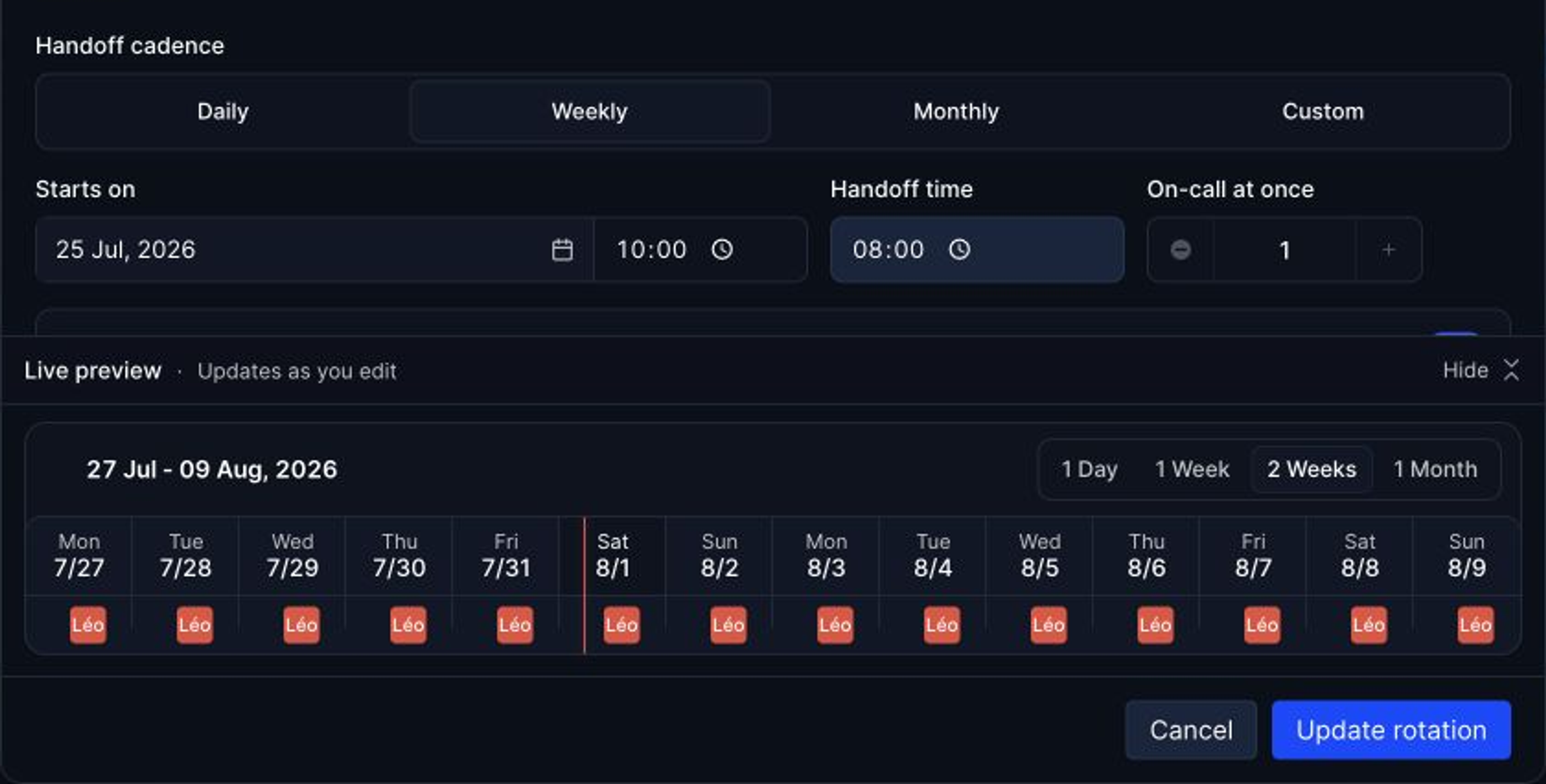
A rotation has to be read by the alerting system, not just shared in a calendar, or the page goes to the wrong person. In Hyperping, an on-call schedule holds one or more rotations, each with its own timezone, participants, handoff time, and active hours, shown on one timeline. Escalation policies read the schedule at the moment an alert fires, so overrides and swaps take effect immediately.
Common rotation patterns
- Weekly: one person covers a full week, handing off on a weekday morning. The default for most teams.
- Daily: shorter shifts, more handoffs. Useful when pages are frequent and a full week would be exhausting.
- Business hours plus after-hours: one rotation covers 9 to 6 on weekdays, a second covers nights and weekends, often with fewer, more senior people.
- Follow the sun: teams in different timezones each cover their own daytime, so nobody is on call at night. Three sites eight hours apart can each take eight hours.
- Primary and secondary: two people on call at once, the second paged only if the first doesn't acknowledge.
Designing a fair rotation
- Put at least four or five people in each rotation, so each one gets several weeks off between shifts.
- Hand off during working hours, never at midnight, with a short overlap to pass on open issues.
- Count holidays. Someone on call over Christmas should get the time back.
- Let people swap shifts without asking a manager, and use overrides instead of editing the rotation.
- Don't put new hires on call alone. Pair them as secondary for a rotation first.
How to build a rotation in Hyperping
- Go to On-Call and create a schedule.
- Add a rotation: name, timezone, people, start date, handoff time, and rotation type (daily, weekly, or custom).
- Set concurrent shifts to 2 if critical services need two people on call at once.
- Add time restrictions to limit a rotation to certain hours, and a second rotation to cover the rest.
- Check the timeline preview, save, and select the schedule in an escalation policy.
The follow-the-sun playbook walks through a three-region setup.
FAQ
How often should on-call rotate?
Weekly for most teams. Rotate daily if a week of pages is too much, but fix the noisy alerts too, because more frequent handoffs only spread the problem out.
What is a follow-the-sun rotation?
A schedule where teams in different timezones each cover their own working hours, so the duty moves around the world with the daytime. It removes night shifts, but needs at least two or three sites.
How do I handle vacations in an on-call rotation?
Add an override for the dates with the person covering. The rotation itself stays unchanged, and the alerting tool pages whoever the override names.