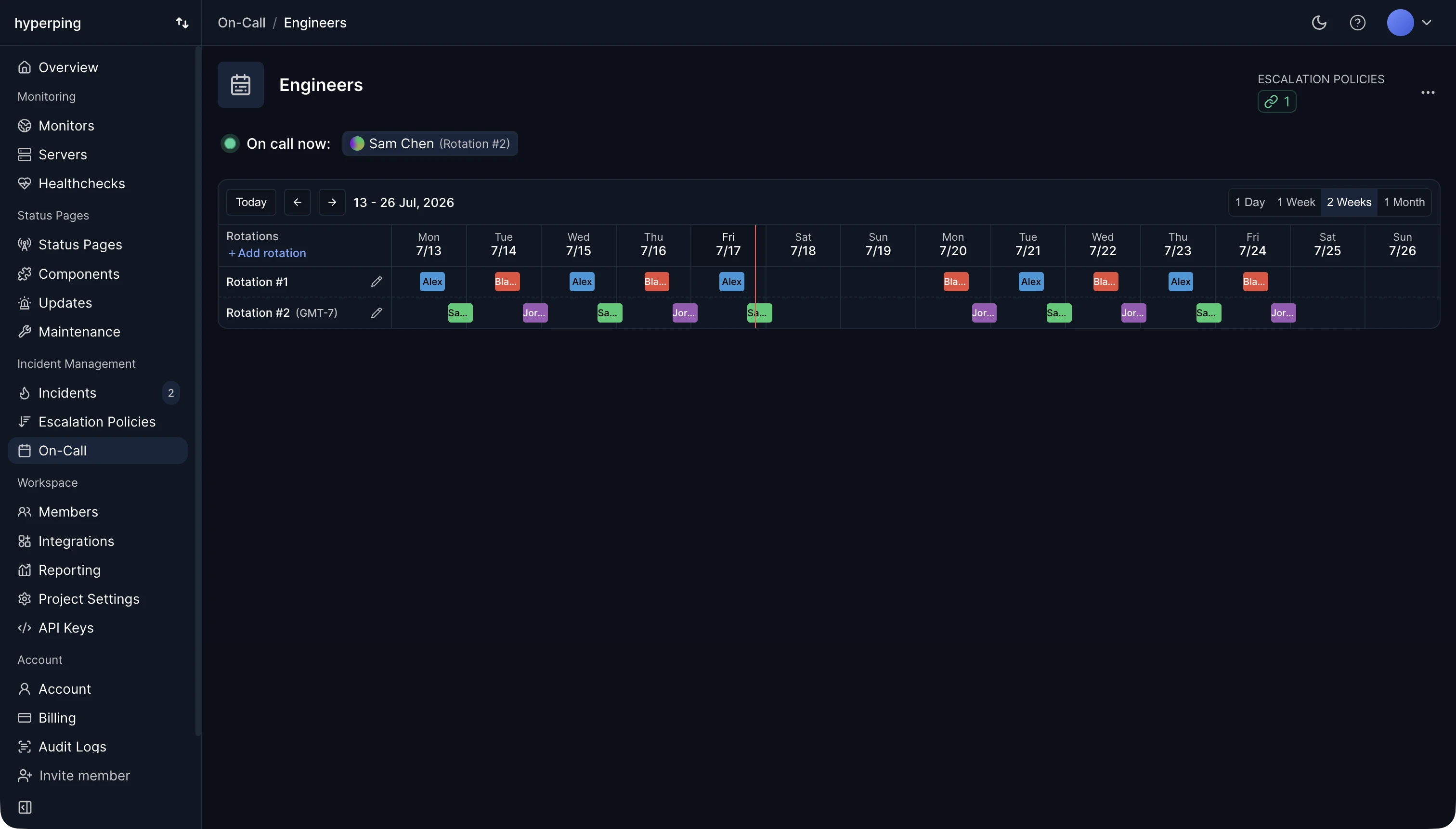
On-call only works if alerts reach the person on duty, not the whole team. In Hyperping, an on-call schedule decides who that is at any moment, and an escalation policy pages them: a Slack message first, then an SMS, then a phone call, each after its own delay, until the outage resolves. Alerts are confirmed from several regions before anyone is paged, so a single network blip doesn't wake anyone up. On-call is included on every paid plan.
On-call duties
- Acknowledges each alert within a few minutes, which tells the team someone owns it and stops repeat alerts.
- Checks whether users are affected and how badly, then fixes the problem or brings in the people who can.
- Posts updates on the status page, or makes sure someone does.
- Hands over at the end of the shift with a short note: what fired, what's still open, what to watch.
The on-call engineer is not expected to fix everything alone. Their job is to respond, assess, and escalate.
A healthy on-call setup
- Enough people. With fewer than four or five people in a rotation, each one is on call too often to rest.
- Alerts worth waking up for. Every page should be urgent, real, and need a human. Everything else goes to a chat channel for working hours.
- A backup. An escalation policy that reaches a second person when the first doesn't acknowledge in 5 to 10 minutes.
- Compensation, in pay or time off, written down.
- Runbooks for the alerts that fire most often, linked from the alert itself.
- A regular review of the pages from the last rotation, to delete or fix the noisy ones.
How to set up on-call in Hyperping
- Invite your teammates and make sure each one has a phone number in their account settings.
- Create an on-call schedule with one or more rotations, each with its own timezone, handoff time, and people.
- Create an escalation policy and pick the schedule as the recipient of its SMS and phone call steps.
- Assign the policy to your critical monitors. Monitors without a policy alert every channel at once, which is fine for low-stakes services.
- Add overrides for vacations and swaps. Escalations read the schedule when the alert fires, so the page goes to whoever covers.
FAQ
How long should an on-call shift be?
One week is the most common, with handoff on a weekday morning. Shorter shifts mean more handoffs, and longer ones wear people out. Teams in several timezones can split each day instead, with a follow-the-sun rotation.
How many pages per shift is too many?
More than two pages outside working hours in a week means the alerts need work. Each night-time page should be rare enough that the engineer remembers it.
What is the difference between on-call and an escalation policy?
The on-call schedule decides who is responsible at a given time. The escalation policy decides how they're reached, in which order, and who comes next if they don't answer.