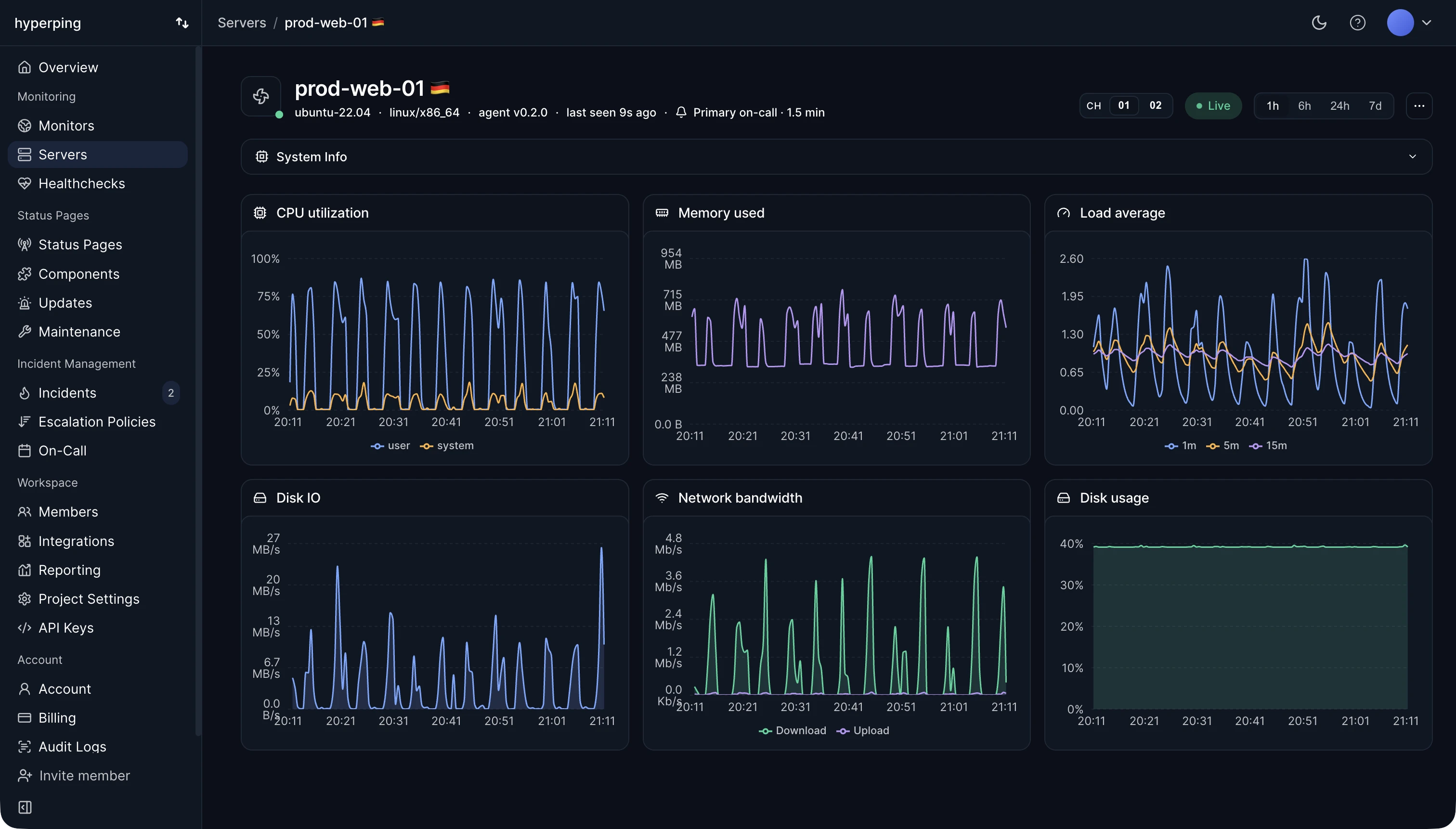
Hyperping's server agent reports used and free space for every real mount point, with the device and filesystem type attached, and filters out pseudo-filesystems such as tmpfs, proc, and overlay layers before the data reaches the dashboard. On Windows, each drive letter is a mount. Of all the ways a server fails, a full disk is the most predictable, and the chart shows the slope well before it hits the top.
Percentage thresholds mislead
90% full on a 20 GB volume leaves 2 GB, which one chatty log file can fill in an afternoon. 90% on a 4 TB volume leaves 400 GB and needs no attention at all. Watch free bytes together with the rate at which they shrink, so the warning arrives with hours or days to act, not at the moment writes start failing.
How a full disk shows up
Full disks fail in ways that look like unrelated bugs:
- The database refuses writes, or crashes.
- Logs are silently truncated, so the evidence of the problem is missing too.
- Deploys fail while unpacking, and the package manager won't run.
- Uploads and sessions break in the application.
A filesystem can also run out of inodes (the entries for each file) while free space still looks fine, which is why "No space left on device" sometimes contradicts the graph. Millions of tiny files, such as session files or a mail queue, are the usual cause. df -i shows inode usage.
Common causes of a filling disk
- Logs without rotation, or with rotation but no deletion.
- Old Docker images, containers, and build caches.
- Database growth, temporary tables, and backups written to the same volume.
- Deleted files still held open by a running process, which keep using space until it restarts.
FAQ
When should I be alerted about disk space?
When the current fill rate would fill the disk within a few days, or when free space drops below what a day of normal growth needs. Both beat a fixed 90%.
How do I check disk usage on Linux?
df -h for each filesystem, du -sh /var/* | sort -h to find what's using it, and df -i for inodes. See how to monitor disk space.
Why is my disk full when du shows less?
A deleted file is still open by a process. Find it with lsof +L1 and restart that process to release the space.