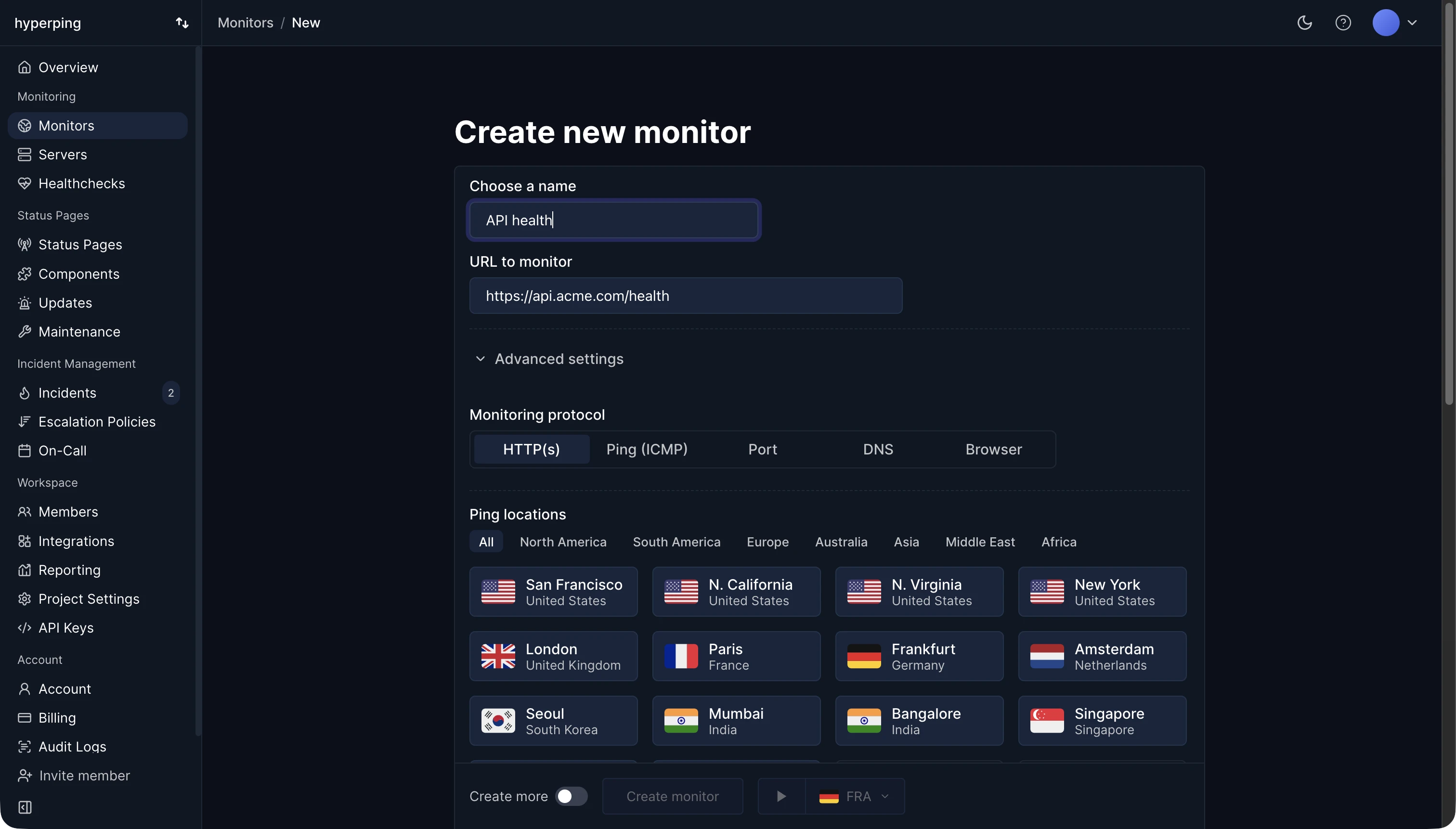
Hyperping monitors APIs with HTTP monitors: you set the method, headers, and body, the status code you expect, and text the response must contain, such as "status":"ok". Checks run every 30 seconds on paid plans from the regions you pick, and a failure alerts your team only once other regions confirm it. Every check keeps its response time per region.
API monitoring checks
- Availability: the endpoint answers, without a timeout or a refused connection.
- Status code: any 2xx by default, or one exact code when the endpoint is meant to return something else, like 401 for a protected route.
- Content: the body contains what a healthy response always carries. Many APIs answer 200 with an error inside.
- Speed: the answer arrives within the timeout your clients use. A response slower than that is down for them.
- Authentication: the endpoint accepts the same token or API key your clients send. When a key is rotated or the auth service breaks, the 401 fails the check.
- The certificate: expiry, chain, and hostname, because API clients are much stricter about TLS than browsers.
Which endpoints to monitor
Start with a health check endpoint that tests the service's own dependencies, then add the two or three endpoints that matter most to customers: authentication, the main read, the main write. For writes, use an idempotent call or a test account, so monitoring doesn't create real data every 30 seconds.
Monitor the third-party APIs you depend on too. When your payment, email, or model provider is down, your product is too, and knowing it's them saves an hour of debugging your own code.
API monitoring vs API testing
API tests run in CI against a test environment, before a release, and check many cases in depth. API monitoring runs against production around the clock and checks a few requests often. A passing test suite doesn't mean production works: configuration, certificates, DNS, and dependencies only exist there.
How to monitor an API with Hyperping
- Create an HTTP monitor with the endpoint's URL and method (GET, POST, PUT, PATCH, DELETE, HEAD, or OPTIONS).
- Add the headers your clients send, such as
Authorization, and a JSON, form, or raw body if needed. - Set the expected status code and the text the body must contain.
- Pick regions near your API's users, and assign an escalation policy.
- For a chain of calls, like fetching a token before using it, write a browser check with Playwright's request fixture.
FAQ
How often should an API be checked?
Every 30 seconds to 1 minute for production APIs. At 5 minutes, a short outage can come and go between two checks.
Can I monitor an API that needs authentication?
Yes, when a header is enough: a bearer token, Basic auth, or an API key header. When a token has to be fetched first, use a scripted check that logs in and passes the token to the next call.
Can Hyperping monitor an internal API?
Not directly: checks run from the public internet. For a service that only runs inside your network, have it ping a heartbeat URL instead, and alert when the pings stop.