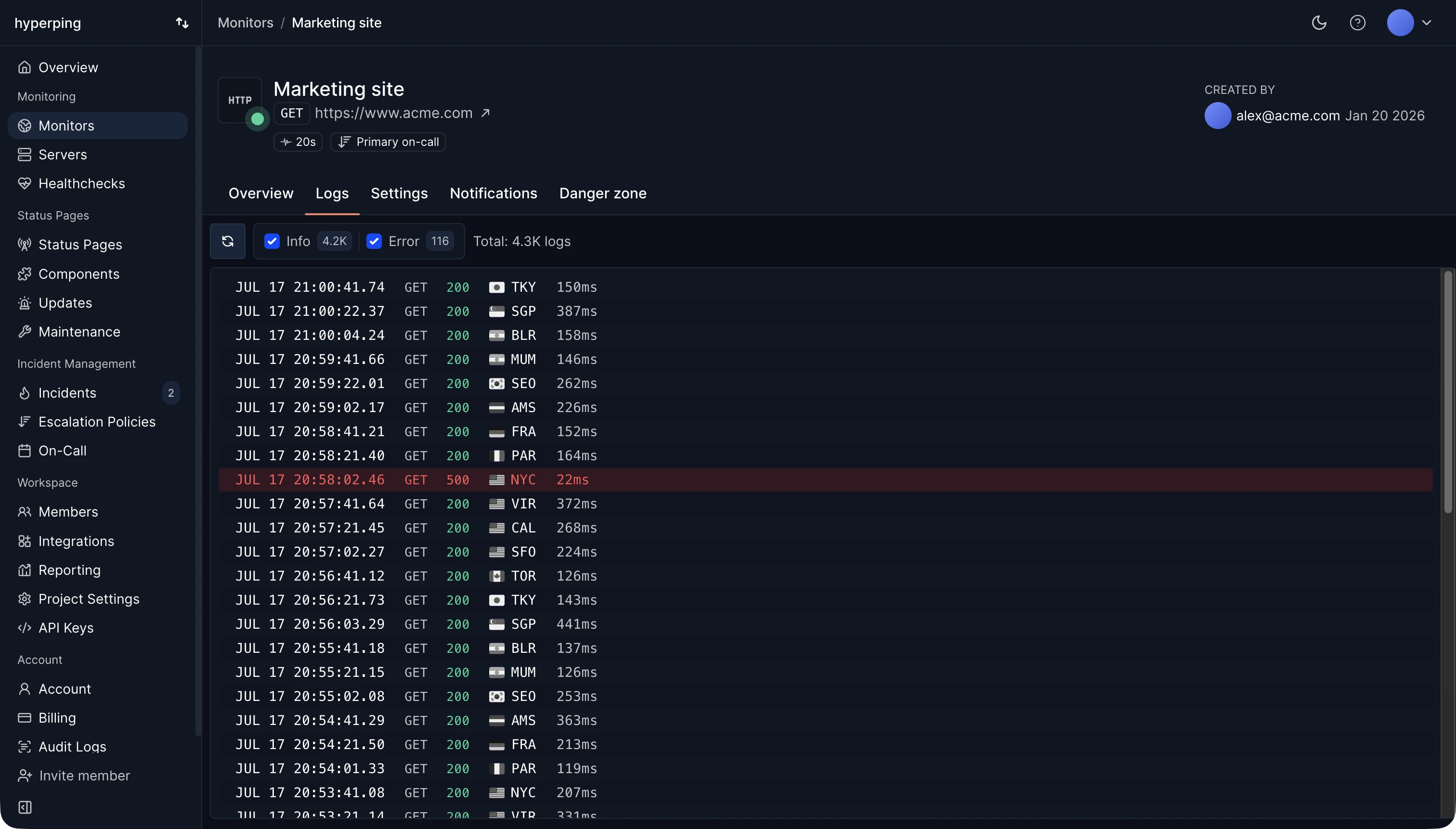
The status code is the first thing an uptime monitor reads. Hyperping's HTTP monitors count any 2xx as up by default, and you can require one exact code instead, such as 401 for a route that should reject anonymous requests. Every check stores its status code and region in the monitor's logs, so you can see whether an outage was a 500, a 503 from a load balancer, or a timeout with no code at all.
The five classes
- 1xx, informational: the request was received and processing continues. Rare in practice.
- 2xx, success: the request worked. 200 OK is the usual answer.
- 3xx, redirection: the resource is somewhere else, given in the
Locationheader. - 4xx, client error: the request was wrong, unauthorized, or asked for something that doesn't exist.
- 5xx, server error: the request may have been fine, but the server failed to handle it.
Status codes that matter for monitoring
- 200 OK: the request succeeded. Check the body too, because some apps return error pages with a 200.
- 301 and 302: permanent and temporary redirects. Decide whether the monitor should follow them or treat them as the final answer.
- 401 Unauthorized: credentials are missing or invalid. See 401 vs 403.
- 403 Forbidden: the server understood the request and refuses it, often a firewall or bot protection blocking the monitor.
- 404 Not Found: the URL doesn't exist, often after a deploy changed a route.
- 429 Too Many Requests: rate limited. Check less often or allow the monitor's IPs.
- 500 Internal Server Error: an unhandled error in the application.
- 502 Bad Gateway: a proxy or load balancer got an invalid response from the app behind it, usually because the app crashed or restarted.
- 503 Service Unavailable: the server can't handle requests right now, because it's overloaded or in maintenance. See 503 errors.
- 504 Gateway Timeout: the proxy gave up waiting for the app.
The complete list of HTTP status codes covers the rest.
Reading status codes during an incident
A jump in 5xx errors points at your servers or their dependencies. A jump in 4xx right after a deploy usually means a broken route, a changed auth flow, or a client sending requests the new version doesn't accept. 502 and 504 together point at the layer between the load balancer and the app. And a check with no status code at all, a timeout or a refused connection, means nothing answered, so look at DNS, the network, and whether the process is running.
FAQ
Which status code should a health check return when unhealthy?
503 Service Unavailable. Load balancers and monitors read the code before the body, so a 200 with an error message inside looks healthy to most of them.
Is a 404 an outage?
On a page or endpoint that should exist, yes: users can't reach it. Monitor the URLs that matter and treat a 404 there as down. A 404 on a random URL is normal.
Why does my monitor get a 403 when the site works in my browser?
Bot protection or a firewall is blocking requests from data center IPs. Allow the monitoring regions' IP addresses, or relax the rule for the monitored URL.