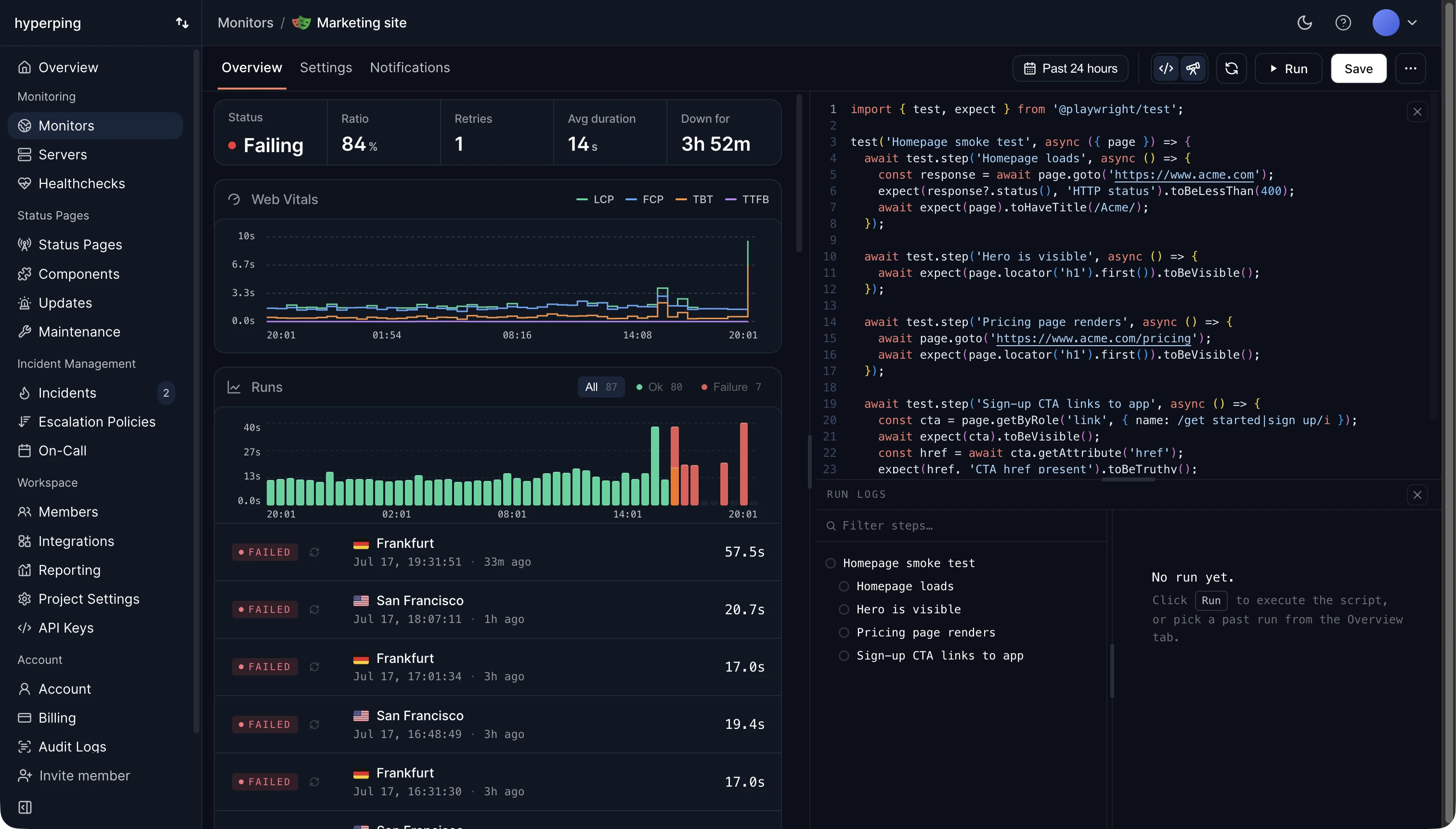
In Hyperping, synthetic checks are called browser checks. Each one is a standard Playwright script that runs in headless Chromium every 5 minutes, from Frankfurt and San Francisco in turn. A failed run is retried at once from the other region, and only a second failure opens an outage. Failed runs keep a screenshot, a video, and a Playwright trace, so the alert shows the exact step that broke.
Synthetic monitoring vs uptime monitoring
An uptime check sends one request and reads the response: status code, response time, and optionally a keyword. A synthetic check uses the site like a person would: it runs the page's JavaScript, clicks, types, and checks what appears. A broken login button, a checkout that fails in the payment iframe, or a single-page app that renders blank all still return 200, so only the synthetic check sees them fail.
Use both. Uptime checks are cheap enough to cover every endpoint every 30 seconds. Browser checks cost more per run, so keep them for the few journeys that lose money or users when they break.
Synthetic monitoring vs real user monitoring
Real user monitoring (RUM) measures what actual visitors experience, from their browsers. It sees every device and network, but only after a user has hit the problem, and it sees nothing at 3 a.m. with no traffic. Synthetic monitoring runs whether anyone visits or not, so it catches a broken flow before the first customer does. The two answer different questions, and Hyperping does synthetic, not RUM.
Journeys worth monitoring
- Login and SSO, with a dedicated test account.
- Signup, including the confirmation email if you can read it from the script.
- Checkout, paying with a test card.
- Search and the core feature of your product, such as loading a dashboard with data.
- Multi-step API flows: fetch a token, call the next endpoint, assert on the JSON.
Keep each script short and use one step per stage (test.step() in Playwright), so a failure names the stage, not just the script.
How to set up synthetic monitoring in Hyperping
- Write a Playwright test, start from one of the 12 templates, or record one with Playwright's codegen.
- Put credentials and tokens in the check's environment variables and read them with
process.env, never in the script itself. - Run it once from the editor to see each step and its logs, then save it to schedule it.
- Assign an escalation policy, and add the check to your status page as a service such as "Checkout".
FAQ
Is synthetic monitoring the same as end-to-end testing?
The scripts can be the same, and Hyperping runs standard Playwright tests. The difference is when they run: end-to-end tests run in CI before a release, synthetic checks run against production on a schedule, after it.
Does synthetic monitoring measure Core Web Vitals?
It can measure the lab versions. Hyperping records LCP, CLS, TBT, FCP, and TTFB on every navigation in a browser check. INP needs real user input, so only RUM can measure it.
How often should synthetic checks run?
Every 5 to 15 minutes for critical journeys. More often rarely helps, because each run takes several seconds and creates test data you have to clean up.