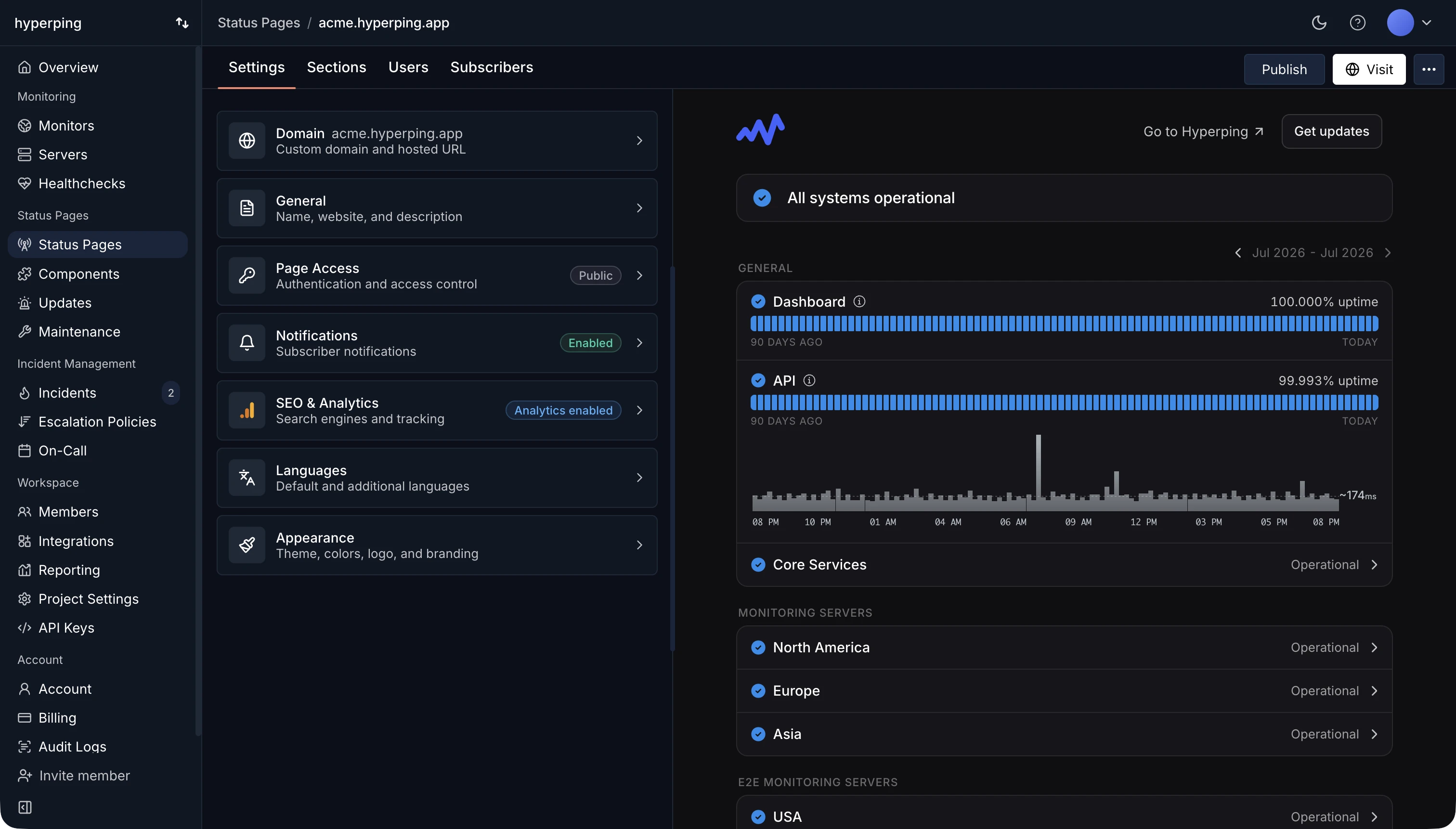
Most companies run their status page on a hosted tool such as Hyperping, Atlassian Statuspage, or Instatus, at an address like status.yourcompany.com. In Hyperping, each service on the page is connected to an uptime monitor: when an outage is confirmed, the service changes status on the page by itself, and your team only has to write the explanation. The free plan includes one public status page on a hyperping.app address.
Parts of a status page
- Services, grouped in sections, each with its current state. Name them after what customers use (Dashboard, API, Webhooks, Checkout), not after internal components they've never heard of.
- An uptime history, usually one bar per day over the last 90 days.
- Incidents, each with a timeline of updates as the team moves from investigating to resolved.
- Scheduled maintenance, announced before it starts.
- A subscribe button, so customers get updates without refreshing the page.
- Past incidents, sometimes with a public post-mortem explaining the cause and the fix.
Public, private, and internal status pages
A public status page is open to anyone and shows up in search results when people look up "is [your product] down". It's the default for any product with paying customers.
A private status page sits behind a password, email access codes, or single sign-on. Use it when you report on services for specific clients, like an agency hosting sites for customers, or when the details aren't for the public.
An internal status page covers the tools your own employees depend on, such as the VPN, the CI pipeline, or the HR system. It's a private page with a different audience, and it saves the IT team from answering the same question in ten Slack threads.
Automatic status, written updates
Let monitoring change the status, and let a person write the words. A monitor notices an outage within seconds, so an automatic status means the page is never the last to know. But a red light on "API" doesn't tell customers what's broken, who's affected, or when to check back.
Post a first update within 10 to 15 minutes, even if all it says is what you know and when the next update will come. The free incident update generator drafts one from a few fields.
Common mistakes
- Hosting the status page on your own infrastructure. When your servers go down, the page goes with them, at the exact moment people need it.
- Leaving the page green during an outage. If updates are manual and nobody posts, customers see "All systems operational" while your product is down, which is worse than having no page at all.
- Listing every internal service. Forty components named after your architecture make the page harder to read and turn small internal hiccups into public incidents.
- Hiding the link. Put it in your app's help menu, your docs footer, and your support auto-replies.
How to set up a status page in Hyperping
- Create a monitor for each service you want to show. The services on the page take their status from these monitors.
- Create the status page and add services to sections. Turn on the 90-day uptime graph or the 24-hour response time graph for each one.
- Point a custom domain such as status.yourcompany.com at the page with a CNAME record. Hyperping manages the SSL certificate.
- Turn on subscribers and pick the channels they can use: email, Slack, Microsoft Teams, or SMS. RSS and Atom feeds are always available.
- If you're moving from Atlassian Statuspage, import your incident history and subscribers.
FAQ
Does a small team need a status page?
Yes, as soon as you have paying customers. During an outage, a status page replaces dozens of support tickets with one link, and setting one up takes about ten minutes. Hyperping's free plan includes one.
What is the difference between a status page and uptime monitoring?
Uptime monitoring tells your team that something is down. A status page tells your customers. Connecting the two lets the page update as soon as monitoring confirms the outage.
Should the status page be on a subdomain?
Yes. Use something like status.yourcompany.com, hosted by your status page provider rather than on your own servers. Keep in mind that the subdomain still depends on your DNS provider, so keep the provider's default address handy as a fallback.
Where can I see examples of status pages?
The status page showcase collects real pages built with Hyperping, and the status page templates show layouts by industry.