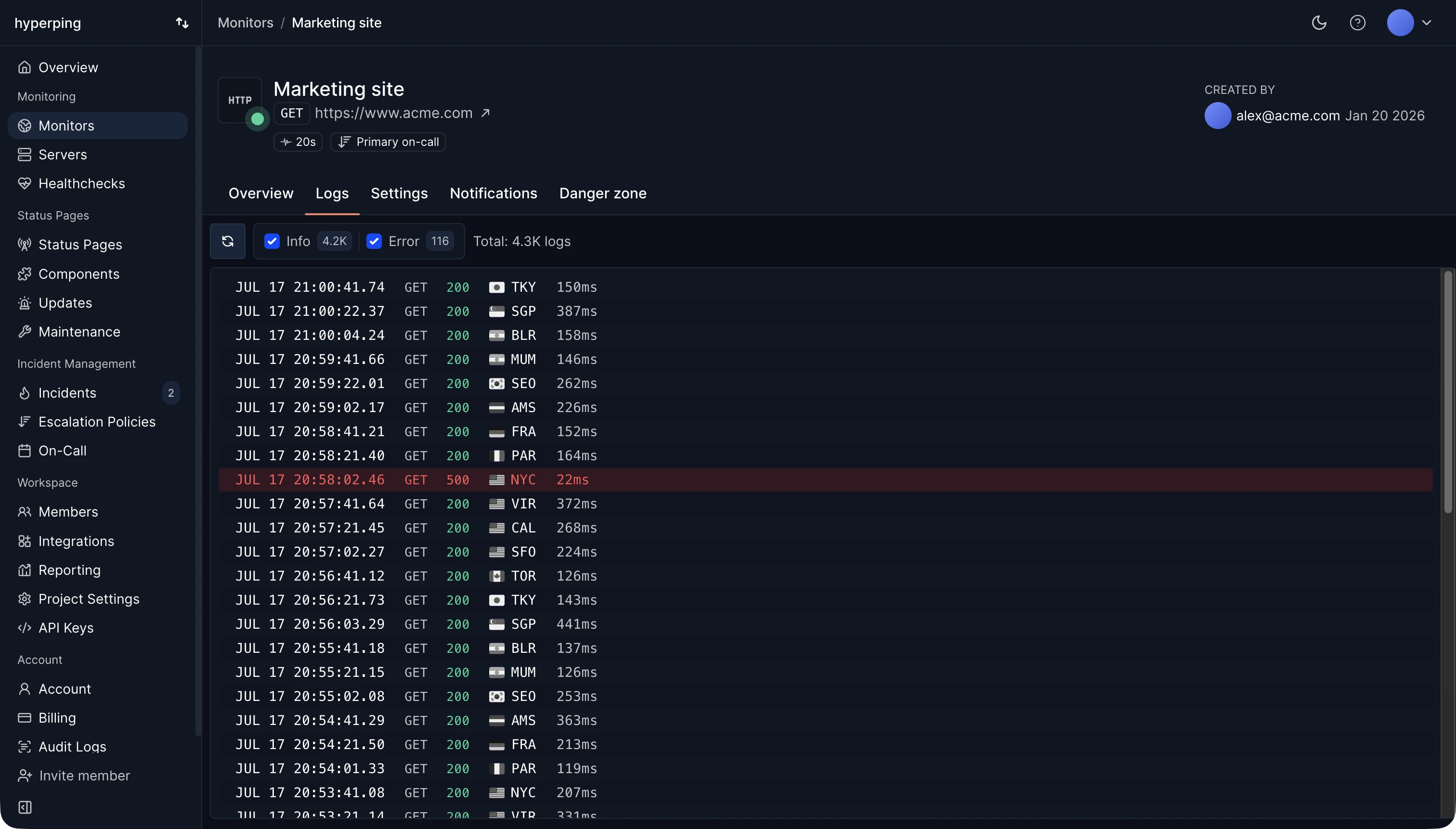
Downtime starts when the service stops working, but it's recorded when monitoring notices. Hyperping checks your services as often as every 30 seconds and opens an outage once a failure is confirmed from more than one region, so a network blip between one probe and your server never counts as downtime. Each outage keeps its start, end, duration, and the status code or error behind it.
Planned and unplanned downtime
Planned downtime is work you schedule: a database migration, an upgrade, a hardware change. Announce it on your status page, run it in a maintenance window, and most SLAs won't count it.
Unplanned downtime is everything else. The usual causes, roughly in order of how often they show up in post-mortems:
- A deploy or configuration change.
- A dependency failing: a cloud region, a DNS provider, a payment API.
- Capacity: a traffic spike, a full disk, a connection pool that runs out.
- An expired SSL certificate or domain.
- Hardware and network failures.
- Attacks, such as DDoS.
Partial downtime
Most outages are partial: one region, one feature, or a share of requests fails while the rest works. Decide in advance whether partial failures count, and write it down. A checkout failing for 10% of users is downtime for those users, even if the homepage loads. Monitoring each critical path separately, with keyword checks on the response, shows which part is down.
The cost of downtime
The direct cost is revenue that couldn't happen during the outage. For an online store doing $50,000 a day, one hour down costs about $2,000 in sales, more if it lands at peak time. The indirect costs are harder to count: support tickets, SLA credits, engineers pulled off planned work, and customers who don't come back. The downtime cost calculator estimates it from your own numbers.
How to reduce downtime
- Detect it faster. Check every 30 seconds from several regions, so an outage is known within a minute.
- Reach someone quickly. Route alerts through an escalation policy that ends with a phone call.
- Make deploys reversible. A one-command rollback shortens most change-related outages to minutes.
- Watch the slow failures: certificate expiry, domain renewal, disk space.
- Tell users. A status page doesn't shorten the outage, but it stops the flood of tickets while you fix it.
FAQ
What is the difference between downtime and an outage?
An outage is one incident. Downtime is the total time lost to outages over a period. Three outages of 10, 20, and 13 minutes add up to 43 minutes of downtime.
How much downtime is acceptable?
It depends on your target. 99.9% uptime allows 43 minutes per 30-day month, 99.99% allows 4 minutes 19 seconds. See the SLA calculator for any other value.
How do I know if my site is down right now?
Run a check from several regions with Is my site down?. If it fails everywhere, the site is down. If it fails in one region only, look at DNS, the CDN, or routing for that area.