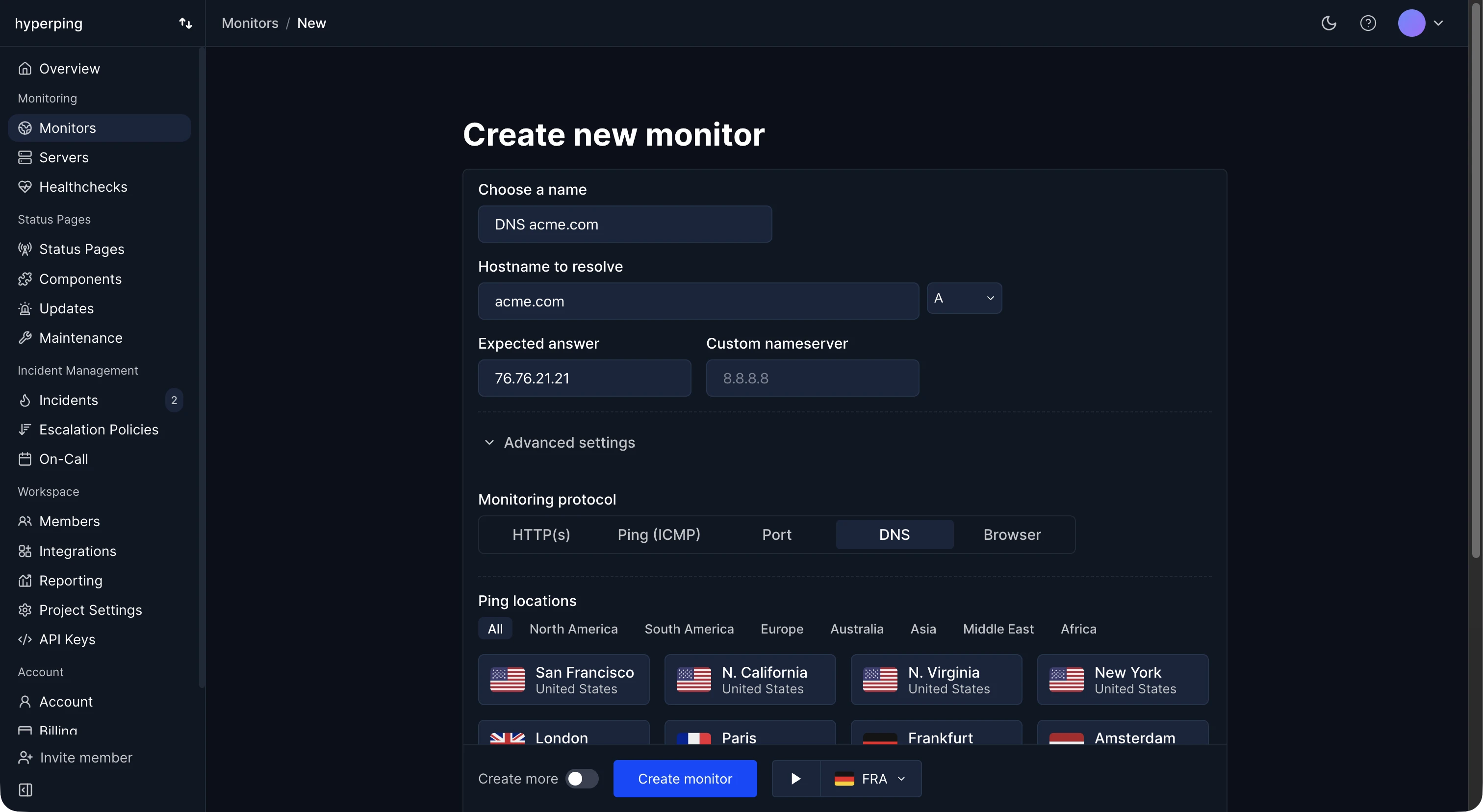
Hyperping's DNS monitors check one record type on one hostname: A, AAAA, CNAME, MX, NS, TXT, SOA, SRV, CAA, or PTR. You set the answer you expect, such as the IP of an A record or the mail host of an MX record, and any other answer counts as downtime. Checks run as often as every 30 seconds, from up to 18 regions, and can query a specific nameserver directly. DNS monitors are included from the Essentials plan.
How DNS fails
- A record is deleted during a zone cleanup or a move to a new DNS provider. The servers stay up and the name stops resolving.
- A record points somewhere else, after a mistaken edit or a hijacked registrar account.
- Mail breaks while the website works, because an MX record or an SPF entry in TXT changed. An HTTP check never sees it.
- A migration half-propagates: one nameserver keeps serving the old zone.
- The DNS provider itself has an outage, and everything behind it goes dark at once.
- The domain registration expires, and DNS goes with it.
DNS monitoring vs uptime monitoring
An HTTP uptime check resolves the name before it connects, so a total DNS failure shows up as downtime. But resolvers cache answers, so an HTTP check can keep passing for hours on a cached record while visitors on other resolvers can't reach you. A DNS monitor checks the record itself, and catches the record types (MX, TXT, CAA) that no HTTP check uses.
Which records to monitor
- The A and AAAA records of your main domains and API hosts.
- MX records, matched on the mail host you expect.
- The TXT entries that matter: SPF, DKIM, DMARC, and domain verification records.
- NS records, to catch a delegation moved without you.
- CAA, if you restrict which authorities can issue your certificates.
After a migration, create one monitor per nameserver with the same expected answer: the one still serving the old zone fails on its own.
How to set up DNS monitoring in Hyperping
- Create a monitor and choose the DNS protocol.
- Enter the hostname and the record type.
- Set the expected answer. Matching ignores case and looks for the value in any one record, so one TXT entry can be checked among many.
- Optionally set a nameserver to query it directly, by IP address or hostname.
- Pick regions and an escalation policy. See DNS monitoring in the docs.
FAQ
Can DNS monitoring detect DNS hijacking?
It detects the result: a record that no longer holds the value you set. With an expected answer on each critical record, a hijacked record fails the next check. It doesn't validate DNSSEC or prevent the registrar compromise itself.
How often should DNS be checked?
Every 1 to 5 minutes is enough for most records, because DNS changes are rare. Check more often during a migration.
Does DNS monitoring warn before a domain expires?
Hyperping's domain expiry alerts do, separately: they read the expiry date from the registry and remind you 7 to 90 days ahead.