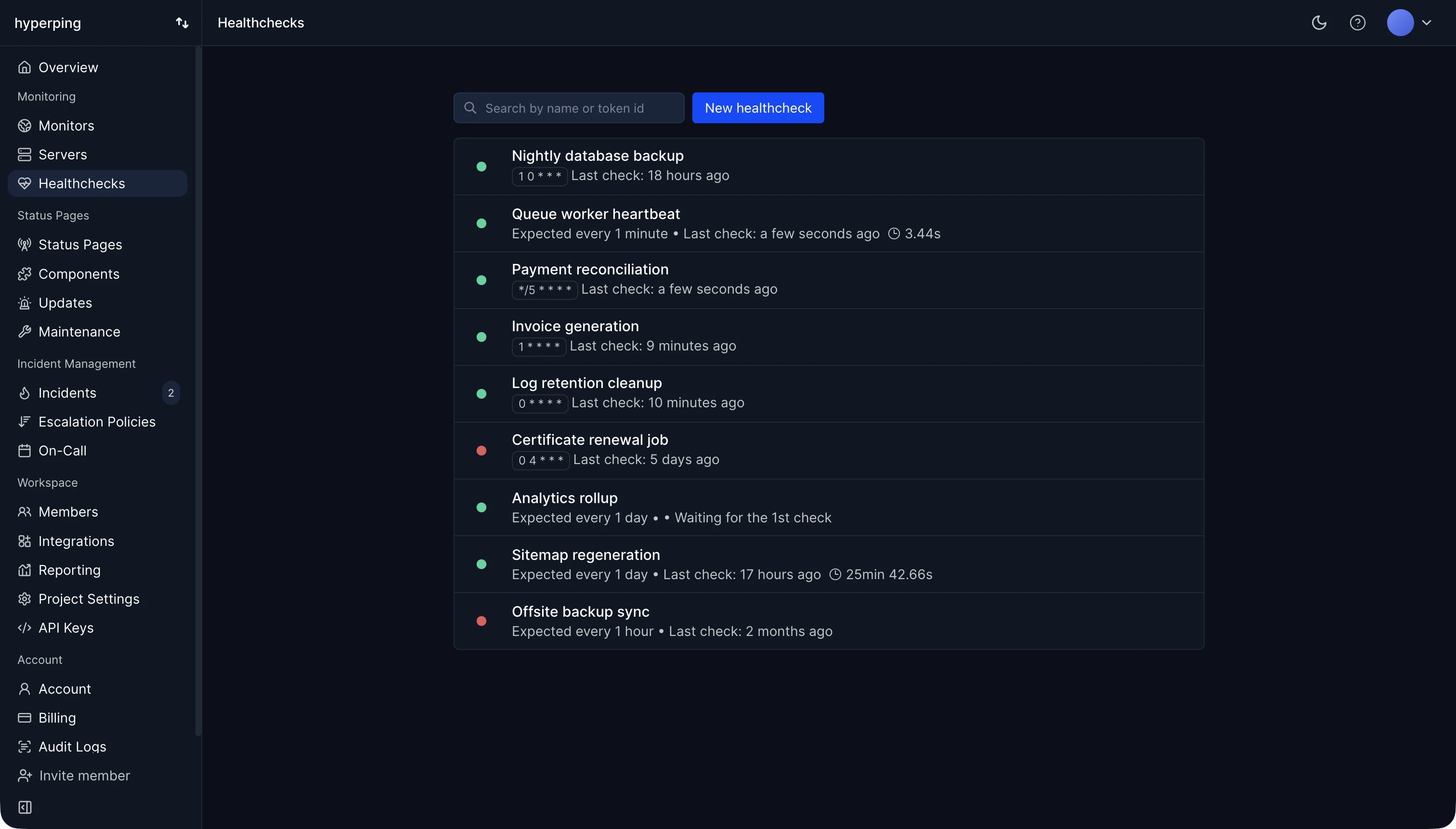
Cron jobs fail without a sound: a job that never starts writes no error anywhere. Hyperping monitors them with healthchecks: each job gets a unique URL to call when it finishes, and if the call doesn't arrive by the time its cron expression says it should, plus a grace period, Hyperping alerts you. A job can also call the URL with /fail appended to report a failure and alert at once. Healthchecks are included on every plan, Free included.
Cron syntax
A cron expression has five fields, separated by spaces:
- Minute, from 0 to 59.
- Hour, from 0 to 23.
- Day of month, from 1 to 31.
- Month, from 1 to 12.
- Day of week, from 0 to 6, with Sunday as 0 (7 also means Sunday on most systems).
An asterisk means "every", */5 means "every 5", 1-5 is a range, and 1,15 is a list. In a crontab, the command follows the five fields.
Cron expression examples
*/5 * * * *: every 5 minutes.0 * * * *: every hour, on the hour.0 */6 * * *: every 6 hours.0 0 * * *: every day at midnight.0 9 * * 1-5: at 9:00 on weekdays.0 0 1 * *: on the first day of every month.
Build or check any schedule with the cron expression generator, which also lists the next run times.
How cron jobs fail
- The job never starts: a reboot, a container that didn't come back, a crontab lost in a redeploy.
- The job crashes or exits with an error, and the output goes nowhere anyone reads.
- The job hangs on a lock or a stuck query, and the next run piles up behind it.
- The schedule runs in the wrong timezone, or shifts with daylight saving time.
- The environment differs from your shell: cron runs with a minimal
PATH, so a command that works by hand fails under cron.
How to monitor a cron job with Hyperping
- Create a healthcheck and give it the job's cron expression and timezone, or a simple interval.
- Set a grace period a little above the job's usual duration. It defaults to 10 minutes.
- Add the ping to the end of the job, only on success:
0 2 * * * /usr/local/bin/backup.sh && curl -fsS https://hc.hyperping.io/TOKEN. - To log durations, ping
/startwhen the job begins and the plain URL when it ends.
The cron job monitoring page has guides for systemd timers, Kubernetes CronJobs, GitHub Actions, Laravel, Rails, and other schedulers.
FAQ
How do I see if a cron job ran?
Check the system log (grep CRON /var/log/syslog on Debian and Ubuntu) to see that cron started it. To know it finished successfully, have the job ping a monitoring URL at the end, and alert when the ping is missing.
What is the difference between cron and crontab?
Cron is the daemon that runs scheduled jobs. A crontab is the file that lists them, one per line, edited with crontab -e.
Can a cron job run every 30 seconds?
Not directly: the smallest unit in cron is one minute. Run the job every minute and have it do the work twice with a 30-second sleep, or use a systemd timer, which supports seconds.