Stop Losing Your Service History When You Switch Status Pages
Switching status page providers shouldn't mean losing years of valuable incident history. Your service timeline tells the story of your reliability journey—outages you've overcome, maintenance windows you've scheduled, and the trust you've built with transparent communication.
Yet most migrations force you to choose: start fresh with a clean slate or manually recreate years of historical data. Neither option is ideal when your incident history provides crucial context for both your team and customers.
Today, we're introducing our StatusPage.io import tool that preserves your complete service history during migration, letting you bring years of incidents and maintenance records to Hyperping in minutes, not months.
How It Transforms Your Migration Experience
Complete Historical Preservation
Your entire incident timeline—including detailed updates, component associations, and timestamps—transfers seamlessly to Hyperping. No data loss, no manual recreation.
Intelligent Component Mapping
Map your StatusPage.io components to Hyperping monitors or create new ones during import. The tool intelligently matches related services and gives you full control over the mapping process.
Flexible Batch Processing
Import everything at once or in manageable chunks. Process a few incidents as a test, then scale up to your complete historical dataset with confidence.
Multi-Status Page Support
If you have multiple status pages in Hyperping, route imported incidents to the appropriate pages. Organize your historical data exactly how you want it.
Key Features
📊 Complete Data Migration - Incidents, maintenances, updates, and timelines
🔗 Smart Component Mapping - Match StatusPage.io components to Hyperping monitors
🎯 Selective Import - Choose exactly what to migrate with preview functionality
📦 Batch Processing - Handle large datasets efficiently with chunked imports
🔄 Multi-Page Distribution - Route data to specific status pages in your account
Getting Started in Four Simple Steps
Step 1: Export Your StatusPage.io Data
Access your incident data by adding API endpoints to your StatusPage.io URL:
For incidents: https://yourcompany.statuspage.io/api/v2/incidents.json
For maintenances: https://yourcompany.statuspage.io/api/v2/scheduled-maintenances.json
Save these JSON files to your computer—they contain all your historical data.
Step 2: Upload to Hyperping
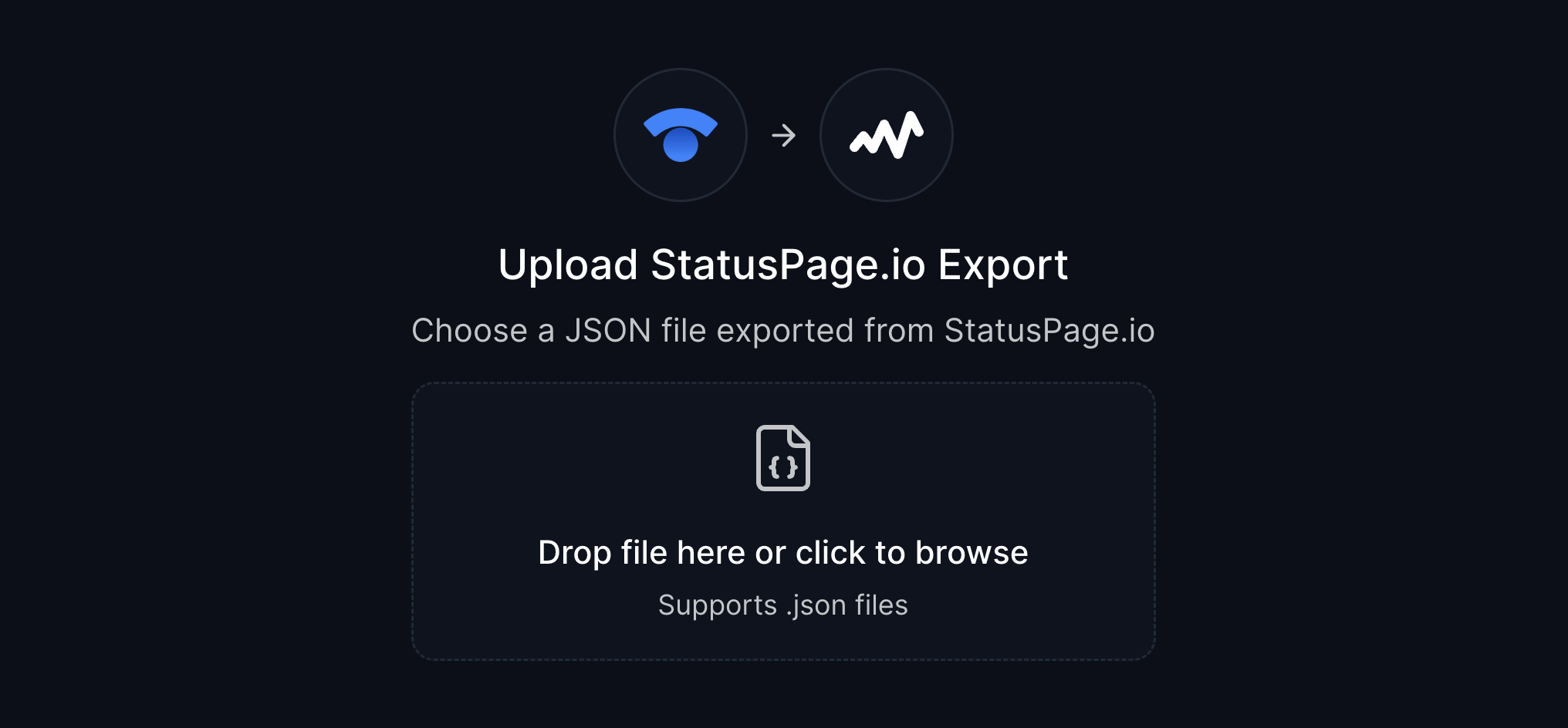
Navigate to app.hyperping.io/statuspage/import and upload your JSON files. The tool instantly analyzes your data and shows you what's available for import.
Step 3: Map Your Components
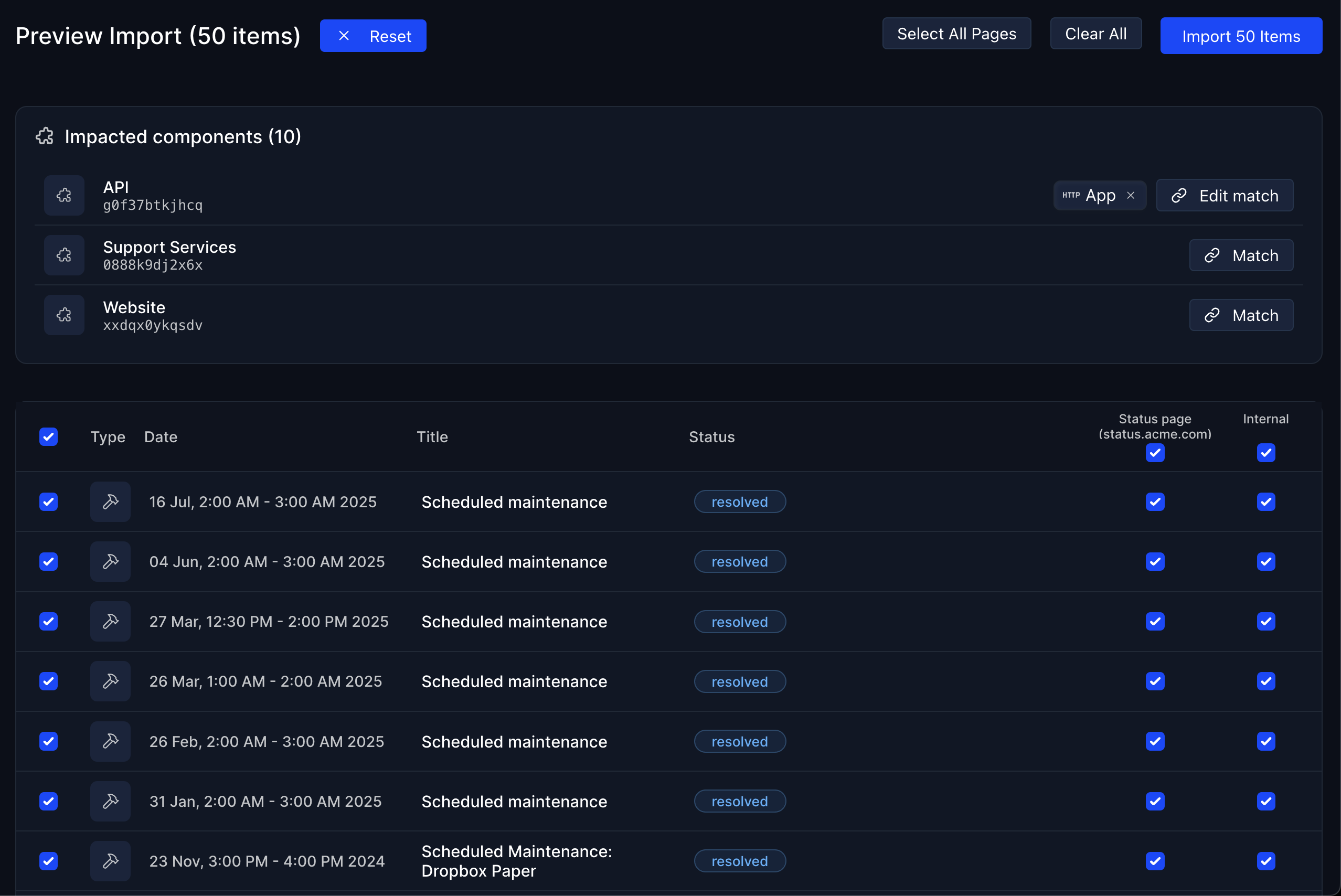
Match StatusPage.io components to your existing Hyperping monitors or create new ones. This ensures imported incidents appear on the correct services in your status page.
Step 4: Preview and Import
Review everything before finalizing. Choose which status page each item should appear on, then import your selected incidents and maintenances.
Migration Best Practices
Start Small - Test with a few incidents first to familiarize yourself with the process
Batch Strategically - Split large datasets into chunks of a few hundred incidents
Map Thoughtfully - Take time to properly match components for accurate historical context
Preview Everything - Use the preview feature to verify your import before finalizing
What Gets Preserved
Your complete service story transfers intact:
- Incident Details - Titles, descriptions, severity levels, and resolution status
- Timeline Data - All status updates with original timestamps
- Component Associations - Service relationships and impact scope
- Maintenance Windows - Scheduled downtime with full details
- Historical Context - The complete narrative of your service reliability
Real Migration Success
Early users report:
- Complete history preserved during StatusPage.io to Hyperping migrations
- Hours saved vs. manual incident recreation
- Zero data loss with intelligent mapping and preview features
- Seamless team transitions with familiar historical context intact
Ready to Preserve Your Service History?
The StatusPage.io import tool is available now for all Hyperping users. Whether you're migrating from StatusPage.io or want to consolidate incident data from multiple sources, this tool ensures your valuable service history comes with you.
Start your migration today:
- Export your data from StatusPage.io using the API endpoints
- Visit app.hyperping.io/statuspage/import
- Upload, map, preview, and import your complete service history
Need assistance? Check our detailed import guide or reach out via in-app chat—we're here to make your migration seamless.
Ready to bring your service history to Hyperping? Start your StatusPage.io import and preserve years of valuable incident data in minutes.
FAQ
How does the StatusPage.io import tool work? ▼
The import tool uses StatusPage.io's public API endpoints to extract your incident and maintenance data. Simply add '/api/v2/incidents.json' or '/api/v2/scheduled-maintenances.json' to your StatusPage.io URL, save the JSON files, and upload them to our import tool at app.hyperping.io/statuspage/import. The tool then lets you map components, choose destination status pages, and preview everything before importing.
What data gets migrated from StatusPage.io to Hyperping? ▼
The import tool migrates your complete incident history including incident details (title, description, status, timestamps), maintenance windows with scheduled times, component associations, status updates and timeline, and all historical data. Your entire service history is preserved exactly as it appeared in StatusPage.io.
Can I control which incidents and maintenances get imported? ▼
Yes, the import tool gives you complete control over the migration process. You can preview all items before importing, select specific incidents or maintenances to migrate, map StatusPage.io components to your Hyperping monitors, and choose which Hyperping status page each item should appear on. You can also test with a few items first before doing a full migration.
How do I handle large amounts of historical data during migration? ▼
For large datasets, we recommend splitting your JSON files into chunks of a few hundred incidents maximum. The system processes imports in batches of 15 items at a time from the frontend. Start with a small test batch to familiarize yourself with the process, then proceed with larger chunks. This approach ensures reliable processing and gives you better control over the migration.
Is there any downtime or impact on my current status page during the import? ▼
No, the import process doesn't affect your live status page operations. Historical incidents and maintenances are imported as archived data, so there's no impact on your current monitoring, notifications, or status page functionality. The import happens in the background and only adds historical context to your status page timeline.

Related Articles