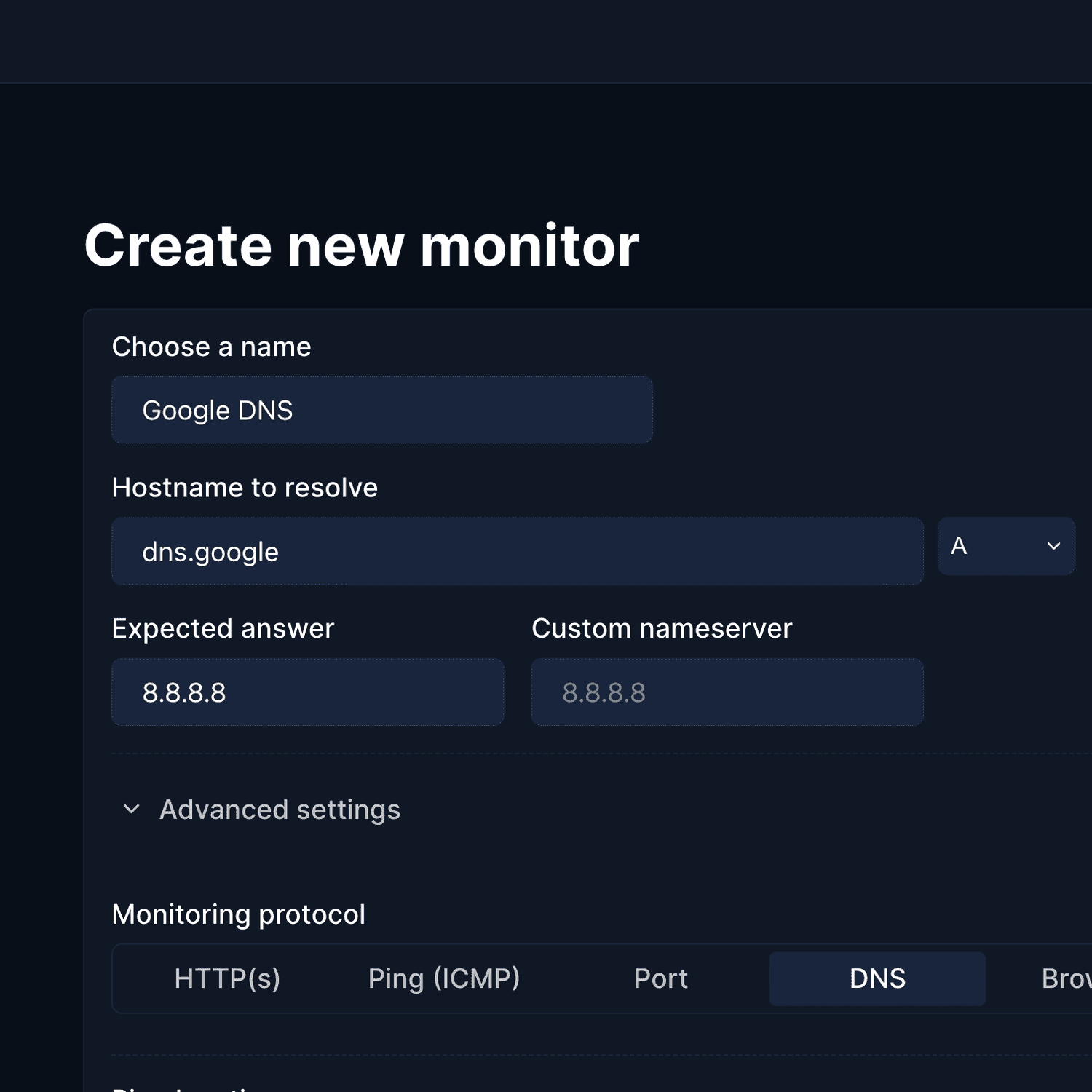
The best status page tools are Hyperping (monitoring + on-call + status pages at a flat rate), Better Stack (monitoring + logging + incident management), Instatus (beautiful, fast status pages with basic monitoring included), Uptime Kuma (free, self-hosted monitoring + status pages), and incident.io (Slack-native incident management with status pages). I analyzed 30+ tools and selected these five based on G2 reviews, hands-on testing, and conversations with DevOps teams.
If you just want a quick answer: Hyperping is the best overall pick for teams that need reliable monitoring, polished status pages, and on-call scheduling without unpredictable costs. For teams needing advanced logging or full observability, Better Stack fills that gap.
In this guide, you'll learn:
- What to look for in a status page tool (7 criteria)
- How pricing works across different tools (with actual numbers)
- Which tool fits your team size, technical needs, and budget
- Real user quotes from G2 reviews for each tool
If you want monitoring that catches issues in 30 seconds, status pages that strengthen customer trust, on-call scheduling with smart escalation policies, and pricing you can actually predict, Hyperping delivers exactly that. Start your free trial to see how it works.
Key takeaways
- Hyperping is the most cost-effective all-in-one option starting at $24/mo flat-rate with included seats and paid additional seats. It includes monitoring, on-call, and status pages in every paid plan (1 page on Essentials, 3 on Pro, 10 on Business).
- Better Stack combines monitoring, logging, and incident management in one platform with a modern UI, but pricing scales quickly with add-ons ($29/user/mo, $21/mo per 50 monitors, $12/mo per status page).
- Instatus has the best-looking status pages on this list. Recently added basic monitoring (50 monitors on Pro, 4 check regions), but the real draw is the design, 30+ language support, and $15/mo pricing.
- Uptime Kuma is the best free option if you can self-host. Modern UI, 90+ notification channels, and zero subscription costs.
- incident.io is built for teams that live in Slack and want incident management, on-call, and status pages tightly integrated into their chat workflow.
Why you can trust this guide
I'm Leo, founder of Hyperping. Yes, that means I have a stake in one of these tools. But I've watched teams choose competitors when they were genuinely the better fit, and my goal is to help you find the right tool for your situation.
I analyzed hundreds of G2 reviews, tested platforms hands-on, reviewed detailed product analyses, and talked to engineering teams about their experiences. Where I couldn't test something directly, I relied on verified user feedback and documented sources. I'll be transparent about where Hyperping falls short, too.
Top picks at a glance
| Best for | Product |
|---|---|
| Monitoring + status pages + on-call at a predictable price | Hyperping |
| Monitoring + logging + incident management | Better Stack |
| Beautiful, fast status pages with basic monitoring | Instatus |
| Free, self-hosted monitoring + status pages | Uptime Kuma |
| Slack-native incident management with status pages | incident.io |
7 criteria to choose the right status page tool
Finding the right status page tool does not have to be complicated. From my research, these are the seven criteria that matter most.
- Transparent, predictable pricing: Some tools charge per status page, per subscriber, or per team member. Look for tools with transparent pricing instead of costs that grow unpredictably as your team and customer base scale.
- Page performance and resilience: Your status page needs to load fast and stay online even when your own infrastructure is down. Static/Jamstack architectures (used by Instatus and Hyperping) serve pages via CDN, so they remain available during your worst outages.
- Custom branding and domains: A status page with your own domain (status.yourcompany.com) and matching branding builds trust. Generic templates that look like every other status page undermine credibility.
- Subscriber notifications: When an incident happens, your users should hear about it through the channels they prefer. Look for tools that support email, SMS, Slack, and webhook notifications for subscribers.
- Incident management workflows: The ability to create incidents, post timeline updates, schedule maintenance, and manage component status from one interface saves time during high-pressure situations.
- Private and internal pages: Many teams need internal status pages for engineering dashboards or client-specific views. Look for SSO protection, password protection, or IP-based access controls.
- Built-in monitoring integration: The best status pages update automatically when your monitors detect issues. Tools that include monitoring (Hyperping, Better Stack, Uptime Kuma) remove the manual step between detection and communication, keeping your page accurate in real time.
I analyzed 30+ tools. Here's why only 5 made the cut.
After analyzing more than 30 status page tools, I narrowed the selection down to 5 top performers. Many tools fell short for specific reasons:
- Status-page-only tools with steep pricing: Status.io, Sorry App, StatusCast, and StatusGator all charge premium prices without including monitoring. Most teams prefer having monitoring and status pages in one platform. Status.io is the closest to Statuspage on features, and the Status.io vs Statuspage comparison shows where the two differ.
- Limited status page features: Several monitoring tools include status pages, but the pages themselves lack features like custom domains, subscriber notifications, or private pages. Pulsetic and Cronitor fell into this category. UptimeRobot's paid Team and Scale plans now include high page counts (100 and unlimited) with branding.
- Enterprise complexity and pricing: Datadog, Pingdom, and PagerDuty are too complex and expensive for teams that primarily need status pages with monitoring.
- Unmaintained projects: Cachet was the go-to open-source status page for years, but development has stalled. Statping-ng and Statusfy have similar issues.
- Market leader with dated value: Statuspage.io remains widely used, but its lack of built-in monitoring, premium pricing for basic features (custom domains locked behind expensive tiers), and dated interface make it harder to recommend in 2026.
The five tools that survived my analysis all deliver solid status pages with clear differentiators, whether that's built-in monitoring, cost efficiency, or workflow integration.
Feature comparison table
As of February 2026, here is how the five tools compare across key status page features:
| Feature | Hyperping | Better Stack | Instatus | Uptime Kuma | incident.io |
|---|---|---|---|---|---|
| Built-in monitoring | Yes (HTTP, SSL, cron, synthetic) | Yes (HTTP, SSL, cron, synthetic) | Yes (HTTP) | Yes (HTTP) | No (integrates with monitoring tools) |
| Public status pages | Yes | Yes | Yes | Yes | Yes |
| Private/internal status pages | Yes (SSO, password, IP) | Yes (paid add-on) | Yes | Basic (password only) | Yes (paid tier) |
| Custom domain | Paid plans | Paid | Pro plan ($15/mo) | Yes (self-hosted) | Paid plans |
| Subscriber notifications | Yes | Yes | Yes | Yes | Yes |
| Incident management | Yes | Yes | Yes | Manual updates | Yes (Slack-native) |
| On-call scheduling | Yes | Yes | Yes | No | Yes (add-on) |
| Escalation policies | Yes | Yes | Yes | No | Yes |
| Multi-language pages | Yes | Yes | Yes | Yes | No |
| Custom branding | Yes (white-label on Business) | Yes (paid add-on) | Yes (custom CSS/HTML/JS) | Basic theming | Yes |
| Minimum check frequency | 30 seconds | 30 seconds | 30 seconds (Pro) | 20 seconds | N/A (no monitoring) |
| Free plan | Yes (20 monitors, 1 status page) | Yes (10 monitors, 1 status page) | Yes (15 monitors, public page) | Yes (fully free, self-hosted) | Yes (up to 5 users) |
| EU data hosting | Yes | No | No | Self-hosted (your choice) | No |
Pricing comparison (as of February 2026)
Hyperping Essentials plan costs $24/month for 50 monitors, 1 status page, 3 browser checks, and 3 seats.
Some alternatives have complex pricing, but here is my best effort at a fair comparison:
| Total monthly price | Status pages | Uptime monitors | Users | On-call | |
|---|---|---|---|---|---|
| Hyperping | $24/mo | 1 (public, custom domain) | 50 (+ synthetic monitors) | 3 | Included |
| Better Stack | $100/mo min. | 1 basic, $12/mo/page + add-ons | 10 included, $21/mo per 50 | $29/mo/user | Included |
| Instatus | $15/mo | 1 (public, custom domain) | 50 | 50 | Included |
| Uptime Kuma | Free (+ hosting) | Unlimited (self-hosted) | Unlimited | Single admin | No |
| incident.io | $25-45/user/mo | 1 on Team plan | None (external only) | Per-user pricing | $10-20/user/mo add-on |
1. Hyperping
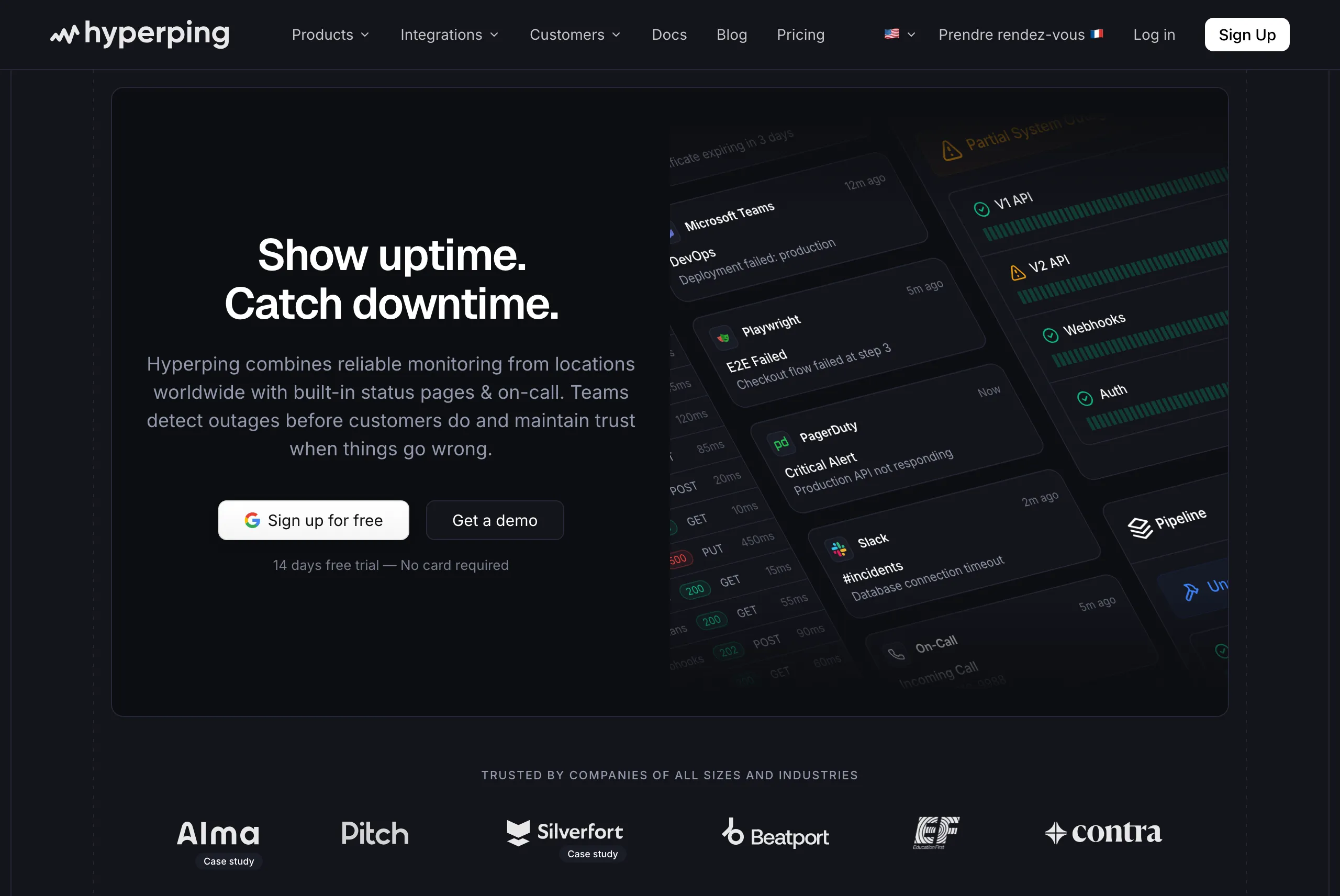
Perfect for
Teams that want reliable uptime monitoring, full-featured status pages, and on-call scheduling in one platform, without unpredictable pricing or enterprise complexity.
Notable features
- 30-second check intervals: Faster than most competitors. Business plans support sub-30-second intervals for mission-critical services.
- Full-featured status pages without extra cost: Public and private pages with custom domain, white-label branding, multi-language support, SSO protection, component grouping, and more. No add-on fees.
- On-call scheduling and escalation policies: Flexible schedules with timezone-aware support, automatic rotation, and multi-step escalation. Not something you typically find bundled with status pages.
- Browser-based synthetic monitoring: Uses Playwright for end-to-end testing of critical user flows like checkout or login processes.
- Multi-channel alerting: Email, SMS, voice calls, Slack, Discord, Telegram, Microsoft Teams, PagerDuty, OpsGenie, and webhooks.
- Static page architecture: Status pages are served via CDN, so they load fast and remain available even when your infrastructure is down.
- European hosting: GDPR-compliant infrastructure with all data stored in EU data centers.
Why choose Hyperping?
Monitoring and status pages in one platform
Most status page tools are either communication-only (Statuspage.io, Instatus historically) or monitoring tools with basic status pages bolted on. Hyperping was built to do both well. When a monitor detects an issue, your status page reflects it immediately. One subscription, one login, one workflow.
Predictable pricing with seats included
Unlike Better Stack's usage-based model (where costs depend on responder count, monitor add-ons, and status page fees), Hyperping offers flat-rate plans with no hidden usage fees. You know exactly what you will pay each month. With Better Stack, adding 50 monitors costs $21/month, plus $29 per responder, plus potential overages. With Hyperping, 50 monitors, 1 status page, and 3 team members cost $24/month total.
EU-based monitoring for GDPR compliance
Most monitoring tools were built in the US and retrofitted for GDPR compliance as an afterthought. Hyperping is designed from the ground up for European data regulations. Your monitoring data stays in EU data centers, managed by EU companies, with no data transfers to third countries.
Where Hyperping falls short
Hyperping does not try to be a full observability platform. You will not get integrated log management like Better Stack or APM depth like Datadog. If you need to correlate logs, metrics, and traces in a single platform, you will need additional tools.
The synthetic monitoring is capable but less mature than dedicated enterprise platforms. If complex browser flows with dozens of steps are critical, Datadog or Checkly may be more sophisticated.
Reporting features are more basic than enterprise-grade platforms.
What users say
"We picked Hyperping to bring a high quality incidents and status reporting dashboard to our users."
Pierre Renaudin, CTO, Slite
"What we absolutely love about Hyperping is their beautifully designed status page. We made it publicly available and it became a crucial part of our sales pitches. We are proud of our uptime and we love that we can share it with prospects and customers in such an easy way."
Pricing
- Essentials: $24/month for 50 monitors, 1 status page, 3 browser checks, 3 seats
- Pro: $74/month billed annually for 250 monitors, 3 public or private status pages, 10 browser checks, voice call alerts, 10 seats. Includes email access codes, multilingual pages, and native account SAML SSO.
- Business: $249/month billed annually for 1,000 monitors, 10 status pages, 20-second checks, 25 browser checks, 20 seats, priority support, and more.
All plans include on-call scheduling and escalation policies.
Is Hyperping right for you?
Choose Hyperping if you are a startup, SMB, or growing SaaS team that wants solid monitoring, on-call scheduling, and status pages without overpaying or over-configuring. It is particularly appealing for:
- European companies that value GDPR compliance and EU data hosting
- Teams frustrated by per-user or usage-based pricing surprises
- Anyone who wants monitoring and status pages that work in minutes rather than hours
- Companies that use status pages as part of their sales and trust-building process
2. Better Stack
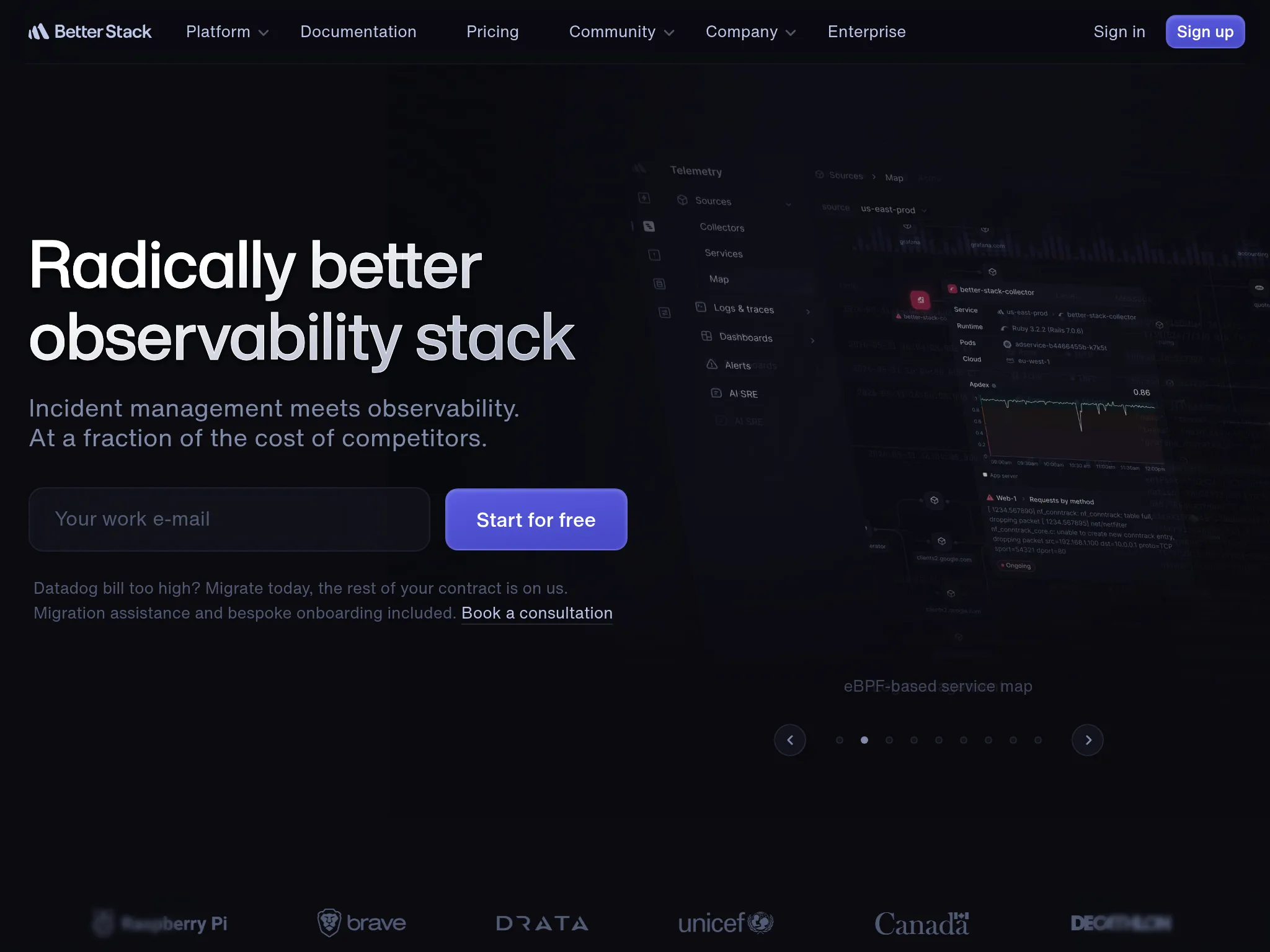
Perfect for
Engineering teams that need status pages combined with centralized logging, incident management, and on-call scheduling in one platform.
Notable features
- Full-stack monitoring: URL checks, SSL monitoring, Playwright-based browser checks, and API monitoring with detailed reporting.
- Centralized log management: Transform logs into structured data with SQL-like querying and visualization across your entire stack.
- Incident management: Built-in incident response tools with AI-powered post-mortems, smart incident merging, and Slack-based workflows.
- On-call scheduling: Calendar-integrated scheduling with smart escalation logic and multi-channel alerting (voice, SMS, Slack, Teams, email, push).
- Status pages: Customizable public status pages with component dependencies and automation.
Why choose Better Stack?
Monitoring, logging, and status pages in one platform
Better Stack combines uptime monitoring with centralized log management and incident response. For teams that currently juggle separate tools for each, this consolidation is the primary draw. Having logging and monitoring in one platform eliminates tool sprawl.
Modern UI and fast setup
The interface is consistently praised in reviews. One user described it as "one of the cleanest interfaces I've used in a monitoring platform." Multiple reviewers noted they had monitoring running "within minutes."
Generous free plan to get started
The free tier (10 monitors, 1 status page) lets teams test the platform without commitment, which is a lower-risk entry point.
Where Better Stack falls short
Pricing scales quickly with add-ons. Monitors cost $21/month per 50, users cost $29/month each, and status pages cost $12/month each. A G2 reviewer noted that the "initial paid tier starts at $29 which is very steep" for small projects.
I came across several reviews mentioning the lack of a mobile app. Multiple users requested mobile access for on-the-go management.
One user reported the UI can be "miserably slow" when loading logs, waiting "2 to 5 minutes" for log data, though this appears to be an isolated experience.
Status page features on lower tiers are limited. One reviewer noted: "They lock the status page feature behind a paywall, while I think it's the core feature of an uptime monitoring solution."
What G2 users say
"Better Stack is an excellent tool for monitoring the availability of sites and services in real-time. Its interface is modern, easy to use, and pleasant on a daily basis."
"The only downside: the cost can quickly rise if you have many monitors or need advanced integrations."
Pricing
- Free: Up to 10 monitors, basic features, 1 status page
- Startup: $29-$34/month for up to 25 endpoints, advanced alerting
- Business: ~$200/month for greater scalability and custom branding
- Enterprise: Custom pricing
Add-ons: $21/mo per 50 monitors, $29/mo per user, $17/mo per 10 heartbeats, $12/mo per status page.
Is Better Stack right for you?
Choose Better Stack if you need monitoring, logging, and incident management in one platform and are comfortable with usage-based pricing. It is particularly strong for:
- Teams that want to centralize logs and uptime monitoring in a single dashboard
- Organizations that value a modern UI and fast setup experience
- Startups that can start with the free plan and scale up as needed
If you primarily need monitoring and status pages without logging, Hyperping offers more features at a lower, more predictable price point.
3. Instatus
Perfect for
Teams that care most about having a polished, fast, highly customizable status page at an affordable price. Instatus started as a status-page-first tool and it shows: the design and page performance are best-in-class. It recently added basic monitoring, which is a nice bonus for simple uptime checks.
Notable features
- Jamstack architecture: Static-generated pages delivered via CDN, marketed as up to 10x faster than competitors. Your status page stays online even if your main infrastructure goes down. This is Instatus's core strength.
- Custom CSS/HTML/JS: Full control over the look and feel of your status page, with themes and widgets (floating, footer badge, Intercom embed).
- 30+ language support: More language coverage than any other tool on this list, making it a strong pick for companies with a global user base.
- Basic monitoring included: Website, API, Ping, TCP, UDP, and DNS monitors with multi-location checks (US, Canada, Europe, Asia) and 30-second intervals on paid plans. A recent addition that means you no longer need a separate monitoring tool for simple checks.
- Broad notification options: Email, SMS, phone calls (Business plan), Discord, Google Chat, and even auto-tweets on X.
- Extensive integrations: 20+ native integrations with monitoring tools (Datadog, New Relic, Prometheus, Pingdom, Grafana), plus Zapier, webhooks, and full API.
- Metrics and charts on status pages: Pull metrics from Datadog, New Relic, Prometheus, and Pingdom directly onto your status page.
Why choose Instatus?
The best-looking status pages on this list
From the reviews I analyzed, design quality is the most consistent praise. One reviewer wrote: "Perfect incident reporting and so beautifully crafted status page." Another noted: "The Instatus user interface is phenomenal." Full CSS/HTML/JS customization lets you match your brand precisely.
10x faster page loads
The Jamstack architecture means pages load instantly and remain available even during your own infrastructure outages. Instatus claims their pages load 10x faster than traditional status page tools, and user reviews back this up.
Most affordable entry point
A custom-domain status page with basic monitoring costs $15/month on Instatus. For teams where the status page look and feel is the priority, the savings are significant compared to most alternatives.
Where Instatus falls short
Monitoring is basic compared to dedicated tools. Instatus offers HTTP, API, ping, and port checks from 4 regions. It does not support synthetic browser monitoring (Playwright-based), cron job/heartbeat monitoring, or SSL certificate tracking. If you need these, Hyperping or Better Stack are better fits. The monitor limits are also tighter: 50 on Pro versus 250 on Hyperping's Pro plan.
Support responsiveness. From the reviews I read, several users mentioned slower-than-expected support. One reviewer noted: "We've been asking for help for over 24 hours now, with no response." This is a common trade-off with smaller teams.
SSO and enterprise features locked to $225/month Business tier. Mid-size teams needing SAML SSO or SCIM provisioning face a steep jump from $15/month to $225/month.
Smaller company. Instatus is a bootstrapped, founder-led company with a small team (~5 people). A G2 reviewer noted: "It is not as well-known as other products, so it may not receive the same kind of support that you would expect from a corporate solution."
What users say
"Instatus is cost effective, looks great, and is fast to set up. When other status software is 100$/mo+, Instatus makes it affordable to keep your users updated."
"So far it's been poor. Apart from the poor support, the system has been a little unintuitive (finding where to add users, how to view your subscription)."
Pricing
- Starter (Free): 15 monitors (2-min checks), email alerts, 5 team members, public page, 200 subscribers
- Pro: $15/month (with annual billing): 50 monitors (30-sec checks), SMS alerts, 50 team members, 1 custom domain, 5,000 subscribers
- Business: $225/month: 1,000 monitors, phone call alerts, 3 custom domains, 25,000 subscribers, SAML SSO, SCIM, 99.99% SLA
Non-profits and open-source projects get free Pro access.
Is Instatus right for you?
Choose Instatus if the status page itself is your top priority, and you want the best-looking, fastest-loading page at the most affordable price. It is particularly strong for:
- Teams that care deeply about status page design and customization
- Companies serving international audiences who benefit from 30+ language support
- Startups with simple monitoring needs (under 50 endpoints) who appreciate having basic checks included
- Indie hackers and small SaaS teams looking for a polished status page at a fraction of the cost of Statuspage.io
If you need more than basic monitoring (100+ monitors, synthetic browser checks, cron job tracking, global check locations), on-call with escalation policies, or EU data hosting, Hyperping provides all of that at $24/month. If you need centralized logging alongside monitoring, Better Stack fills that gap.
4. Uptime Kuma
Perfect for
Developers, small teams, and homelab enthusiasts who want full control over their monitoring and status pages without any subscription costs, and are comfortable self-hosting.
Notable features
- 90+ monitor types: HTTP/HTTPS, TCP, DNS, ping, WebSocket, keyword checks, Docker container monitoring, and even Steam game server checks.
- 20-second monitoring intervals: Faster check frequency than most SaaS alternatives' paid plans.
- 90+ notification channels: Telegram, Discord, Slack, email, Pushover, Gotify, and dozens more. More notification options than most paid tools.
- Built-in status pages: Multiple public and private status pages with custom domain support.
- Modern UI: A clean, responsive interface that rivals many commercial products in look and feel.
- Lightweight: Runs on minimal hardware, including Raspberry Pi. Easy Docker deployment.
Why choose Uptime Kuma?
Zero subscription costs
Uptime Kuma is completely free and open source. The only cost is your hosting infrastructure, which can be as low as a few dollars per month on a basic VPS. Compared to paid alternatives, the savings are substantial.
Monitoring and status pages together
Your status pages reflect actual service health automatically. No separate monitoring subscription required, and no webhook integrations to maintain.
Full data ownership
All monitoring data stays on your infrastructure. For organizations with strict data sovereignty requirements or those operating in regulated industries, this provides control that no SaaS tool can match.
Where Uptime Kuma falls short
You are the single point of failure. If your server goes down, your monitoring and status pages go down with it. SaaS tools like Hyperping or Better Stack run on distributed infrastructure with redundancy built in.
No multi-region monitoring. Uptime Kuma monitors from a single location (wherever you host it). It cannot verify whether an outage is local or global. SaaS tools check from dozens of locations worldwide.
Basic access control. Single admin login with 2FA. No role-based access, no SSO, and no team management features. A reviewer noted: "Limited authentication and authorization features... missing a broader set of Single Sign On (SSO) integrations."
Status page incident creation isn't intuitive. One user noted: "Creating an incident isn't intuitive, especially at first... you have to go to the status page editor."
Maintenance overhead. You are responsible for updates, backups, security patches, and ensuring the monitoring server itself stays online.
What users say
"Simple user interface... Free to self-host and open source... Uptime Kuma is clearly punching above its weight, comparable to SaaS offerings like Better Uptime and UptimeRobot."
"Limited authentication and authorization features... An embedded database makes scaling a bit more complex."
Reviews from Matt Van der Velden, Reddit, and community blogs
Pricing
- Free: Completely free and open source
- Hosting costs: Typically $3-10/month for a small VPS, or free on existing infrastructure
Is Uptime Kuma right for you?
Choose Uptime Kuma if you're comfortable with self-hosting and want maximum control at zero subscription cost. It is particularly strong for:
- Developers and small teams who prefer open-source tools
- Homelab enthusiasts monitoring personal infrastructure
- Organizations with strict data sovereignty requirements
- Teams on a tight budget who can invest time instead of money
If you need multi-region monitoring, team management, escalation policies, or guaranteed uptime for your monitoring tool itself, a managed service like Hyperping is the better choice.
5. incident.io
Perfect for
Engineering teams that live in Slack and want incident management, on-call scheduling, and status pages tightly integrated into their existing chat workflow.
Notable features
- Slack-native incident management: Declare incidents, create war rooms, assign roles, and manage timelines directly in Slack with slash commands.
- Automated workflows: Flowchart-style if-else conditions for incident creation, routing, escalations, stakeholder updates, and post-incident follow-up.
- On-call management: Schedules, escalation policies, multi-channel alerting (phone, SMS, email, push, chat), and handoff support.
- Integrated status pages: Public and internal status pages with updates driven from incident workflows.
- AI assistance: Summarizes incidents, suggests actions, surfaces context from past incidents, and generates insights.
- Post-incident analytics: MTTR/MTTF metrics, incident trends, and improvement dashboards.
Why choose incident.io?
Status pages connected to incident workflows
With most status page tools, updating your status page during an incident is a separate task. With incident.io, status page updates flow naturally from your incident response process. When you declare an incident in Slack, the status page reflects it. When you post an update to responders, it can automatically go to the status page.
Full incident lifecycle management
incident.io handles the entire lifecycle: detection, response coordination, status communication, and post-mortems. If you're currently using a status page tool plus a separate incident management tool, incident.io consolidates both.
Modern, Slack-first experience
For teams already working in Slack, incident.io removes context-switching. A G2 reviewer wrote: "Its seamless ChatOps integration makes managing incidents fast, collaborative, and intuitive, right from Slack."
Where incident.io falls short
Requires Slack-centric culture. The platform's tight integration with Slack is both a strength and limitation. Teams not heavily invested in Slack will find the architecture restrictive. Microsoft Teams support has fewer features.
Complex initial setup. Despite the simple user experience once configured, the initial setup can be overwhelming. Multiple reviewers noted high cognitive load during configuration of workflows and escalation policies.
Per-user pricing adds up. The effective per-user cost ($25-45/user/month) is significant for startups. For a 15-person team, you're looking at $375-$675/month before on-call add-ons.
Status page limitations on lower tiers. Lower-tier plans restrict users to 1 status page. A reviewer noted: "Status pages are very limited on lower plans."
No built-in monitoring. incident.io relies on external monitoring tools. You still need a separate tool to detect issues.
What G2 users say
"Incident.io is helping us to make sure we manage incidents in the most efficient way possible. Ease of use and integration with existing tools and systems. Great UX."
"The initial setup is complex. Important tools like status pages are limited on most plans. Simple actions like creating a ticket require extra steps."
Pricing
- Free: Up to 5 users, single-team on-call, 1 status page
- Team: $15/user/month (incident response) + $10/user/month (on-call) = $25/user/month combined
- Pro: $25/user/month (incident response) + $20/user/month (on-call) = $45/user/month combined
- Enterprise: Custom pricing
Is incident.io right for you?
Choose incident.io if your engineering team lives in Slack and wants incident management that fits naturally into existing workflows. It is particularly strong for:
- Organizations with 10-30+ incidents per month needing consistent processes
- Teams wanting AI-powered investigation and post-mortems
- Companies transitioning from homegrown incident management
- Engineering teams that want status page updates to flow automatically from incident workflows
If you primarily need monitoring and status pages without the full incident management suite, Hyperping provides both at a lower, more predictable cost.
Conclusion
After analyzing 30+ status page tools, the right choice depends on your specific needs and budget. Here is my tiered guidance:
If you want monitoring, status pages, and on-call in one platform without surprises: Hyperping gives you everything at a flat rate. Seats are included; additional seats are billed separately, no add-on costs. It is the right pick for most startups, SMBs, and growing SaaS teams.
If you need monitoring plus centralized logging: Better Stack combines uptime monitoring with log management and incident response. Be prepared for pricing that scales with usage.
If the status page itself is your top priority: Instatus has the best-looking, fastest-loading pages on this list, with basic monitoring now included. At $15/month, it's the most affordable way to get a polished status page.
If you want full control and zero subscription costs: Uptime Kuma gives you monitoring and status pages for free, as long as you can handle the self-hosting.
If your team lives in Slack and manages many incidents: incident.io integrates incident management, on-call, and status pages into your Slack workflow.
Take these steps to find your best fit:
- List your must-have status page needs (custom domain, private pages, subscriber notifications, monitoring integration)
- Start a free trial of 1-2 tools that match your requirements
- Run the new tool alongside your existing setup for at least one week
- Test incident workflows and status page updates with your team
Hyperping combines reliable monitoring with on-call scheduling and status pages that teams actually use. Start your free trial to see the difference.
All status page tools
For completeness, here's the full landscape of status page tools beyond our top picks:
Hosted / SaaS Status Page Tools
| Name | Pricing (2026 Est.) | Main Strength | Main Weakness |
|---|---|---|---|
| Hyperping | Starts at $24/mo | Monitoring + status pages + on-call at a predictable price. Seats are included; additional seats are billed separately. | Not a full observability platform. No integrated log management. |
| Better Stack | Free; $29-$200+/mo | All-in-one monitoring + logging + incident management with modern UI. | Pricing scales quickly with add-ons. Status page features limited on lower tiers. |
| Instatus | Free; $15/mo (Pro) | Best-looking status pages with 10x faster Jamstack loading. Basic monitoring included. 30+ languages. | Monitoring is basic (50 monitors on Pro, 4 regions, no synthetic checks). SSO locked to $225/mo tier. |
| incident.io | $25-$45/user/mo | Slack-native incident management with integrated status pages. | Per-user pricing adds up. Requires Slack-centric culture. No built-in monitoring. |
| Statuspage.io | $29-$399/mo | Atlassian ecosystem integration. Industry standard. Advanced CSS/HTML/JS customization. | No built-in monitoring. Expensive for basic features. Custom domains locked behind paid tiers. |
| Status.io | $79-$349+/mo | Enterprise-grade with multi-region support and advanced customization. | Expensive. Interface feels dated. Overkill for smaller teams. |
| Statuspal | From ~$46/mo | Multi-language support with AI translations. Subscription groups. | No built-in monitoring or on-call features. Smaller ecosystem. |
| StatusCast | Mid two-digits/mo (no free tier) | Enterprise features with white-labeling and compliance tools. | Higher pricing. Complex for smaller teams. |
| Sorry App | $99/mo (flat) | Clean, simple incident communication focus. SSO/SAML. | No free plan. No built-in monitoring. Limited advanced features. |
| Pulsetic | Free; $19/mo | Beautiful status pages with 30-second monitoring. Affordable. | Newer, smaller platform. Limited integration ecosystem. |
| UptimeRobot | Free; Solo from $12/mo | 50 free monitors. Extremely simple setup. Reliable. 100 status pages on Team. | No on-call, escalation, or synthetic monitoring. |
| Cronitor | $2/monitor/mo | Strongest cron job monitoring with status pages bundled. | Per-monitor pricing adds up. Basic status page features. |
| Checkly | Free; $24/mo | Dev-first with Playwright-based synthetic monitoring + status pages. | Status pages secondary to monitoring focus. Requires coding knowledge. |
| Pingdom | From $18/mo | Well-established performance monitoring with RUM. | Status pages are secondary. Expensive for high resource counts. Dated UI. |
| StatusGator | Tiered subscription | Aggregates status of 4,000+ cloud services into one view. | Not a custom status page tool. Focused on third-party dependency monitoring. |
| Oh Dear | From 15 EUR/mo | All-in-one monitoring (uptime, SSL, broken links, DNS) with multilingual pages. | Per-site pricing can get expensive for agencies. |
| OpenStatus | Free (open-source core); hosted plans | 28-region multi-cloud monitoring. Open-source with hosted option. | Younger product. Smaller community. |
| Freshstatus | Free forever plan | Free public and private status pages. Part of Freshworks ecosystem. | Limited advanced customization. |
| Hund | From $29/mo | Transparent pricing. Terraform provider for infrastructure as code. | Status communication only. Not a monitoring platform. |
Open-Source / Self-Hosted Tools
| Name | Main Strength | Main Weakness |
|---|---|---|
| Uptime Kuma | Modern UI, 90+ monitor types, 90+ notification channels, easy Docker setup. | Single-location monitoring. Basic access control. Requires self-hosting. |
| Cachet | Mature project with API and metric graphs. Pioneer open-source status page. | Development has stalled. Not recommended for new deployments. |
| Upptime | GitHub-native: Actions for monitoring, Issues for incidents, Pages for hosting. Zero server needed. | 5-minute minimum interval. Tied to GitHub infrastructure. |
| Gatus | Lightweight Go binary. YAML-based configuration. Very low resource consumption. | Minimal UI polish. Smaller community. |
| cState | Ultra-fast Hugo-based static site. Free hosting on Netlify/GitHub Pages. | No built-in monitoring. No GUI for incident updates. |
| Kener | Modern Node.js/Svelte design. GitHub Issues as incident storage. | Newer project with smaller community. |
| Statping-ng | Built-in notifications and per-service charts. Mobile apps. | Development has slowed. Known security vulnerabilities. |
| Statusfy | Vue.js/Nuxt.js static site generator. Lightweight and customizable. | No built-in monitoring or charts. Very limited notifications. |
What are status pages?
Status pages provide real-time information about the availability and performance of your websites, APIs, and services. They serve as a single source of truth for your users during outages and planned maintenance.
The core benefits:
- Customer trust through transparency: A public status page shows your users you take reliability seriously. When incidents happen, proactive communication reduces frustration and support volume.
- Reduced support load: Instead of answering "is it down?" tickets one by one, a status page gives everyone the same answer at the same time. Teams typically see a significant drop in support queries during incidents.
- Faster incident communication: Automated status updates from monitoring tools mean your page stays current without manual effort during high-pressure moments.
- Historical reliability proof: Uptime history and incident logs on your status page become a trust signal for prospects. Some companies use their status pages as part of sales pitches.
- Streamlined maintenance communication: Scheduled maintenance windows with subscriber notifications keep users informed without scattered emails or Slack messages.
Public vs private status pages
Public status pages are customer-facing. They show current system status, incident history, and uptime metrics to anyone who visits. They build trust and reduce support load.
Private status pages are internal. Protected by SSO, passwords, or IP restrictions, they give engineering teams, customer success, and leadership a shared view of system health without exposing data publicly.
Many teams use both: a public page for customers and a private page with more granular component detail for internal use.
What makes a good status page?
- Loads fast, stays online: Static/CDN-served pages that remain available even during your own outages
- Custom domain and branding: status.yourcompany.com with your logo, colors, and design
- Component grouping: Break services into meaningful components (API, Dashboard, Mobile App) for granular status
- Subscriber notifications: Let users subscribe via email, SMS, or Slack to get proactive updates
- Incident timeline: Clear, timestamped updates during incidents so users can follow progress
- Maintenance scheduling: Announce planned downtime in advance to set expectations
Frequently asked questions
What is the best free status page tool?
For a hosted free option, Hyperping offers a free plan with 20 monitors and 1 status page. Instatus also offers a Starter plan with 15 monitors, 5 team members, and a public status page. For self-hosted, Uptime Kuma provides both monitoring and status pages at no subscription cost.
Do I need monitoring built into my status page tool?
If you already use a monitoring tool you're happy with, you can integrate it with any status page tool via webhooks. But from the teams I've spoken with, most prefer having monitoring and status pages in one tool. It removes the integration overhead and ensures your status page always reflects actual service health. Hyperping, Better Stack, Instatus, and Uptime Kuma all include built-in monitoring.
Should I use an open-source or hosted status page?
Open-source tools like Uptime Kuma offer full control and zero subscription costs, but you're responsible for hosting, security, and maintenance. If your monitoring server goes down, your status page goes down with it. Hosted tools like Hyperping provide built-in redundancy, multi-region monitoring, and zero maintenance overhead. Most teams I spoke with prefer hosted tools for production status pages.
How much does status page software cost?
As of February 2026, pricing typically ranges from free (basic monitoring with a public page) to $15-75/month for small business plans, $75-200/month for professional plans, and $200+/month for enterprise tools. Costs depend on the number of status pages, monitors, team members, and features like private pages and SSO.
What is the difference between a status page and uptime monitoring?
Uptime monitoring checks if your services are responding and alerts your team when something goes wrong. A status page communicates that information to your users and stakeholders. The best tools combine both so your status page automatically reflects what your monitors detect. Hyperping, Better Stack, and Uptime Kuma all do this.
Can I use my own domain for a status page?
Most paid status page tools support custom domains (status.yourcompany.com). Hyperping includes custom domains on all paid plans. Instatus includes them on the Pro plan ($15/mo). Better Stack includes them on paid plans. Uptime Kuma supports them natively since you control the hosting.
How to test these tools
All five top picks offer trials or free tiers:
- Hyperping: Free tier and 14-day trial on all paid plans
- Better Stack: Free tier with 10 monitors and 1 status page
- Instatus: Free Starter plan with 15 monitors and a status page
- Uptime Kuma: Free and open source (self-hosted)
- incident.io: Free tier for up to 5 users
Here's how to evaluate them:
- Sign up for 1-2 free tiers that match your primary use case.
- Set up a status page with your actual services and test custom domain, branding, and subscriber notifications.
- Simulate an incident to test the workflow from detection to status page update to subscriber notification.
- Compare setup time, workflow fit, and status page quality. The status page space is mature and switching costs are low. Try 2-3 tools before settling on your choice.
Related reading
- Best Statuspage alternatives — Atlassian Statuspage specific alternatives
- Statuspage alternative comparison — detailed feature comparison
- Incident communication templates — templates for outage communication
- Incident post-mortem guide — run effective post-mortems
- Best incident management tools — compare incident response platforms
- Status pages hub — all our status page resources