Reliability is the foundation of successful startups.
Your product could have the most innovative features, but if it's plagued by downtime or performance issues, customers will eventually jump ship.
Fortunately, creating an effective DevOps workflow strategy doesn't have to be complicated. This guide breaks down the essential components and implementation steps that startup DevOps and SRE teams need to focus on.
Quick summary: A DevOps workflow strategy integrates development and operations to deliver software faster and more reliably. Startups need this to accelerate time-to-market, maintain reliability with limited resources, and scale efficiently. This guide covers a 7-step implementation approach, from version control and CI/CD to monitoring and incident response. Following these steps helps you build systems that move quickly while maintaining the reliability your customers demand.
Building your DevOps team with the right structure and processes enables:
- Understanding DevOps workflow fundamentals
- Building your core workflow components
- Implementing robust monitoring systems
- Creating effective incident response protocols
- Establishing transparent communication channels
What is a DevOps workflow strategy and why is it crucial for startups?
A DevOps workflow strategy is a structured approach to integrating development and operations processes to deliver high-quality software faster and more reliably.
It encompasses the tools, practices, and cultural elements that enable teams to build, test, deploy, monitor, and iterate on their systems efficiently. The DevOps market itself is growing rapidly, reflecting its increasing importance across industries.
For startups, a well-designed DevOps workflow strategy is essential for:
- Accelerating time-to-market – When you're racing against established competitors or other startups, your ability to ship features quickly can be the difference between leading the market or playing catch-up
- Maintaining system reliability – Startups can't afford reputation-damaging outages (use our downtime calculator to see the real cost), especially when trying to win over enterprise customers with strict SLA requirements
- Maximizing limited resources – Most startup teams wear multiple hats; a streamlined workflow allows your small team to accomplish more with less
- Scaling efficiently – As your user base grows, your infrastructure and processes need to scale accordingly without requiring proportional growth in your team size
- Building customer trust – Consistent uptime and transparent communication during incidents establishes credibility with customers, especially crucial in the early stages
Simply put, a strategic DevOps workflow is the foundation that allows startups to move fast without breaking things (or at least, without breaking things for long).
Core components of a DevOps workflow strategy
Before diving into implementation, let's examine the essential building blocks of an effective DevOps workflow. Each component fulfills a critical function in creating a seamless, reliable system.
| Component | Purpose | Startup Priority | When to Implement |
|---|---|---|---|
| Version control | Enable team collaboration on code, track changes, and roll back when necessary | High | Day 1 |
| CI/CD pipelines | Automate testing and deployment processes, catch issues early, enable frequent releases | High | Within first month |
| Infrastructure as Code (IaC) | Make infrastructure configuration versionable, testable, and reproducible | Medium | After product-market fit |
| Containerization and orchestration | Package applications with dependencies for consistent execution across environments | Medium | When scaling beyond 3-5 services |
| Monitoring and observability | Provide visibility into system health, performance, and user experience | High | Within first month |
| Alerting and incident management | Notify the right people when problems occur and structure incident response | High | Within first month |
| Status communication | Keep customers informed during incidents and planned maintenance | High | Before first paying customers |
| Documentation and knowledge sharing | Ensure processes and architecture decisions are accessible to the entire team | Medium | Ongoing from start |
Must-have vs. nice-to-have for early-stage startups:
- Start immediately: Version control, basic CI/CD, monitoring and observability, incident management, and status pages
- Add within 6 months: Infrastructure as Code, comprehensive alerting
- Consider after scaling: Containerization and orchestration (unless your architecture specifically requires it)
- Build continuously: Documentation and knowledge sharing
While all these components are important, startups should prioritize building a foundation that supports reliability and efficiency. For most early-stage companies, this means focusing on automation, monitoring, and communication.
Step-by-step implementation for startup teams
Creating a DevOps workflow strategy can seem daunting, especially with limited resources. Here's a pragmatic approach for startup teams.
7 steps to implement DevOps workflow:
- Step 1: Establish version control with Git and implement branching strategies (GitHub Flow or Gitflow)
- Step 2: Deploy comprehensive monitoring for applications, infrastructure, and critical jobs
- Step 3: Create structured incident response plans with severity levels and escalation paths
- Step 4: Set up status communication channels with automated updates
- Step 5: Implement Infrastructure as Code for consistent, scalable environments
- Step 6: Containerize applications when scaling beyond a few services
- Step 7: Create feedback loops for continuous improvement using DORA metrics
1. Start with version control and basic CI/CD
Begin with solid fundamentals before implementing more advanced components:
- Choose a version control system (usually Git) and establish branching strategies
- Implement automated testing for critical code paths
- Set up a basic CI/CD pipeline using GitHub Actions, GitLab CI, or similar tools
- Automate deployments for at least one environment (staging or production)
Branching strategy comparison:
| Factor | GitHub Flow | Gitflow |
|---|---|---|
| Team Size | Best for small teams (2-10 developers) | Better for larger teams (10+ developers) |
| Complexity | Simple, single main branch | More complex with multiple long-lived branches |
| Release Cycle | Continuous deployment to production | Scheduled releases with release branches |
| Best For | Fast-moving startups with frequent deploys | Teams needing controlled release management |
| Learning Curve | Minimal | Steeper |
Martin Fowler's principles on Continuous Integration emphasize that every commit should trigger an automated build and test cycle. This catches integration problems early, when they're cheapest to fix.
This foundation will immediately improve code quality and deployment reliability while setting the stage for more advanced practices.
2. Implement monitoring and observability
You can't improve what you can't measure. Prioritize visibility into your systems.
Monitoring implementation checklist:
| Monitoring Type | What to Monitor | Tools/Approach | Setup Priority |
|---|---|---|---|
| Application monitoring | Uptime, latency, error rates, response times | Hyperping uptime monitoring | Critical |
| Infrastructure monitoring | CPU, memory, disk usage, network performance | Cloud provider tools + dedicated monitoring | Critical |
| Synthetic monitoring | User journeys, critical paths, checkout flows | Hyperping synthetic monitoring, Playwright guides | High |
| Background jobs | Cron job execution, scheduled task completion | Hyperping cron job monitoring | High |
| Security monitoring | SSL certificate expiration, domain renewal | Hyperping SSL monitoring | High |
| Port monitoring | Service availability on specific ports | Port monitoring tools | Medium |
| Keyword monitoring | Content changes, API response validation | Keyword checking | Medium |
| Dependency monitoring | Third-party service health | API health checks | Medium |
Effective monitoring tools like Hyperping provide comprehensive visibility with minimal setup, allowing small teams to detect issues before users do. Unlike basic scripts or manual checks, purpose-built monitoring platforms offer reliable alerting and detailed insights when things go wrong.
To avoid drowning in alerts, focus on monitoring what matters and set appropriate thresholds. Too many false positives train teams to ignore alerts, while too few alerts mean issues go undetected.
For teams considering different architectures, explore serverless monitoring as an alternative approach that may simplify operations.
3. Create an incident response plan
Industry insight: According to the Cutover Major Incident Management Report, IT downtime costs organizations an average of $5,600 per minute. For startups, even a single hour of downtime can cost tens of thousands of dollars in lost revenue and customer trust. Outdated or ad-hoc incident response processes compound these losses by extending recovery time.
When incidents occur, a structured response process prevents chaos:
- Define severity levels for different types of incidents
- Create clear escalation paths based on incident severity
- Establish war room protocols for coordinating during major incidents
- Implement on-call rotation schedules that allow for sustainable work-life balance
- Document common failure modes and their solutions for faster resolution
Incident severity level framework:
| Severity Level | Definition | Response Time | Escalation Path | Example |
|---|---|---|---|---|
| SEV-1 (Critical) | Complete service outage or data loss affecting all customers | Immediate (< 5 min) | Page on-call engineer immediately, notify management within 15 min | Database down, authentication system failure |
| SEV-2 (High) | Major functionality impaired for significant portion of users | 15 minutes | Page on-call engineer, notify team lead | Payment processing errors, major feature broken |
| SEV-3 (Medium) | Minor functionality impaired or single customer impacted | 1 hour | Notify on-call via Slack/alert system | Single tenant issue, non-critical feature bug |
| SEV-4 (Low) | Minimal impact, cosmetic issues, or questions | 4 business hours | Regular ticket queue | UI glitch, documentation error |
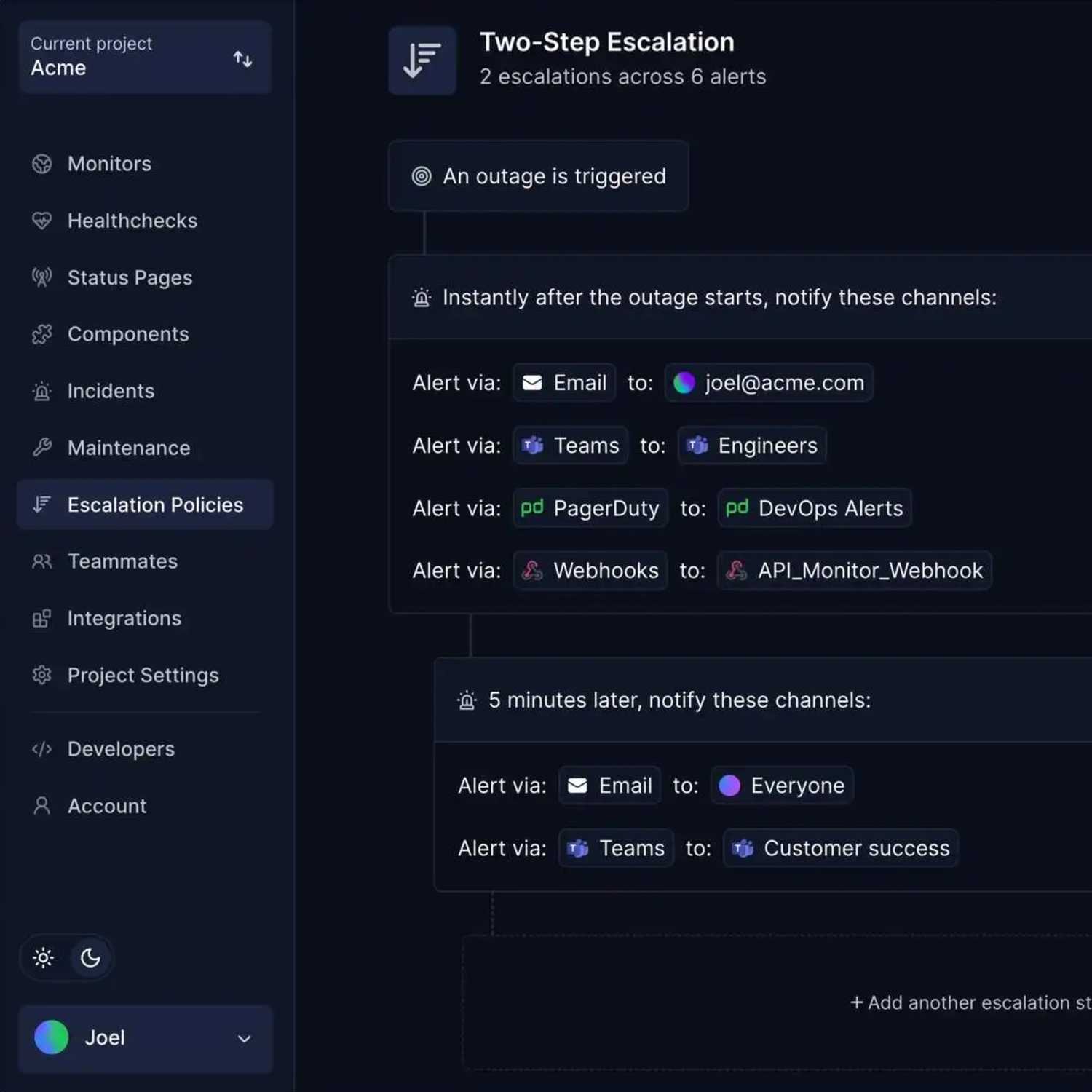
Having a well-documented incident response plan reduces panic during outages and ensures consistent, efficient handling of issues when they arise. Implementing escalation policies ensures the right people are notified at the right time.
For tool selection, review the best incident management tools to find solutions that fit your team size and needs.
4. Establish status communication channels
Transparency during incidents builds trust with customers. Addressing communication failures is a key part of a solid DevOps strategy.
- Create automated or easily-updated status pages that display current system health
- Develop templates for incident communications
- Define channels for proactively notifying customers about planned maintenance
- Implement a post-mortem process to learn from incidents and communicate improvements
Benefits of transparent status communication:
- Builds customer trust through honesty during difficult moments
- Reduces support ticket volume by proactively answering "is it down?" questions
- Demonstrates operational maturity to enterprise prospects
- Creates accountability for incident resolution
- Provides historical context for reliability improvements
Hyperping's status page solution integrates directly with its monitoring platform, enabling automatic status updates based on actual system health. Check out status page examples to see effective implementations.
Features like custom domains and private/protected pages allow startups to maintain brand consistency and provide appropriate access controls. For internal team coordination, consider implementing an internal status page alongside your public-facing status page.
Common status communication approaches:
| Approach | Advantages | Disadvantages | Best For |
|---|---|---|---|
| Email updates | Direct delivery to customers | Easily missed, hard to keep current, manual effort | One-time announcements |
| Social media posts | Wide reach, informal tone | Not all customers use these channels, updates get buried | Marketing updates, not incidents |
| In-house status pages | Full control, custom branding | Become technical debt, often fail during major incidents | Large teams with dedicated resources |
| Customer support | Personalized responses | Repetitive, consumes valuable support resources | Individual issues, not widespread incidents |
| Purpose-built status page | Automated updates, reliable infrastructure, proper alerting | Cost of subscription | Most startups and growing companies |
Integrated status communication workflow:
| Stage | Action | Automation Level | Customer Impact |
|---|---|---|---|
| 1. Detection | Monitoring detects issue | Fully automated | None yet |
| 2. Initial notification | Status page updates automatically | Fully automated | Customers see issue acknowledged |
| 3. Targeted alerts | Affected customers receive notifications | Automated with targeting rules | Only relevant customers notified |
| 4. Progress updates | Team posts investigation updates | Manual with templates | Customers see active response |
| 5. Resolution | Status page shows resolved status | Automated when monitors recover | Customers see service restored |
| 6. Post-incident | Post-mortem published, preventive measures shared | Manual | Customers see learnings and improvements |
5. Implement infrastructure as code
As your startup grows, manually managing infrastructure becomes unsustainable:
- Choose an IaC tool appropriate for your cloud provider and team expertise
- Start by coding your staging environment configuration
- Gradually bring production infrastructure under IaC management
- Implement review processes for infrastructure changes similar to code reviews
Infrastructure as code enables consistent environments and makes scaling significantly more manageable as your user base grows.
6. Containerize applications when appropriate
Decision framework: Containerization adds complexity. Consider it when you have: (1) more than 3-5 microservices, (2) frequent onboarding of new developers who need consistent environments, (3) polyglot architecture with multiple languages/runtimes, or (4) need to run the same code across multiple cloud providers. If you're a monolith with 2-3 developers, containerization overhead likely outweighs its benefits.
Containerization isn't necessary for every startup, but provides significant benefits when needed:
- Assess whether containerization makes sense for your application architecture
- If proceeding, start with non-critical services to build team familiarity
- Develop standardized container images with security best practices built in
- Consider simple orchestration before jumping to Kubernetes (which adds complexity)
For many startups, containerization becomes valuable when scaling beyond a few services or when onboarding new team members frequently. If you do implement Kubernetes, follow a comprehensive Kubernetes monitoring setup guide to maintain visibility.
7. Create feedback loops for continuous improvement
Cultural note: DevOps is as much about culture as it is about tools. The best DevOps workflows create psychological safety where teams can discuss failures openly, experiment with improvements, and continuously learn. Regular retrospectives and blameless post-mortems foster this environment.
DevOps is an iterative process, not a one-time implementation. Building effective DevOps feedback loops ensures continuous improvement:
- Schedule regular reviews of your workflow efficiency
- Track and analyze DORA metrics (deployment frequency, lead time, change failure rate, time to restore)
- Collect feedback from team members on pain points in the current workflow
- Prioritize automation of manual, error-prone tasks
DORA metrics tracking framework:
| Metric | What It Measures | Startup Target | How to Track |
|---|---|---|---|
| Deployment Frequency | How often you deploy to production | Multiple times per day to weekly | Git commits with production tags, CI/CD logs |
| Lead Time for Changes | Time from commit to production deployment | Less than one day to one week | CI/CD pipeline duration tracking |
| Change Failure Rate | Percentage of deployments causing incidents | Less than 15% | Incidents tagged with causative deployment |
| Time to Restore Service | How quickly you recover from incidents | Less than one hour | Incident start to resolution time |
The most effective DevOps workflows adapt over time based on team needs and changing business requirements. Using DevOps project management practices helps coordinate these improvements across the team.
Integrating monitoring and status pages into your workflow
Monitoring and status communication deserve special attention in your DevOps workflow strategy because they directly impact both system reliability and customer trust.
Key points for monitoring and status integration:
- Manual monitoring approaches fail to catch issues quickly enough
- Home-grown scripts become maintenance burdens without redundancy
- Purpose-built platforms provide enterprise capabilities without complexity
- Automated status updates based on real monitoring reduce manual work during incidents
The monitoring challenge for startups
Many startups initially rely on a combination of:
- Manual checks of system health
- Basic scripts running on internal infrastructure
- Free tiers of monitoring tools with limited capabilities
- Customer reports of issues
Monitoring approach comparison:
| Approach | Advantages | Disadvantages | Best For |
|---|---|---|---|
| Manual checks | No cost, simple to start | Can't check frequently enough, doesn't scale, no 24/7 coverage | First week of development only |
| Home-grown scripts | Full control, custom logic | Become maintenance burden, often lack redundancy, miss edge cases | Specific niche needs as supplement |
| Free monitoring tools | No financial cost | Significant feature limitations, unreliable, often discontinued | Testing and evaluation only |
| Customer reports | Direct user feedback | Issues exist long before awareness, damages reputation | Should never be primary detection |
| Purpose-built platform | Comprehensive features, reliable infrastructure, maintained and improved | Subscription cost | Most startups and production systems |
A more strategic approach integrates comprehensive monitoring directly into your deployment pipeline and incident response workflow:
- Pre-deployment checks: Verify that new code doesn't break existing monitoring or alerting
- Post-deployment verification: Automatically test critical user paths after deployment
- Continuous system monitoring: Track uptime, performance, and correctness from multiple locations
- Job execution verification: Ensure background jobs and cron tasks complete successfully
- Dependency monitoring: Check the health of third-party services you rely on
- Certificate and security monitoring: Prevent SSL expiration surprises
By implementing tools like Hyperping, startups can achieve enterprise-grade monitoring without the enterprise-grade complexity. The platform provides browser checks (synthetic monitoring), cron job monitoring, SSL monitoring, port monitoring, and keyword monitoring in a unified interface. View all Hyperping features and pricing to evaluate fit for your team.
For guidance on comprehensive monitoring tools, see our list of continuous monitoring tools and best uptime monitoring software.
Automating status communication
When incidents occur, communication often becomes an afterthought as teams scramble to resolve technical issues.
Yet, poor communication during outages can damage customer relationships more than the outage itself.
A better approach integrates status communication directly into your monitoring and incident workflow:
- Automated status updates: When monitoring detects an issue, your status page updates automatically
- Targeted notifications: Affected customers receive relevant updates without spamming everyone
- Maintenance scheduling: Planned work is communicated in advance with clear timelines
- Incident history: Customers can view past incidents and how they were resolved
Hyperping's status page solution integrates directly with its monitoring platform, enabling automatic status updates based on actual system health.
Features like custom domains and private/protected pages allow startups to maintain brand consistency and provide appropriate access controls.
How to choose the right monitoring approach
When evaluating monitoring solutions for your DevOps workflow, consider these factors:
Monitoring solution decision matrix:
| Factor | What to Evaluate | Red Flags | Green Flags |
|---|---|---|---|
| Coverage | Does it monitor all critical systems and user paths? | Gaps in monitoring types, can't check key services | Comprehensive monitoring across application, infrastructure, synthetic, jobs |
| Reliability | Is the monitoring itself reliable with redundancy? | Single point of failure, frequent false positives | Distributed checks, proven uptime track record |
| Alert quality | Does it minimize false positives while catching real issues? | Constant noise, missed incidents | Configurable thresholds, confirmation checks |
| Integration | Does it work with existing tools and communication channels? | Proprietary, limited APIs | Webhooks, API access, popular integrations |
| Maintenance overhead | How much time will your team spend maintaining it? | Requires dedicated engineer, frequent troubleshooting | Minimal setup, automatic updates, managed service |
| Scalability | Will it grow with your needs without becoming expensive? | Sharp price jumps, per-check pricing | Reasonable pricing tiers, volume discounts |
For most startups, the ideal solution combines comprehensive coverage with minimal maintenance overhead.
This typically means choosing a purpose-built platform rather than building monitoring infrastructure in-house.
Measuring DevOps workflow success
How do you know if your DevOps workflow strategy is working? Focus on these key metrics:
DevOps success metrics framework:
| Metric | Definition | How to Measure | Good Target for Startups | Priority Level |
|---|---|---|---|---|
| Deployment frequency | How often you can safely deploy to production | Count production deployments per week | At least 2-3x per week | High |
| Lead time for changes | Time from code commit to production deployment | Track from merge to deploy complete | Less than 4 hours | High |
| Change failure rate | Percentage of deployments causing incidents | Incidents caused by deploys / total deploys | Less than 15% | High |
| Mean time to recovery (MTTR) | How quickly you resolve incidents | Time from incident start to resolution | Less than 1 hour for SEV-1 | Critical |
| System uptime | Availability measured against SLA targets | Calculate with uptime calculator | 99.9% or higher | Critical |
| Customer-impacting incidents | Frequency and severity of user-facing issues | Count and categorize incidents by severity | Less than 2 SEV-1/SEV-2 per month | High |
These metrics provide a balanced view of both velocity and reliability. The goal is not just to move faster, but to deliver reliable systems that meet customer expectations consistently.
Use our SLA calculator to understand what different uptime percentages mean in terms of allowed downtime per month. Learn more about the differences between SLA, SLO, and SLI to set appropriate targets.
Track MTTR (mean time to recovery) as your primary incident response metric, as it directly impacts customer experience during outages.
Key DevOps terms: quick reference guide
CI/CD (Continuous Integration/Continuous Deployment): The practice of automatically testing code changes and deploying them to production, enabling frequent, low-risk releases.
Container orchestration: Systems like Kubernetes that automatically manage deployment, scaling, and operation of containerized applications across clusters of hosts.
DORA metrics: Four key metrics (deployment frequency, lead time, change failure rate, time to restore) developed by DevOps Research and Assessment to measure software delivery performance.
DevOps: A set of practices that combines software development (Dev) and IT operations (Ops) to shorten development cycles and deliver high-quality software continuously.
IaC (Infrastructure as Code): Managing and provisioning infrastructure through code and automation rather than manual processes, making infrastructure reproducible and versionable.
MTTR (Mean Time to Recovery): The average time it takes to restore service after an incident, a critical measure of incident response effectiveness.
Observability: The ability to understand the internal state of a system based on its external outputs, going beyond basic monitoring to enable deeper investigation.
On-call rotation: A schedule determining which team members are responsible for responding to incidents during specific time periods, ensuring 24/7 coverage.
Post-mortem: A blameless analysis conducted after an incident to understand what happened, why it happened, and how to prevent similar incidents in the future.
SLA/SLO/SLI (Service Level Agreement/Objective/Indicator): SLIs are metrics you measure, SLOs are targets for those metrics, and SLAs are contracts with customers about those targets.
Synthetic monitoring: Simulating user interactions with your application to proactively detect issues before real users encounter them.
War room: A coordinated response environment (physical or virtual) where team members gather during major incidents to resolve issues quickly.
Final thoughts
In the race to build and scale successful startups, a solid DevOps workflow strategy isn't optional.
The most successful startups aren't necessarily those with the most sophisticated tools or the largest teams, but those that implement efficient, reliable processes that scale with their growth.
As your startup grows, your DevOps workflow should grow with it.
What works at ten employees might not work at fifty, and what works for ten thousand users might not work for a million. The key is building adaptable processes and selecting tools that grow with you.
Ultimately, the most effective DevOps workflow strategy for startups is one that balances speed and stability, allowing you to move quickly while maintaining the reliability your customers demand.
FAQ
What is a DevOps workflow strategy? ▼
A DevOps workflow strategy is a structured approach to integrating development and operations processes to deliver high-quality software faster and more reliably. It encompasses tools, practices, and cultural elements that enable teams to build, test, deploy, monitor, and iterate on systems efficiently.
Why are DevOps workflow strategies crucial for startups? ▼
DevOps workflow strategies are essential for startups because they accelerate time-to-market, maintain system reliability, maximize limited resources, enable efficient scaling, and build customer trust through consistent performance and transparent communication.
What are the core components of an effective DevOps workflow strategy? ▼
The core components include version control, CI/CD pipelines, Infrastructure as Code (IaC), containerization and orchestration, monitoring and observability, alerting and incident management, status communication, and documentation and knowledge sharing.
How should a startup begin implementing a DevOps workflow strategy? ▼
Startups should begin with fundamentals: implementing version control with a clear branching strategy, setting up basic CI/CD pipelines, deploying comprehensive monitoring, creating an incident response plan, and establishing status communication channels. As the team matures, they can add Infrastructure as Code and containerization.
What monitoring solutions should startups prioritize? ▼
Startups should prioritize application and infrastructure monitoring for uptime, latency, and error rates; synthetic monitoring to simulate user journeys; monitoring for critical background jobs; and SSL certificate and domain expiration monitoring. Using a comprehensive platform like Hyperping can provide these capabilities with minimal setup.
How can startups effectively communicate during incidents? ▼
Startups should implement automated status pages that display current system health, develop templates for incident communications, define channels for maintenance notifications, and establish a post-mortem process. Integrating status pages with monitoring systems enables automatic updates based on actual system status.
What metrics should be used to measure DevOps workflow success? ▼
Key metrics include deployment frequency, lead time for changes, change failure rate, mean time to recovery (MTTR), system uptime measured against SLA targets, and the frequency and severity of customer-impacting incidents.
Does every startup need to use containerization? ▼
No, containerization isn't necessary for every startup. It becomes valuable when scaling beyond a few services or when onboarding new team members frequently. Startups should assess whether containerization makes sense for their specific application architecture before implementation.
How should incident response be organized in a startup? ▼
Startups should define severity levels for different incidents, create clear escalation paths, establish war room protocols for major incidents, implement sustainable on-call rotations, and document common failure modes with their solutions for faster resolution.
How should DevOps workflows evolve as a startup grows? ▼
DevOps workflows should adapt as startups scale. What works with ten employees might not work with fifty, and what supports ten thousand users might not support a million. Focus on building adaptable processes and selecting tools that can grow with your business while maintaining the right balance between speed and stability.