Follow-the-sun on-call
Cover incidents around the clock without asking anyone to work nights. Each region holds the pager during its own daytime and hands off to the next, following the sun.
This playbook fits distributed teams spread across two or three regions. The example uses Europe, the Americas, and APAC; with two regions the same structure holds, with longer blocks.
The scenario
Say you have nine engineers: four in London, three in New York, two in Sydney. The goal is that every hour of the day belongs to exactly one group of people who are awake, and alerts reach only them.
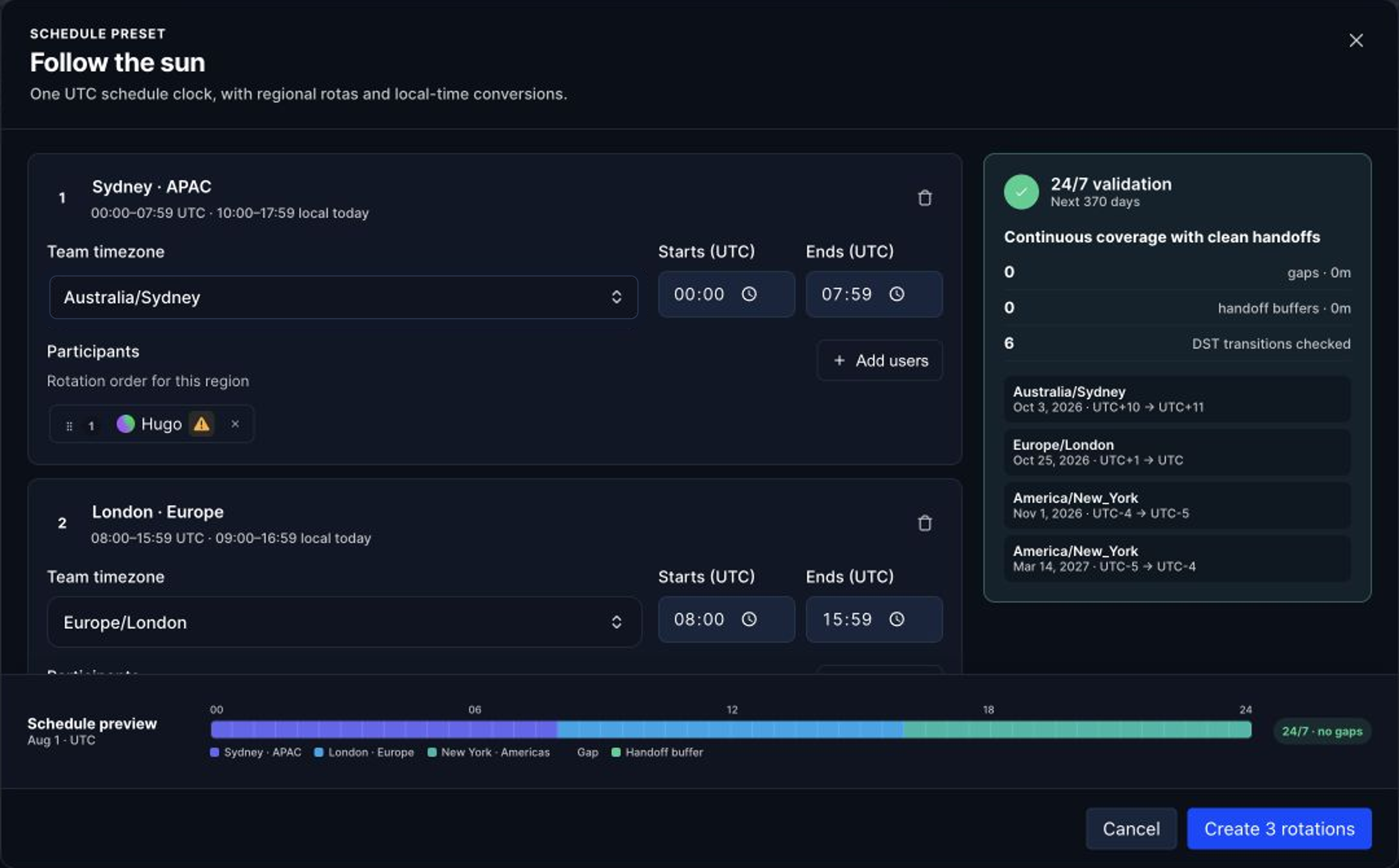
Aim for three blocks of roughly eight hours that sit inside each region's working day:
APAC      10:00 to 18:00 Sydney     covers 00:00 to 08:00 UTC
Europe    09:00 to 17:00 London     covers 08:00 to 16:00 UTC
Americas  12:00 to 20:00 New York   covers 16:00 to 00:00 UTC

The schedule uses UTC as its common clock while keeping each team's local timezone. Hyperping checks the next 370 days, including daylight-saving transitions, before the rotations are created.
The setup
- Create one rotation per region
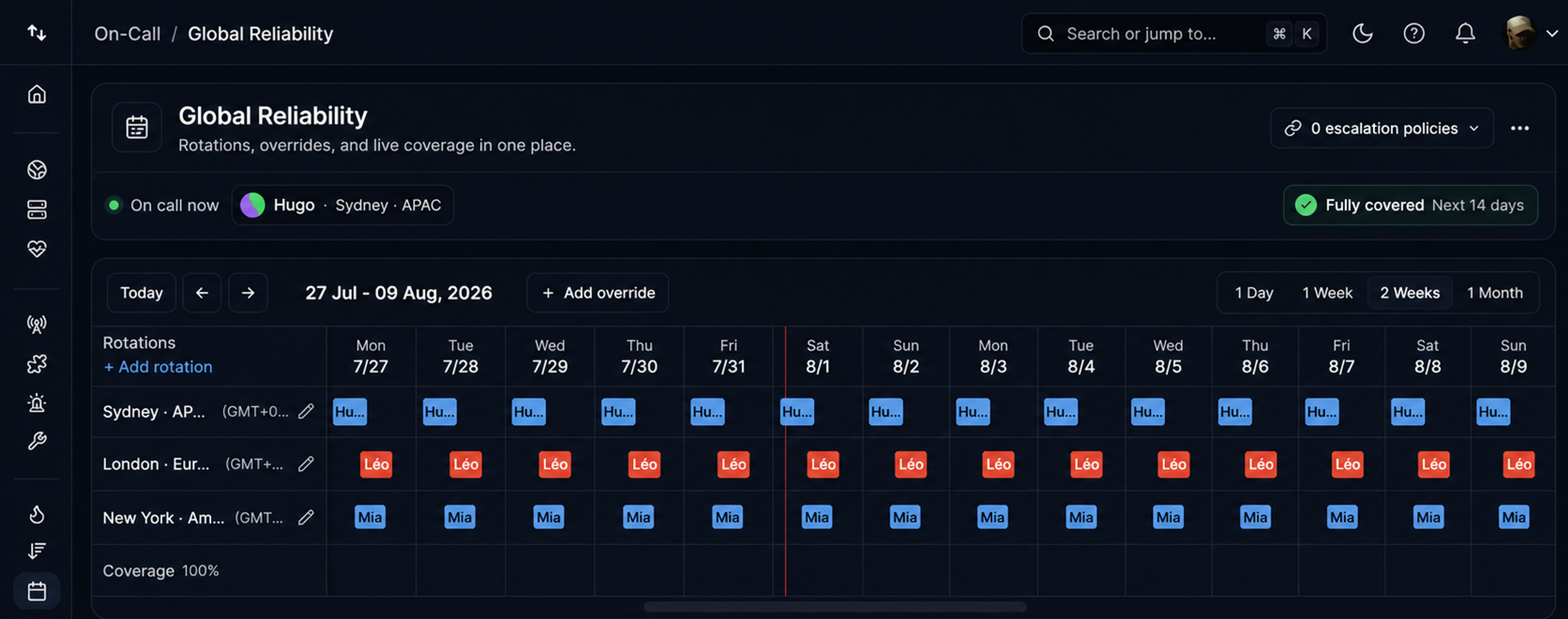
Create a single on-call schedule, then add one rotation per region: APAC, Europe, Americas. Each rotation gets its own timezone and its own members.
Set time restrictions on each rotation so it is only active during its block of the day. Pick a weekly rotation type so the duty cycles fairly inside each region.
- Hand off at the edges of the working day
Set each rotation's handoff time at the start of its local block, for example 09:00 in Paris. Shift changes then happen at a desk, not in bed, and the incoming engineer can collect context from the outgoing one.
Region-to-region handoff follows from the time restrictions: when Europe's window closes and the Americas window opens, alerts start reaching the Americas rotation. Review the unified timeline preview before saving; gaps are obvious there.
- Point the escalation policy at the schedule
In your escalation policy, select the schedule under On-Call Schedules as the recipient of the SMS and phone call steps, instead of a named teammate.
Hyperping resolves the schedule at alert time. A 03:00 UTC incident pages the Singapore engineer on duty, and nobody in Paris hears a thing.
Keep the first step as a Slack message to a shared #incidents channel. It gives every region a written trail to read at handoff.
- Add a backup for critical services
One person per region is a single point of failure. For rotations guarding critical services, set concurrent shifts to 2 so a second engineer is on duty at the same time.
As a last-resort net, add a late escalation step that notifies Everyone. If that step ever fires, treat it as an incident of its own.
Common pitfalls
- Coverage gaps between blocks. An hour nobody owns stays invisible until an incident lands in it. Scan the timeline preview after every edit, and again when daylight saving shifts a region.
- Handoffs at midnight. A handoff while one side is asleep drops incidents instead of transferring them. Keep every handoff inside waking, overlapping hours.
- A rotation of one with no backup. Two-person regions cannot cycle fairly and cover sick days at the same time. Use concurrent shifts, or fold the region into a neighboring block until the team grows.
- Running everything in one timezone. Per-rotation timezones exist so restrictions track local working hours, including daylight saving. A single global timezone drifts twice a year.