Opsgenie shuts down on April 5, 2027. Atlassian stopped selling it on June 4, 2025, and on the shutdown date it turns off access and deletes whatever you have not migrated. Atlassian wants you on Jira Service Management (JSM). This guide compares JSM with the main Opsgenie alternatives, with prices checked in October 2026, and shows how to migrate without a gap in paging.
If you already know you are leaving, the Opsgenie migration offer is the short path: on any paid Hyperping plan, our team rebuilds your setup for free within 48 hours.
Key takeaways
- Official dates: announced March 4, 2025; end of sale June 4, 2025; end of support (access off, data deleted) April 5, 2027.
- JSM now includes on-call schedules and escalation policies on every plan, but bills each responder as an agent: $26.90 per agent per month on Standard for 10 agents (billed monthly, October 2026).
- Heartbeats move to JSM Premium, and status pages to JSM Enterprise. JSM still has no uptime monitoring.
- Hyperping replaces Opsgenie and the monitoring tool you piped into it, from $24 a month billed yearly with 3 seats included.
- Our team migrates Opsgenie customers to Hyperping for free on any paid plan, in 48 hours. See the Opsgenie migration guide for the do-it-yourself version.
Official Opsgenie end of life dates
Atlassian publishes the dates in the FAQ of its Opsgenie pricing page and on its support site. As of October 2026:
| Date | What happens |
|---|---|
| March 3 to 4, 2025 | Atlassian announces the end of Opsgenie (its announcement post is dated March 3, the pricing page FAQ says March 4) |
| June 4, 2025 | End of sale. No new sign-ups, no plan upgrades or downgrades. Existing customers can still buy seats and renew, as long as the term ends before April 5, 2027 |
| Migration date + 120 days | If you use Atlassian's in-app migration to JSM, Opsgenie shuts down automatically 120 days after your migration date unless you turn it off first |
| April 5, 2027 | End of support. Access is shut off, the Opsgenie REST APIs stop, and un-migrated data is deleted |
When Opsgenie turns off, its mobile app is deactivated too (Atlassian tells responders to switch to the Jira mobile app), and any Opsgenie-based integration stops sending. Features Atlassian did not carry over, such as deprecated notification policies, incident rules and Opsgenie actions, disappear with it.
Atlassian's pages do not say "end of life". They use two terms: end of sale, when it stopped selling Opsgenie, and end of support, the shutdown itself. When people ask for the Opsgenie end of life date, they mean April 5, 2027, and Atlassian has announced no extended support beyond it.
What stops working, and when
- Until April 5, 2027, for standalone customers who have not migrated: nothing changes. Alerts fire, schedules rotate, and the REST APIs answer, so you can still export your configuration. You can keep renewing, but your last term has to end before the shutdown, so it may stop a few weeks early.
- 120 days after an in-app migration to JSM: Opsgenie turns itself off, unless you do it sooner. A "try JSM and see" migration commits you months before April 2027.
- On the day it turns off: users can no longer log in or retrieve any data, remaining Opsgenie-based integrations (Datadog, Prometheus, CloudWatch, custom webhooks) stop sending, the mobile app is deactivated, and only data migrated to JSM is kept. Atlassian says turning Opsgenie off "is permanent and CANNOT be undone" (support article).
- Heartbeats go with it. Every cron job or pipeline that pings the Opsgenie Heartbeat API needs a new ping URL elsewhere, or its next missed run goes unnoticed.
As of late October 2026, about five months remain. A careful migration takes four to eight weeks including a parallel run, so plan your own cutover date around your renewal rather than the shutdown.
Should you move to Jira Service Management?
JSM is Atlassian's answer, and for some teams it is the right one. Here is what it looks like on Atlassian's Service Collection pricing page as of October 2026:
| JSM Free | JSM Standard | JSM Premium | JSM Enterprise | |
|---|---|---|---|---|
| Agents | Up to 3 | Paid per agent | Paid per agent | Paid per agent, annual only |
| 10 agents, billed monthly | $0 (3 max) | $26.90/agent ($269/mo) | $61.60/agent ($616/mo) | Sales quote |
| 10 agents, billed annually | $0 (3 max) | $2,700/yr | $6,200/yr | Sales quote |
| On-call schedules and escalations | Yes | Yes, advanced routing | Yes, advanced routing | Yes, advanced routing |
| SMS and voice | 200 SMS/month, no voice | Included | Included | Included |
| Alert history kept | 1 month | 1 year | 3 years | 5 years |
| Heartbeat monitoring | No | No | Yes | Yes |
| Stakeholder communication | No | No | Yes | Yes |
| Status pages | No | No | No | Yes |
| Uptime, SSL or browser checks | No | No | No | No |
Two things changed since Atlassian first pitched JSM to Opsgenie customers. On-call is no longer locked behind Premium, so a team that only needs schedules and escalation policies can stay on Standard. But the bill grew: a 10-person team that paid $94.50 a month on Opsgenie Essentials ($9.45 per user, billed annually) pays $225 a month on JSM Standard billed annually. If you used Opsgenie heartbeats, which needed Opsgenie Standard ($19.95 per user), the JSM equivalent is Premium at $6,200 a year for 10 agents.
JSM is the right move if your team already lives in Jira, you also run a service desk, change approvals or asset management, and procurement wants one Atlassian contract.
Look elsewhere if you used Opsgenie for alerts, rotations and escalations only. Every responder becomes a paid agent, uptime checks still come from another tool, and a public status page means Enterprise or a separate Statuspage subscription. Our Opsgenie vs Jira Service Management comparison goes through the feature mapping in detail.
What Hyperping offers Opsgenie teams
Hyperping puts the three things Opsgenie teams usually bought separately on one plan: the checks, the on-call routing and the status page.
| Opsgenie setup | On Hyperping |
|---|---|
| Alerts from Pingdom, UptimeRobot or Datadog Synthetics | Native monitors: HTTP, keyword, ping, TCP port, DNS, SSL and domain expiry, and Playwright browser checks |
| On-call schedules, overrides | On-call schedules with multiple rotations, timezones and overrides |
| Escalation policies | Escalation policies with timed steps over email, SMS, phone calls, Slack, Microsoft Teams and webhooks |
| Heartbeats | Healthchecks, on every plan including Free |
| Statuspage subscription | A status page on your own domain, with subscribers, from Essentials |
| Terraform resources | A Terraform provider and a REST API on paid plans |
Pricing, as of October 2026: Essentials is $24 a month billed yearly ($29 monthly) with 3 seats included, then $7 per extra seat; it already includes on-call, escalation policies and phone call alerts. Pro is $74 a month billed yearly ($89 monthly) with 10 seats, then $9 per extra seat. Business is $249 a month billed yearly with 20 seats, then $12 per extra seat. See the pricing page for the full grid.
The free migration. On any paid plan, the Hyperping team does the move for you: send your Opsgenie export (or share your screen for 15 minutes), and within 48 hours they rebuild your monitors, escalation policies, on-call schedules, alert channels, heartbeats and status page, test them with real alerts, and walk you through it in a 30-minute handover call. You then run both tools side by side through the native Opsgenie integration until you are ready. Book the free Opsgenie migration.
What Hyperping does differently, so you can plan for it:
- Acknowledging an outage stops its repeat alerts, not the escalation, so a second responder still hears about an outage that keeps going. In Opsgenie, acknowledging stopped the escalation.
- A missed healthcheck alerts every channel at once (email and SMS to every project member, Slack, Discord, Telegram, PagerDuty and Opsgenie). Escalation policies and on-call schedules apply to monitors, not to healthchecks.
- There is no dedicated mobile app. Responders get phone calls, SMS, email, Slack and Teams alerts.
- The integration catalog is smaller than PagerDuty's. If you route events from dozens of tools, list them before you switch.
The best Opsgenie alternatives compared
Prices below were checked on the vendors' pricing pages in October 2026, billed yearly unless noted.
| Tool | Best for | On-call price | Monitoring included | Status page |
|---|---|---|---|---|
| Hyperping | Small and mid-size teams that want one tool | $24/mo with 3 seats, $74/mo with 10 seats | Yes | Yes, custom domain from Essentials |
| Jira Service Management | Teams already on Jira with a service desk | Free for 3 agents, then $26.90/agent at 10 agents on Standard (billed monthly) | No | Enterprise only |
| PagerDuty | Large enterprises, AIOps, hundreds of integrations | $21/user (Professional), free for 5 users | No | Yes, 250 subscribers on Professional |
| incident.io | Teams that run incidents in Slack | $15/user (Team) plus $10/user for on-call | No (heartbeats only) | 1 public page |
| Better Stack | Teams that want logs and uptime together | $29 per responder | 10 monitors, then $21 per 50 | 1 status page |
| Grafana OnCall | Teams already running Grafana | Free self-hosted (archived) or Grafana Cloud | Via Grafana alerting | No |
Hyperping: best all-in-one alternative
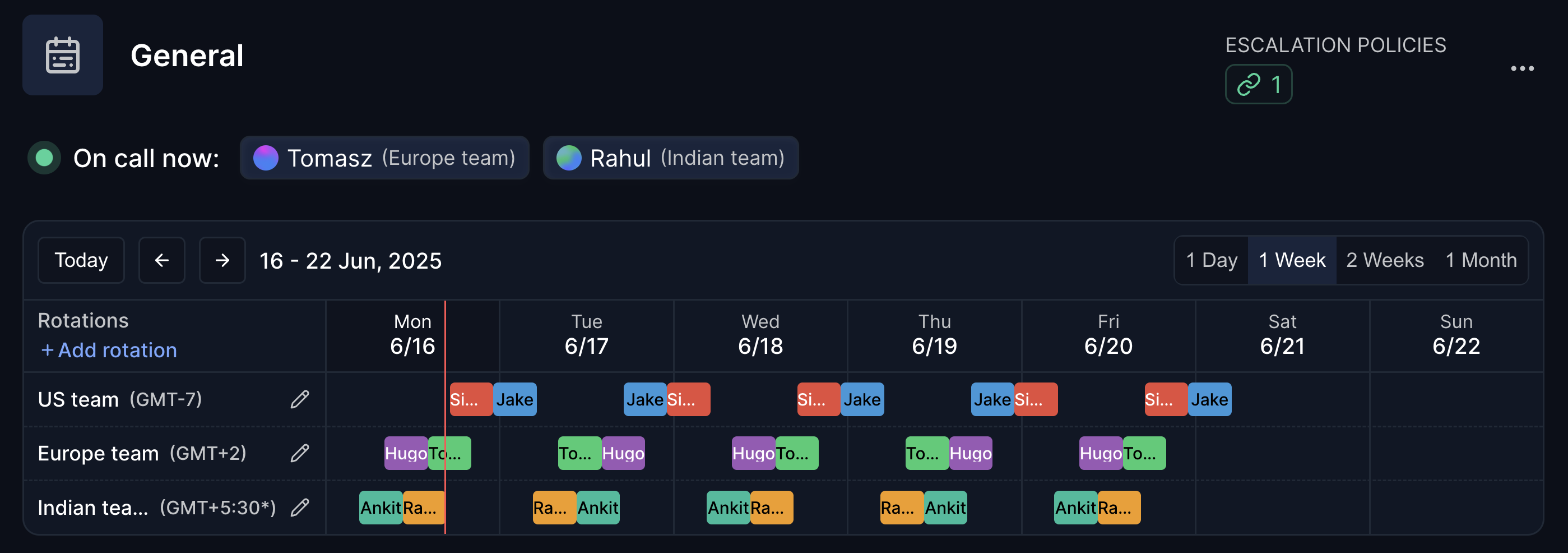
Hyperping is the alternative for teams that want to replace Opsgenie and the monitoring tool behind it in one move. Checks, on-call routing and the status page share the same data, so a failed check pages whoever is on call and can update the status page without webhooks in between. It is also the only option on this list with a free, done-for-you migration. The trade-offs are listed in the section above. Our Opsgenie vs Hyperping page has the feature-by-feature view.
PagerDuty: best for large enterprises
PagerDuty has the deepest routing, event intelligence and runbook automation, and the largest integration catalog. It costs $21 per user per month on Professional billed yearly ($25 monthly), so a team that paid Opsgenie Essentials pays more than twice as much, and it still needs a separate monitoring tool. Read Opsgenie vs PagerDuty for the head-to-head, or PagerDuty alternatives if the price rules it out.
incident.io: best for Slack-native teams
incident.io runs the whole incident from Slack, with structured post-incident reviews. On-call is an add-on: the Team plan is $15 per user per month billed yearly plus $10 per user for on-call, so $25 per responder. It has no uptime checks of its own, only heartbeats.
Better Stack: best if you also want logs
Better Stack bundles uptime monitoring, incident management and logs. A responder license is $29 a month billed yearly ($34 monthly), with 10 monitors and one status page included and extra monitors sold in blocks of 50. Per-responder pricing adds up quickly past five people.
Grafana OnCall: free if you already run Grafana
Grafana OnCall routes Grafana alerts into schedules and escalations. The open-source version is archived and its hosted SMS and push notifications have stopped, so read the Grafana OnCall alternatives before you build on it. It has no endpoint checks and no status page.
Best Opsgenie alternative for small engineering teams
Per-user pricing is the trap for a team of 3 to 10. Here is the monthly cost for a 5-person team, billed yearly, as of October 2026:
| 5-person team | On-call | Monitoring | Status page | Total |
|---|---|---|---|---|
| Hyperping Essentials (3 seats + 2 at $7) | $38 | Included (50 monitors) | Included, custom domain | $38 |
| Opsgenie Essentials (existing customers only) | $47.25 | Not included | Not included | $47.25 + tools |
| PagerDuty Professional | $105 | Not included | Included | $105 + monitoring |
| incident.io Team + on-call | $125 | Heartbeats only | 1 public page | $125 + monitoring |
| Better Stack | $145 | 10 monitors | 1 status page | $145 |
If you are 3 people or fewer and only need paging, JSM Free costs nothing, with 200 SMS a month, no voice calls and one month of alert history. Past 3 agents, or once you need phone calls at 3 a.m., a paid plan is cheaper than the incident you miss. Teams leaving FireHydrant for the same reasons can read the FireHydrant alternatives guide.
Best Opsgenie alternative for SRE and platform engineering teams
SRE teams need more than alert routing: checks across HTTP, SSL, cron jobs, browser flows and ports in the same system as the paging; uptime history for SLO reviews; multi-step escalation with overrides; and configuration as code.
| Feature | Hyperping | PagerDuty | JSM | incident.io |
|---|---|---|---|---|
| HTTP, SSL, cron, browser and port checks | Yes | No | No (heartbeats on Premium) | No (heartbeats) |
| Schedules and escalation policies | Yes | Yes | Yes | Yes (add-on) |
| Status page | Yes, with uptime history | Yes | Enterprise only | 1 public page |
| REST API and Terraform | Yes | Yes | API | API |
| 10 engineers, per month | $74 (Pro, 10 seats) | $210 | $225 (Standard, annual) | $250 |
| 25 engineers, per month | $309 (Business, 20 seats + 5) | $525 | Quote by Atlassian | $625 |
Costs exclude the monitoring tool that PagerDuty, JSM and incident.io still require. If you need AIOps (alert grouping, event intelligence), PagerDuty and JSM Premium have it and Hyperping does not. Three migration points matter more for SRE teams than for anyone else. If Opsgenie is managed through Terraform or the API, rebuild it as code rather than by hand. Count the integrations feeding Opsgenie (Datadog, Alertmanager, CloudWatch, custom webhooks): with built-in checks, several of them disappear. And put the on-call engineers on the evaluation, because notification delivery at 3 a.m. decides adoption, not the demo.
How to migrate from Opsgenie to Hyperping
The full procedure, with the API calls, is in the Opsgenie migration guide. The 14-step migration checklist covers the project side (owners, parallel run, sign-off). Or skip the steps below and let our team do it for free.
1. Export your Opsgenie configuration
Pull teams, schedules, escalations and heartbeats from the Opsgenie REST API, and export alert history as CSV from the alert list. Keep these files even if you migrate later: after April 5, 2027 there is nothing left to export.
2. Recreate monitors, schedules and escalation policies
Create a Hyperping monitor for each check that used to feed Opsgenie, then your rotations and escalation steps. For integration-specific notes (Datadog, Prometheus, AWS, Grafana), see the Opsgenie integration migration guide.
3. Move heartbeats to healthchecks
Each Opsgenie heartbeat becomes a healthcheck with the same interval and a new ping URL. Remember that healthchecks alert every channel at once rather than following your on-call schedule.
4. Rebuild your status page
Create the status page on your own domain, import your subscribers and attach the monitors that should update it. The Opsgenie status page migration guide covers the DNS cutover.
5. Run both platforms in parallel
Keep Opsgenie live through the Opsgenie integration for one to two weeks. Trigger test alerts through every escalation path and compare delivery.
6. Cut over before April 5, 2027
Switch routing to Hyperping, update runbooks and onboarding docs, archive your Opsgenie exports, and cancel the subscription. Leave a few weeks of margin: a parallel run that finds a broken route needs time to fix it.
More Opsgenie migration resources
- Opsgenie migration guide and free migration offer (docs)
- Opsgenie migration checklist: 14-step plan
- Opsgenie vs Jira Service Management
- Opsgenie vs PagerDuty
- How to replace Opsgenie and your monitoring tool
- Opsgenie vs Hyperping
- Best on-call scheduling tools and best incident management tools
Leaving Opsgenie? Start a Hyperping trial to test monitoring, on-call and status pages together, or book the free migration and have your setup rebuilt within 48 hours.
FAQ
When is Opsgenie shutting down? ▼
Opsgenie reaches end of support on April 5, 2027. On that date Atlassian shuts off access and deletes any data you did not migrate. Atlassian announced the change on March 4, 2025, and stopped new sales and plan changes on June 4, 2025. Existing customers can still add seats and renew until the end of support date.
Is Opsgenie still available to buy? ▼
No. Atlassian ended new Opsgenie sales and plan changes on June 4, 2025. Existing customers can still add seats and renew inside their current tenant, as long as the term ends before April 5, 2027, when access is shut off.
What is the best alternative to Opsgenie? ▼
For teams that want monitoring, on-call and a status page on one bill, Hyperping is the closest replacement: on-call and escalation policies start on Essentials at $24 a month billed yearly with 3 seats included. PagerDuty fits large enterprises that need AIOps and hundreds of integrations. incident.io fits teams that run incidents from Slack. Jira Service Management fits teams already running their service desk in Jira.
Should I just move from Opsgenie to Jira Service Management? ▼
Move to JSM if your team already works in Jira and needs a service desk, change management and assets. If you only used Opsgenie for alerts, schedules and escalations, JSM bills every responder as an agent ($26.90 per agent per month on Standard for 10 agents, billed monthly, as of October 2026) and still leaves you without uptime monitoring.
How much does Jira Service Management cost compared to Opsgenie? ▼
As of October 2026, a 10-person team pays $2,700 a year on JSM Standard and $6,200 a year on JSM Premium, billed annually. The same team paid $1,134 a year on Opsgenie Essentials ($9.45 per user per month) or $2,394 on Opsgenie Standard ($19.95). JSM Free covers up to 3 agents with schedules and escalation policies, but only 200 SMS a month, no voice calls and one month of alert history.
Can Hyperping migrate my Opsgenie setup for me? ▼
Yes. The Hyperping team migrates customers coming from Opsgenie for free on any paid plan. Send your Opsgenie export, and within 48 hours they rebuild your monitors, escalation policies, on-call schedules, alert channels, heartbeats and status page, then hand it over in a 30-minute call. You validate it in parallel with Opsgenie before switching.
What happens to my Opsgenie data? ▼
Anything you do not migrate is deleted on April 5, 2027. If you use Atlassian's in-app migration to Jira Service Management, Opsgenie also shuts down automatically 120 days after your migration date unless you turn it off sooner. Export schedules, escalation policies and heartbeats through the Opsgenie REST API before either date.
What is the cheapest Opsgenie alternative for a small team? ▼
JSM Free costs nothing for up to 3 agents if you can live with 200 SMS a month and no voice calls. Grafana OnCall is free to self-host but its open-source version is archived. Among paid tools, Hyperping Essentials is $24 a month billed yearly with 3 seats, phone call alerts, monitoring and a status page on your domain; a 5-person team adds 2 seats at $7 each.